Trending Girls Cinematic Butterfly And Collage Style Photo 🦋
By Prompt Scene ·
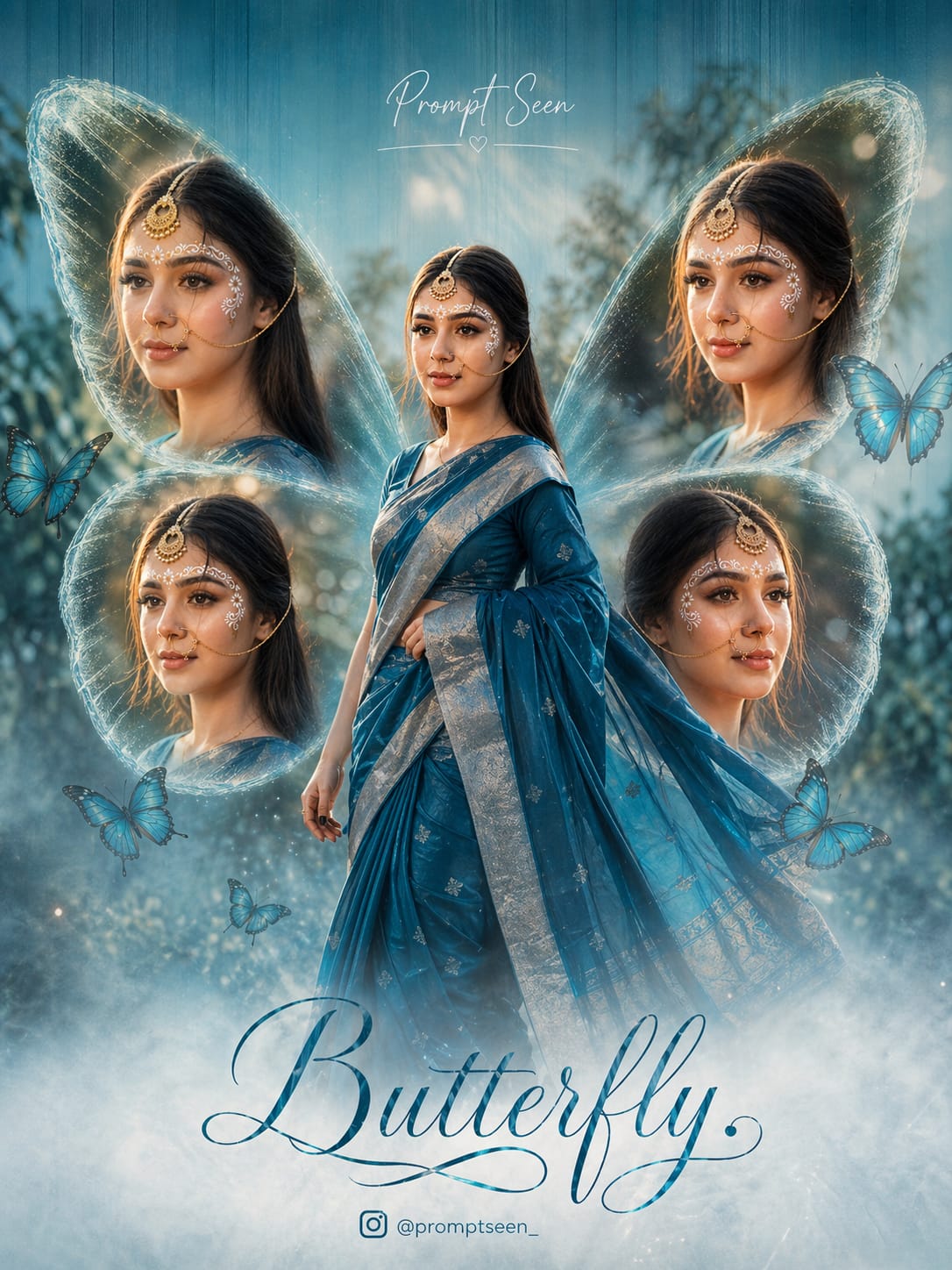
Cinematic butterfly collage photos are trending everywhere right now 🦋. This style mixes soft lighting, dreamy backgrounds, and multiple portraits into one beautiful frame. It gives a magical and aesthetic look that instantly grabs attention on Instagram and reels.
Girls especially love this trend because it highlights elegance, beauty, and creativity in a unique way. The butterfly wing collage layout, glowing effects, and pastel tones make every photo look like a professional poster. Even a simple picture can turn into a cinematic masterpiece with the right editing.
If you want your photos to stand out and look premium, this trend is perfect for you. It’s easy to create using AI tools and trending prompts, and the results look stunning every time.
Create a high-resolution, cinematic butterfly-themed collage poster of a young South Indian woman.

Name : Prompt Scene

Use the uploaded image as the exact face reference (strict face preservation - 100% identical facial features, skin tone, hairstyle, expression, no changes at all). The design should feature:

A large central full-body image of the woman wearing a traditional saree (deep teal/blue tone with silver border), standing gracefully and slightly twirling the

Surrounding her, include 4 smaller portrait shots (close-up angles, smiling, side poses) arranged symmetrically in a butterfly wing shape.

Add soft feathered edges around the smaller images to blend into the background. Background:

Soft pastel teal/blue gradient background with subtle vertical texture lines. Light mist/fog effect at the bottom.

Slight nature touch (blurred trees or greenery in background for depth).

Styling:

Elegant, dreamy, and feminine aesthetic. Soft natural lighting with smooth skin tones.

Add subtle glow and depth of field.

Typography:

Add a stylish cursive title text at the bottom: "Butterfly" Add a name at the top in elegant handwritten font.

Include a small Instagram-style username below.

Quality:

Ultra HD, 4K resolution

Sharp focus, professional photo manipulation Poster design, studio-quality finish--ar 3:4 --v 6 --style raw Create a high-resolution, cinematic butterfly-themed collage poster of a young South Indian woman.
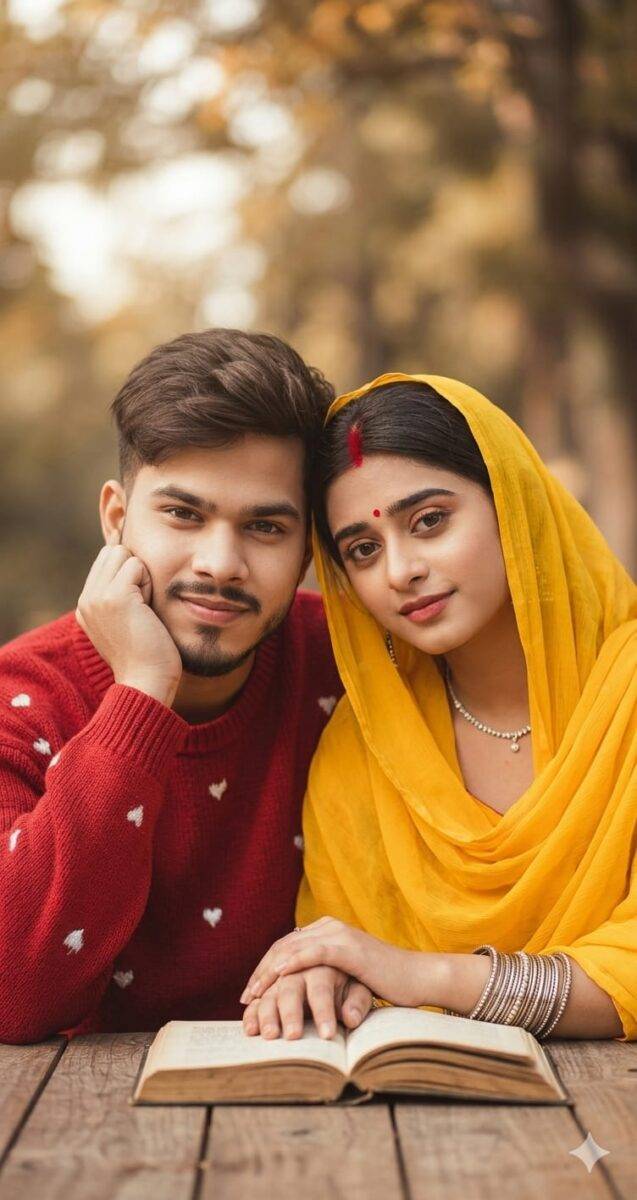
A warm, cinematic portrait of a young Indian couple sitting at a rustic wooden table outdoors. The man on the left is wearing a textured red sweater with small white heart embroidery, sporting a well-groomed beard and a modern fade hairstyle with a side-swept quiff. The woman on the right is wearing a vibrant yellow traditional dupatta draped over her head, featuring a red bindi and sindoor on her forehead, adorned with silver bangles and a delicate necklace. They are leaning in close together, their hands resting gently on an old book placed on the table. The background is a soft, creamy bokeh of autumn trees with warm, natural sunlight. High-detail skin textures, soft lighting, 8k resolution, romantic and serene atmosphere.
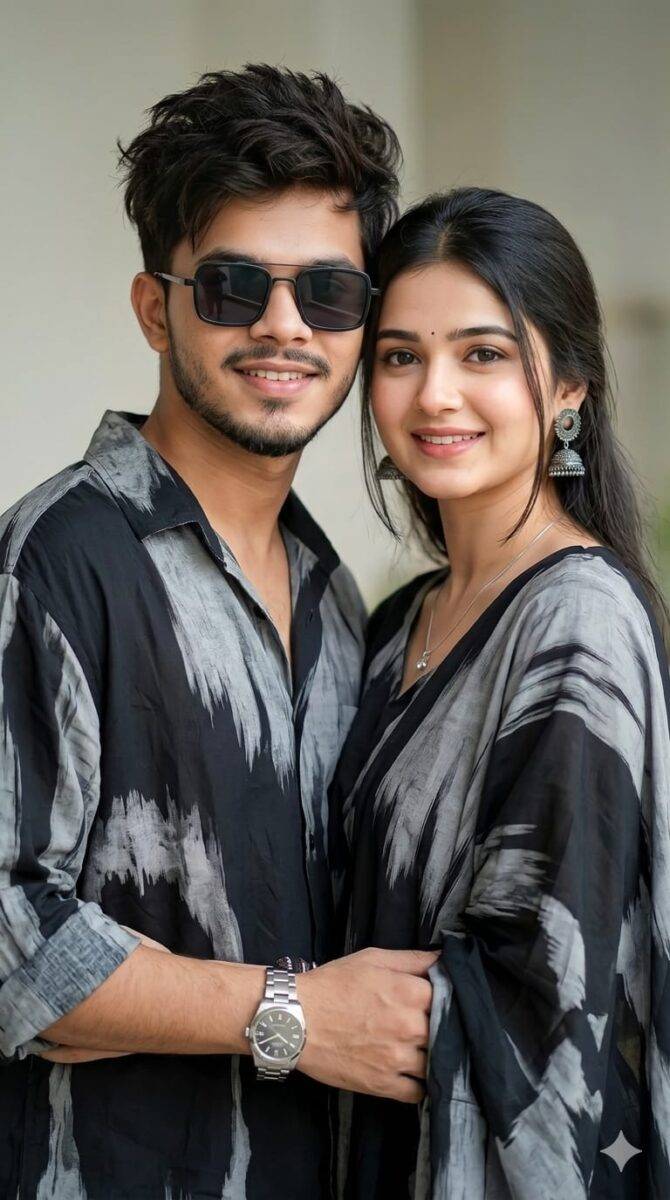
Create a stylish, 4k modern portrait of a young couple with same refference the man has dark Messy hairs, he is wearing square sunglasses, wearing a loose fitting black and grey shirt. single accessorized with 1 a watch. The women is wearing matching outfit with the man.

The background is soft, minimal, and subtly blurred to emphasize a contemporary fashion-forward vifac 9:16 ratio face skin smooth and bright 100% matching refrence photo
Transform the uploaded photograph into a premium minimalist editorial collage inspired by luxury travel magazines, contemporary fashion editorials, and artistic outdoor photography FORMAT & COMPOSITION: Create a strict 3:4 vertical canvas. Use a warm ivory/off-white background with subtle paper texture and generous negative space Place a large, clean-edged vertical rectangular crop of the original
Place this person in the second photo in a realistic manner and adjust them to match the second photo; do not change anything else. Keep the background exactly as it is-do not alter it at all-and do not change the face. Enhance the image to 8K quality and set the aspect ratio to 3:4. And Backgroud ke accoding person size adjust
Create a cinematic 4K, highly detailed, photorealistic video by transferring the EXACT dance movements, body motion, performance, timing, expressions, and camera movements from the REFERENCE VIDEO onto the person shown in the TARGET IMAGE. Completely replace the original main dancer with the person from the TARGET IMAGE. Preserve the target person's exact facial identity, facial features, skin ton
Transform the uploaded mirror selfie into a luxury LED Mirror portrait. Replace the existing mitor frame with an elegant irregular organic shape mirror 1,832 featuring a soft warm golden LED Backlight glow around entire edge .keep the subject same
Create a **10-second photorealistic image-to-video recreation of the uploaded reference video**. ### REFERENCE PRIORITY — CRITICAL Use the uploaded references as follows: **REFERENCE IMAGE 1 — MY PHOTO** Use this as the ONLY identity reference for the main person. Preserve my exact face, facial proportions, eyes, eyebrows, nose, lips, jawline, skin tone, hairstyle and overall identity throughout t
Video-to-video character replacement. Keep @Video 1 exactly the same: same handheld iPhone camera movement and shake, same framing, timing, red backstage lighting, background, crowd, bodyguards, and the fan in the foreground holding the phone and the big DSLR lens. Do not change anyone else. Replace only the main man in the center (the one who walks in, talks to the fan and laughs) with the person
MASTER PROMPT — Ultra-Realistic Bridal Nail Art Car Selfie (9:16) Use the uploaded selfie as the STRICT FACIAL IDENTITY REFERENCE. Preserve the person's exact facial features, natural skin tone, eyes, nose, lips, face shape, age, and realistic skin texture. Do not beautify, reshape, or alter the facial identity. REFERENCE COMPOSITION: Create an ultra-realistic golden-hour photograph of a beautiful
Use the reference video as the exact blueprint. Recreate the SAME actions, hand movements, facial expressions, camera movement, timing, framing and transition — do not invent or change anything. Start with the first reference image as the opening look, then transition into the second reference image at the EXACT same moment and using the EXACT same transition style as the reference video. In the s