Viral Car Uno Reverse Transition: AI Video Editing Prompt and Tutorial
By Prompt Scene ·
The Viral Car Uno Reverse Transition is a creative video editing trend that transforms an ordinary car clip into an eye-catching reverse transition effect. This style is popular on Instagram Reels, YouTube Shorts, and other social media platforms because it combines smooth motion, cinematic visuals, and a surprising reverse effect. With the help of AI video generation tools, creators can recreate this trending effect without needing professional cameras or advanced editing skills. If you want to make a Viral Car Uno Reverse Transition video for your social media account, you can use a suitable AI prompt and a simple editing workflow to achieve an impressive result.
What Is the Car Uno Reverse Transition?
The Car Uno Reverse Transition is a video effect in which a car’s movement appears to reverse or transform unexpectedly, creating a satisfying visual moment. Depending on the reference video, the effect may include a car moving backward, a sudden camera transition, a reversed action, or a seamless switch between two scenes. The main goal is to make the transition look natural while keeping the car, background, lighting, and camera movement consistent. This editing style works especially well for cinematic car edits, luxury vehicle videos, automotive promotions, and short-form content designed to capture viewers’ attention within the first few seconds.
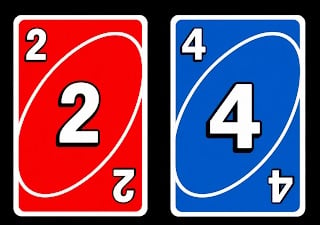
Download Both Image Above
Video Prompt
Create a **10-second photorealistic image-to-video recreation of the uploaded reference video**. ### REFERENCE PRIORITY — CRITICAL Use the uploaded references as follows: **REFERENCE IMAGE 1 — MY PHOTO** Use this as the ONLY identity reference for the main person. Preserve my exact face, facial proportions, eyes, eyebrows, nose, lips, jawline, skin tone, hairstyle and overall identity throughout the entire video. **REFERENCE IMAGE 2 — MY CAR PHOTO** Use this as the exact visual reference for the car. Preserve the exact car model, body shape, color, paint finish, wheels, headlights, windows, proportions and distinctive details. **REFERENCE IMAGE 3 And IMAGE 4— MY CARD PHOTO** Use this as the exact visual reference for the cards. Preserve the exact card design, colors, symbols, artwork, proportions and appearance. **REFERENCE VIDEO** Use the uploaded video ONLY as the motion and cinematography reference. Recreate its: - exact sequence of actions - timing - body movements - hand gestures - head movements - camera movement - framing - subject positioning - reveal timing - interaction between person, cards and car - final composition Do NOT copy the identity of the original person. Replace the original person completely with the person from MY PHOTO. --- ## CONTINUOUS SHOT The entire video must feel like **one continuous real handheld recording**. No hard cuts. No scene transitions. No teleportation. No sudden location changes. Every action must physically continue from the previous action. Maintain consistent: - environment - lighting - clothing - face - hairstyle - body proportions - car position - camera perspective --- # SHOT TIMELINE ### 0:00–0:03 — OPENING Start with me close to the camera in the same general composition and environment as the reference video. I face the camera with a natural, energetic expression. Reproduce the same subtle head movement and body movement from the reference video. I behave naturally as though I am speaking to the person filming. Keep the camera handheld with subtle natural smartphone movement. Do not introduce the car prominently yet. Maintain my exact identity from Reference Image 1. --- ### 0:03–0:04.5 — CARD REVEAL Reproduce the exact card gesture from the reference video. I naturally raise my hand toward the camera. The hand moves physically from beside my body toward the lens. Bring the cards from Reference Image 3 close to the camera. The cards become a large foreground element and partially cover my face, matching the reference video's composition. The cards must remain physically attached to my hand. Correct: - finger placement - hand anatomy - card thickness - perspective - depth - motion blur - realistic shadows Do NOT make the cards appear through a magical effect. After the reveal, naturally pull the cards away from the camera. --- ### 0:04.5–0:06.5 — CAR REVEAL As the cards move away, reveal my car from Reference Image 2 behind me. The car must already exist physically in the environment. It must NOT suddenly materialize. I notice the car and turn my head toward it. Then naturally rotate my upper body toward the car. Match the timing and direction of the reference video. Keep the car in the same relative position throughout this section. The vehicle must retain the exact appearance from Reference Image 2. --- ### 0:06.5–0:09 — SHOWING THE CAR I gesture toward my car as if proudly showing it to the camera. Reproduce the same pointing/showing movement from the reference video. Then naturally turn back toward the camera. The car remains clearly visible behind me. Do not change the car design, color, wheels or proportions. Maintain realistic interaction between my body and the environment. --- ### 0:09–0:10.5 — HAND/FACE GESTURE Reproduce the reference video's close hand gesture. Bring my hand/finger naturally toward my mouth/face. The movement must be anatomically correct and continuous. No extra fingers. No warped hands. No disappearing fingers. Maintain my facial identity exactly. --- ### 0:10.5–0:12.8 — EXCITED REACTION Reproduce the energetic reaction from the reference video. Turn toward the car again. Raise my arms/hands in the same excited gesture. The movement should be quick, natural and physically believable. Clothing, hair and body movement must react naturally. The camera should respond with subtle handheld movement. Do not introduce dramatic cinematic camera movements. --- ### 0:12.8–0:15 — FINAL CAR HERO SHOT Reproduce the final movement of the reference video. I move toward the edge of the frame, allowing the car to become the dominant subject. The camera naturally settles toward the car. Show the complete car clearly. My hand may briefly enter from the edge and point toward the car, matching the reference. End on the car in a strong final composition. Hold the final shot briefly. --- # CAMERA Match the reference video rather than inventing a new camera style. Use: - handheld smartphone camera - eye-level perspective - natural wide/medium-wide lens - subtle handheld shake - realistic autofocus - slight focus breathing - natural motion blur - realistic exposure changes - authentic creator/influencer video feeling The camera should feel like a real person is filming this on a phone. NO: - drone movement - crane movement - 360° camera - extreme cinematic dolly - unnecessary zoom - artificial camera shake - random camera cuts --- # REALISM Photorealistic live-action footage. Real human anatomy. Realistic skin texture. Realistic hair. Realistic clothing physics. Realistic hand movement. Realistic card movement. Realistic car reflections. Realistic nighttime/environmental lighting. Natural depth of field. Natural motion blur. The result should look like an actual video recorded in real life, NOT an AI-generated commercial. --- # IDENTITY LOCK My face must remain identical to Reference Image 1 from beginning to end. Do not: - change my face - beautify my face - slim my face - change my eyes - change my nose - change my lips - change my jaw - change my skin tone - change my hairstyle - change my apparent age - replace me with another person Maintain identity even when my face is partially covered by the cards. --- # CAR LOCK Reference Image 2 is the absolute source of truth for the vehicle. Do not alter: - model - body shape - paint color - wheels - headlights - windows - grille - proportions - distinctive design elements The car must remain the same vehicle throughout the entire video. --- # CARD LOCK Reference Image 3 is the absolute source of truth for the cards. Preserve: - exact card appearance - colors - symbols - artwork - dimensions - orientation Cards should remain sharp and recognizable when close to the camera. --- # NEGATIVE INSTRUCTIONS NO identity drift. NO face morphing. NO different person. NO changing clothes. NO changing hairstyle. NO extra people. NO extra cars. NO car transformation. NO changing car color. NO changing car model. NO card transformation. NO floating cards. NO teleporting objects. NO disappearing objects. NO duplicated objects. NO extra fingers. NO missing fingers. NO deformed hands. NO warped face. NO body distortion. NO unnatural limb movement. NO scene cuts. NO random transitions. NO time jumps. NO slow-motion unless present in the reference. NO excessive cinematic effects. NO CGI appearance. NO cartoon appearance. NO plastic skin. NO artificial beauty filter. NO oversaturated colors. NO fake-looking reflections. The final result must look like **the same reference video was recreated with me, my exact car, and my exact cards**, while preserving the original video's movement, timing, gestures and camera behavior.
How to Create a Viral Car Uno Reverse Transition Video
To create your own Viral Car Uno Reverse Transition, start by selecting a clear car photograph or a short video showing the vehicle from your preferred angle. Choose an AI video generation tool that supports image-to-video generation or reference video guidance. Upload your reference image and enter a detailed prompt describing the car’s movement, camera motion, reverse effect, lighting, and overall visual style. If you want to recreate a specific viral video, use its frames or a reference clip whenever the tool supports them. After generating the video, import the result into CapCut or another video editor to adjust the timing, synchronize the movement with the music, add suitable sound effects, and export the final video in a vertical 9:16 format for Instagram Reels and YouTube Shorts.
Ready-to-Copy Viral Car Uno Reverse Transition AI Prompt
Use the following prompt as a starting point for generating a cinematic car reverse transition. Upload your own car reference image first if your chosen AI tool supports image-to-video generation.
Create an ultra-realistic cinematic car video featuring the exact vehicle shown in the reference image. Preserve the car’s original design, body color, headlights, wheels, proportions, and other recognizable details. Begin with a smooth cinematic camera movement toward the car as it moves naturally through the scene. At the key moment, create a seamless Uno Reverse transition in which the car’s movement reverses smoothly and convincingly, as if time is moving backward. Reverse the vehicle’s motion and the relevant environmental movement naturally while maintaining realistic physics, consistent perspective, and stable vehicle geometry. Use dynamic camera tracking, realistic reflections, detailed road textures, cinematic lighting, natural motion blur, and professional automotive commercial quality. Keep the scene visually consistent without sudden changes to the car, background, or camera angle. Make the transition smooth, satisfying, and suitable for a viral social media video. Use vertical 9:16 framing, high visual detail, realistic movement, and clean cinematic color grading. Avoid distorted wheels, changing vehicle designs, flickering, unnatural movement, and unwanted objects or text.
Best Editing Tips for a Smooth Reverse Effect
For better results, choose a reference image or video with a clearly visible car and an uncluttered background. Describe the exact movement you want the AI tool to reverse instead of relying only on the words Uno Reverse Transition. If the AI generates an unnatural result, shorten the scene, simplify the camera movement, or generate separate clips for the forward and reverse actions. In CapCut, you can also use the Reverse feature on a suitable clip, trim the footage around the most interesting moment, and add a short whoosh or rewind sound effect. Keep transitions synchronized with the music beat, avoid excessive effects, and maintain consistent colors across clips. Remember that AI-generated motion can sometimes distort moving vehicles, so review the wheels, body shape, and background carefully before publishing.
How to Make Your Car Transition Video Go Viral
To make your Viral Car Uno Reverse Transition more engaging, focus on the opening moment, the timing of the reverse effect, and the overall visual quality. Start with a visually interesting car shot, reveal the reverse effect at the right moment, and keep the final video short enough to maintain attention. You can experiment with sports cars, luxury vehicles, night drives, sunset roads, and cinematic urban locations to create different versions of the trend. Add a relevant caption and use descriptive keywords such as Car Uno Reverse Transition, AI Car Video Editing, Viral Car Transition, and AI Video Editing Tutorial naturally in your title or description. Avoid adding too many unrelated hashtags, and make sure the finished video offers something visually satisfying rather than relying only on a trending audio track.
Conclusion
The Viral Car Uno Reverse Transition is an exciting way to create cinematic automotive content using AI video generation and simple editing techniques. By choosing a suitable reference, using a detailed AI prompt, and refining the result in an editor such as CapCut, beginners can create smooth and engaging car videos for social media. Experiment with different camera angles, reverse movements, and sound effects to develop your own style. With careful editing and realistic motion, you can turn an ordinary car clip into a creative transition video for your Prompt Scene audience.
Transform the uploaded photograph into a premium minimalist editorial collage inspired by luxury travel magazines, contemporary fashion editorials, and artistic outdoor photography FORMAT & COMPOSITION: Create a strict 3:4 vertical canvas. Use a warm ivory/off-white background with subtle paper texture and generous negative space Place a large, clean-edged vertical rectangular crop of the original
Place this person in the second photo in a realistic manner and adjust them to match the second photo; do not change anything else. Keep the background exactly as it is-do not alter it at all-and do not change the face. Enhance the image to 8K quality and set the aspect ratio to 3:4. And Backgroud ke accoding person size adjust
Create a cinematic 4K, highly detailed, photorealistic video by transferring the EXACT dance movements, body motion, performance, timing, expressions, and camera movements from the REFERENCE VIDEO onto the person shown in the TARGET IMAGE. Completely replace the original main dancer with the person from the TARGET IMAGE. Preserve the target person's exact facial identity, facial features, skin ton
Transform the uploaded mirror selfie into a luxury LED Mirror portrait. Replace the existing mitor frame with an elegant irregular organic shape mirror 1,832 featuring a soft warm golden LED Backlight glow around entire edge .keep the subject same
Video-to-video character replacement. Keep @Video 1 exactly the same: same handheld iPhone camera movement and shake, same framing, timing, red backstage lighting, background, crowd, bodyguards, and the fan in the foreground holding the phone and the big DSLR lens. Do not change anyone else. Replace only the main man in the center (the one who walks in, talks to the fan and laughs) with the person
MASTER PROMPT — Ultra-Realistic Bridal Nail Art Car Selfie (9:16) Use the uploaded selfie as the STRICT FACIAL IDENTITY REFERENCE. Preserve the person's exact facial features, natural skin tone, eyes, nose, lips, face shape, age, and realistic skin texture. Do not beautify, reshape, or alter the facial identity. REFERENCE COMPOSITION: Create an ultra-realistic golden-hour photograph of a beautiful
Use the reference video as the exact blueprint. Recreate the SAME actions, hand movements, facial expressions, camera movement, timing, framing and transition — do not invent or change anything. Start with the first reference image as the opening look, then transition into the second reference image at the EXACT same moment and using the EXACT same transition style as the reference video. In the s
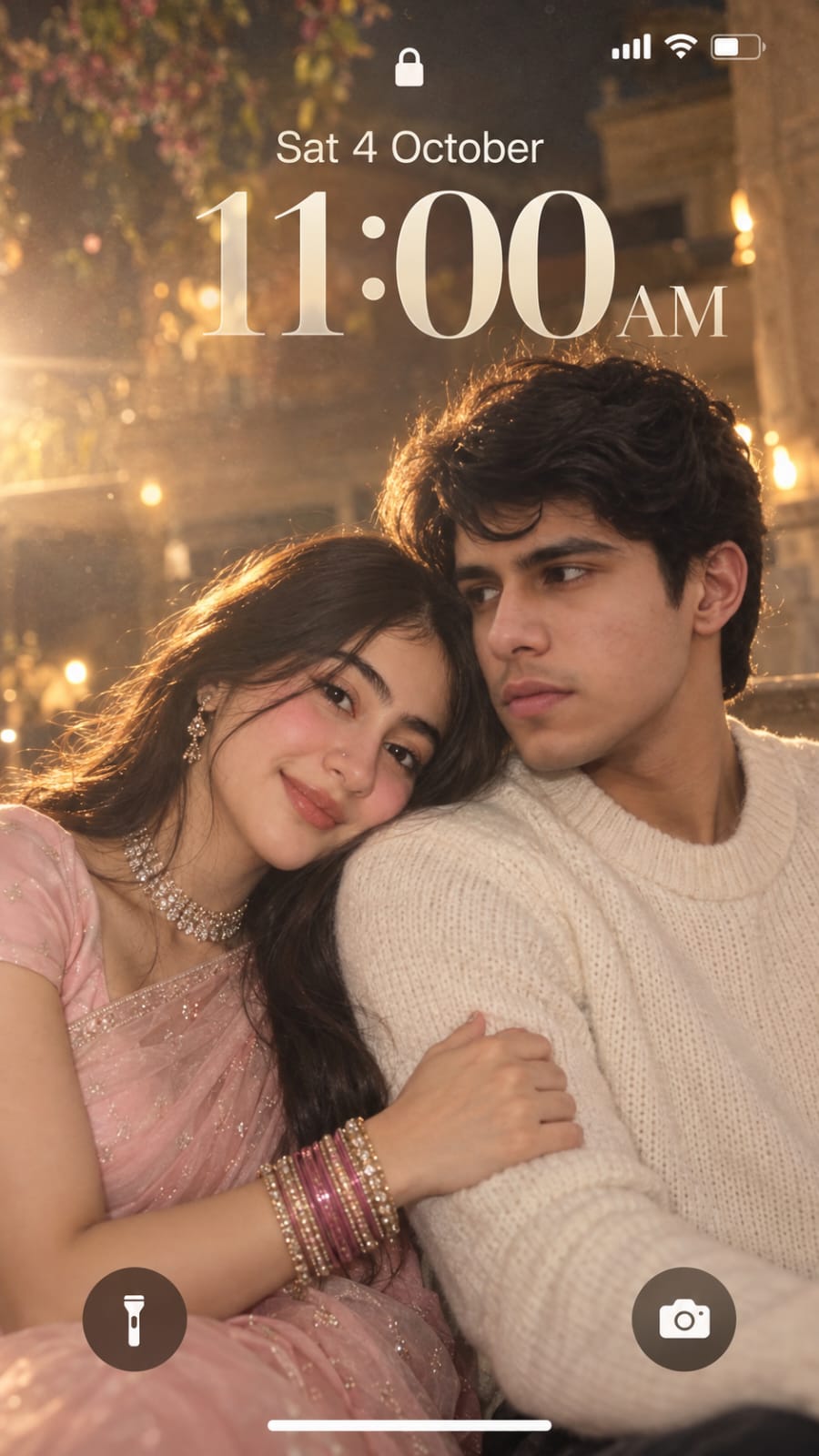
Create a dreamy, ethereal iPhone lock screen screenshot featuring an extreme close-up portrait of a young couple. Preserve the facial identity and natural facial features of both people from the uploaded reference photos. The man and woman are sitting very close together in a soft romantic pose. The woman gently rests her head on the man’s shoulder, lightly holding his arm, while both have subtle,