Garba AI Dance Video Editing Tutorial – Create Viral AI Dance Videos
By Prompt Scene ·
Introduction to Garba AI Dance Video Editing
Garba AI Dance Video Editing is becoming a creative way to transform ordinary photos into beautiful dance videos using artificial intelligence. Garba is a traditional Gujarati folk dance that is especially popular during Navratri, and its colorful outfits, energetic movements, and festive atmosphere make it perfect for creating engaging social media content. With AI video generation tools, you can turn a single photo into a realistic Garba dance video without recording yourself dancing. These videos can be shared on Instagram Reels, YouTube Shorts, Facebook, and other social media platforms. In this tutorial, we will explain how to create a Garba AI dance video step by step using a suitable AI video generation tool.
What Is a Garba AI Dance Video?
A Garba AI dance video is a video created using artificial intelligence that makes a person in a photo appear to perform traditional Garba dance movements. You can use a portrait of yourself, a friend, or another person who has given permission to use their image. Depending on the AI tool, you can generate traditional Gujarati outfits, colorful Navratri decorations, festive lighting, and natural dance movements. The best part is that you do not need professional video editing skills to get started. Once the video is generated, you can improve it using a mobile editing application such as CapCut or VN Video Editor. Adding Garba music, beat synchronization, smooth transitions, and suitable color grading can make your final video more attractive and engaging.
How to Create a Garba AI Dance Video
Creating a Garba AI dance video is simple if you follow the correct steps. First, choose a clear, high-quality photo in which the person’s face and body are visible. Next, open an AI video generation platform that supports image-to-video animation or reference-image animation. Upload your selected photo and enter a detailed prompt describing the Garba dance movements, clothing, background, camera angle, and lighting. Generate the video and wait for the tool to process your request. If the first result does not look natural, adjust the prompt and try again. After generating the video, download the result and open it in CapCut or VN Video Editor. Add suitable Garba music, synchronize the clips with the beats, and export the final video in a vertical 9:16 aspect ratio for Instagram Reels and YouTube Shorts. The available features and export options may vary depending on the AI platform you use.
Create a cinematic 4K, highly detailed, photorealistic video by transferring the EXACT dance movements, body motion, performance, timing, expressions, and camera movements from the REFERENCE VIDEO onto the person shown in the TARGET IMAGE. Completely replace the original main dancer with the person from the TARGET IMAGE. Preserve the target person's exact facial identity, facial features, skin tone, hairstyle, and natural appearance. Do not retain the original dancer's face. Do not alter, beautify, or

distort the target person's identity. Maintain consistent facial identity throughout the video.

Dress the target person in a stunning traditional Indian lehenga choli in deep maroon and gold, featuring intricate embroidery, shimmering sequins, a traditional choker necklace, and matching earrings. Recreate the same outdoor nighttime celebration atmosphere, with a lively croud in a mix of casual and traditional Indian attire, bright overhead floodlights, and a festive mood.

Follow the exact camera movement and framing of the reference video, starting with a dynamic tracking shot around the spinning dancer and ending with a stable, intimate shot of the person's smiling face and sparkling jewelry. Ensure cinematic 4K quality, realistic skin texture, natural dance physics, vibrant colors, shallow depth of field, soft bokeh, and high-quality motion blur.
To create a festive Garba dance video, you can use the following ready-to-copy prompt with an AI video generator that supports image-to-video animation. Upload your reference photo first, then paste the prompt into the generation box: “Create a highly realistic cinematic Garba dance video using the uploaded reference image. Preserve the person’s original facial identity, natural facial features, skin tone, hairstyle, and overall appearance as closely as possible. The person is performing energetic traditional Gujarati Garba dance movements with natural hand gestures, graceful circular steps, coordinated footwork, and realistic body motion. Dress the person in a beautiful traditional Gujarati Garba outfit with colorful embroidery, authentic festive accessories, and detailed fabric textures. Set the scene in a vibrant Navratri celebration with warm decorative lights, colorful traditional decorations, and people dancing in the background. Use smooth camera movement, realistic lighting, natural shadows, detailed textures, and cinematic colors. Keep the person’s face consistent throughout the video, avoid distorted hands and limbs, and maintain realistic body proportions. Create a joyful, energetic, culturally respectful festive atmosphere with smooth continuous movement and professional video quality. Vertical 9:16 composition, suitable for Instagram Reels and YouTube Shorts.” Results may vary depending on the reference photo and the AI model.
Best Tips for Realistic Garba AI Videos
If you want your Garba AI dance video to look professional, start with a sharp photo that has good lighting and minimal obstructions around the face and body. Make sure the prompt describes the dance movements clearly instead of using only general words such as beautiful or cinematic. Shorter clips can be easier to generate consistently, so consider creating several short scenes and combining the best results. Always check the generated video for facial changes, unnatural hand movements, distorted clothing, and inconsistent body proportions before publishing it. During editing, choose music that matches the mood of the traditional Garba dance, use transitions sparingly, and adjust the brightness and contrast without making the colors look unnatural. You can also add a short title, festive text, or a subtle glow effect to make the video more appealing. Use music that you have permission to use, especially when publishing content on monetized platforms.
How to Make Your Garba Dance Video Go Viral
To improve the reach of your Garba AI dance video, focus on creating an interesting opening that captures attention within the first few seconds. Choose an engaging thumbnail, use a relevant caption, and include natural keywords such as Garba AI Dance Video, Navratri AI Editing, Gujarati Dance Video, and AI Video Tutorial in your title or description. Relevant hashtags such as #Garba, #Navratri, #AIVideo, and #VideoEditing can help viewers understand your content, although hashtags alone cannot guarantee viral reach. Uploading a clean vertical video with good visual quality and well-synchronized music can improve the viewing experience. You can also experiment with different traditional outfits, festive backgrounds, and dance styles to develop your own creative approach. If you publish tutorials on Prompt Scene, explain which tools you used and provide clear instructions so beginners can follow the process easily.
Transform the uploaded photograph into a premium minimalist editorial collage inspired by luxury travel magazines, contemporary fashion editorials, and artistic outdoor photography FORMAT & COMPOSITION: Create a strict 3:4 vertical canvas. Use a warm ivory/off-white background with subtle paper texture and generous negative space Place a large, clean-edged vertical rectangular crop of the original
Place this person in the second photo in a realistic manner and adjust them to match the second photo; do not change anything else. Keep the background exactly as it is-do not alter it at all-and do not change the face. Enhance the image to 8K quality and set the aspect ratio to 3:4. And Backgroud ke accoding person size adjust
Transform the uploaded mirror selfie into a luxury LED Mirror portrait. Replace the existing mitor frame with an elegant irregular organic shape mirror 1,832 featuring a soft warm golden LED Backlight glow around entire edge .keep the subject same
Create a **10-second photorealistic image-to-video recreation of the uploaded reference video**. ### REFERENCE PRIORITY — CRITICAL Use the uploaded references as follows: **REFERENCE IMAGE 1 — MY PHOTO** Use this as the ONLY identity reference for the main person. Preserve my exact face, facial proportions, eyes, eyebrows, nose, lips, jawline, skin tone, hairstyle and overall identity throughout t
Video-to-video character replacement. Keep @Video 1 exactly the same: same handheld iPhone camera movement and shake, same framing, timing, red backstage lighting, background, crowd, bodyguards, and the fan in the foreground holding the phone and the big DSLR lens. Do not change anyone else. Replace only the main man in the center (the one who walks in, talks to the fan and laughs) with the person
MASTER PROMPT — Ultra-Realistic Bridal Nail Art Car Selfie (9:16) Use the uploaded selfie as the STRICT FACIAL IDENTITY REFERENCE. Preserve the person's exact facial features, natural skin tone, eyes, nose, lips, face shape, age, and realistic skin texture. Do not beautify, reshape, or alter the facial identity. REFERENCE COMPOSITION: Create an ultra-realistic golden-hour photograph of a beautiful
Use the reference video as the exact blueprint. Recreate the SAME actions, hand movements, facial expressions, camera movement, timing, framing and transition — do not invent or change anything. Start with the first reference image as the opening look, then transition into the second reference image at the EXACT same moment and using the EXACT same transition style as the reference video. In the s
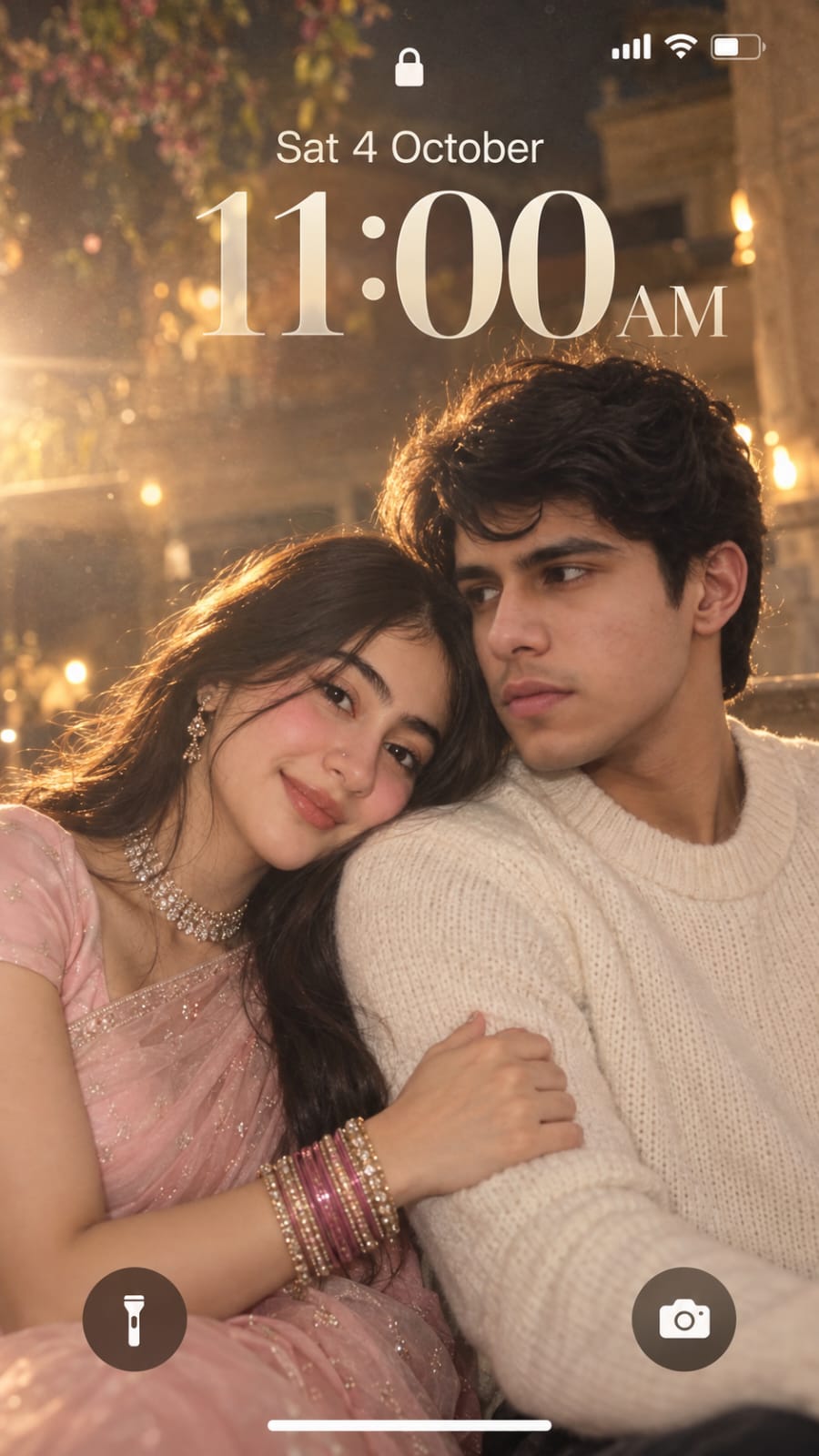
Create a dreamy, ethereal iPhone lock screen screenshot featuring an extreme close-up portrait of a young couple. Preserve the facial identity and natural facial features of both people from the uploaded reference photos. The man and woman are sitting very close together in a soft romantic pose. The woman gently rests her head on the man’s shoulder, lightly holding his arm, while both have subtle,