
Prompt Scene

Selfie With Celebrity AI Photo Editing Prompts

By Prompt Scene ·

Have you ever wished to take a selfie with your favorite celebrity but never had the chance? With the latest AI selfie with celebrity prompt tools, you can now create stunning and realistic photos with stars like Virat Kohli, Narendra Modi, or even international icons—without leaving your home.

One such trending tool is Google Nano Banana AI, a free platform that allows you to generate selfies and edit images using just text instructions. Let’s explore how you can use this tool to create fake photos with celebrities in a fun, safe, and creative way.
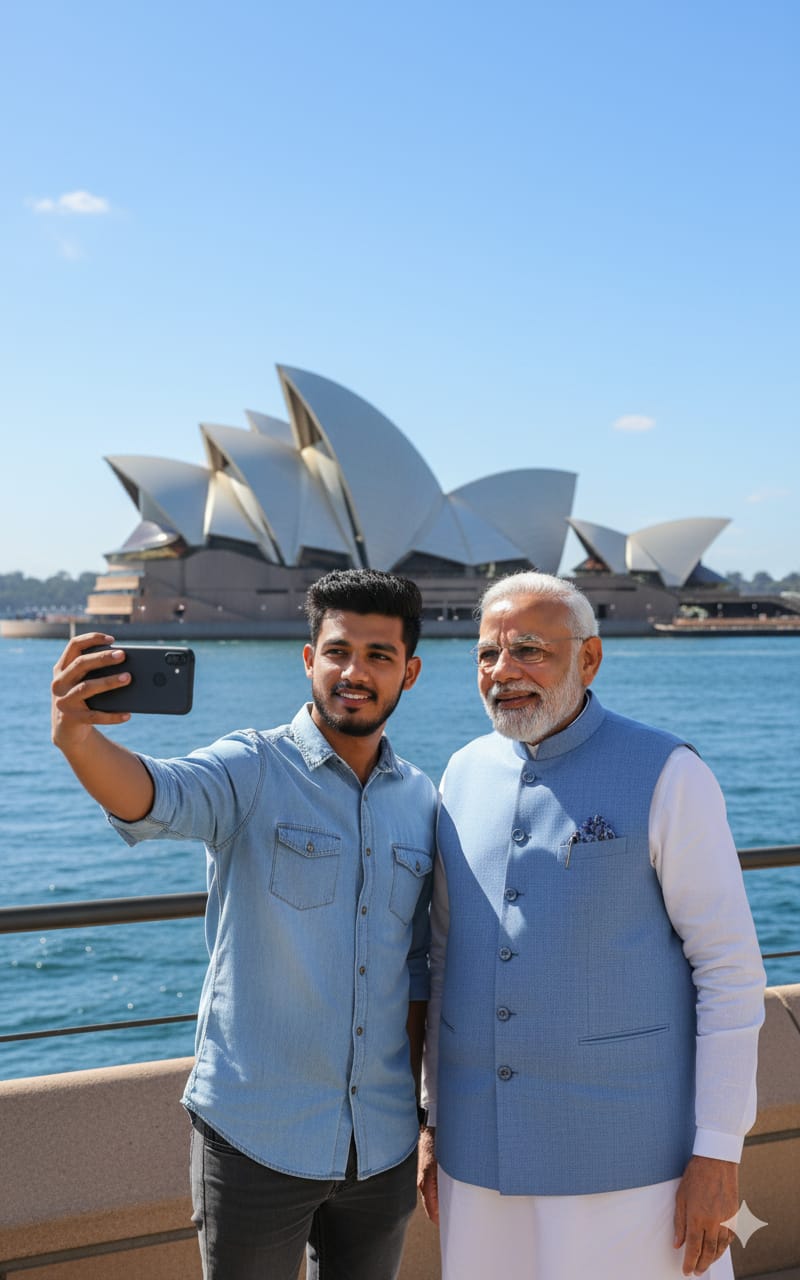
Make this photo a selfie with Narendra Modi in Sydney near Opera House. I am in casual outfit and Modi ji is in kurta pajama with jacket. The Opera House sails are visible behind with blue sky and harbor water. Bright daylight, ultra-realistic, natural selfie clarity.
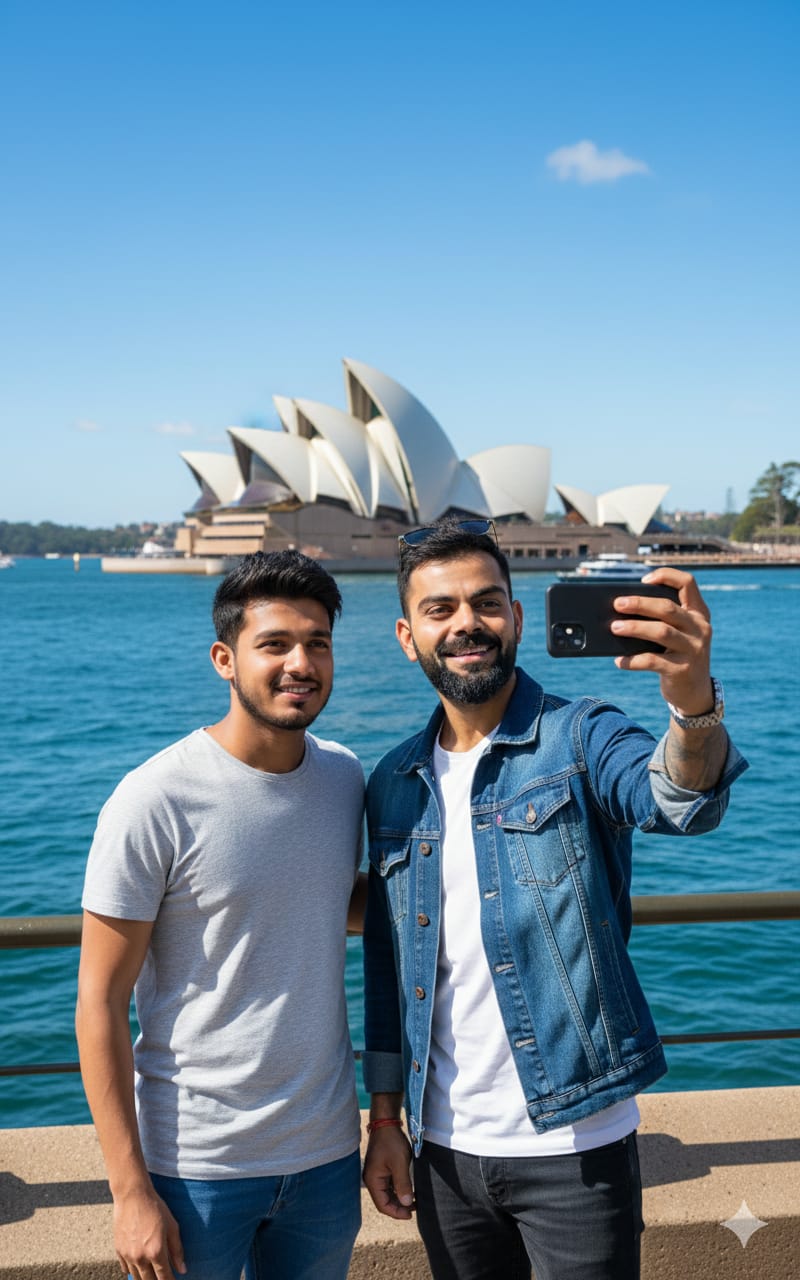
"Ultra-realistic selfie with Virat Kohli in Sydney near the Opera House. A person is holding the phone and taking the selfie with Virat sir standing close beside him. Virat Kohli is in a stylish casual outfit, smiling naturally at the camera. The Sydney Opera House sails and blue harbor water are clearly visible in the background under bright daylight. Natural selfie clarity, sharp facial details, realistic skin tones, and vibrant colors. Looks like a genuine fan selfie captured on a modern smartphone
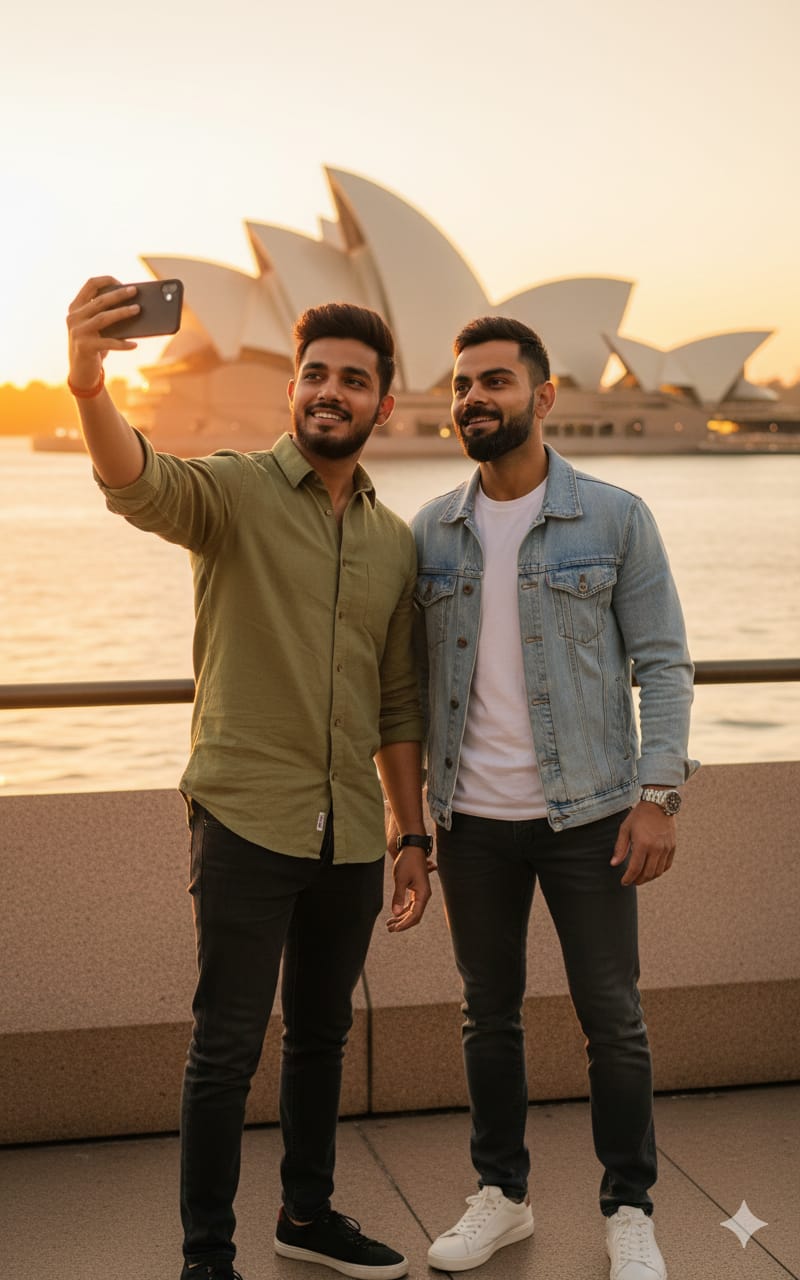
Ultra-realistic selfie with Virat Kohli in Sydney near the Opera House during golden hour. A person is holding the phone, taking a stylish selfie with Virat sir beside him, both posing confidently in trendy outfits. The Opera House sails glow with golden-orange sunlight, with warm cinematic lighting enhancing facial details. Vibrant colors, sharp clarity, and a polished, professional selfie look."
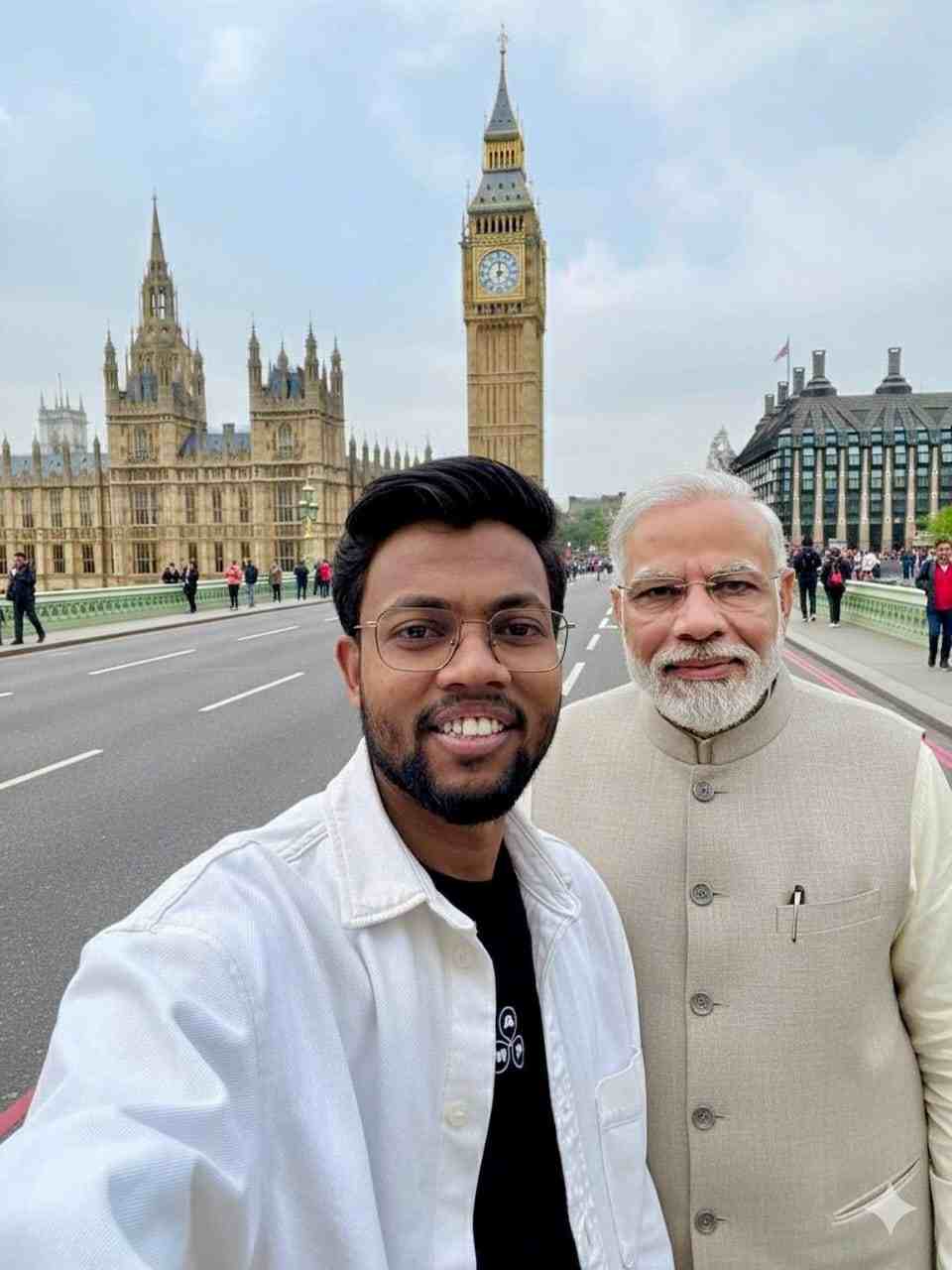
Make this photo a selfie with Narenda modi in London Big Ben
chatgpt ai image prompt
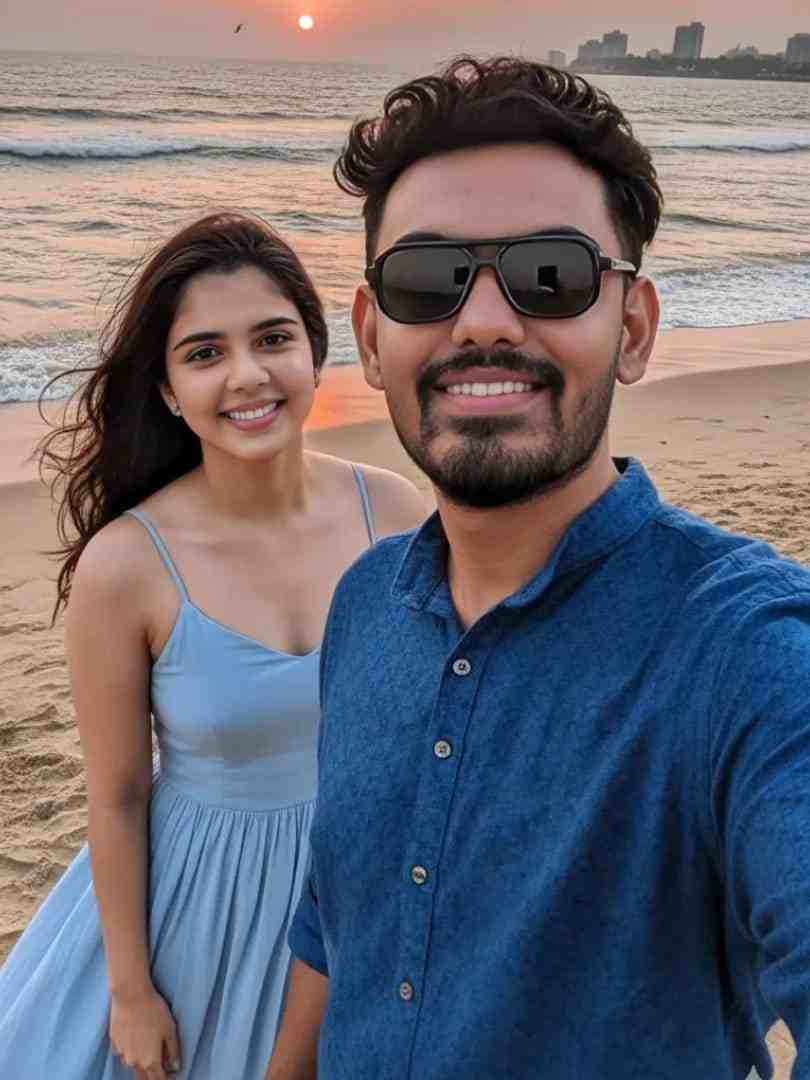
Make this photo a selfie with Kalyani priyadarshan indian actress At beautiful beach and I am wearing dark blue shirt and sunglass.

What is Google Nano Banana AI?

Google Nano Banana AI is part of Google’s Gemini AI platform and is designed to make photo creation and editing super simple. You can:


  • Add or replace objects in your photo.
  • Change backgrounds instantly.
  • Combine multiple images into one.
  • Maintain natural-looking results with consistency.
  • Generate unlimited AI selfies for free.

The best part? Every picture is watermarked for transparency, making it clear that the image was created using AI.

How to Use Google Nano Banana AI to Create Celebrity Selfies

Using this tool feels similar to typing a selfie with celebrity prompt in ChatGPT. Here’s how to get started:

  1. Open your browser and search for Google Gemini.
  2. Log in with your Google account.
  3. Upload your personal photo.
  4. Type a ChatGPT prompt for photo editing, such as:
    • “Make this photo a selfie with Narendra Modi in front of London Big Ben.”
    • “Turn this picture into a selfie with Kalyani Priyadarshan at a beach. I’m wearing a dark blue shirt and sunglasses.”
  5. Click on the Create button.
  6. Wait a few seconds, and your celebrity selfie will be ready to download.

Fixing Face Distortion or Blur Issues

Sometimes, AI photos may come out with slight distortions or mismatched faces. To fix this, you can use a face swap tool:

  1. Go to the recommended face swap website.
  2. Upload both your AI-generated selfie and your real photo.
  3. Tap on Start Face Swap.
  4. Within minutes, you’ll get a more polished and realistic selfie with the celebrity.

Why Try AI with Celebrity Photos?

Using AI with celebrity image generation is not just about fun. It also helps in:

  • Learning how AI image editing works.
  • Creating content for social media.
  • Exploring AI selfie with celebrity prompt trends.
  • Experimenting with photo manipulation safely and creatively.

Final Thoughts

AI is changing the way we interact with photos, and creating a selfie with celebrity prompt has never been easier. With tools like Google Nano Banana AI and ChatGPT-powered prompts, you can instantly create fake photos with celebrities that look natural and engaging.

Whether you’re just experimenting with ChatGPT prompts for photo editing or want to share fun selfies on social media, this tool is a must-try.

Have you tried generating an AI selfie yet? Drop your experience in the comments!

Related prompts

Minimalist Editorial Collage Photo Editing Prompt – Luxury Travel Aesthetic
Unique Prompts
35k 2.5k
5 days ago

Minimalist Editorial Collage Photo Editing Prompt – Luxury Travel Aesthetic


Transform the uploaded photograph into a premium minimalist editorial collage inspired by luxury travel magazines, contemporary fashion editorials, and artistic outdoor photography FORMAT & COMPOSITION: Create a strict 3:4 vertical canvas. Use a warm ivory/off-white background with subtle paper texture and generous negative space Place a large, clean-edged vertical rectangular crop of the original
Cinematic Baground Portrait Prompts
Unique Prompts
38k 4.0k
1 week ago

Cinematic Baground Portrait Prompts


Place this person in the second photo in a realistic manner and adjust them to match the second photo; do not change anything else. Keep the background exactly as it is-do not alter it at all-and do not change the face. Enhance the image to 8K quality and set the aspect ratio to 3:4. And Backgroud ke accoding person size adjust
Garba AI Dance Video Editing Tutorial – Create Viral AI Dance Videos
Unique Prompts
36k 9.7k
1 week ago

Garba AI Dance Video Editing Tutorial – Create Viral AI Dance Videos


Create a cinematic 4K, highly detailed, photorealistic video by transferring the EXACT dance movements, body motion, performance, timing, expressions, and camera movements from the REFERENCE VIDEO onto the person shown in the TARGET IMAGE. Completely replace the original main dancer with the person from the TARGET IMAGE. Preserve the target person's exact facial identity, facial features, skin ton
Viral Car Uno Reverse Transition: AI Video Editing Prompt and Tutorial
Unique Prompts
14k 5.7k
1 week ago

Viral Car Uno Reverse Transition: AI Video Editing Prompt and Tutorial


Create a **10-second photorealistic image-to-video recreation of the uploaded reference video**. ### REFERENCE PRIORITY — CRITICAL Use the uploaded references as follows: **REFERENCE IMAGE 1 — MY PHOTO** Use this as the ONLY identity reference for the main person. Preserve my exact face, facial proportions, eyes, eyebrows, nose, lips, jawline, skin tone, hairstyle and overall identity throughout t
Viral Fancam AI Video Tutorial: Create Trending AI Fancam Videos
Unique Prompts Video
35k 2.5k
1 week ago

Viral Fancam AI Video Tutorial: Create Trending AI Fancam Videos


Video-to-video character replacement. Keep @Video 1 exactly the same: same handheld iPhone camera movement and shake, same framing, timing, red backstage lighting, background, crowd, bodyguards, and the fan in the foreground holding the phone and the big DSLR lens. Do not change anyone else. Replace only the main man in the center (the one who walks in, talks to the fan and laughs) with the person
Navratri Birdal Nail Art Prompt
Unique Prompts
7.2k 2.9k
2 weeks ago

Navratri Birdal Nail Art Prompt


MASTER PROMPT — Ultra-Realistic Bridal Nail Art Car Selfie (9:16) Use the uploaded selfie as the STRICT FACIAL IDENTITY REFERENCE. Preserve the person's exact facial features, natural skin tone, eyes, nose, lips, face shape, age, and realistic skin texture. Do not beautify, reshape, or alter the facial identity. REFERENCE COMPOSITION: Create an ultra-realistic golden-hour photograph of a beautiful
Navratri Nails Transformation AI Video Tutorial
Unique Prompts Video
13k 5.0k
2 weeks ago

Navratri Nails Transformation AI Video Tutorial


Use the reference video as the exact blueprint. Recreate the SAME actions, hand movements, facial expressions, camera movement, timing, framing and transition — do not invent or change anything. Start with the first reference image as the opening look, then transition into the second reference image at the EXACT same moment and using the EXACT same transition style as the reference video. In the s





