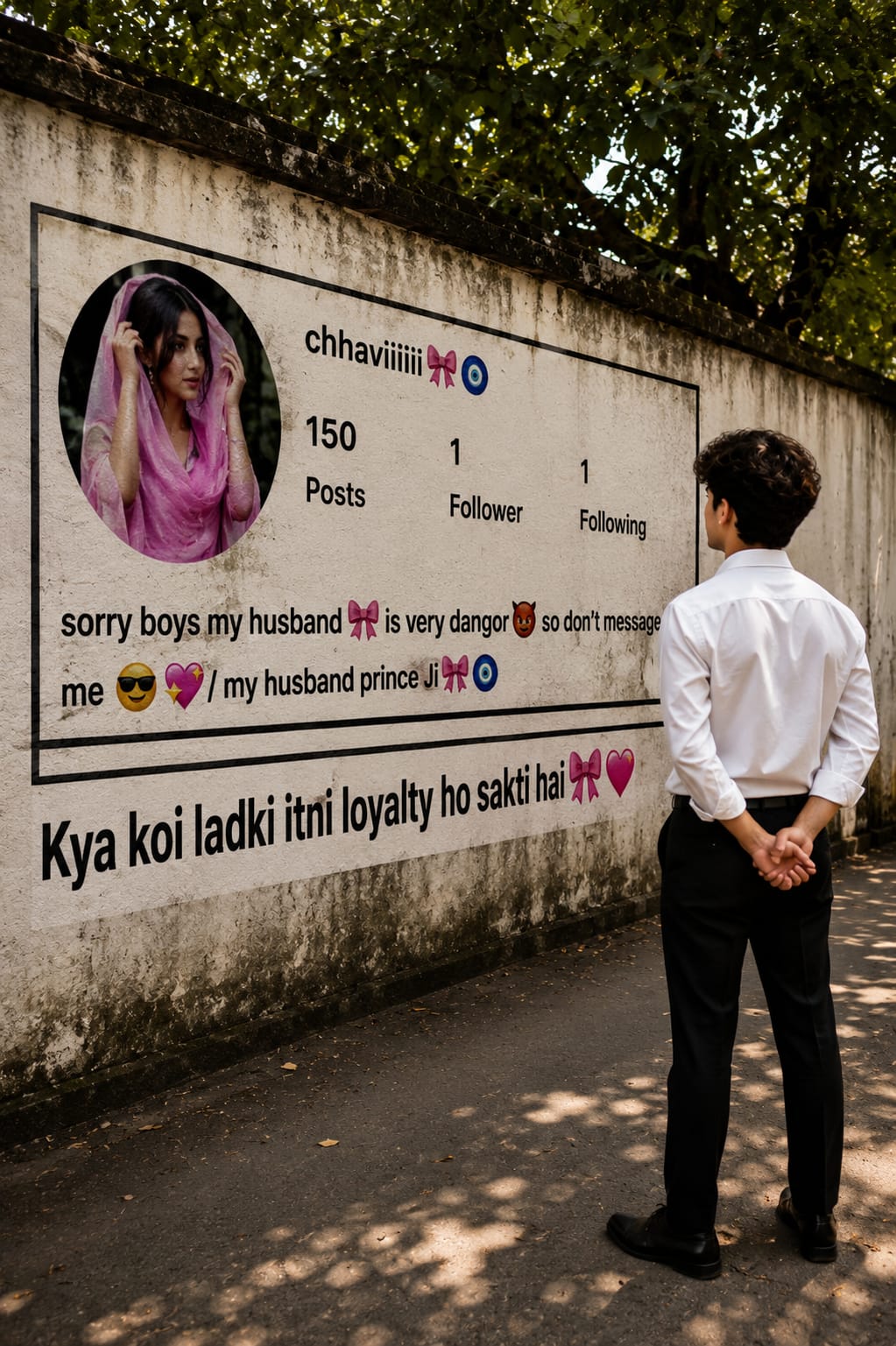
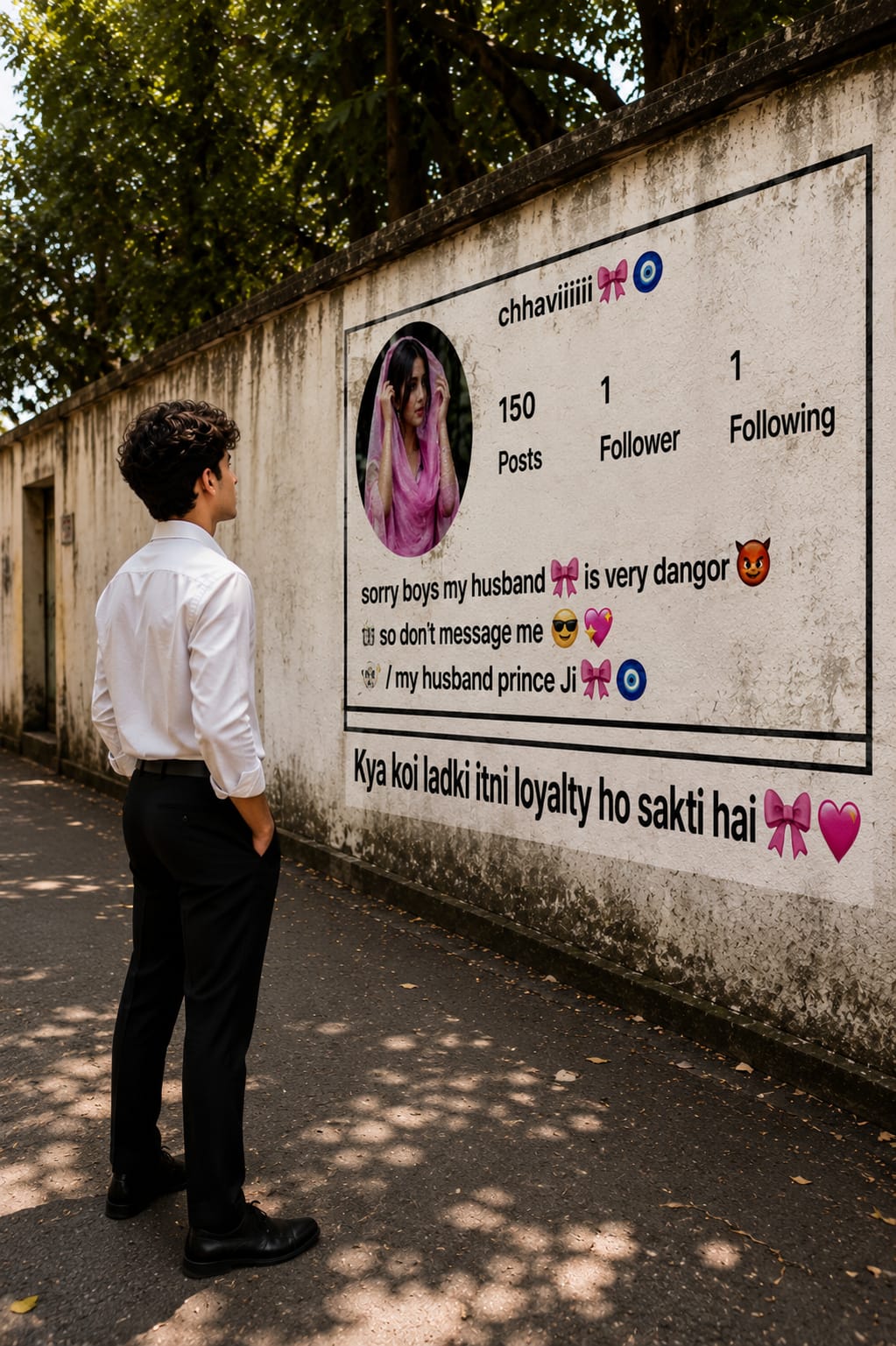
Realistic Instagram Wall Profile Photo Prompt for ChatGPT
By Prompt Scene ·
Creating unique AI photos is becoming more popular every day, and the Realistic Instagram Wall Profile Photo Prompt for ChatGPT is one of the latest viral trends. It lets you generate a realistic street-style image where a giant Instagram profile is displayed on a wall, creating a creative and eye-catching scene.
This prompt works well with ChatGPT, Gemini, and other AI image generators. With the right instructions, you can create highly detailed, cinematic photos that look like they were captured with a professional DSLR camera.
In this article, you’ll get the complete AI prompt, learn how it works, and discover tips to create realistic Instagram wall profile photos with the best possible results.
Here is a detailed AI image prompt that closely recreates the uploaded image:
Ultra-realistic cinematic street photography, a young Indian man viewed from behind, wearing a crisp white full-sleeve formal shirt tucked into black trousers with black formal shoes, standing on a quiet roadside with his hands clasped behind his back, looking at a giant Instagram profile mockup painted on a long old concrete wall. The oversized Instagram profile features a circular profile picture of a girl wearing a pink traditional dupatta, username "chhaviiiiii🎀🧿", "150 posts", "1 follower", "1 following", and a bio reading "sorry boys my husband🎀 is very dangor😈 so don't message me 😎💖 / my husband prince Ji🎀🧿". At the bottom of the wall is bold Hindi text: "Kya koi ladki itni loyalty ho sakti hai 🎀❤️". The wall has realistic weather stains, dirt, and black border lines, with lush green trees hanging above creating soft dappled sunlight and natural shadows on the pavement. Warm golden-hour lighting, DSLR photography, 35mm lens, f/2.8, shallow depth of field, ultra-detailed textures, realistic colors, high dynamic range, natural perspective, photorealistic, 8K, vertical composition, documentary-style photography.
Negative Prompt:
blurry, low quality, cartoon, CGI, painting, extra people, distorted body, duplicate objects, low resolution, watermark, logo, text artifacts, oversaturated colors, unrealistic lighting, noise, deformed hands, cropped subject.
STRICT IDENTITY LOCK: Use the uploaded person's face as the exact identity reference. Preserve 100% of the facial structure, hairstyle, thick curly hair, eyebrows, eyes, nose, lips, jawline, skin tone, facial proportions, facial expression, and ear piercing. Do not alter the identity in any way.

Ultra-realistic cinematic street photography of the same young man from the uploaded image, standing on the left side of the frame in a relaxed pose with one hand inside his trouser pocket, wearing a crisp white full-sleeve formal shirt tucked into black formal trousers with black formal shoes. The camera is positioned at a three-quarter side angle (around 45°), showing the man's left-side profile while he looks toward a giant Instagram profile mural painted on a long weathered concrete wall.

The oversized Instagram profile features a circular profile picture of a beautiful Indian girl wearing a pink traditional dupatta. The username reads "chhaviiiiii🎀🧿". Below it are:
• 150 Posts
• 1 Follower
• 1 Following

The bio reads:
"sorry boys my husband🎀 is very dangor😈 so don't message me 😎💖 / my husband prince Ji🎀🧿"

At the bottom of the wall, large bold Hindi text reads:
"Kya koi ladki itni loyalty ho sakti hai 🎀❤️"

The wall has realistic dirt, weather stains, cracks, faded paint, and black border lines. Large green trees above cast soft dappled sunlight and natural shadows across the road and wall. Warm golden-hour lighting, realistic ambient shadows, cinematic composition, documentary-style street photography, Canon EOS R5, 35mm lens, f/2.8, HDR, shallow depth of field, natural colors, ultra-detailed textures, photorealistic, hyper-realistic, 8K, vertical 9:16 composition.

Camera Angle:
• Three-quarter side view (45°)
• Slightly low camera position
• Wide-angle
The Realistic Instagram Wall Profile Photo Prompt for ChatGPT is a simple yet powerful way to create viral AI images with a unique street photography style. Whether you’re making content for Instagram, YouTube, or social media, this prompt helps you generate professional-looking images in just a few seconds.
For the best results, use a high-quality reference photo and keep your prompt detailed. Small details like camera angle, lighting, and realistic textures can make a huge difference in the final image.
Copy the prompt from this article, customize it to match your style, and start creating stunning AI-generated Instagram wall profile photos today.
Transform the uploaded photograph into a premium minimalist editorial collage inspired by luxury travel magazines, contemporary fashion editorials, and artistic outdoor photography FORMAT & COMPOSITION: Create a strict 3:4 vertical canvas. Use a warm ivory/off-white background with subtle paper texture and generous negative space Place a large, clean-edged vertical rectangular crop of the original
Place this person in the second photo in a realistic manner and adjust them to match the second photo; do not change anything else. Keep the background exactly as it is-do not alter it at all-and do not change the face. Enhance the image to 8K quality and set the aspect ratio to 3:4. And Backgroud ke accoding person size adjust
Create a cinematic 4K, highly detailed, photorealistic video by transferring the EXACT dance movements, body motion, performance, timing, expressions, and camera movements from the REFERENCE VIDEO onto the person shown in the TARGET IMAGE. Completely replace the original main dancer with the person from the TARGET IMAGE. Preserve the target person's exact facial identity, facial features, skin ton
Transform the uploaded mirror selfie into a luxury LED Mirror portrait. Replace the existing mitor frame with an elegant irregular organic shape mirror 1,832 featuring a soft warm golden LED Backlight glow around entire edge .keep the subject same
Create a **10-second photorealistic image-to-video recreation of the uploaded reference video**. ### REFERENCE PRIORITY — CRITICAL Use the uploaded references as follows: **REFERENCE IMAGE 1 — MY PHOTO** Use this as the ONLY identity reference for the main person. Preserve my exact face, facial proportions, eyes, eyebrows, nose, lips, jawline, skin tone, hairstyle and overall identity throughout t
Video-to-video character replacement. Keep @Video 1 exactly the same: same handheld iPhone camera movement and shake, same framing, timing, red backstage lighting, background, crowd, bodyguards, and the fan in the foreground holding the phone and the big DSLR lens. Do not change anyone else. Replace only the main man in the center (the one who walks in, talks to the fan and laughs) with the person
MASTER PROMPT — Ultra-Realistic Bridal Nail Art Car Selfie (9:16) Use the uploaded selfie as the STRICT FACIAL IDENTITY REFERENCE. Preserve the person's exact facial features, natural skin tone, eyes, nose, lips, face shape, age, and realistic skin texture. Do not beautify, reshape, or alter the facial identity. REFERENCE COMPOSITION: Create an ultra-realistic golden-hour photograph of a beautiful
Use the reference video as the exact blueprint. Recreate the SAME actions, hand movements, facial expressions, camera movement, timing, framing and transition — do not invent or change anything. Start with the first reference image as the opening look, then transition into the second reference image at the EXACT same moment and using the EXACT same transition style as the reference video. In the s