Realistic Cinematic Moutain AI Video Using just 1 Photo
By Prompt Scene ·
Mountain reels have become one of the biggest trends on Instagram and YouTube Shorts. What makes this trend interesting is that most creators are not actually standing on a mountain. They are using a single photo and an AI video prompt to turn it into a realistic, cinematic clip that looks like it was shot by a professional travel photographer.
In this article, I am sharing a complete AI prompt that you can use with just one photo to create a realistic cinematic mountain video. I will also explain how to structure the prompt, what details matter the most, and how to avoid the common AI mistakes that make a video look fake.
Use the uploaded person photo as the STRICT and HIGHEST-PRIORITY face, identity, hairstyle and full-body reference.

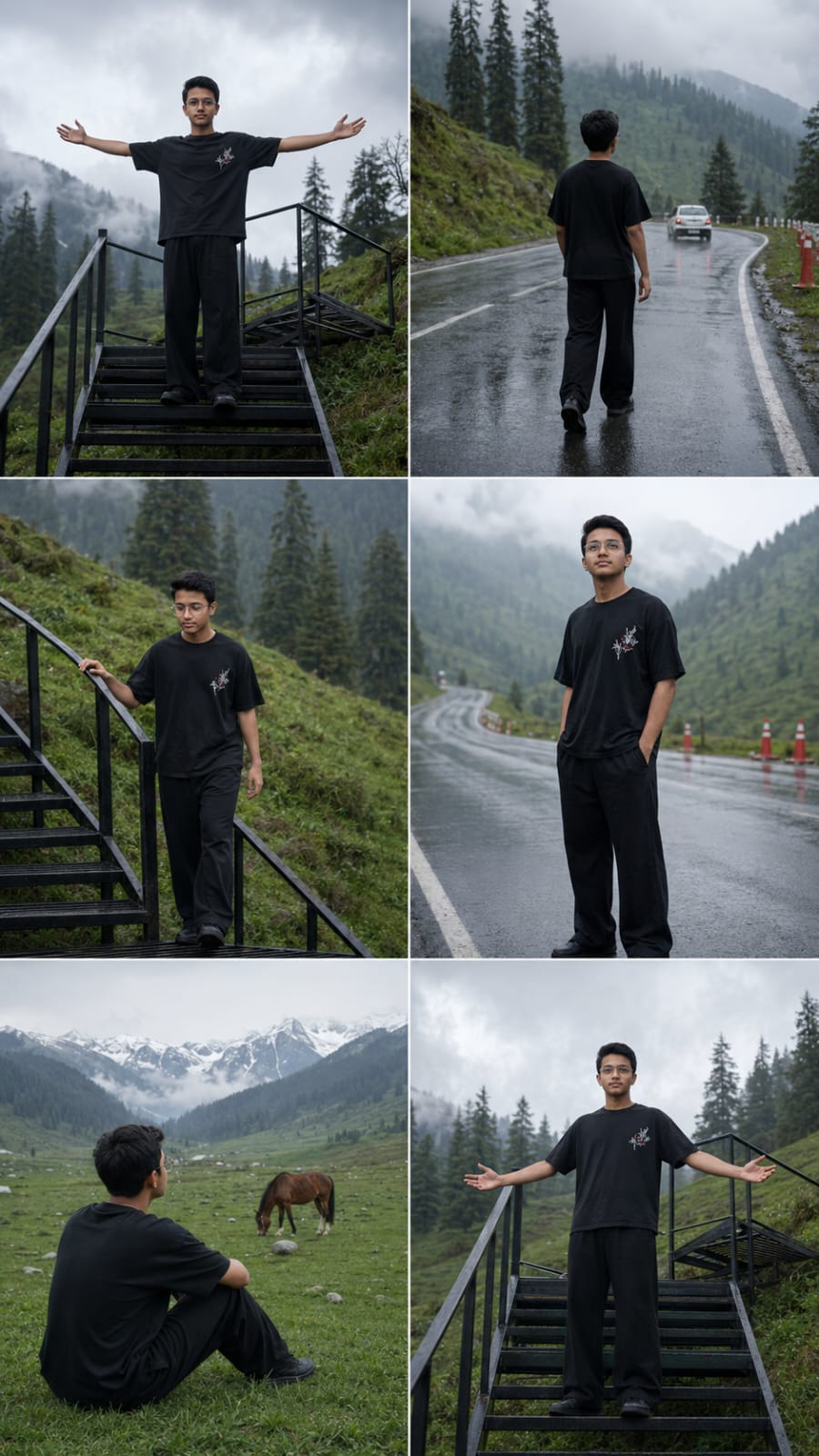
Create ONE premium ultra-realistic horizontal 9:16 cinematic storyboard collage containing exactly 6 connected scenes arranged in a clean 2 columns × 3 rows layout.

Generate only one single collage image.
Keep all six panels equal in size.
No panel numbers, no captions, no borders, no extra people, no logo and no watermark.

UNIVERSAL IDENTITY LOCK — HIGHEST PRIORITY:

This prompt must work naturally for any uploaded person.

Preserve the uploaded person’s exact real:
face shape,
eyes,
eyebrows,
nose,
lips,
jawline,
ears,
skin tone,
natural skin texture,
hairstyle,
hairline,
natural age,
natural height,
shoulder width,
body shape,
arm length,
leg length,
head-to-body ratio and realistic proportions.

The exact same uploaded person must remain clearly recognizable in every face-visible panel.

Never beautify, redesign, reconstruct or replace the face.
Never make the subject taller, shorter, thinner, heavier, younger, older or more muscular.

Use one permanently locked face and one permanently locked body throughout all six panels.

OUTFIT LOCK:

Keep one identical outfit in every panel:

• oversized black half-sleeve T-shirt
• subtle small white/red graphic detail on the chest
• loose black wide-leg trousers
• simple dark footwear
• no jacket
• no hat
• no helmet
• no sunglasses

Keep the same clothing fit, fabric, colour and proportions throughout.

LOCATION STYLE:

A cold rainy mountain valley with:
• lush green hills
• tall dark conifer trees
• wet asphalt highway
• soft grey cloudy sky
• misty atmosphere
• black metal staircase built into the hillside
• orange road cones
• distant houses
• green alpine meadow
• grazing horse
• distant snow-covered mountains

COLOUR GRADING LOCK:

Use one consistent premium realistic mountain-film grade:
• soft overcast daylight
• cool grey-blue shadows
• deep natural greens
• slightly muted saturation
• realistic wet-road reflections
• soft mist
• low-contrast highlights
• natural skin colour
• subtle film grain
• gentle cinematic haze
• premium DSLR / documentary realism

SCENE 1 — STAIRCASE HERO:
Wide low-angle full-body shot.
The person stands on the upper landing of a black metal staircase on a green mountain hillside.
Both arms are stretched outward naturally.
Face visible.
Tall conifer trees and cloudy sky behind.

SCENE 2 — WET ROAD WALK:
Rear three-quarter full-body shot.
The same person walks slowly on a wet mountain highway.
A white car is moving farther ahead.
Rain reflections appear on the road.
Green hills and misty trees surround the road.

SCENE 3 — STAIRCASE DESCENT:
Medium-long side/front shot.
The same person slowly walks down the black metal staircase.
One hand lightly touches the railing.
Face remains clearly recognizable.
Green hillside and dark conifer trees behind.

SCENE 4 — RAINY ROAD PORTRAIT:
Medium full-body front three-quarter shot.
The person stands calmly on the wet highway and looks slightly upward toward the cloudy sky.
Orange traffic cones and mountain vegetation remain in the background.
Face sharp and unchanged.

SCENE 5 — ALPINE MEADOW:
Wide cinematic rear three-quarter shot.
The same person sits peacefully on green grass in a huge alpine meadow.
A horse grazes naturally nearby.
Distant snow-covered mountains rise behind the valley.
The same black outfit remains unchanged.

SCENE 6 — FINAL STAIRCASE:
Wide hero shot.
The same person stands again on the black metal staircase landing.
Relaxed confident posture, arms slightly open.
Same green hillside, conifer trees and overcast mountain atmosphere.

STYLE:

Ultra-realistic live-action photography,
authentic skin pores,
natural hair,
correct anatomy,
realistic clothing folds,
real wet-road reflections,
natural grass,
realistic horse,
true mountain depth,
premium 4K cinematic quality.

NEGATIVE:

No face change,
no identity drift,
no similar replacement face,
no face morphing,
no beauty filter,
no skin smoothing,
no hairstyle change,
no age change,
no height change,
no body change,
no outfit change,
no extra person,
no duplicate subject,
no broken hands,
no extra fingers,
no distorted legs,
no fake mountain,
no cartoon,
no anime,
no cheap CGI,
no text,
no logo,
no watermark.
Video Prompt 👇
Animate the uploaded 6-panel storyboard collage into ONE continuous premium ultra-realistic horizontal 9:16 cinematic mountain video, approximately 10 seconds long.

REFERENCE PRIORITY:

The separately uploaded clear person photo is the PRIMARY and ABSOLUTE identity reference.

The storyboard collage is ONLY the secondary reference for:
scene order,
outfit,
location,
poses,
camera framing,
staircase,
wet road,
meadow,
horse and mountains.

Never derive or reconstruct the person’s face from the small faces inside the collage.

Always preserve the exact face from the original clear uploaded person photo.

IDENTITY LOCK — HIGHEST PRIORITY:

Maintain ONE permanently locked facial identity and ONE permanently locked body throughout the entire video.

Preserve exactly:
face shape,
eyes,
eyebrows,
nose,
lips,
jawline,
ears,
skin tone,
natural skin texture,
hairstyle,
hairline,
natural age,
height,
shoulder width,
body shape,
arm length,
leg length and realistic body proportions.

Do not regenerate the face after scene transitions.

The person visible after every cut must still be the exact same uploaded real person.

No beautification.
No face reconstruction.
No face morphing.
No body morphing.

OUTFIT LOCK:

Keep the same oversized black half-sleeve T-shirt, loose black trousers and dark footwear throughout.

No outfit changes.

SCENE 1 — 0.0–2.0 sec:
Begin with a cinematic low-angle wide shot of the person standing on the upper platform of the black metal staircase.

The person slowly opens both arms outward.

Use a very subtle camera push-in.

Mountain wind gently moves the T-shirt and hair.

Face stays stable and natural.

SCENE 2 — 2.0–4.0 sec:
Smooth cut to a rear three-quarter shot on the wet mountain road.

The same person slowly walks forward on reflective asphalt.

A white car moves farther down the road.

Keep the camera following slowly from behind.

No fast movement.

SCENE 3 — 4.0–6.1 sec:
Cut back to the black hillside staircase.

The same person slowly descends several steps.

Use a stable medium-long shot.

One hand naturally touches the railing.

When the face becomes visible, restore the exact original uploaded face without any identity change.

SCENE 4 — 6.1–9.5 sec:
Cut to a medium full-body portrait on the wet highway.

The person stands almost still and slowly looks upward toward the cloudy mountain sky.

Only subtle breathing, blinking and head movement.

Use a gentle slow push-in.

Keep the face large, sharp and identical to the uploaded photo.

Orange road cones, wet reflections and green hills remain behind.

SCENE 5 — 9.5–11.8 sec:
Soft cinematic transition to the alpine meadow.

The same person sits peacefully on green grass looking toward the snowy mountains.

A horse grazes naturally a short distance away.

Use an extremely slow camera pull-back.

Keep the subject’s body shape and outfit unchanged.

SCENE 6 — 11.8–14.0 sec:
Return to the black metal staircase.

The person stands confidently on the upper platform.

Slowly open both arms.

Finish with a subtle cinematic pull-back revealing the green hillside, tall trees and cloudy sky.

Keep the uploaded person’s exact identity until the final frame.

FACE CONSISTENCY RULES:

Prioritize identity stability over dramatic animation.

Whenever the face is visible:
use front or three-quarter angles,
keep the head movement slow,
keep the face sharp,
avoid motion blur over facial features.

No extreme facial expressions.
No rapid head rotation.
No face hidden by objects.
No camera orbit around the face.
No sudden profile-to-front transformation.

CAMERA:

Slow push-in,
stable follow shot,
gentle staircase tracking,
slow portrait push-in,
slow meadow pull-back,
final wide pull-back.

No shaky camera.
No fast zoom.
No fisheye.
No random camera movement.

COLOUR GRADING:

Maintain the same premium realistic cold mountain grade throughout:
soft grey overcast sky,
cool shadows,
deep natural green vegetation,
muted saturation,
realistic skin,
wet asphalt reflections,
subtle atmospheric mist,
soft highlights,
gentle contrast,
subtle film grain.

MOTION:

Natural breathing,
subtle blinking,
gentle walking,
correct stair stepping,
realistic clothing movement,
natural wind,
realistic horse movement.

No unnatural body movement.

FINAL QUALITY:

Ultra-realistic live-action footage,
authentic skin texture,
realistic hair,
correct anatomy,
natural wet surfaces,
real mountain atmosphere,
professional cinematic depth,
premium 4K quality.

NEGATIVE:

No face change,
no identity drift,
no similar generated person,
no face swap,
no face morphing,
no facial reconstruction,
no beauty filter,
no skin smoothing,
no hairstyle change,
no age change,
no body change,
no height change,
no outfit change,
no duplicate person,
no extra limbs,
no broken hands,
no distorted feet,
no cartoon,
no anime,
no fake CGI,
no text,
no logo,
no watermark.
What Is a Cinematic Mountain AI Video
A cinematic mountain AI video is a short video generated by an AI tool that places a person in a mountain landscape, using natural camera movement, realistic lighting, and cinematic framing. Instead of filming on location, you upload one clear photo of yourself, and the AI tool builds the entire scene around it.
The reason this trend works so well is that mountains already have strong natural lighting, fog, and depth, which AI video tools handle better than crowded city scenes. When the prompt is written properly, the result can look close to a real travel shoot.
What You Need Before You Start
You only need one clear photo for this. It should be a front facing photo with good lighting, a neutral background, and your full face visible without sunglasses or a cap covering your features. A photo with soft, natural light works better than one with harsh shadows.
If you want a specific outfit or a specific mountain look, keep that in mind before writing your prompt, since you will describe it in text rather than upload a second photo.
Face and Identity Lock Prompt
Paste this before your scene prompt so the AI tool treats your uploaded photo as the only identity reference.
“Use my uploaded photo as the only identity reference. Preserve my face 100% exactly: same facial structure, skin tone, hairstyle, eyebrows, beard or no beard, lips, nose, eyes, expression, and body proportions. Do not change or beautify my face. Maintain perfect facial consistency throughout the video.”
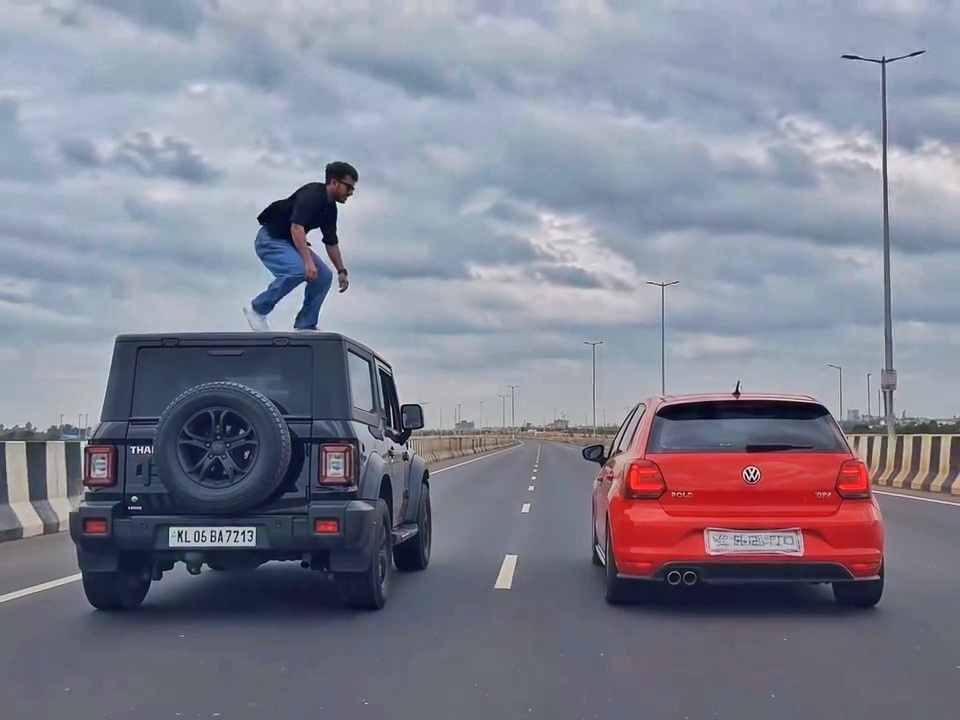
A rear-view, wide-angle cinematic shot on a wide highway under an overcast sky. A black SUV driving on the left lane and a red hatchback driving parallel on the right lane at medium speed. A young man emerges from the roof of the black SUV, stands up, and performs a dramatic acrobatic backflip through the air across the gap between the vehicles, successfully landing on top of the roof of the red h
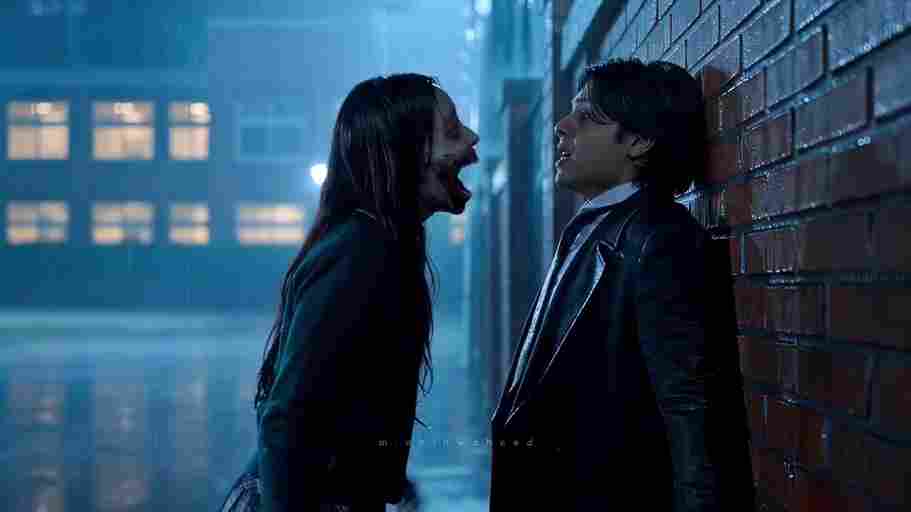
Create a 10-second photorealistic cinematic video using the 2 uploaded reference images. Reference Image 1 = MAN and Reference Image 2 = WOMAN. Preserve both faces, identities, facial features, and hair exactly from the references. Create a scene inside an abandoned snow-covered mountain cabin. The man wears a beige beanie and petrol-blue winter parka and is crying while aiming a handgun at the wo
Use the uploaded reference video as the PRIMARY visual and motion reference. Recreate the video as closely as possible to the reference video, matching its exact shot structure, timing, pacing, camera movement, framing, subject movement, gestures, facial expressions, environment, lighting, transitions, motion blur and overall cinematic style. Do not reinterpret the sequence or create a different c
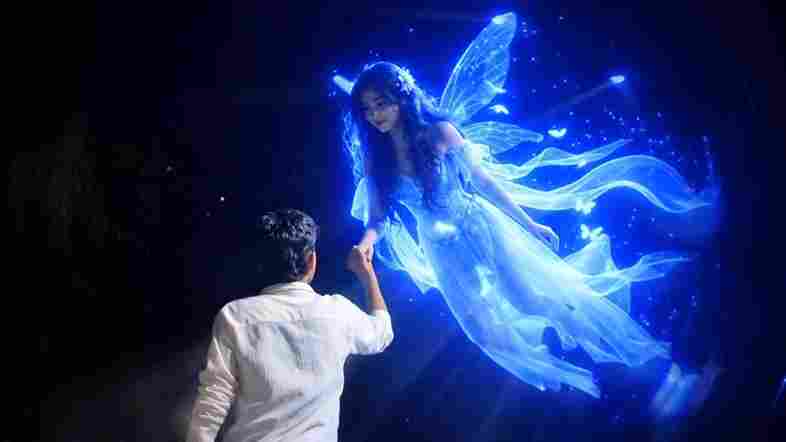
Cinematic ultra-realistic 16:9 video, 4K quality, real natural textures, rich built-in color grading, no scene cuts, continuous flow. Shots 1-3 are bright sunny daylight; during the 2-second pause in Shot 4 the sky slowly turns into a magical starry night. From Shot 5 onward everything moves in graceful SLOW MOTION. IDENTITY LOCK: the main person must be exactly the person in the uploaded referenc
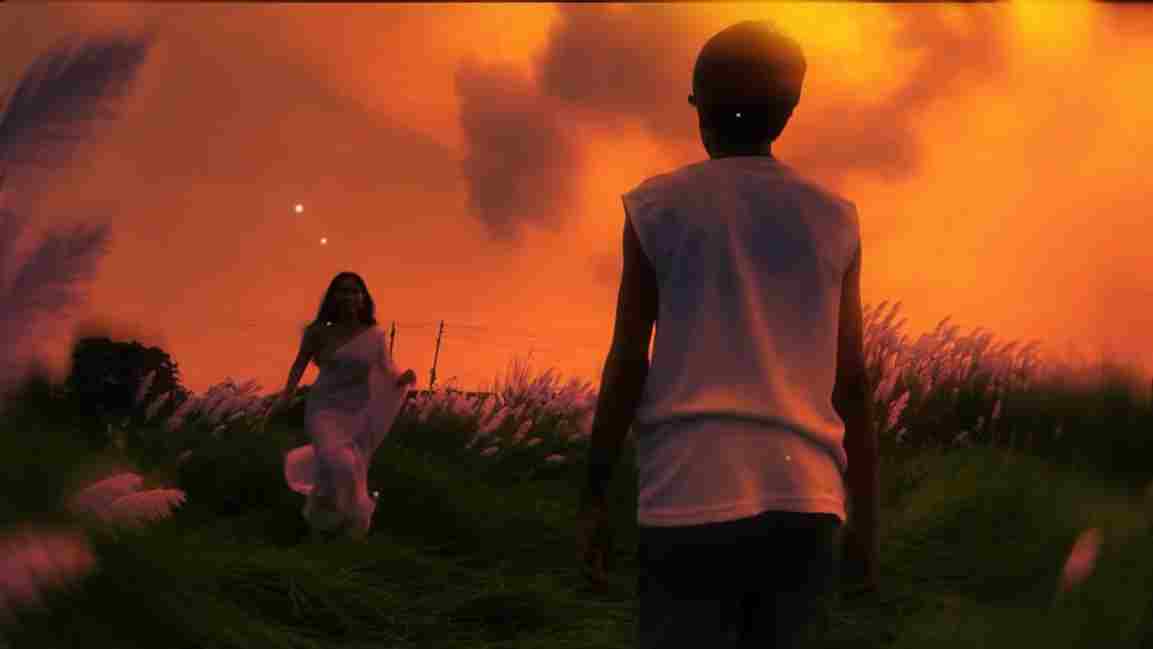
Use the uploaded photo as the exact base and preserve everything already present without any changes, including my face, facial features, hair, body shape, clothes, pose, skin tone, objects, background, lighting, colors, camera angle, perspective, depth, and composition. Add only one realistic adult Indian woman wearing a simple, elegant saree, naturally running toward me from the front. Match her
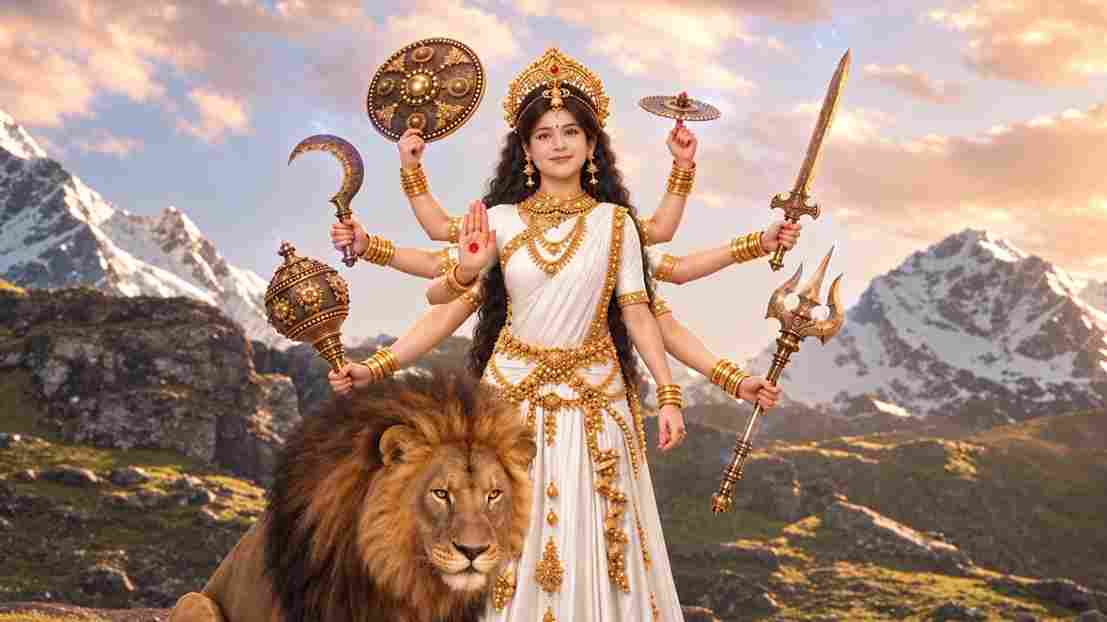
A hyper-realistic, cinematic 8k portrait of a serene Indian goddess sitting on a mossy granite cliff ledge in the Himalayas, framed by snow-capped mountain peaks and a distant cascading waterfall in the mist. She is dressed in an opulent white silk saree featuring intricate gold zari borders and a matching fitted crop blouse with crossed gold body chains. She wears heavy royal temple jewelry: an e
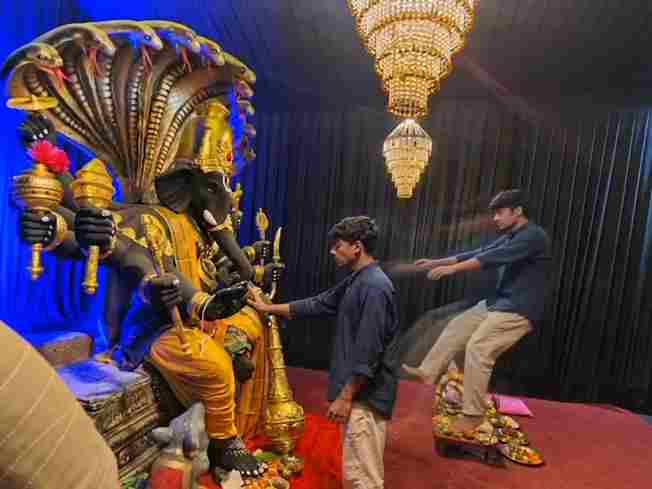
Create a near-square devotional VFX fantasy video inside a richly decorated Ganesh pandal hall. A young barefoot devotee with curly dark hair, light stubble, a dark navy button-up kurta-shirt, and beige trousers stands before a colossal graphite-black Ganesha murti seated in lalitasana on a carved throne. Ganesha wears a golden jeweled crown, white tusks, a left-curving trunk, multiple arms holdin
Swap the face of the lead male character in the source video with my face, using Image 1 as the identity reference. The attached collage shows me from several angles — use every angle to lock in an accurate likeness. Match my facial structure precisely: proportions, eye shape, nose, lips, jawline, and skin tone, along with any unique facial markers. My identity must stay stable and clearly recogni