Viral Spider-m@n AI Video Editign Prompt For Flow AI
By Prompt Scene ·
AI video editing is changing the way creators make short videos for Instagram Reels, YouTube Shorts, Facebook, and other social media platforms.
Earlier, creating a cinematic video required expensive cameras, professional editing software, and hours of editing. Now, AI tools can help turn a simple idea, image, or prompt into an attractive video concept.
Swap the face of the lead male character in the source video with my face, using Image 1 as the identity reference. The attached collage shows me from several angles — use every angle to lock in an accurate likeness. Match my facial structure precisely: proportions, eye shape, nose, lips, jawline, and skin tone, along with any unique facial markers.

My identity must stay stable and clearly recognizable across the whole clip — through head turns, talking, and quick motion, with zero drift or flicker.

Keep everything else from the original untouched: the character's body, outfit, movements, head motion, eye direction, expressions, and lip-sync must all remain exactly as they were. Camera work, shot framing, background, any other people in frame, edits, and the audio track should all stay unchanged.

Image 1 is for facial identity only — don't pull the clothing or background from those reference photos into the final video. The face should sit naturally in the scene, matching the original lighting, shadow direction, perspective, and any motion blur. Keep skin texture looking real, and preserve natural occlusion — if a hand or object passes over the face, it should still cover it correctly.
The Viral AI Video Editing Prompt trend is becoming popular among creators who want to experiment with cinematic effects, stylish transitions, dramatic movements, and professional-looking scenes. With the right prompt, you can describe the video you want and let an AI video tool create or transform the visual accordingly.
In this article, we will explain how AI video editing prompts work, how to write a good prompt, and how you can create your own trending AI video.
What Is a Viral AI Video Editing Prompt?
A viral AI video editing prompt is a detailed text instruction used with an AI video generation or editing tool. The prompt tells the AI about the subject, movement, camera angle, lighting, background, mood, and overall visual style.
For example, instead of simply writing:
“Create a cinematic video.”
You can provide more information about the scene, camera movement, lighting, outfit, environment, and atmosphere.
A detailed instruction gives the AI a clearer idea about the result you want.
These prompts are especially useful for creators who want to make cinematic AI videos, Instagram Reels, YouTube Shorts, profile videos, fashion edits, travel videos, and viral social media content.
Why Are AI Video Editing Prompts Trending?
One major reason is simplicity. Many people do not have professional video-editing skills, but they still want to create attractive content.
AI tools can reduce the amount of manual work required. Instead of creating every effect separately, users can describe their desired result using natural language.
Another reason is the popularity of short-form video content. Creators constantly experiment with new editing styles, camera movements, cinematic effects, and visual transitions.
AI makes it easier to test different ideas quickly.
How to Create a Good AI Video Editing Prompt
A strong prompt should describe the important parts of your video. You don’t necessarily need a very complicated sentence. What matters is clarity.
Here are some important elements you can include.
1. Describe the Subject
Start by explaining who or what should appear in the video.
For example:
“A stylish young man wearing a black suit standing in a dark cinematic environment.”
If you are using a reference image, you can also instruct the AI to maintain the person’s appearance.
2. Explain the Camera Movement
Camera movement can make an AI-generated video feel more dynamic.
You can mention movements such as:
Slow camera push-in
Cinematic tracking shot
Smooth zoom
Camera orbit
Low-angle shot
Close-up
Wide establishing shot
For example:
“The camera slowly moves toward the subject while maintaining a cinematic close-up.”
3. Add Lighting Details
Lighting has a major impact on the mood of a video.
You can describe lighting such as:
Dramatic studio lighting
Soft cinematic lighting
Golden-hour lighting
Low-key lighting
Neon lighting
Rim lighting
For a dark cinematic edit, you could write:
“Use dramatic low-key lighting with subtle highlights around the subject.”
4. Describe the Background
The background should match the overall concept.
For example:
“Place the subject in a dark luxury interior with subtle reflections and atmospheric smoke.”
You can also use outdoor environments such as city streets, mountains, beaches, forests, or luxury locations.
5. Mention the Mood
The mood tells the AI how the scene should feel.
Some useful words include:
Cinematic
Mysterious
Dramatic
Emotional
Luxury
Energetic
Stylish
Powerful
Dreamy
Combining the right mood with camera movement and lighting can create a more interesting result.
Viral AI Video Editing Prompt Example
Here is an example prompt you can experiment with:
Prompt:
“Create a cinematic vertical video using the uploaded reference image as the main character reference. Preserve the person’s facial identity, hairstyle, skin tone, clothing details, and natural proportions. Show the subject standing confidently in a dark cinematic environment. Begin with a slow close-up shot and gradually pull the camera backward while the subject looks toward the camera. Add subtle atmospheric smoke, dramatic studio lighting, realistic shadows, and a premium cinematic color grade. Use smooth camera movement, natural body motion, realistic facial expressions, detailed textures, and professional film-style depth of field. Keep the video photorealistic and visually polished, with no unnecessary changes to the subject’s identity or appearance.”
This type of prompt can be modified according to your preferred style.
AI Video Editing Prompt for Instagram Reels
Instagram Reels usually work well with vertical videos. A 9:16 aspect ratio is commonly used for full-screen mobile viewing.
For a Reel-style video, you can use a prompt like:
“Create a high-quality vertical cinematic video in 9:16 format. Keep the subject consistent throughout the entire scene. Use smooth camera movement, dramatic lighting, realistic motion, shallow depth of field, cinematic composition, and a premium social-media-ready appearance. Add subtle environmental movement and natural expressions while keeping the subject realistic.”
You can then add your own scene and character details.
How to Make AI Videos Look More Realistic
AI-generated videos can sometimes have unnatural movements or inconsistent details. A well-written prompt can help reduce these issues.
Use instructions such as:
“Natural human movement, realistic body proportions, physically accurate motion, consistent facial features, realistic lighting, natural shadows, detailed textures, smooth camera movement, and photorealistic quality.”
Avoid adding too many unrelated effects. If a prompt contains too many instructions, the AI may struggle to maintain consistency.
A simple but detailed prompt is often easier to control.
AI Video Editing for Boys
AI video prompts are also popular for creating stylish edits for boys. Creators can experiment with formal outfits, streetwear, cars, bikes, travel locations, night scenes, luxury environments, and cinematic portraits.
For example:
“Create a stylish cinematic video of the subject walking confidently through a modern city at night. Use a slow tracking camera, realistic street lighting, subtle reflections, shallow depth of field, natural walking movement, and a premium fashion-film aesthetic.”
This can be adapted for different locations and outfits.
AI Video Editing for Social Media
AI video editing prompts can be used for many types of content, including:
Instagram Reels
YouTube Shorts
Facebook videos
Profile videos
Fashion edits
Travel videos
Cinematic portraits
AI storytelling
Product videos
Before-and-after edits
Promotional videos
The biggest advantage is flexibility. You can change the subject, location, camera movement, and mood without completely changing your editing concept.
Tips for Creating Better AI Video Prompts
Keep these points in mind when writing your prompt:
Be specific: Clearly explain what should happen in the scene.
Keep the subject consistent: If you are using a reference image, mention that the person’s appearance should remain consistent.
Describe movement: Tell the AI how the camera and subject should move.
Use realistic details: Mention natural lighting, realistic shadows, and physically believable movement.
Choose one visual style: Avoid mixing too many unrelated styles.
Specify the format: For social media, mention the desired aspect ratio when supported by the tool.
Experiment: Try several versions of the same concept. Small changes in wording can produce different results.
Final Words
The Viral AI Video Editing Prompt trend gives creators a simple way to experiment with professional-looking video concepts without relying entirely on traditional editing techniques. From cinematic portraits and fashion videos to Instagram Reels and YouTube Shorts, AI can help transform creative ideas into engaging visual content.
The key is to write a clear prompt. Explain the subject, environment, camera movement, lighting, mood, and desired visual quality. If you are using a reference image, also provide clear instructions about maintaining the subject’s appearance.
AI video generation is still evolving, so results can vary between tools and prompts. Instead of relying on one prompt, try different camera movements, environments, and cinematic styles until you find a result that matches your idea.
With a little experimentation, you can create your own viral AI video editing prompts and develop unique content for social media.
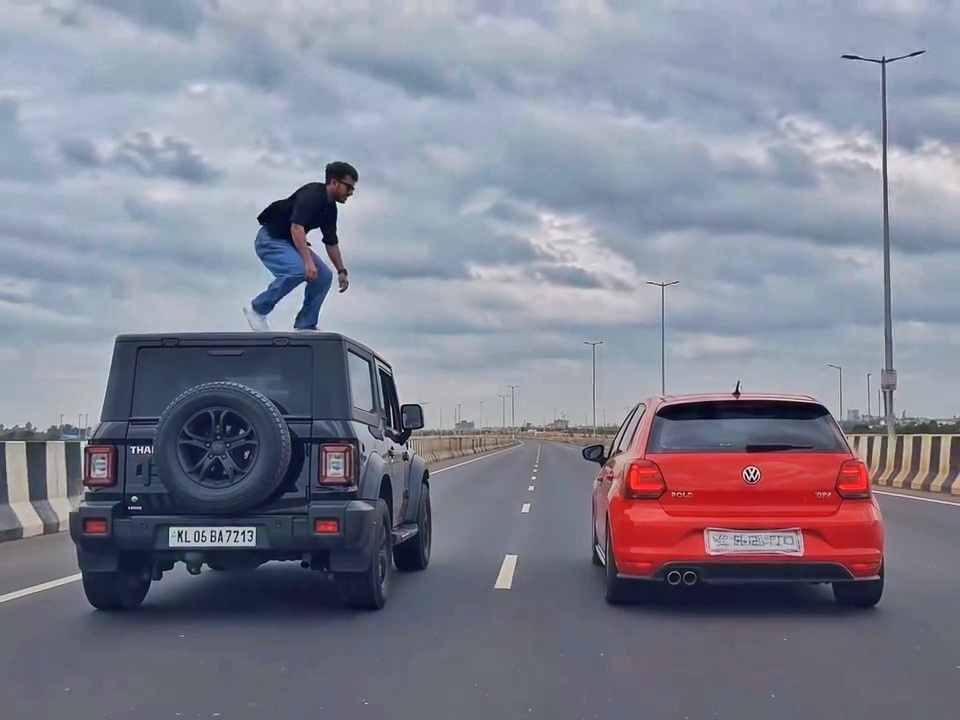
A rear-view, wide-angle cinematic shot on a wide highway under an overcast sky. A black SUV driving on the left lane and a red hatchback driving parallel on the right lane at medium speed. A young man emerges from the roof of the black SUV, stands up, and performs a dramatic acrobatic backflip through the air across the gap between the vehicles, successfully landing on top of the roof of the red h
Create a 10-second photorealistic cinematic video using the 2 uploaded reference images. Reference Image 1 = MAN and Reference Image 2 = WOMAN. Preserve both faces, identities, facial features, and hair exactly from the references. Create a scene inside an abandoned snow-covered mountain cabin. The man wears a beige beanie and petrol-blue winter parka and is crying while aiming a handgun at the wo
Use the uploaded reference video as the PRIMARY visual and motion reference. Recreate the video as closely as possible to the reference video, matching its exact shot structure, timing, pacing, camera movement, framing, subject movement, gestures, facial expressions, environment, lighting, transitions, motion blur and overall cinematic style. Do not reinterpret the sequence or create a different c
Cinematic ultra-realistic 16:9 video, 4K quality, real natural textures, rich built-in color grading, no scene cuts, continuous flow. Shots 1-3 are bright sunny daylight; during the 2-second pause in Shot 4 the sky slowly turns into a magical starry night. From Shot 5 onward everything moves in graceful SLOW MOTION. IDENTITY LOCK: the main person must be exactly the person in the uploaded referenc
Use the uploaded photo as the exact base and preserve everything already present without any changes, including my face, facial features, hair, body shape, clothes, pose, skin tone, objects, background, lighting, colors, camera angle, perspective, depth, and composition. Add only one realistic adult Indian woman wearing a simple, elegant saree, naturally running toward me from the front. Match her
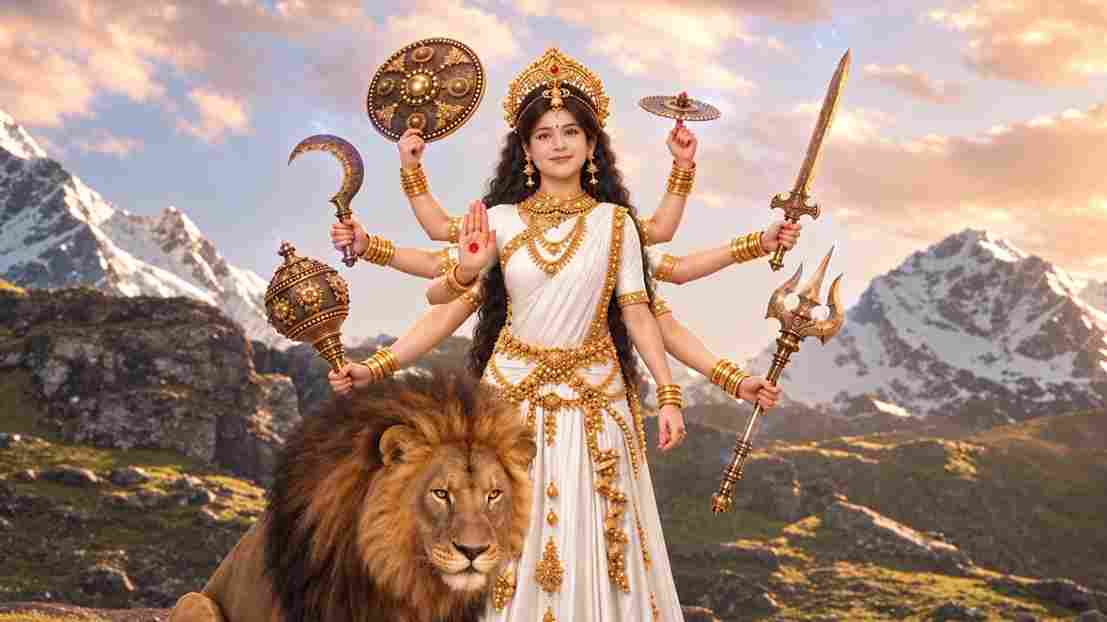
A hyper-realistic, cinematic 8k portrait of a serene Indian goddess sitting on a mossy granite cliff ledge in the Himalayas, framed by snow-capped mountain peaks and a distant cascading waterfall in the mist. She is dressed in an opulent white silk saree featuring intricate gold zari borders and a matching fitted crop blouse with crossed gold body chains. She wears heavy royal temple jewelry: an e
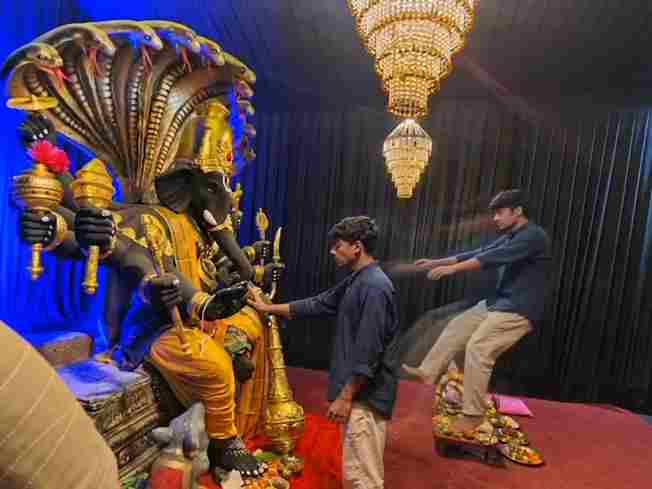
Create a near-square devotional VFX fantasy video inside a richly decorated Ganesh pandal hall. A young barefoot devotee with curly dark hair, light stubble, a dark navy button-up kurta-shirt, and beige trousers stands before a colossal graphite-black Ganesha murti seated in lalitasana on a carved throne. Ganesha wears a golden jeweled crown, white tusks, a left-curving trunk, multiple arms holdin
Create an ultra-realistic REAL-WORLD CAMERA VIDEO, not an AI-looking or CGI-looking video. Use TWO uploaded references: REFERENCE VIDEO: This controls the exact car, car movement, camera movement, camera angle, framing, timing, scene transition, environment, lighting, actions and overall visual composition. CHARACTER IMAGE: This controls the exact identity and appearance of the person. The final r