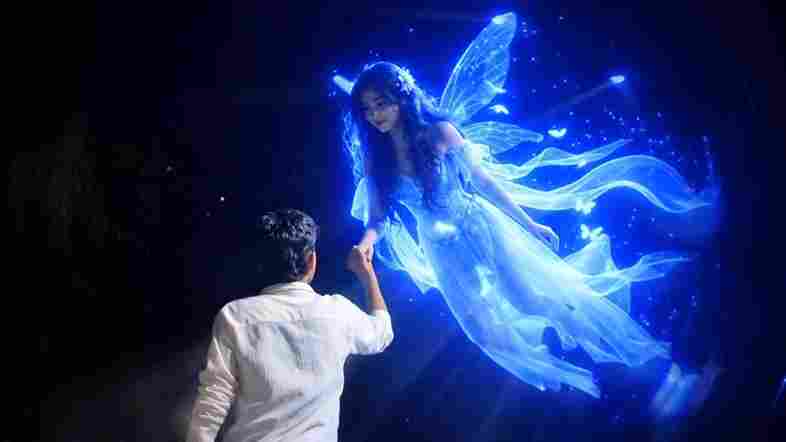
The Trending Flying Fairy AI Video Editing Prompt is a creative new AI video trend that can transform an ordinary photograph into a magical cinematic scene. In this effect, a beautiful glowing fairy appears to fly down from the sky and gently holds the raised hand of the person in the original photo. The fairy looks realistic, with a soft blue magical glow surrounding her body. Natural movement, realistic lighting, shadows, and cinematic effects make the final video look more impressive. If you want to create this trending Flying Fairy AI Video Edit using your own photo, follow the simple tutorial and prompt below.
What Is Flying Fairy AI Video Editing?
Flying Fairy AI Video Editing is a creative technique that uses artificial intelligence to turn a normal photo into a magical animated video. The main idea is to keep the original person, background, clothes, and pose unchanged while adding a beautiful fairy who appears to fly toward the person from above. The fairy can gently hold the person’s raised hand while looking toward them naturally. A soft blue glow, floating particles, realistic shadows, and cinematic lighting help create a fantasy-style appearance. This type of AI video edit is perfect for Instagram Reels, YouTube Shorts, and other short-form social media content.
Trending Flying Fairy AI Video Editing Prompt
To create this magical AI video, first upload your original photo to an AI video generation tool that supports image-to-video generation. Then copy the prompt given below and use it with your uploaded image. The prompt instructs the AI to preserve your original appearance while creating natural fairy movement and interaction. Make sure your original photo clearly shows your raised hand because this helps the AI understand where the fairy should appear. For the best results, use a high-resolution image with good lighting and enough space around your hand so the fairy can be generated naturally.
How to Create Flying Fairy AI Video
Creating the Flying Fairy AI Video Edit is simple with ChatGPT and Flow AI. First, choose a clear photo where your face, body, and raised hand are clearly visible. Upload the photo to ChatGPT and use the Flying Fairy AI Photo Editing Prompt to generate a realistic image with the glowing fairy holding your hand. Once your AI image is ready, open Flow AI and use its image-to-video or frames-to-video feature. Upload the generated fairy image, paste the Flying Fairy AI Video Prompt, and generate the video. Flow AI will animate the fairy so she appears to fly toward you and naturally hold your raised hand.
Cinematic ultra-realistic 16:9 video, 4K quality, real natural textures, rich built-in color grading, no scene cuts, continuous flow. Shots 1-3 are bright sunny daylight; during the 2-second pause in Shot 4 the sky slowly turns into a magical starry night. From Shot 5 onward everything moves in graceful SLOW MOTION.

IDENTITY LOCK: the main person must be exactly the person in the uploaded reference photo: same face, same skin tone, same hairstyle, same body type, identical in every shot with no facial drift. Clean, smooth natural skin with no pimples or spots, but realistic pores and texture (not plastic).

Outfit (identical in every shot, day and night): purple-navy and white checkered flannel shirt over a plain white t-shirt, loose black pants, white chunky sneakers.

Location: a green grassy hilltop with rolling forested hills, tiny village houses and mountains in the distance.

Shot 1 (day): Ground-level close-up of white sneakers and black pant legs walking on dry grass, shallow depth of field. Camera: low tracking shot moving with his steps.

Shot 2 (day): Camera tilts up slowly from legs to torso as he keeps walking, checkered shirt visible from behind.

Shot 3 (day): Wide shot from behind, he walks toward the edge of the hill facing the mountains and sky.

Shot 4 (day to night): He stops and strikes the classic Bollywood romantic open-arms pose: chest lifted, both arms stretched wide out to the sides at shoulder height with elbows slightly bent and palms open, one foot slightly forward, head tilted slightly back and to the side with a soft romantic expression, as if waiting to embrace someone. The opening of the arms is slow, graceful and dramatic. He then holds this pose completely still for exactly 2 seconds. During these 2 seconds a soft pink-gold light flare passes and the sky slowly changes from daylight to golden sunset, twilight and a full starry night with a glowing moon; fireflies and golden sparkles begin floating around him. Camera: wide shot from behind, slightly to the side, so the full open-arms pose is clearly visible.

Shot 5 (night, SLOW MOTION): After the 2-second pause, high in the night sky in front of him a glowing pari (fairy angel) appears. She floats slowly toward him through the air with both arms stretched out toward him, feet off the ground, never landing. She is a beautiful woman with long wavy light-brown hair, a small flower crown, a long flowing white glowing gown and large white feathered wings spread wide, bare feet, soft golden light around her, white feathers and golden sparkles drifting in the air. He keeps his arms wide open in the same romantic pose, waiting for her.

Shot 6 (night, SLOW MOTION): She glides closer and closer, their hands meet, and she gently hugs him in a warm emotional embrace while still floating in the air, wings and gown flowing softly, golden sparkles and feathers swirling around them, moonlit hills behind. Camera: wide shot from behind him at a slightly low angle, then a very slow push-in on the embrace.

Small subtle watermark "NoorEditing07" fixed in the bottom corner, minimal white font, low opacity, appearing only once, throughout the entire video.
In this picture, where I have raised and placed my hand, add a beautiful, glowing girl with a blue magical light around her. She should look like a fairy, flying down from above and gently holding my raised hand. Her body should appear slightly elevated as if she is floating in the air. She should be looking directly toward me while holding my hand naturally. Make the scene highly realistic, magical, cinematic, and beautiful, with a soft blue glow around her, realistic lighting, shadows, and natural integration with the original photo. Do not change me, my face, body, clothes, pose, background, or any existing details of the original image.
Use the uploaded image as the exact reference trame. Keep the boy, face direction, pose, white shirt, hand position, background trees, night atmosphere, lighting, colors, composition, and camera angle completely unchanged. No background change, no dress change, no face change, no color grading change, no extra objects, no watermark.
Action: A beautiful glowing blue fairy-like girl appears from a short distance directly in front of the boy, floating slowly toward him in a straight line. She is looking only at the boy. She gently flies closer, extends her hand, and places her hand into the boy’s already raised hand exactly as shown.
The boy slowly pulls her toward himself using their joined hands. The fairy moves naturally toward him and softly lands on the ground directly in front of him while maintaining eye contact with him. Her movement is smooth, magical, romantic, and realistic. Blue particles and soft glowing light trail around her body.** Camera: Completely locked camera, no zoom, o pan, no tilt, no shake, no camera movement no angle change.
Motion: Only the fairy moves toward the boy and lands. The boy remains almost exactly like he original image, with only a very slight natural arm movement while pulling her closer.
Style: Cinematic fantasy, realistic VFX, smooth slow motion, dreamy blue glow, ultra realistic, igh quality, 4K, 24 fps, clean output, no text,no logo, no watermark
ChatGPT is useful for creating the Flying Fairy AI image because you can upload your original photo and describe exactly how you want the fairy to appear while keeping your face, clothes, pose, and background unchanged. It helps create the still image that will be used as the starting point for the video. After generating the image, Flow AI can be used to turn that still image into a moving video. You can provide a video prompt describing the fairy flying toward you, holding your hand, moving naturally, and creating a cinematic magical effect. Using ChatGPT for the image and Flow AI for the animation creates a simple two-step workflow.
Conclusion
The Trending Flying Fairy AI Video Editing Prompt is a creative way to turn a simple photograph into a magical cinematic AI video. By using a clear image with a raised hand, you can create a scene where a beautiful glowing fairy appears to fly down from above and gently hold your hand. The combination of realistic movement, blue magical lighting, floating particles, and cinematic effects can make the final video look unique and eye-catching. Try the prompt with your own photo, experiment with different magical effects, and create your own Flying Fairy AI Video Edit for Instagram Reels and YouTube Shorts.
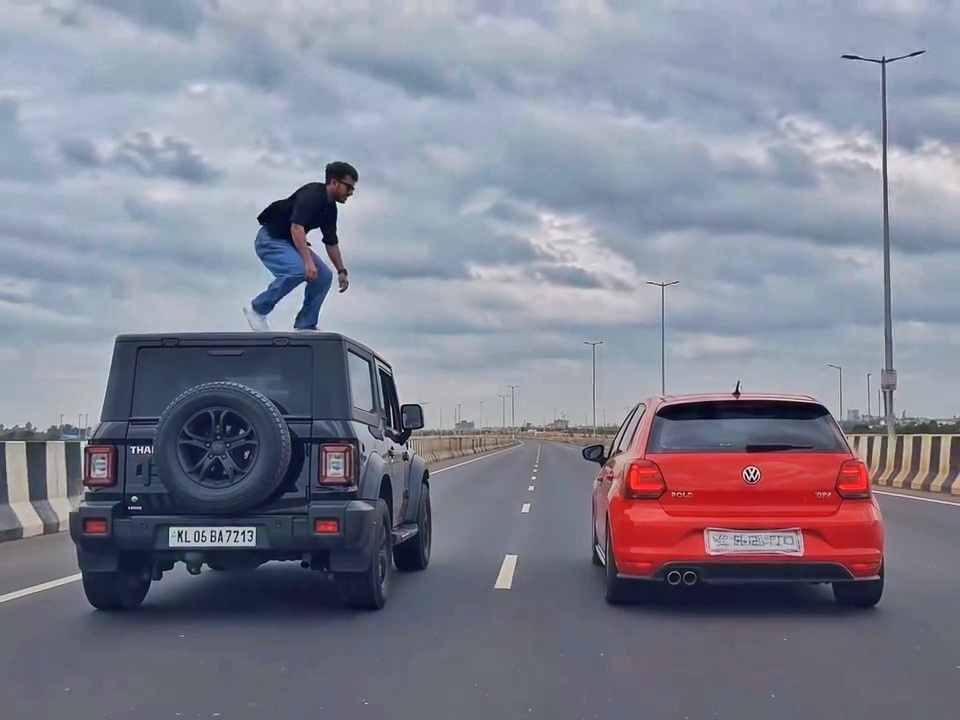
A rear-view, wide-angle cinematic shot on a wide highway under an overcast sky. A black SUV driving on the left lane and a red hatchback driving parallel on the right lane at medium speed. A young man emerges from the roof of the black SUV, stands up, and performs a dramatic acrobatic backflip through the air across the gap between the vehicles, successfully landing on top of the roof of the red h
Create a 10-second photorealistic cinematic video using the 2 uploaded reference images. Reference Image 1 = MAN and Reference Image 2 = WOMAN. Preserve both faces, identities, facial features, and hair exactly from the references. Create a scene inside an abandoned snow-covered mountain cabin. The man wears a beige beanie and petrol-blue winter parka and is crying while aiming a handgun at the wo
Use the uploaded reference video as the PRIMARY visual and motion reference. Recreate the video as closely as possible to the reference video, matching its exact shot structure, timing, pacing, camera movement, framing, subject movement, gestures, facial expressions, environment, lighting, transitions, motion blur and overall cinematic style. Do not reinterpret the sequence or create a different c
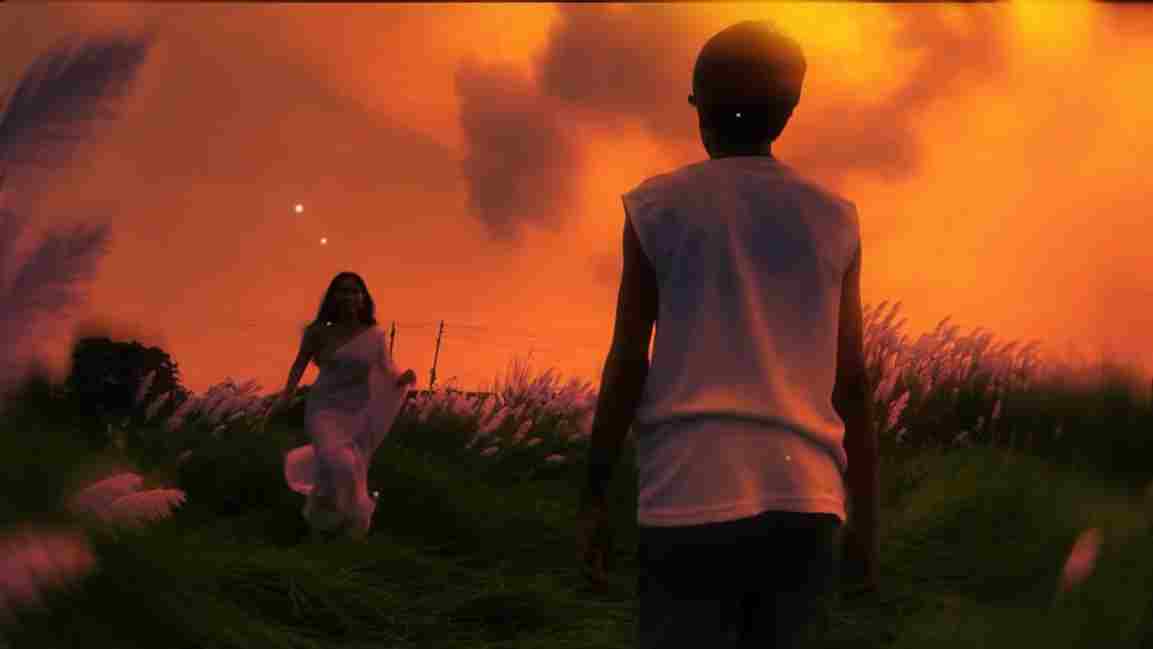
Use the uploaded photo as the exact base and preserve everything already present without any changes, including my face, facial features, hair, body shape, clothes, pose, skin tone, objects, background, lighting, colors, camera angle, perspective, depth, and composition. Add only one realistic adult Indian woman wearing a simple, elegant saree, naturally running toward me from the front. Match her
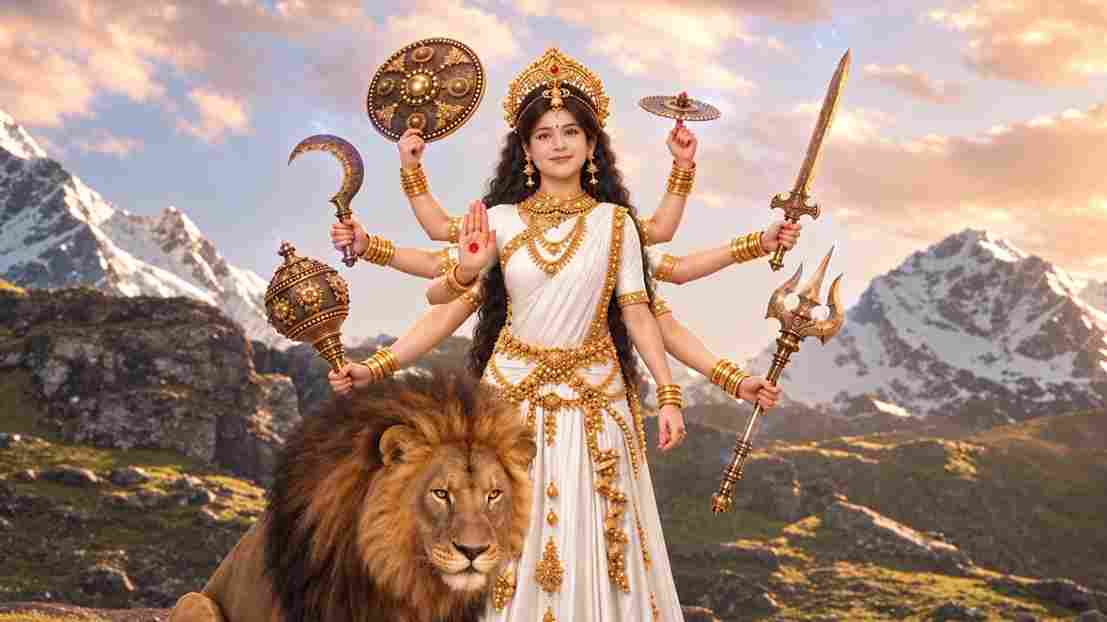
A hyper-realistic, cinematic 8k portrait of a serene Indian goddess sitting on a mossy granite cliff ledge in the Himalayas, framed by snow-capped mountain peaks and a distant cascading waterfall in the mist. She is dressed in an opulent white silk saree featuring intricate gold zari borders and a matching fitted crop blouse with crossed gold body chains. She wears heavy royal temple jewelry: an e
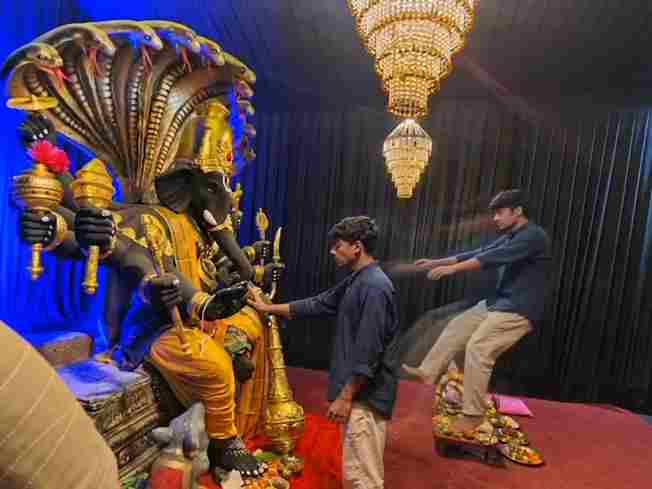
Create a near-square devotional VFX fantasy video inside a richly decorated Ganesh pandal hall. A young barefoot devotee with curly dark hair, light stubble, a dark navy button-up kurta-shirt, and beige trousers stands before a colossal graphite-black Ganesha murti seated in lalitasana on a carved throne. Ganesha wears a golden jeweled crown, white tusks, a left-curving trunk, multiple arms holdin
Swap the face of the lead male character in the source video with my face, using Image 1 as the identity reference. The attached collage shows me from several angles — use every angle to lock in an accurate likeness. Match my facial structure precisely: proportions, eye shape, nose, lips, jawline, and skin tone, along with any unique facial markers. My identity must stay stable and clearly recogni
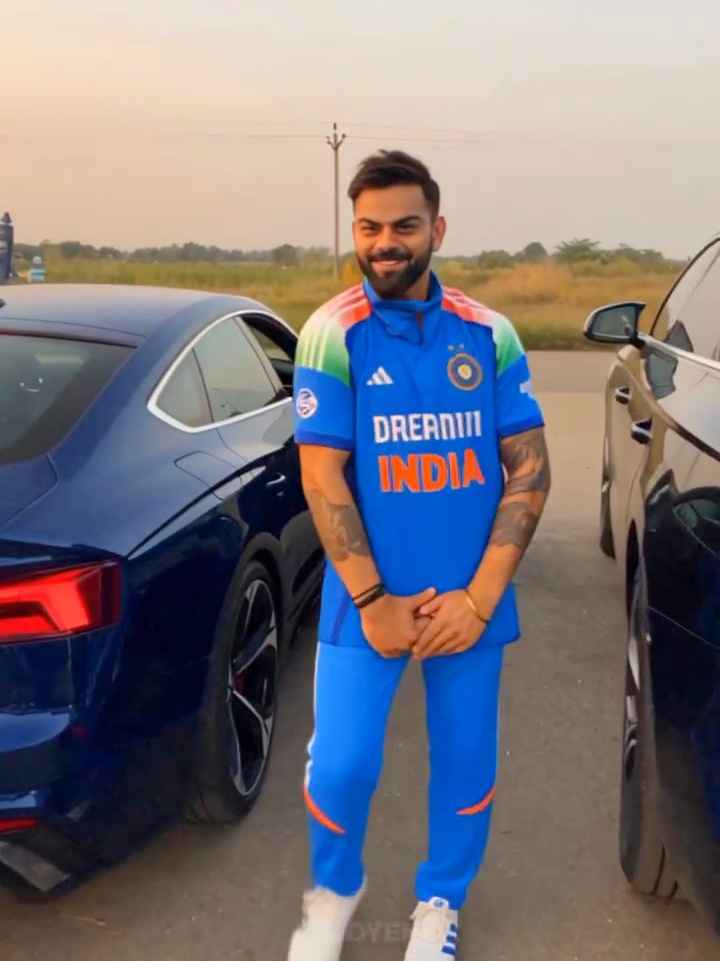
Create an ultra-realistic REAL-WORLD CAMERA VIDEO, not an AI-looking or CGI-looking video. Use TWO uploaded references: REFERENCE VIDEO: This controls the exact car, car movement, camera movement, camera angle, framing, timing, scene transition, environment, lighting, actions and overall visual composition. CHARACTER IMAGE: This controls the exact identity and appearance of the person. The final r