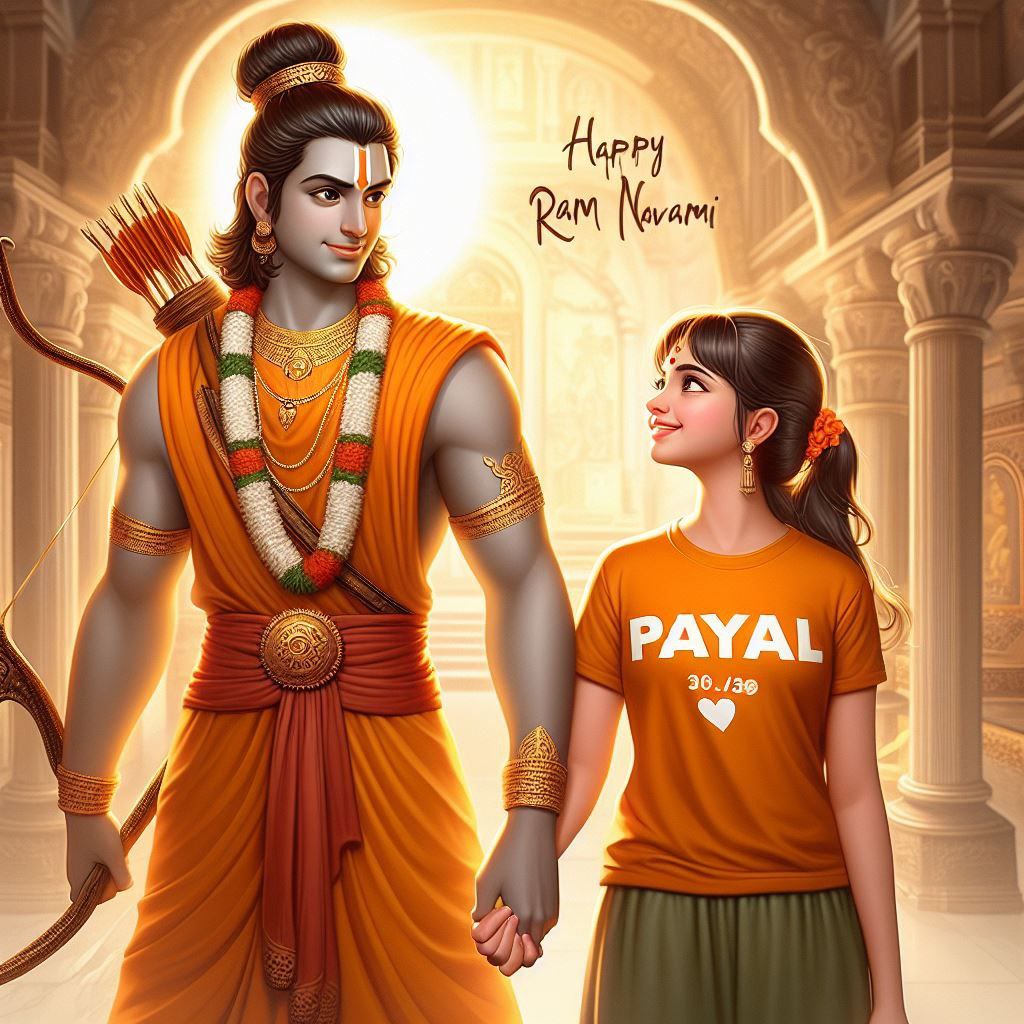
Jay Shree Ram Friends. As we approach the great festival of Ram Navami, which falls on April 17th this year, photo enthusiasts are gearing up to create and edit stunning visuals to celebrate the this special festival. If you’re a photo lover who enjoys create images according to festivals, this post is specially made for you.
In this article, I will provide you with the best AI image prompts to create beautiful 3D photos for the Ram Navami festival using tools like the Bing AI image generatoror other AI-powered photo editing platforms.
We all know that 3D photos have been gaining immense popularity on social media, and everyone wants to create these types of captivating images.
However, finding the right prompts can be a challenge. With our latest AI image prompts, you can easily generate and edit stunning photos for the Ram Navami celebration.
Ram Navami Image Prompts
Here are some AI image prompts to help you create mesmerizing 3D photos for the Ram Navami festival.
Prompt For Boys
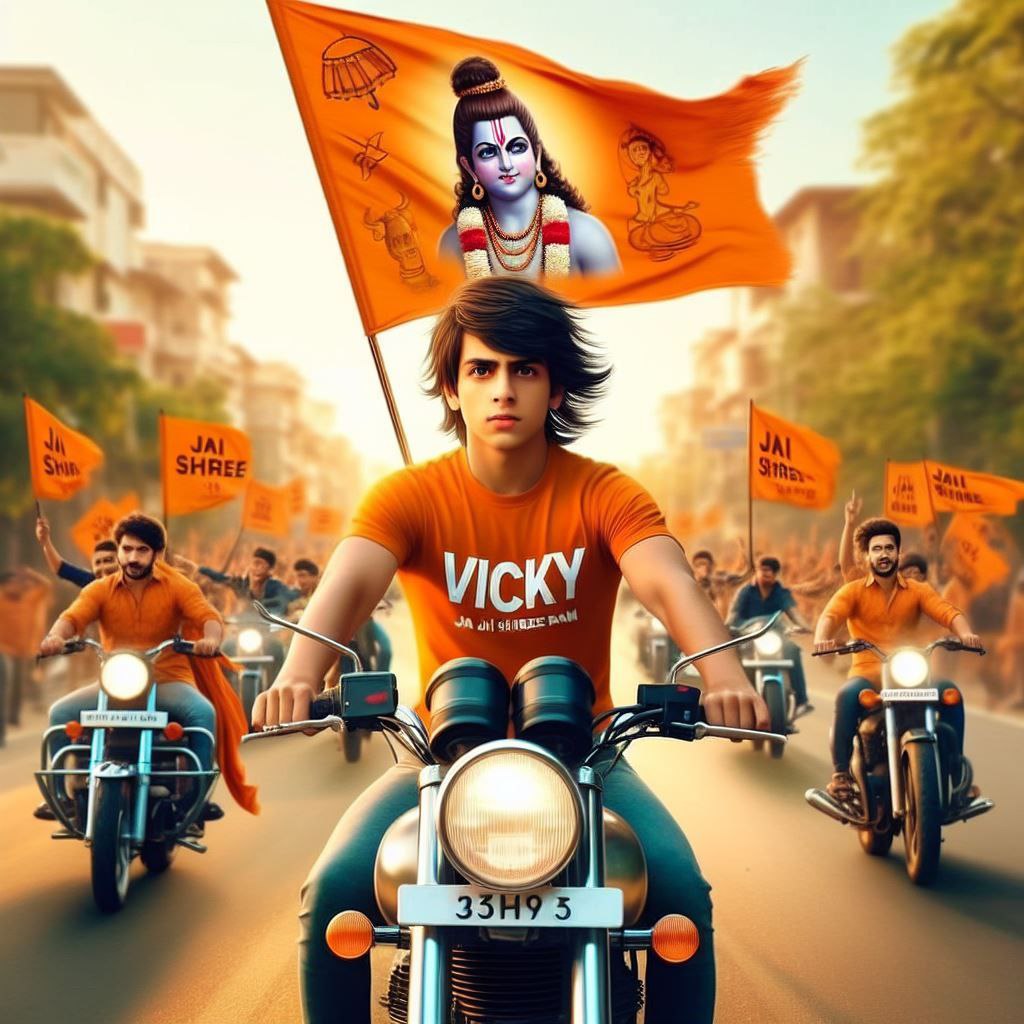
create high quality realistic image, a 20 year old boy driving bullet bike, boy wearing saffron tshirt with "VICKY" boldly written in white on it, "JAI SHREE RAM" written on broad number plate, a clear hindu saffron flag is fixed on bike also cute lord rama face is printed on flag, some other young bikers and cars holding saffron flag are behind him, environment is gorgeous, background featuring street, high quality, hyper realistic, ultra detailed, 4k
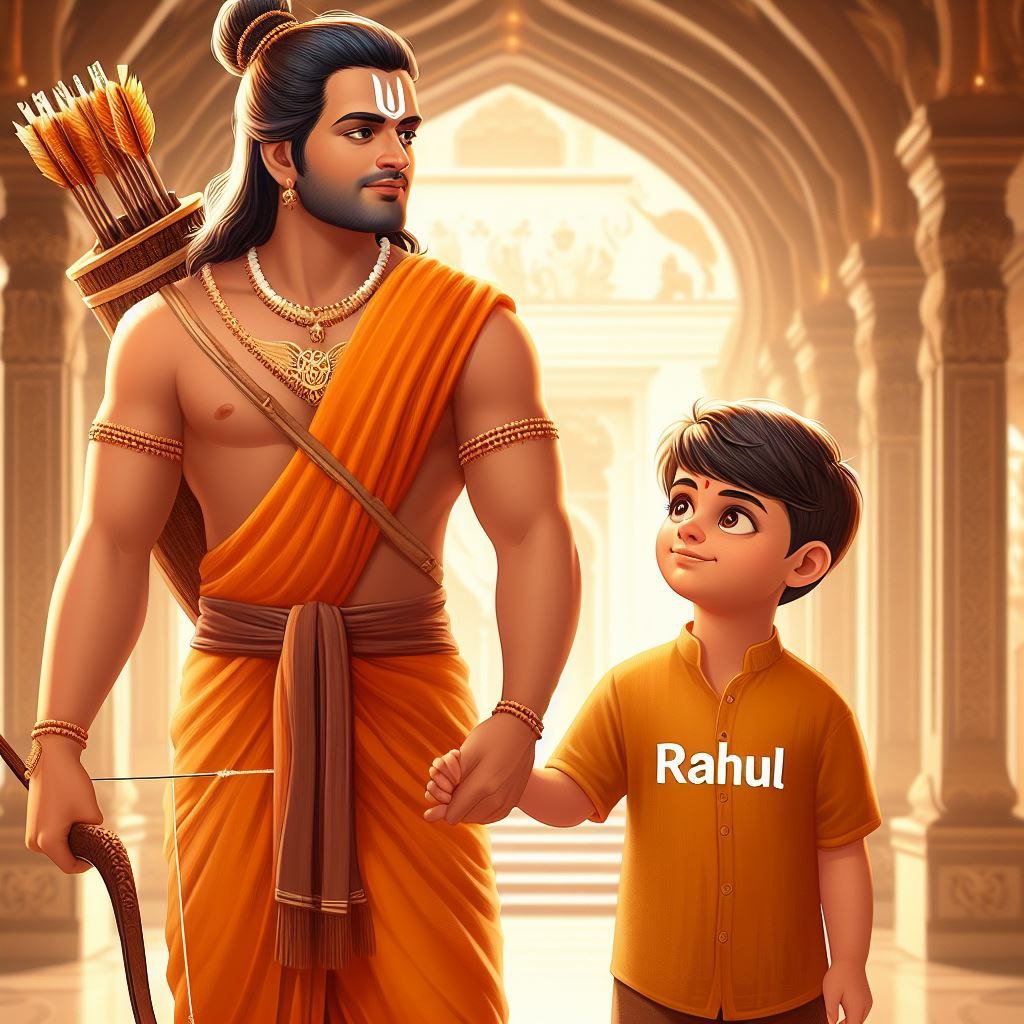
create a high quality realistic image, in which beautiful lord Rama carrying bow is holding hand of a 23 year old boy, the boy is wearing saffron shirt with his name 'Rahul' written in white bold letters on his top clearly, the boy is watching towards lord Rama with little smile, both are standing, the background is of interior of a temple with "HAPPY RAM NAVAMI" boldly written on top and the environment is gorgeous.
Make sure boy's name should be spell out correctly .
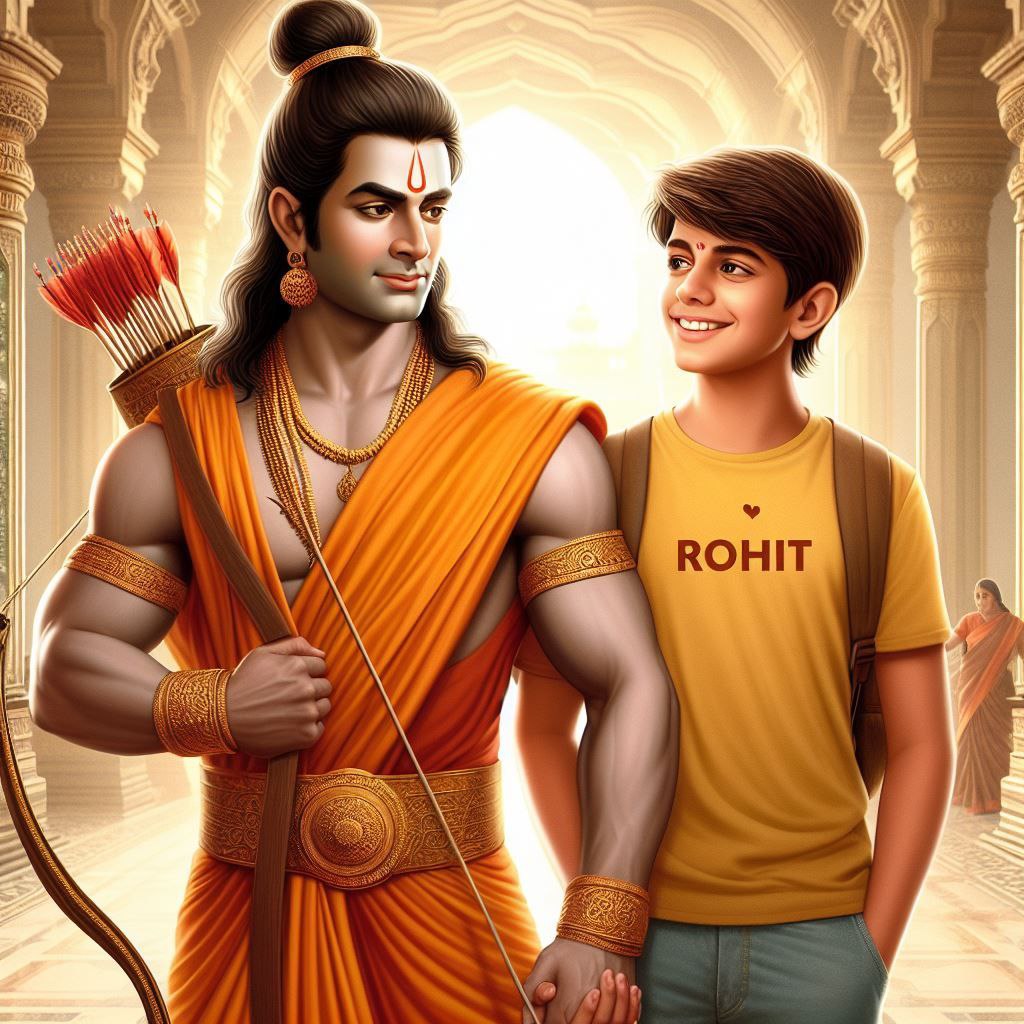
Imagine a picture where young Lord Rama, looking majestic with his bow, is holding hands with a teenage boy named Rohit. boy wearing a saffron-colored T-shirt with her name "Rohit" boldly written in white letters, is smiling at Lord Rama, the background is of interior of a beautiful temple with "HAPPY RAM NAVAMI" is written in big letters, adding to the festive atmosphere, text should be correct and visible.
Prompt For Girls
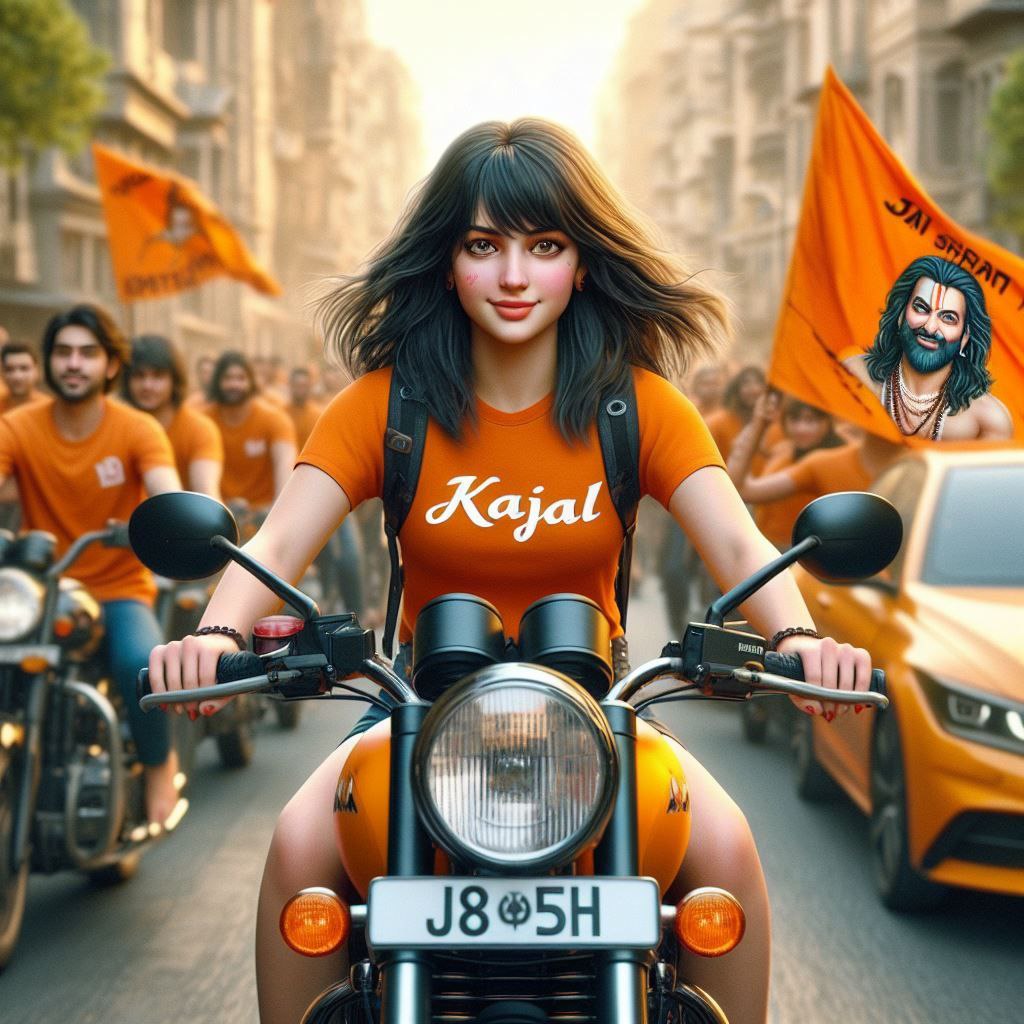
create high quality realistic image, a 18 year old girl driving bullet bike, girl wearing saffron tshirt with "SALONI" boldly written in white on it, "JAI SHREE RAM" written on broad number plate, a clear hindu saffron flag is fixed on bike also cute lord rama face is printed on flag, some other young bikers and cars holding saffron flag are behind him, environment is gorgeous, background featuring street, high quality, hyper realistic, ultra detailed, 4k
Create a picture where young Lord Rama, looking majestic with his bow, is holding hands with a teenage girl named Payal. Girl wearing a saffron-colored T-shirt with her name "Payal" boldly written in white letters, is smiling at Lord Rama, the background is of interior of a beautiful temple with "HAPPY RAM NAVAMI" is written in big letters, adding to the festive atmosphere, text should be correct and visible.
First of All, Copy Ram Navami prompt from the above list.
Now click on the “Create” button.
After that, you will be redirected to the Bing AI Creator.
Paste that prompt you have copied.
Enter your name in the prompt.
Click on the “Create” button.
Conclusion
These AI image prompts will help you create awe-inspiring 3D photos to celebrate the Ram Navami festival. You can use these images as your display picture, profile photo, or share them on your social media platforms to spread the joy and festivities of this special occasion.
Remember, if your friends or followers inquire about how you created these stunning photos, you can direct them to our website, where they can find more AI image editing prompts for various festivals and occasions.
While our focus has been on crafting stunning AI images for Ram Navami, we mustn’t forget to celebrate the special women in our lives – our mothers. For heartwarming Mother’s Day AI photo ideas, be sure to check out our Mother’s Day AI Photo Prompt For Bing Image Creator post.
Transform the uploaded photograph into a premium minimalist editorial collage inspired by luxury travel magazines, contemporary fashion editorials, and artistic outdoor photography FORMAT & COMPOSITION: Create a strict 3:4 vertical canvas. Use a warm ivory/off-white background with subtle paper texture and generous negative space Place a large, clean-edged vertical rectangular crop of the original
Place this person in the second photo in a realistic manner and adjust them to match the second photo; do not change anything else. Keep the background exactly as it is-do not alter it at all-and do not change the face. Enhance the image to 8K quality and set the aspect ratio to 3:4. And Backgroud ke accoding person size adjust
Create a cinematic 4K, highly detailed, photorealistic video by transferring the EXACT dance movements, body motion, performance, timing, expressions, and camera movements from the REFERENCE VIDEO onto the person shown in the TARGET IMAGE. Completely replace the original main dancer with the person from the TARGET IMAGE. Preserve the target person's exact facial identity, facial features, skin ton
Transform the uploaded mirror selfie into a luxury LED Mirror portrait. Replace the existing mitor frame with an elegant irregular organic shape mirror 1,832 featuring a soft warm golden LED Backlight glow around entire edge .keep the subject same
Create a **10-second photorealistic image-to-video recreation of the uploaded reference video**. ### REFERENCE PRIORITY — CRITICAL Use the uploaded references as follows: **REFERENCE IMAGE 1 — MY PHOTO** Use this as the ONLY identity reference for the main person. Preserve my exact face, facial proportions, eyes, eyebrows, nose, lips, jawline, skin tone, hairstyle and overall identity throughout t
Video-to-video character replacement. Keep @Video 1 exactly the same: same handheld iPhone camera movement and shake, same framing, timing, red backstage lighting, background, crowd, bodyguards, and the fan in the foreground holding the phone and the big DSLR lens. Do not change anyone else. Replace only the main man in the center (the one who walks in, talks to the fan and laughs) with the person
MASTER PROMPT — Ultra-Realistic Bridal Nail Art Car Selfie (9:16) Use the uploaded selfie as the STRICT FACIAL IDENTITY REFERENCE. Preserve the person's exact facial features, natural skin tone, eyes, nose, lips, face shape, age, and realistic skin texture. Do not beautify, reshape, or alter the facial identity. REFERENCE COMPOSITION: Create an ultra-realistic golden-hour photograph of a beautiful
Use the reference video as the exact blueprint. Recreate the SAME actions, hand movements, facial expressions, camera movement, timing, framing and transition — do not invent or change anything. Start with the first reference image as the opening look, then transition into the second reference image at the EXACT same moment and using the EXACT same transition style as the reference video. In the s