
Prompt Scene

5 Best Rakshabandhan ChatGPT Photo Editing Prompts 2025

By Prompt Scene ·

Friends, With Raksha Bandhan 2025 coming up, AI photo trends are once again making waves on social media! People everywhere are creating emotional, beautifully styled portraits of brother-sister bonds — all with the help of AI and ChatGPT.

To help you join this special trend, here’s one of my best Raksha Bandhan ChatGPT prompts you can use to generate a stunning AI photo that feels like it came straight out of a professional shoot.
More Prompts
 Rakshabandhan ChatGPT Photo Editing
A stunning 18-year-old Indian sister wearing a deep red Banarasi silk saree with zari embroidery, traditional gold jewelry, gajra in her hair, and mehendi on her hands is lovingly tying a designer rakhi on her brother’s wrist. The brother, also around 18, wears a cream embroidered sherwani with an ornate golden stole and a small tilak on his forehead. They are seated cross-legged on a Persian carpet in a palace-inspired room with carved wooden arches, antique brass lamps, diya thalis, and vibrant rangoli at their feet. Warm lighting casts a soft glow on their faces. Behind them, a velvet red backdrop displays “Happy Rakhi” in gold foil embossed lettering with soft sparkles and floating marigold petals in the air
rakshabandhan photo editing
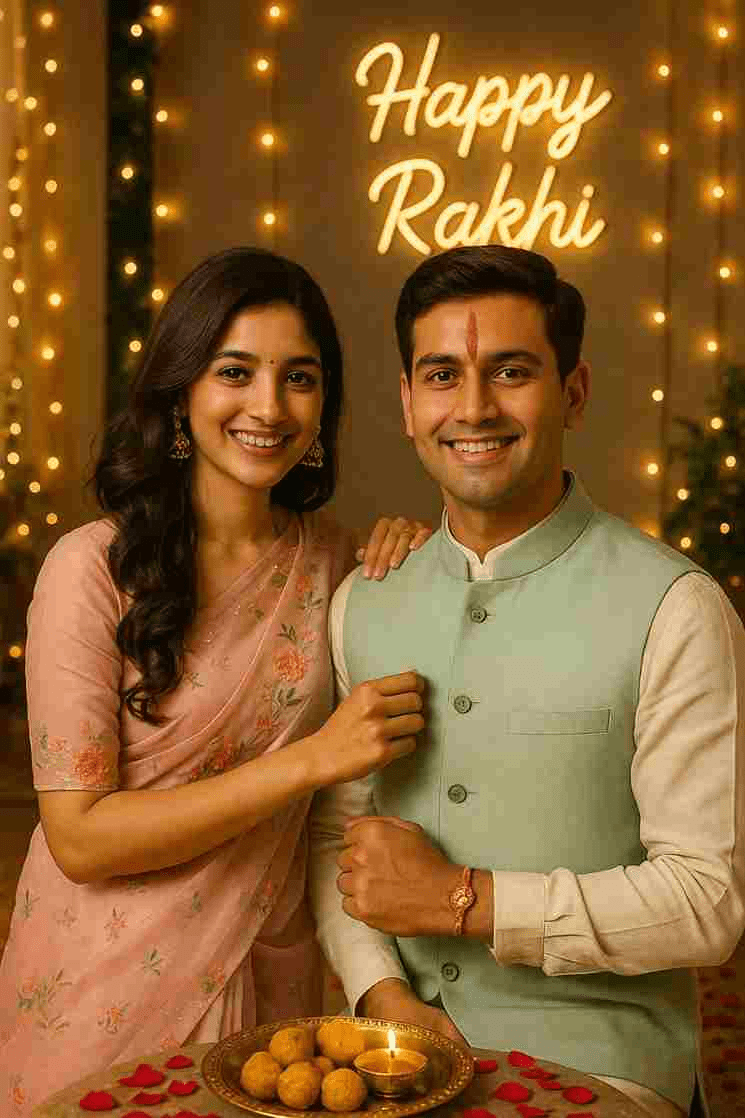
A high-resolution vertical photograph of a brother and sister standing side by side, smiling warmly at the camera on Raksha Bandhan. The sister wears a pastel pink organza saree with floral embroidery, soft curls cascading over her shoulder, and jhumka earrings. The brother wears a cream-colored kurta with a mint green Nehru jacket. His forehead displays a fresh vertical red tilak and a colorful rakhi with threads and beads on his wrist. The sister’s hand is resting gently on his shoulder. Scene Details: Decorated home with fairy lights, rose petals on the floor, brass thali with sweets and diya.
Background: A “Happy Rakhi” neon sign in cursive glows softly on the designer panel.
Style: Ultra-realistic, warm light, photorealistic facial match.
rakshabandhan ai image editing
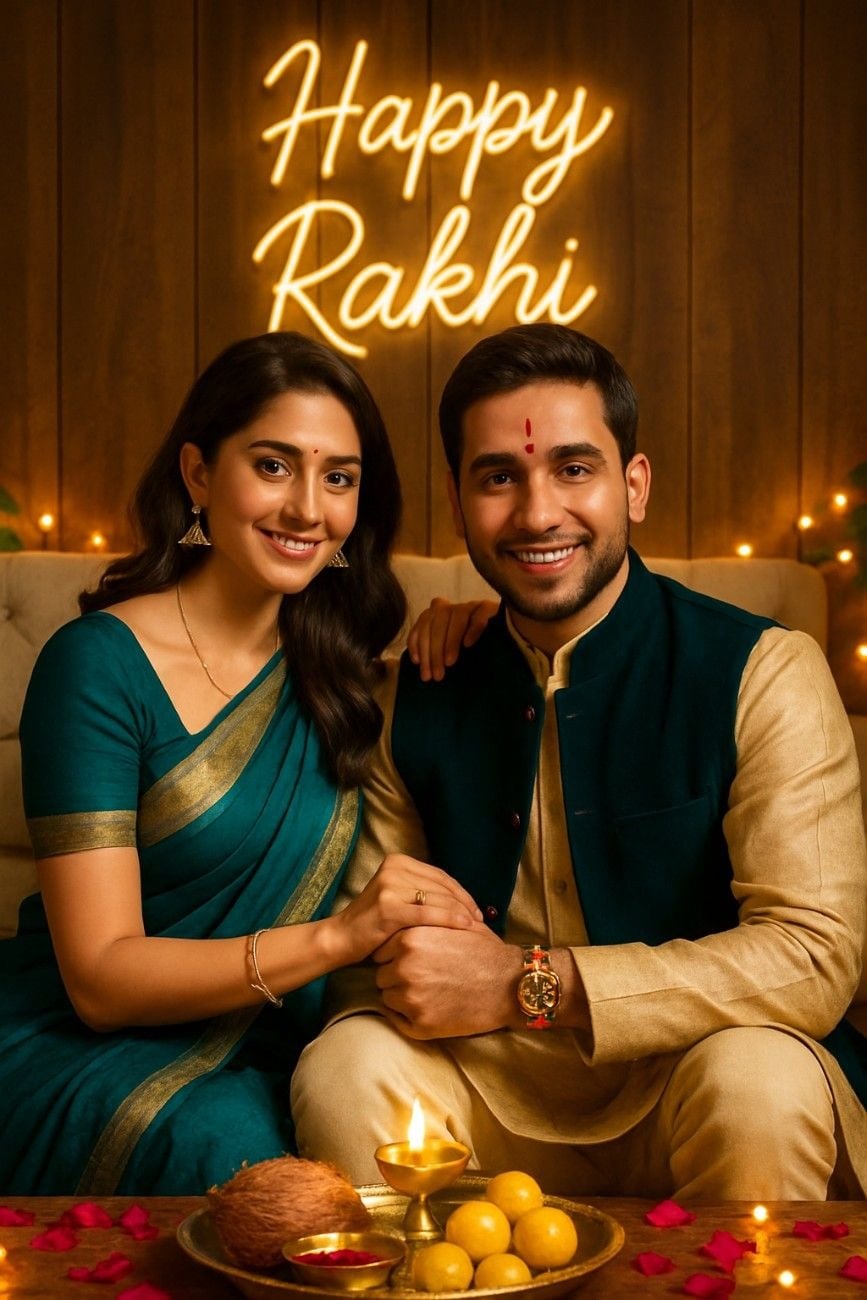
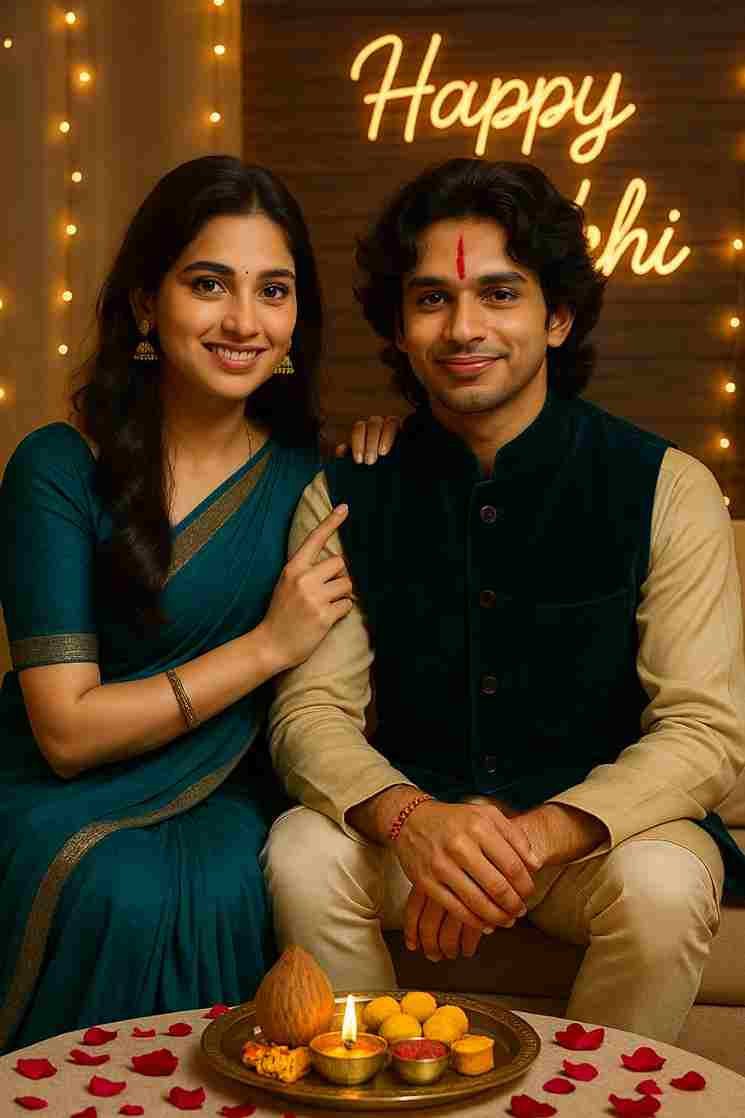
A high-resolution vertical photograph of a brother and sister sitting side by side on a low couch, smiling warmly at the camera during Raksha Bandhan. Sister: Dressed in a flowing teal chiffon saree with an elegant gold zari border, soft waves cascading over one shoulder, subtle glam makeup, and traditional gold jhumka earrings. Her right hand gently rests on her brother’s shoulder, with her finger just lifted after applying a fresh vertical red tilak on his forehead. Brother: Wearing a golden beige kurta paired with a deep teal velvet Nehru jacket and cream churidar pants. A colorful rakhi with silk threads and small beads is clearly tied on his wrist. Scene Details: Between them is a beautifully arranged brass puja thali with diya, roli-chawal, a decorative coconut, and an assortment of traditional Indian sweets. The floor is adorned with rose petals, and warm fairy lights twinkle softly around the space. Background: A “Happy Rakhi” neon sign in cursive glows warmly against a designer wood-paneled wall, adding a festive touch to the modern home decor. Style: Ultra-realistic, warm golden lighting, photorealistic facial features, soft shadows, festive ambiance, natural skin tones. Aspect Ratio: 3:4 vertical Resolution: Ultra HD, cinematic and editorial in tone

How to Create a Special Raksha Bandhan Photo (No Editing Skills Needed!)

Creating beautiful Raksha Bandhan photos is now super easy—even if you don’t know how to edit! You just need to tell ChatGPT what kind of photo you want, and it will help create it for you. Follow these simple steps:


  1. Open your browser and search for “Harish Edits”.
  2. Scroll down and look for the latest Raksha Bandhan post.
  3. Click on it and scroll again—you’ll find some ready-made prompts.
  4. Copy any prompt you like.
  5. Open the ChatGPT app (you’ll need to sign in, you can use your Google account).
  6. Upload a photo of the brother and sister.
  7. Paste the prompt into the chat and hit the arrow (or “Create”) button.
  8. Wait a few minutes—your photo will be generated.
  9. Download the final image.

How to Fix a Blurry or Mismatched Face in the Image

Many people message us saying the face in their image looks blurred or doesn’t match the real one. Here’s a quick and easy fix:

  1. Click the button or link that says “Swap your face”.
  2. No need to log in—just upload your generated photo.
  3. The website will detect the face.
  4. Now, upload your real face photo.
  5. Click the Swap button and wait a few seconds.
  6. That’s it! Your face will be replaced properly, and the issue will be solved.

Related prompts

Minimalist Editorial Collage Photo Editing Prompt – Luxury Travel Aesthetic
Unique Prompts
35k 2.5k
5 days ago

Minimalist Editorial Collage Photo Editing Prompt – Luxury Travel Aesthetic


Transform the uploaded photograph into a premium minimalist editorial collage inspired by luxury travel magazines, contemporary fashion editorials, and artistic outdoor photography FORMAT & COMPOSITION: Create a strict 3:4 vertical canvas. Use a warm ivory/off-white background with subtle paper texture and generous negative space Place a large, clean-edged vertical rectangular crop of the original
Cinematic Baground Portrait Prompts
Unique Prompts
38k 4.0k
1 week ago

Cinematic Baground Portrait Prompts


Place this person in the second photo in a realistic manner and adjust them to match the second photo; do not change anything else. Keep the background exactly as it is-do not alter it at all-and do not change the face. Enhance the image to 8K quality and set the aspect ratio to 3:4. And Backgroud ke accoding person size adjust
Garba AI Dance Video Editing Tutorial – Create Viral AI Dance Videos
Unique Prompts
36k 9.7k
1 week ago

Garba AI Dance Video Editing Tutorial – Create Viral AI Dance Videos


Create a cinematic 4K, highly detailed, photorealistic video by transferring the EXACT dance movements, body motion, performance, timing, expressions, and camera movements from the REFERENCE VIDEO onto the person shown in the TARGET IMAGE. Completely replace the original main dancer with the person from the TARGET IMAGE. Preserve the target person's exact facial identity, facial features, skin ton
Viral Car Uno Reverse Transition: AI Video Editing Prompt and Tutorial
Unique Prompts
14k 5.7k
1 week ago

Viral Car Uno Reverse Transition: AI Video Editing Prompt and Tutorial


Create a **10-second photorealistic image-to-video recreation of the uploaded reference video**. ### REFERENCE PRIORITY — CRITICAL Use the uploaded references as follows: **REFERENCE IMAGE 1 — MY PHOTO** Use this as the ONLY identity reference for the main person. Preserve my exact face, facial proportions, eyes, eyebrows, nose, lips, jawline, skin tone, hairstyle and overall identity throughout t
Viral Fancam AI Video Tutorial: Create Trending AI Fancam Videos
Unique Prompts Video
35k 2.5k
1 week ago

Viral Fancam AI Video Tutorial: Create Trending AI Fancam Videos


Video-to-video character replacement. Keep @Video 1 exactly the same: same handheld iPhone camera movement and shake, same framing, timing, red backstage lighting, background, crowd, bodyguards, and the fan in the foreground holding the phone and the big DSLR lens. Do not change anyone else. Replace only the main man in the center (the one who walks in, talks to the fan and laughs) with the person
Navratri Birdal Nail Art Prompt
Unique Prompts
7.2k 2.9k
2 weeks ago

Navratri Birdal Nail Art Prompt


MASTER PROMPT — Ultra-Realistic Bridal Nail Art Car Selfie (9:16) Use the uploaded selfie as the STRICT FACIAL IDENTITY REFERENCE. Preserve the person's exact facial features, natural skin tone, eyes, nose, lips, face shape, age, and realistic skin texture. Do not beautify, reshape, or alter the facial identity. REFERENCE COMPOSITION: Create an ultra-realistic golden-hour photograph of a beautiful
Navratri Nails Transformation AI Video Tutorial
Unique Prompts Video
13k 5.0k
2 weeks ago

Navratri Nails Transformation AI Video Tutorial


Use the reference video as the exact blueprint. Recreate the SAME actions, hand movements, facial expressions, camera movement, timing, framing and transition — do not invent or change anything. Start with the first reference image as the opening look, then transition into the second reference image at the EXACT same moment and using the EXACT same transition style as the reference video. In the s





