Rain changes everything about a photo, from the color of the sky to the way light bounces off a wet road. That is exactly why a well-written monsoon photo chatgpt promptcan turn an ordinary selfie into something that looks like a film still. Over the past few monsoon seasons, more creators have moved away from generic filters and started asking ChatGPT and other AI tools to generate rain-themed edits with real depth and mood.
This article walks through the exact prompt structures that produce believable rainy photo edits, explains why this trend has grown so fast, and covers the Jai Bhim AI photo editing style that many users search for during the rainy months. By the end, you will have templates you can copy, tweak, and use right away.
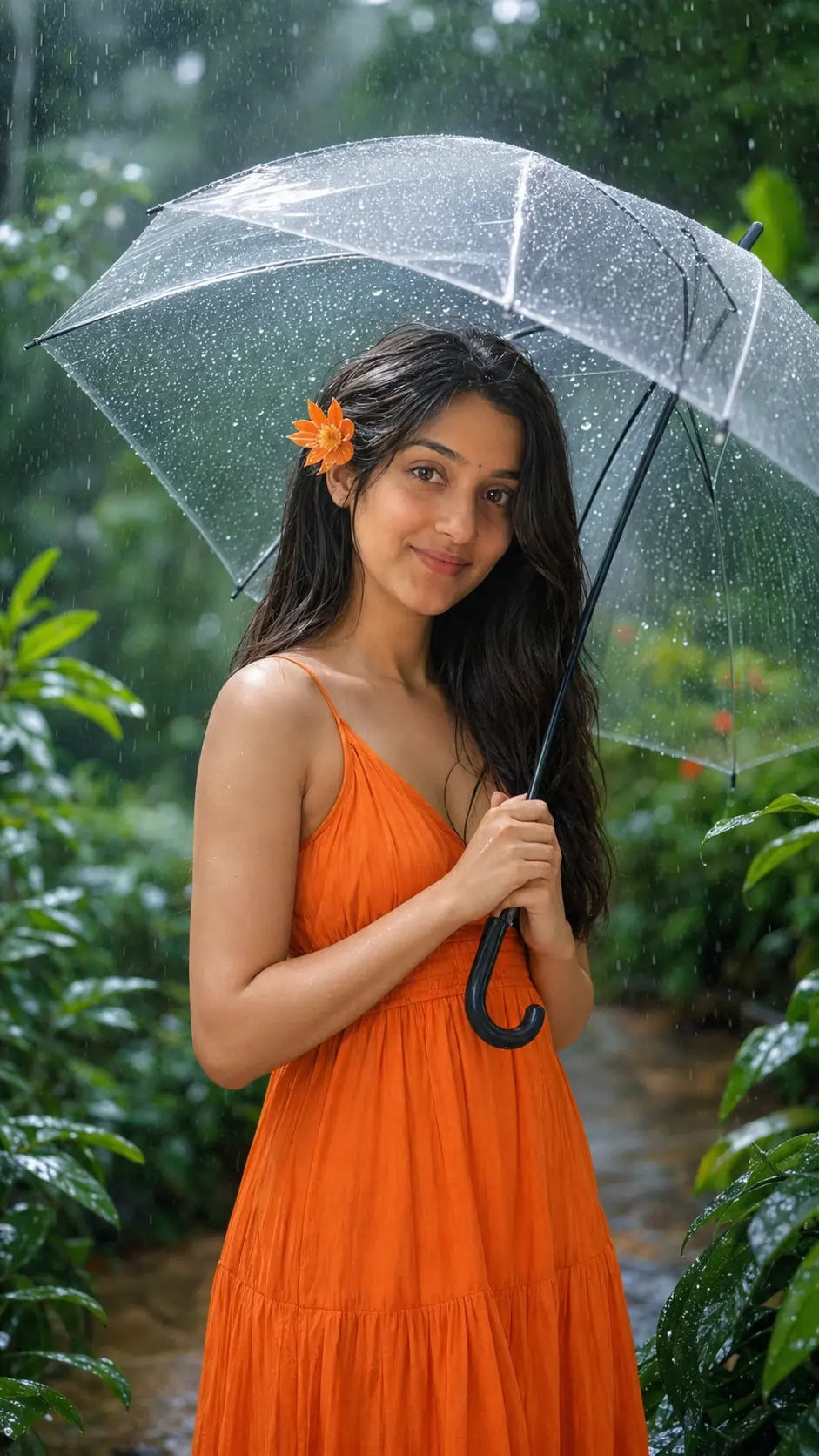
Ultra-realistic cinematic DSLR portrait of the same woman, preserving her exact facial identity, standing in a lush green garden during gentle monsoon rain, holding a transparent umbrella and smiling naturally. Bright orange sleeveless maxi dress, orange flower behind the ear, long straight black hair, glowing skin, minimal makeup, misty forest, rain-soaked leaves, dreamy bokeh, soft daylight, shallow depth of field, 85mm, f/1.8, HDR, 8K, photorealistic.
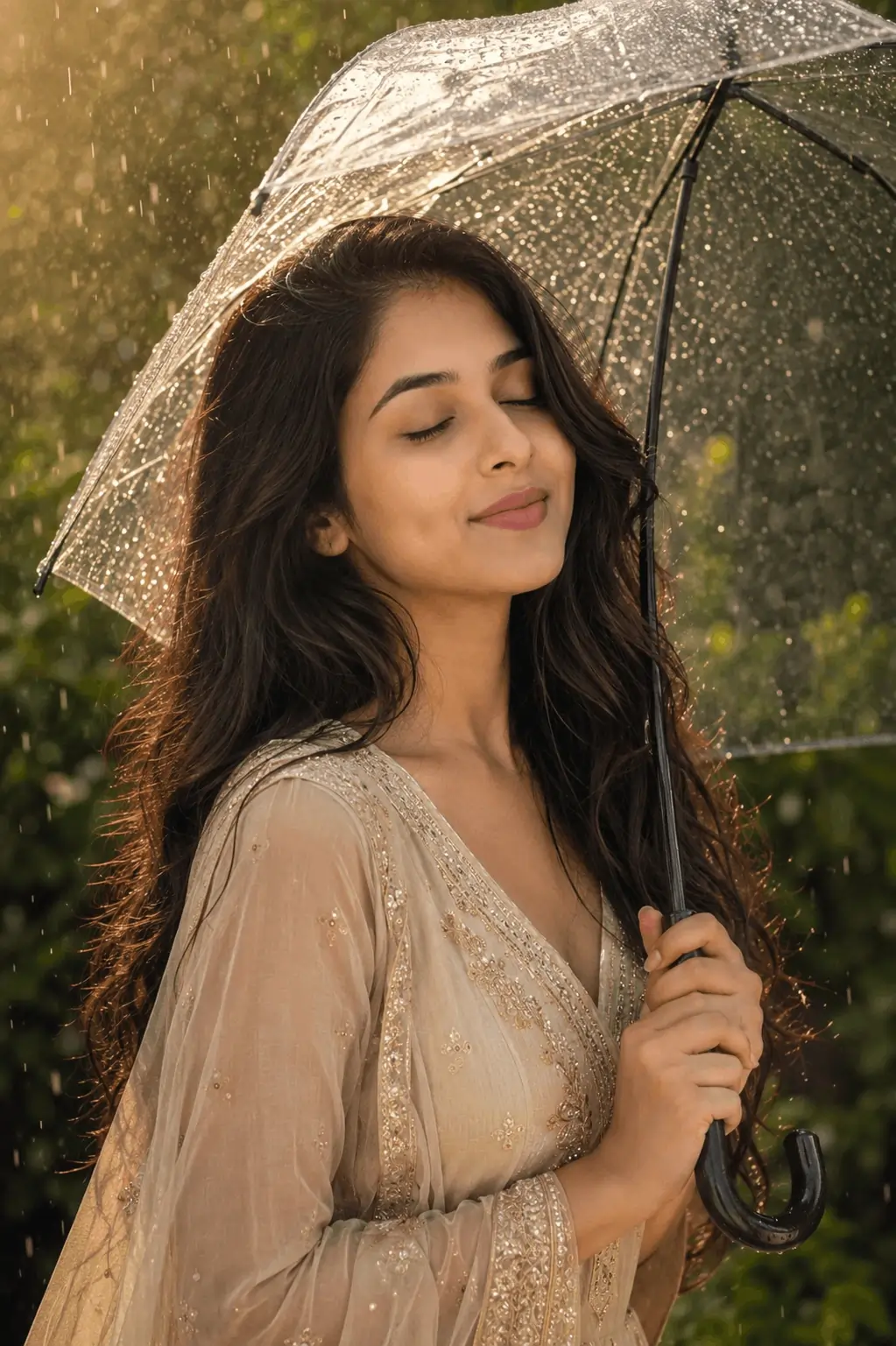
Ultra-realistic DSLR portrait of the same woman, exact face preserved, enjoying gentle monsoon rain under a transparent umbrella. Side profile, eyes closed, soft natural smile, champagne-gold embroidered ethnic outfit, minimal jewelry, long wavy hair, warm golden-hour backlight, glowing raindrops, lush green bokeh background, shallow depth of field, soft cinematic lighting, 85mm, f/1.8, HDR, 8K.
Use the uploaded reference image as the PRIMARY facial and hairstyle reference for the male subject.

STRICT IDENTITY PRESERVATION:
- Preserve the man's face with 99–100% accuracy.
- Match the exact facial structure, face shape, jawline, cheekbones, forehead, nose, lips, eyes, eyebrows, ears, skin tone, skin texture, and natural proportions from the reference image.
- Preserve the exact stubble/beard pattern, density, hairline, and facial details.
- Do NOT beautify, smooth, reshape, or generate a new face.
- The output must look like the same real person from the uploaded photo.

STRICT HAIRSTYLE PRESERVATION:
- Keep the male hairstyle as close as possible to the uploaded reference image.
- If the reference has curly hair, keep the same curls, curl pattern, volume, length, direction, and messy texture.
- If the reference has straight, wavy, or styled hair, recreate that hairstyle as naturally as possible.
- Never replace the hairstyle with generic AI hair.
- Do not change the hairline, lengt
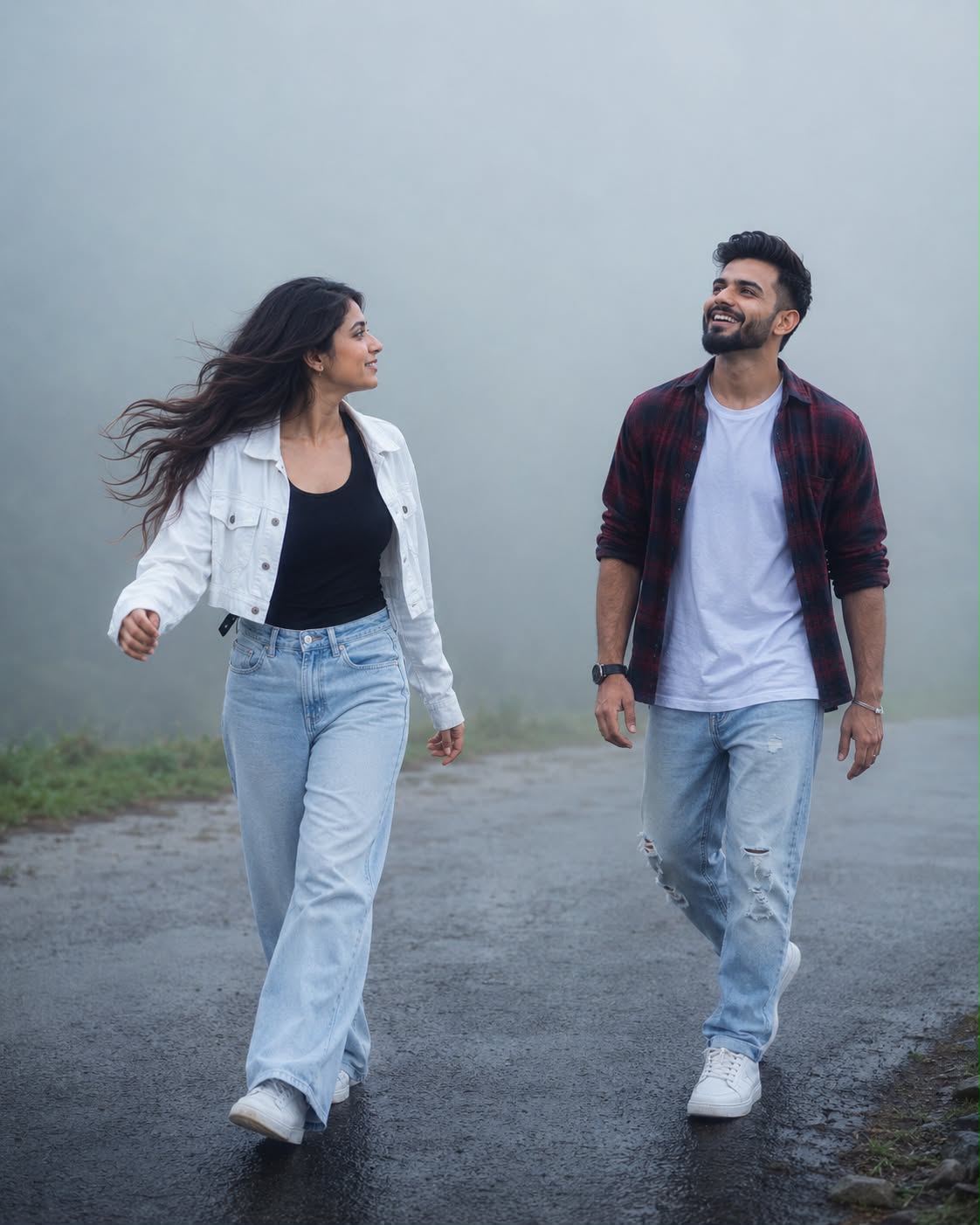
Young Indian couple walking toward each other on a wet asphalt road engulfed in thick monsoon fog, man in a maroon and black flannel shirt open over a white t-shirt and ripped light blue jeans looking up mid-laugh, woman in a black tank top under a cropped white utility jacket and light wash wide-leg jeans, hair blown sideways by wind, motion blur on her arm mid-stride, flat dense blue-grey fog erasing the horizon, faint strip of green grass at the base of the frame, cold desaturated color grade, soft diffused flat light, shallow depth of field look, creamy bokeh, cinematic haze, candid walking motion, 8K UHD, ultra-detailed, sharp facial detail, 4:5.
What Is a Monsoon Photo ChatGPT Prompt
A monsoon photo prompt is a written instruction that tells an AI image tool how to transform a photo so it looks like it was taken during rainfall. It usually includes details about the sky, the ground, the light source, and small realistic touches like water droplets.
Core Elements of a Good Rain Prompt
Every strong prompt in this category tends to include three things: a weather description, a lighting cue, and a texture detail. Skipping any one of these usually results in a flat, unrealistic edit.
Weather description, such as “light drizzle” or “heavy downpour”
Lighting cue, such as “soft grey overcast light” or “dim evening tone”
Texture detail, such as “wet pavement reflections” or “raindrops on the camera lens”
Why Rainy Aesthetic Edits Are Trending Right Now
Monsoon content performs well every year because the season itself creates natural visual interest that people want to capture, even when the actual weather outside is not photogenic. Cloudy skies, indoor lighting, and rushed schedules mean many people cannot get the shot they want in real life, so they turn to AI editing instead.
There is also a seasonal pattern here worth noting. Search interest for rain edit prompts and monsoon photo styles rises sharply every year between June and September, matching the actual monsoon calendar across most of India. Creators who post early in the season, before the trend peaks, usually see stronger engagement than those who post later.
Best Monsoon Photo ChatGPT Prompt Templates
These templates are written to be copied directly into ChatGPT or any compatible AI image tool. Replace the bracketed section with your own detail.
Template One: Moody Street Portrait
“Edit this photo to look like it was taken during a monsoon evening. Add soft grey overcast lighting, wet street reflections in the background, and light rain streaks in the air. Keep the subject’s face sharp and natural, with [clothing or mood detail] visible.”
Template Two: Window Rain Aesthetic
“Transform this photo into a cozy rainy-day scene shot near a window. Add fogged glass, blurred rain droplets on the pane, and warm indoor light contrasting against the cool blue tone outside.”
Template Three: Umbrella Candid Shot
“Recreate this image as a candid monsoon photo with the subject holding an umbrella. Add falling rain, splashes near the feet, and a muted color palette with one warm accent color, like a red umbrella or yellow raincoat.”
How to Write Your Own Rain Edit Prompt
Once you understand the pattern, writing your own monsoon photo edit prompt becomes simple. Start with the scene, add the weather, then add one texture detail that sells the realism.
Step-by-Step Prompt Building
Describe the base scene in one sentence.
Add a specific rain intensity, from light drizzle to heavy downpour.
Mention a light source, such as streetlights, a cloudy sky, or window light.
Include one texture detail like droplets, puddles, or fog.
Ask the tool to keep the subject’s face natural and unaltered.
Mention a color mood, such as cool blue tones or warm amber tones.
Following this order consistently gives far more predictable results than writing one long, unstructured sentence.
Jai Bhim AI Photo Editing Style
During the monsoon months, another photo trend often overlaps with rain edits: the Jai Bhim AI photo editing style, associated with tributes and social posts around Dr. B.R. Ambedkar. Many users combine a rainy or overcast background with a respectful portrait edit and a Jai Bhim greeting overlay, often shared around community events and observances that fall within this season.
Writing a Respectful Jai Bhim Prompt
When creating this style, keep the prompt focused on dignity and clarity rather than heavy filters. A simple structure works best: “Edit this photo with a soft, respectful portrait tone, clean background, and subtle blue-sky or monsoon cloud backdrop. Keep the expression natural and avoid excessive stylization.” This keeps the final image suitable for sharing across Instagram, Telegram, and WhatsApp channels without looking overedited.
Monsoon Photo Prompt vs Regular Portrait Prompt
A common question is whether a monsoon prompt really needs to differ much from a standard portrait prompt. It does, and the difference comes down to three factors: color temperature, background detail, and light softness.
A regular portrait prompt usually asks for balanced, even lighting and a clean background. A monsoon prompt instead asks for cooler tones, visible weather elements, and softer, diffused light, since direct sunlight rarely appears in real rain photos. Using a regular portrait prompt during monsoon-themed content usually produces an image that looks sunny and out of place, even if the subject and pose are correct.
Common Mistakes to Avoid
Many first-time users get inconsistent results because of small prompt errors rather than the AI tool itself.
Asking for “rain” without specifying intensity, which often produces unrealistic heavy storms
Forgetting to mention lighting, which leaves the subject looking flatly lit against a dramatic sky
Overloading the prompt with too many effects at once, which confuses the output
Skipping a request to preserve facial detail, which can distort the subject’s face
Frequently Asked Questions
What is the best monsoon photo chatgpt prompt for Instagram?
A prompt combining soft overcast light, wet street reflections, and one warm accent color tends to perform best for Instagram, since it balances mood with clarity. Keep the description under three sentences for the most consistent results.
How do I make a rain edit look realistic instead of fake?
Realism comes from texture details like droplets on a lens or puddle reflections, combined with muted rather than oversaturated colors. Avoid asking for heavy rain and dramatic lighting in the same prompt, as this often looks artificial.
Can ChatGPT generate rain effects directly on my photo?
Yes, when connected to an image generation tool, ChatGPT can apply rain effects, fog, and mood lighting based on a written description. Results vary by tool version, so testing two or three prompt variations usually gives the best output.
Is monsoon photo editing only useful during the rainy season?
No, many creators prepare rain-themed content in advance or use it for creative portfolios year-round. It is simply most popular and most searched during the actual monsoon months.
Which is better, a short prompt or a detailed prompt for rain edits?
A detailed prompt with four to six specific elements consistently outperforms a short, vague one. Short prompts like “add rain” often produce generic or unrealistic results.
Does adding an umbrella or raincoat improve the edit?
Yes, a single recognizable object like an umbrella gives the AI tool a clear focal point and often makes the scene feel more authentic. Avoid adding more than one or two props, since a cluttered scene can look staged.
What is the Jai Bhim AI photo editing trend?
It refers to AI-edited portraits, often shared with a Jai Bhim greeting, that use a clean and respectful style rather than heavy filters. The trend frequently overlaps with monsoon-season posting since the season aligns with several community observances.
How often should I change my rain edit prompt style?
Refreshing your prompt wording every few weeks helps keep content from looking repetitive, especially if you post regularly. Small changes, like switching from window light to street light, are usually enough to keep results feeling fresh.
Conclusion
A strong monsoon photo chatgpt prompt comes down to three details: weather intensity, light source, and one realistic texture element. Whether you are creating a moody street portrait, a cozy window scene, or a respectful Jai Bhim style edit, the same structured approach applies every time. Start with the templates above, adjust the details to match your own photo, and test a few variations before you settle on your final post.
Transform the uploaded photograph into a premium minimalist editorial collage inspired by luxury travel magazines, contemporary fashion editorials, and artistic outdoor photography FORMAT & COMPOSITION: Create a strict 3:4 vertical canvas. Use a warm ivory/off-white background with subtle paper texture and generous negative space Place a large, clean-edged vertical rectangular crop of the original
Place this person in the second photo in a realistic manner and adjust them to match the second photo; do not change anything else. Keep the background exactly as it is-do not alter it at all-and do not change the face. Enhance the image to 8K quality and set the aspect ratio to 3:4. And Backgroud ke accoding person size adjust
Create a cinematic 4K, highly detailed, photorealistic video by transferring the EXACT dance movements, body motion, performance, timing, expressions, and camera movements from the REFERENCE VIDEO onto the person shown in the TARGET IMAGE. Completely replace the original main dancer with the person from the TARGET IMAGE. Preserve the target person's exact facial identity, facial features, skin ton
Transform the uploaded mirror selfie into a luxury LED Mirror portrait. Replace the existing mitor frame with an elegant irregular organic shape mirror 1,832 featuring a soft warm golden LED Backlight glow around entire edge .keep the subject same
Create a **10-second photorealistic image-to-video recreation of the uploaded reference video**. ### REFERENCE PRIORITY — CRITICAL Use the uploaded references as follows: **REFERENCE IMAGE 1 — MY PHOTO** Use this as the ONLY identity reference for the main person. Preserve my exact face, facial proportions, eyes, eyebrows, nose, lips, jawline, skin tone, hairstyle and overall identity throughout t
Video-to-video character replacement. Keep @Video 1 exactly the same: same handheld iPhone camera movement and shake, same framing, timing, red backstage lighting, background, crowd, bodyguards, and the fan in the foreground holding the phone and the big DSLR lens. Do not change anyone else. Replace only the main man in the center (the one who walks in, talks to the fan and laughs) with the person
MASTER PROMPT — Ultra-Realistic Bridal Nail Art Car Selfie (9:16) Use the uploaded selfie as the STRICT FACIAL IDENTITY REFERENCE. Preserve the person's exact facial features, natural skin tone, eyes, nose, lips, face shape, age, and realistic skin texture. Do not beautify, reshape, or alter the facial identity. REFERENCE COMPOSITION: Create an ultra-realistic golden-hour photograph of a beautiful
Use the reference video as the exact blueprint. Recreate the SAME actions, hand movements, facial expressions, camera movement, timing, framing and transition — do not invent or change anything. Start with the first reference image as the opening look, then transition into the second reference image at the EXACT same moment and using the EXACT same transition style as the reference video. In the s