Prompt Scene

Krishna Janmashtami ChatGTP Prompt For Photo Editing

By Prompt Scene ·

Hello friends! I hope you all are doing great.
Today, I’ve brought something exciting for you – aChatGPT Krishna Janmashtami AI photo editing prompt.

You must have seen this trend on Instagram and YouTube. It’s going viral right now because it creates stunning Krishna Janmashtami photos where your face blends perfectly into the scene.

This year, Krishna Janmashtami falls on 16 August 2025. So I thought – why not help you create amazing AI festival edits for every celebration?

With the prompts I’ll share, you can make beautiful Krishna-themed photos using ChatGPT’s AI tools. Just upload your picture, use the prompt, and your Krishna Janmashtami photo will be ready.

Krishna Janmashtami ChatGTP
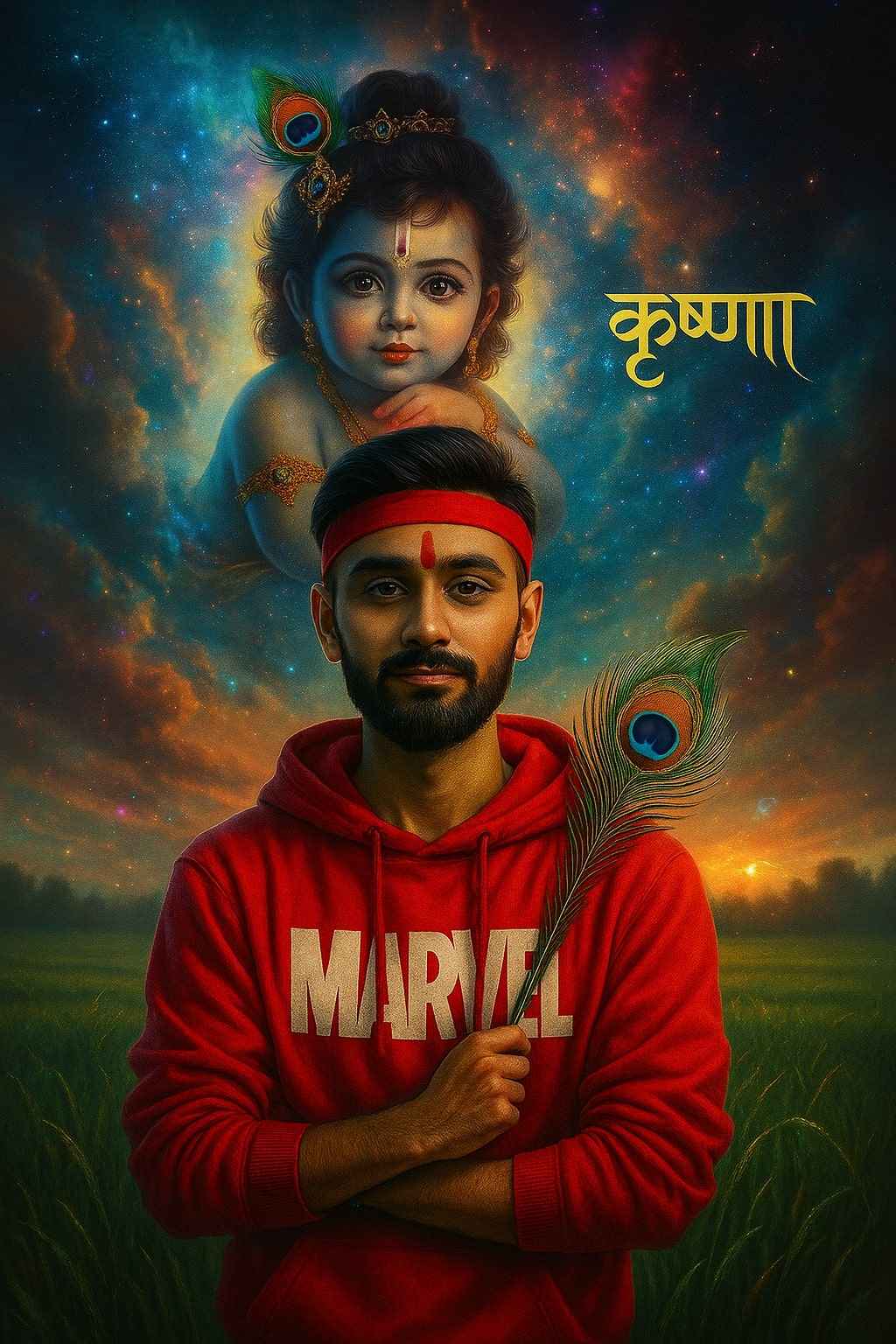
Create a digitally edited fantasy-style portrait of a young man wearing a red Marvel hoodie, standing in a green field. He is holding a peacock feather and wearing a red headband. Behind him, a large, glowing image of baby Krishna with a peacock feather crown appears in the sky, surrounded by colorful clouds and cosmic light effects. The background includes dreamy lighting, sparkles, and a magical atmosphere Add.    the word ‘कृष्णा’ in elegant Hindi calligraphy on the right side, 8k quality image generation.
Janmashtami prompt
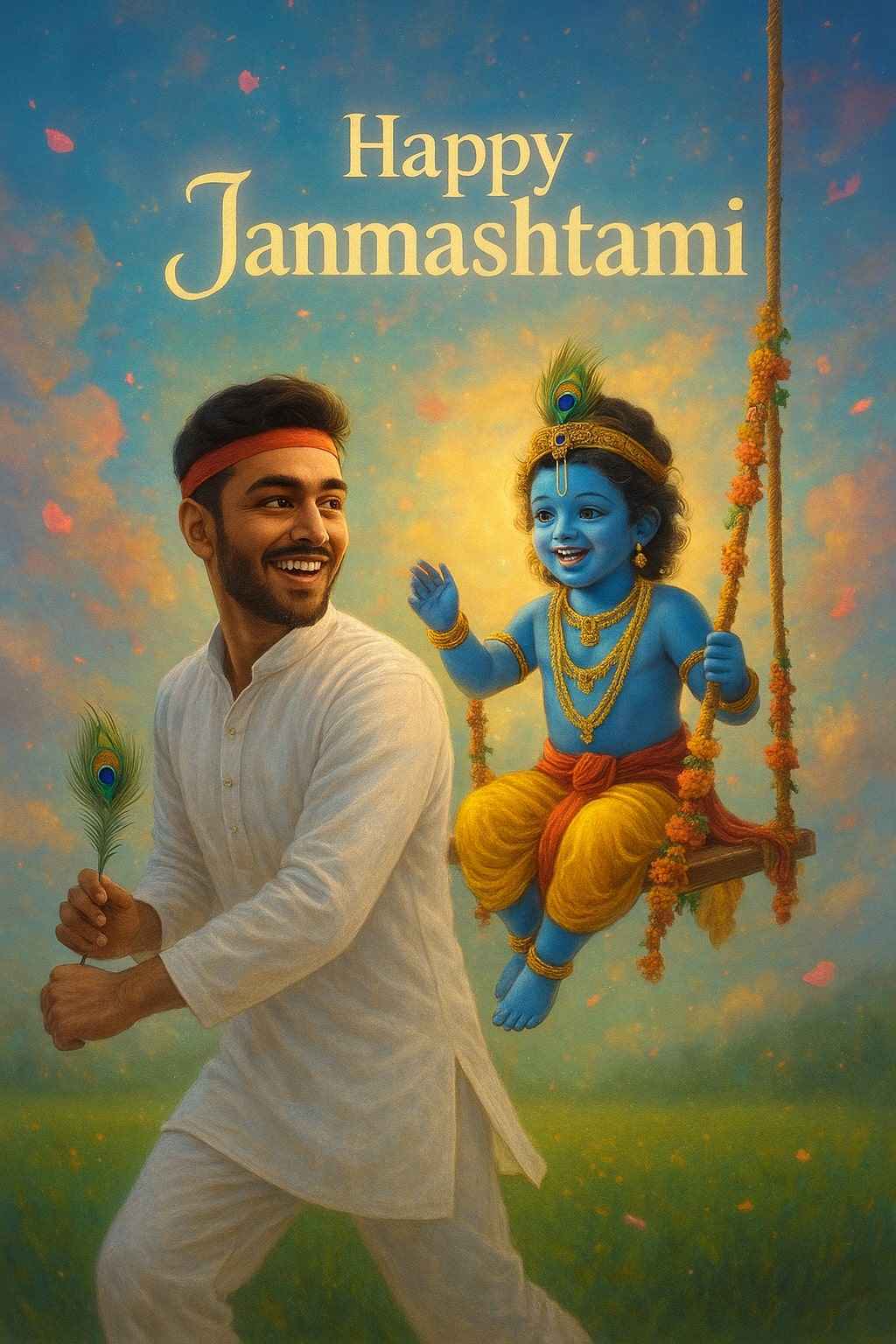
Create a vibrant portrait of a joyful young man celebrating Janmashtami, He is dressed in a traditional white kurta and white pajama, smiling and glancing back over his shoulder, giving push to Krishna on Swing (Jhula) from behind “Krishna in sambhal blue, wearing dazzling jewelry, sitting on a decorated swing with flowers, smiling joyfully. The dreamy background features bright clouds, floating petals, and ‘Happy Janmashtami’ shining softly behind him.
happy janmashtami ai image
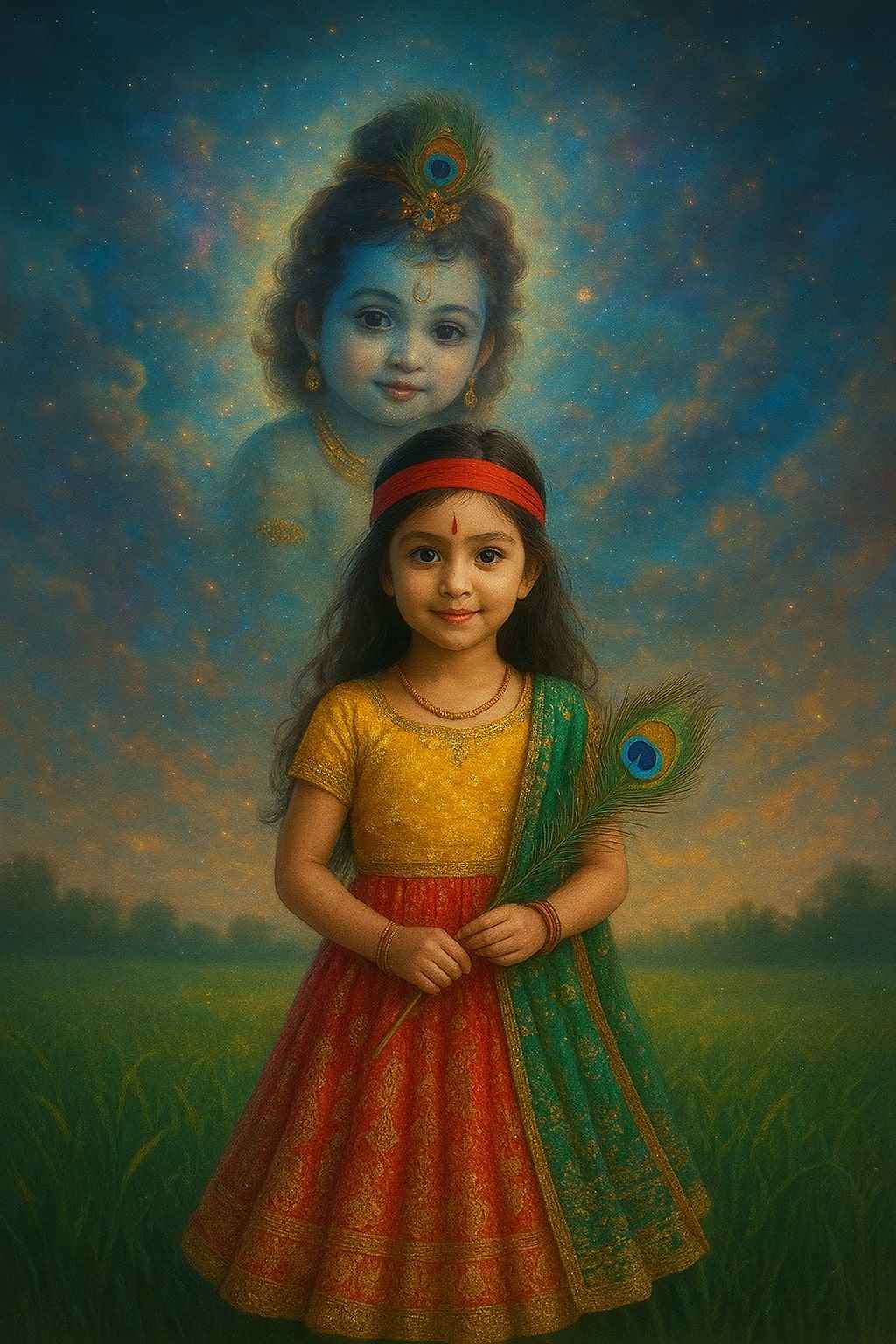
Create a digitally edited fantasy-style portrait of a young cute girl wearing a vibrant lehenga, standing in a green field. He is holding a peacock feather and wearing a red headband. Behind him, a large, glowing image of baby Krishna with a peacock feather crown appears in the sky, surrounded by colorful clouds and cosmic light effects. The background includes dreamy lighting, sparkles, and a magical atmosphere Add.

How to create image?

  1. Copy the prompt you like.
  2. Go to ChatGPT (with AI image generation).
  3. Upload your photo and paste the prompt.
  4. Download your Krishna Janmashtami edit.
  5. Post it on WhatsApp status or Instagram story on Janmashtami day.

It’s that easy!

If your face doesn’t match perfectly, you can use any face swap app or online editor to adjust it. Simple!

Related prompts

Minimalist Editorial Collage Photo Editing Prompt – Luxury Travel Aesthetic
Unique Prompts
35k 2.5k
5 days ago

Minimalist Editorial Collage Photo Editing Prompt – Luxury Travel Aesthetic


Transform the uploaded photograph into a premium minimalist editorial collage inspired by luxury travel magazines, contemporary fashion editorials, and artistic outdoor photography FORMAT & COMPOSITION: Create a strict 3:4 vertical canvas. Use a warm ivory/off-white background with subtle paper texture and generous negative space Place a large, clean-edged vertical rectangular crop of the original
Cinematic Baground Portrait Prompts
Unique Prompts
38k 4.0k
1 week ago

Cinematic Baground Portrait Prompts


Place this person in the second photo in a realistic manner and adjust them to match the second photo; do not change anything else. Keep the background exactly as it is-do not alter it at all-and do not change the face. Enhance the image to 8K quality and set the aspect ratio to 3:4. And Backgroud ke accoding person size adjust
Garba AI Dance Video Editing Tutorial – Create Viral AI Dance Videos
Unique Prompts
36k 9.7k
1 week ago

Garba AI Dance Video Editing Tutorial – Create Viral AI Dance Videos


Create a cinematic 4K, highly detailed, photorealistic video by transferring the EXACT dance movements, body motion, performance, timing, expressions, and camera movements from the REFERENCE VIDEO onto the person shown in the TARGET IMAGE. Completely replace the original main dancer with the person from the TARGET IMAGE. Preserve the target person's exact facial identity, facial features, skin ton
Viral Car Uno Reverse Transition: AI Video Editing Prompt and Tutorial
Unique Prompts
14k 5.7k
1 week ago

Viral Car Uno Reverse Transition: AI Video Editing Prompt and Tutorial


Create a **10-second photorealistic image-to-video recreation of the uploaded reference video**. ### REFERENCE PRIORITY — CRITICAL Use the uploaded references as follows: **REFERENCE IMAGE 1 — MY PHOTO** Use this as the ONLY identity reference for the main person. Preserve my exact face, facial proportions, eyes, eyebrows, nose, lips, jawline, skin tone, hairstyle and overall identity throughout t
Viral Fancam AI Video Tutorial: Create Trending AI Fancam Videos
Unique Prompts Video
35k 2.5k
1 week ago

Viral Fancam AI Video Tutorial: Create Trending AI Fancam Videos


Video-to-video character replacement. Keep @Video 1 exactly the same: same handheld iPhone camera movement and shake, same framing, timing, red backstage lighting, background, crowd, bodyguards, and the fan in the foreground holding the phone and the big DSLR lens. Do not change anyone else. Replace only the main man in the center (the one who walks in, talks to the fan and laughs) with the person
Navratri Birdal Nail Art Prompt
Unique Prompts
7.2k 2.9k
2 weeks ago

Navratri Birdal Nail Art Prompt


MASTER PROMPT — Ultra-Realistic Bridal Nail Art Car Selfie (9:16) Use the uploaded selfie as the STRICT FACIAL IDENTITY REFERENCE. Preserve the person's exact facial features, natural skin tone, eyes, nose, lips, face shape, age, and realistic skin texture. Do not beautify, reshape, or alter the facial identity. REFERENCE COMPOSITION: Create an ultra-realistic golden-hour photograph of a beautiful
Navratri Nails Transformation AI Video Tutorial
Unique Prompts Video
13k 5.0k
2 weeks ago

Navratri Nails Transformation AI Video Tutorial


Use the reference video as the exact blueprint. Recreate the SAME actions, hand movements, facial expressions, camera movement, timing, framing and transition — do not invent or change anything. Start with the first reference image as the opening look, then transition into the second reference image at the EXACT same moment and using the EXACT same transition style as the reference video. In the s