What’s up guys! As a proud Indian boy, I’m super excited to share some dope AI photo editing promptsrevolving around our beloved Ganpati Bapa.
With the rise of AI image generators like Bing Image Creator, we can now manifest our wildest imaginations into stunning visuals. And what better way to celebrate our faith than by creating personalized AI photos of ourselves with the awesome Lord Ganesha!
For all my Hindu homies out there, I’ve curated a list of descriptive prompts that will let you summon hyper-realistic, ultra-clear images of you and Ganpati Bapa together.
These prompts are designed to capture the divine essence of the Lord while incorporating your name on a dope T-shirt you’ll be rocking in the AI photo. Get ready to channel your inner artist and bring these prompts to life!
Prompt for Boys
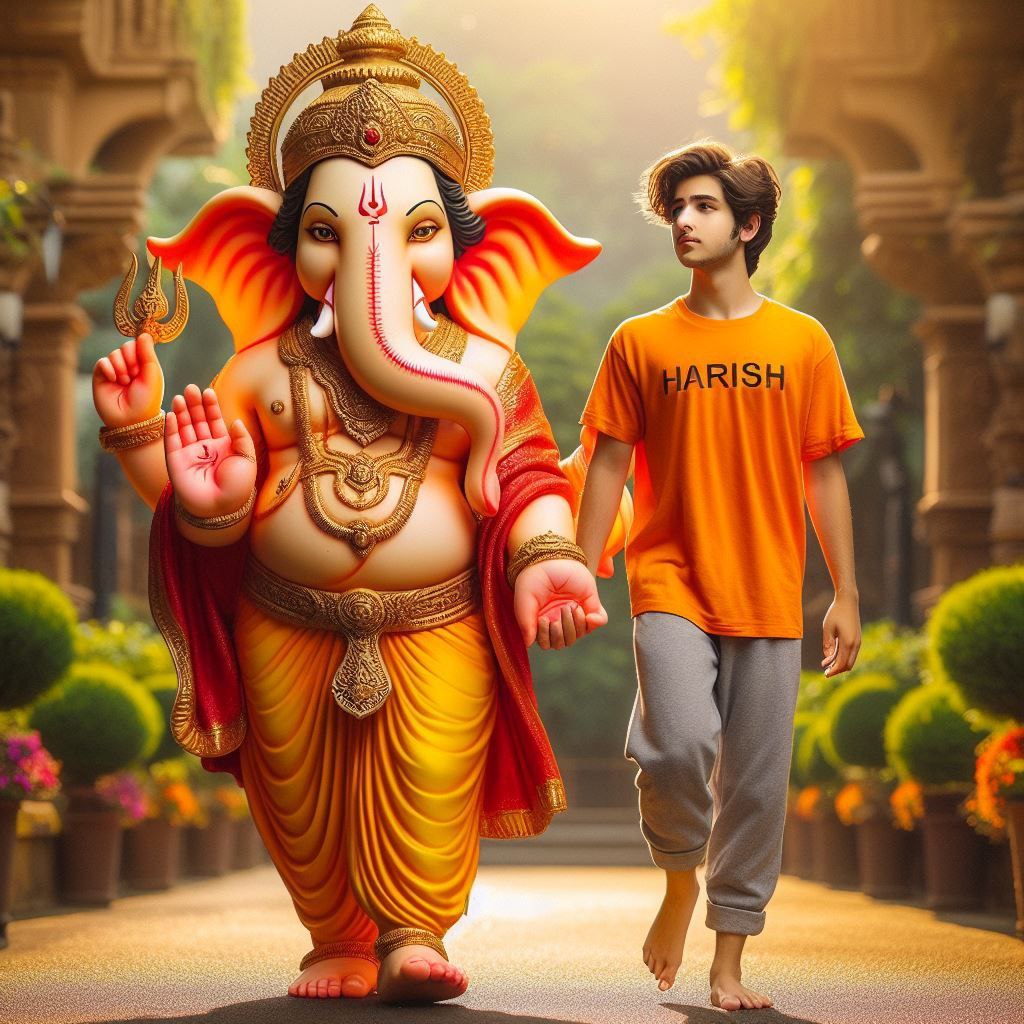
20 year old boy walking and holding hand with Lord Ganesha, boy is bare feet wearing saffron T-shirt with name "Harish" written boldly, environment is gorgeous, background is garden, both are in focus, ultra clear, hyper detailed image, Boy and Ganesh ji looking straight.
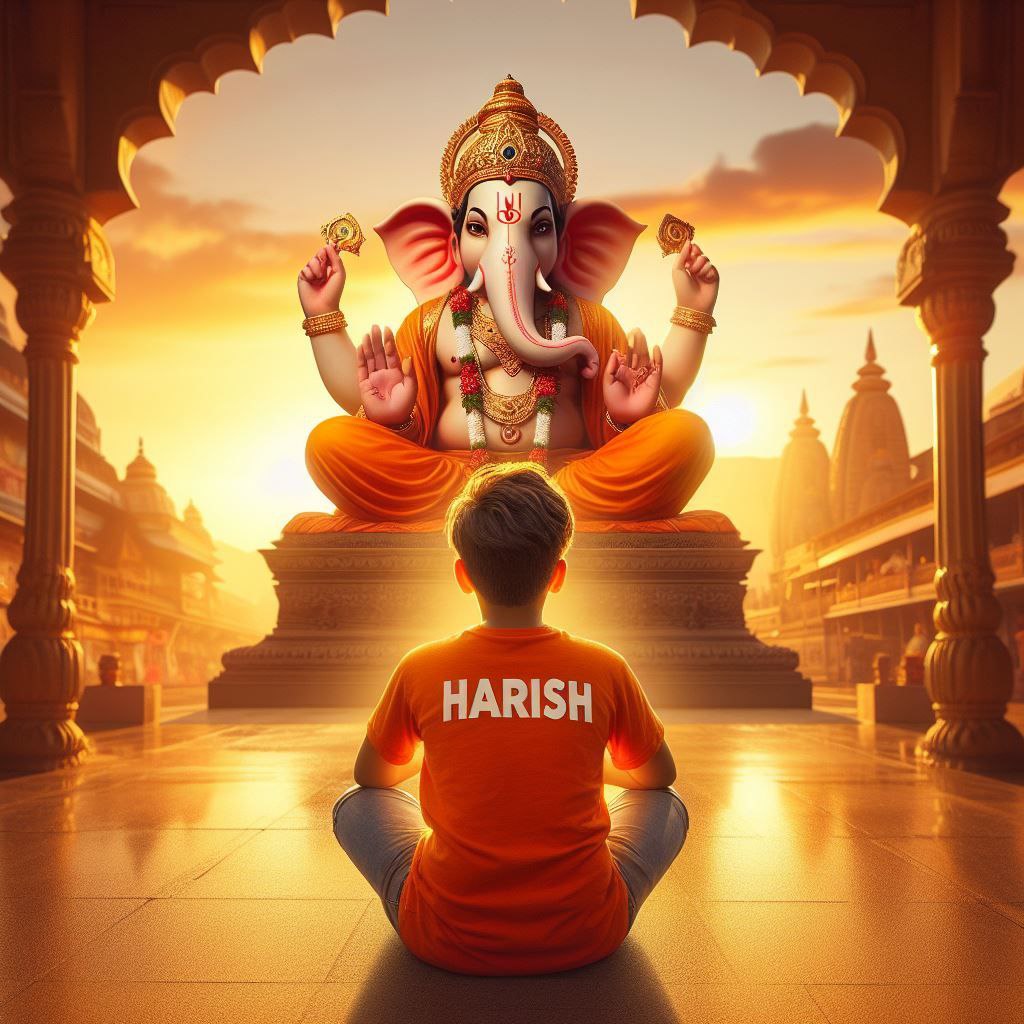
create realistic high quality image where a 20 year old Indian boy sitting & praying ahead to Ganesh ji, boy wearing saffron t-shirts on which name "Harish" is written boldly, beautiful background, sunrise, devotional atmosphere,Traditional temple, make sure name should be visible & correct.
Prompt for Girls
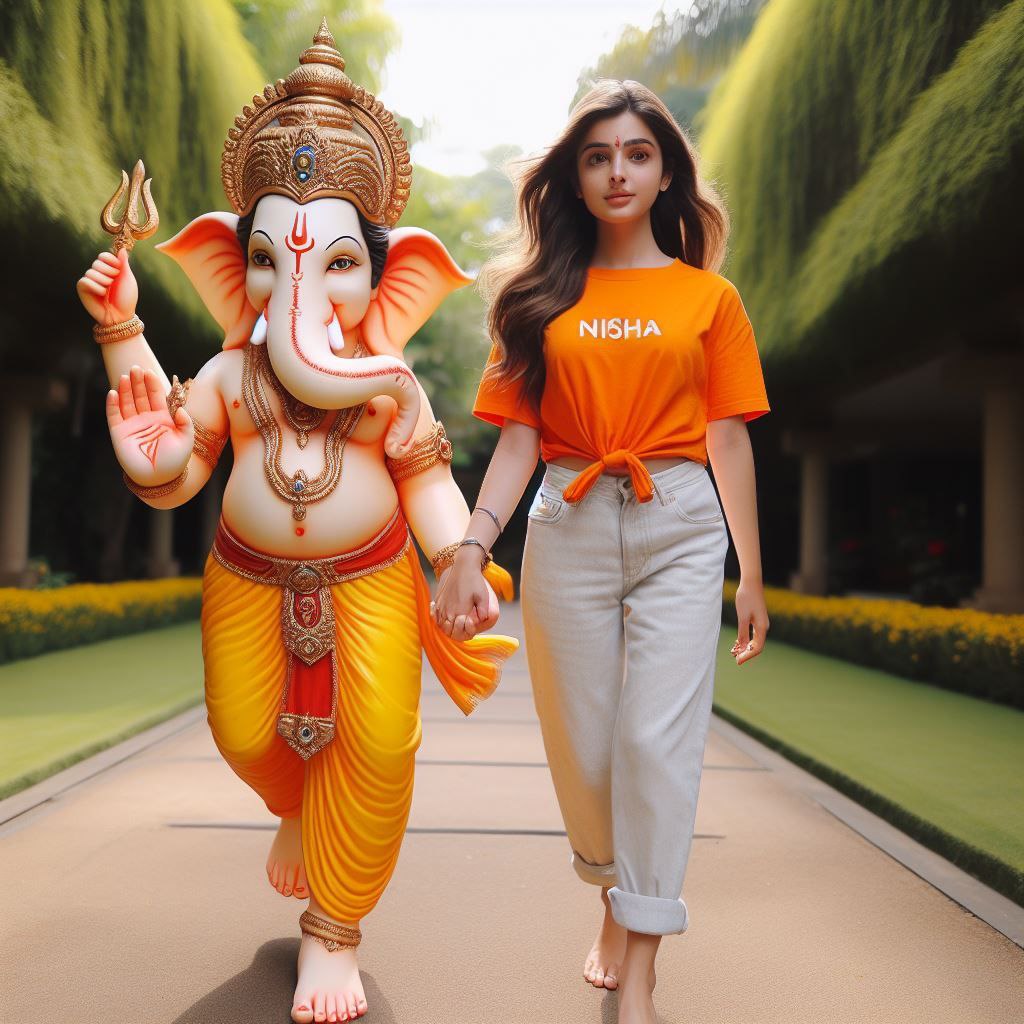
20 year old girl walking and holding hand with Lord Ganesha, girl is bare feet wearing saffron T-shirt with name " Nisha" written boldly, environment is gorgeous, background is garden, both are in focus, ultra clear, hyper detailed image, Ganesh ji and girl looking ahead and both are of same height.
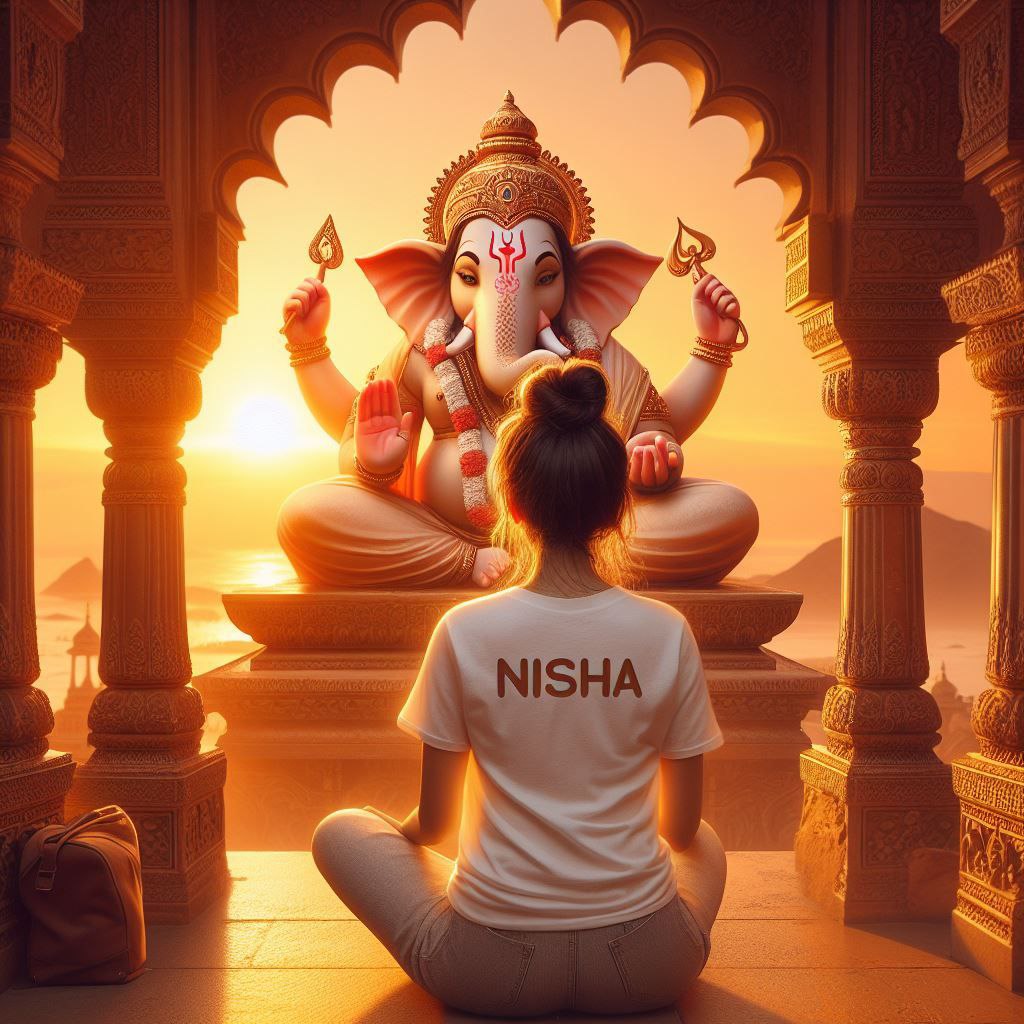
create realistic high quality image where a 20 year old Indian Girl sitting & praying ahead to Ganesh ji, Girl wearing white t-shirts on which name "Nisha" is written boldly, beautiful background, sunrise, devotional atmosphere,Traditional temple, make sure name should be visible & correct.
To use these prompts, simply replace ‘YOUR NAME’ with your actual name, and feed the prompt into the Bing Image Creator. Within moments, you’ll have a breathtaking AI-generated photo of you and the divine Ganpati Bapa, personalized with your name emblazoned on your clothing.
These AI photos make for incredible profile pictures, wallpapers, or even framed artworks to adorn your home. Imagine the awe and blessings you’ll receive when your friends and family lay their eyes on these stunning visuals, where you’re walking hand-in-hand with the remover of obstacles himself!
But wait, there’s more! You can tweak and experiment with these prompts to create endless variations. Change the scenery, add props, adjust the expressions – the possibilities are limitless. Just make sure to keep the core elements intact, like your name on the clothing and the presence of Lord Ganesha, for that personal touch.
Conclusion
So, what are you waiting for, guys? Fire up that Bing Image Creator and manifest your devotion to Ganpati Bapa through these prompts. Bask in the divine grace as you immortalize your bond with the elephant-headed deity in these AI-generated masterpieces.
Remember, with AI image generation, your imagination is the only limit. So, let your creativity flow, and may Lord Ganesha bless you with abundance, prosperity, and the ability to overcome any obstacles that come your way!
Transform the uploaded photograph into a premium minimalist editorial collage inspired by luxury travel magazines, contemporary fashion editorials, and artistic outdoor photography FORMAT & COMPOSITION: Create a strict 3:4 vertical canvas. Use a warm ivory/off-white background with subtle paper texture and generous negative space Place a large, clean-edged vertical rectangular crop of the original
Place this person in the second photo in a realistic manner and adjust them to match the second photo; do not change anything else. Keep the background exactly as it is-do not alter it at all-and do not change the face. Enhance the image to 8K quality and set the aspect ratio to 3:4. And Backgroud ke accoding person size adjust
Create a cinematic 4K, highly detailed, photorealistic video by transferring the EXACT dance movements, body motion, performance, timing, expressions, and camera movements from the REFERENCE VIDEO onto the person shown in the TARGET IMAGE. Completely replace the original main dancer with the person from the TARGET IMAGE. Preserve the target person's exact facial identity, facial features, skin ton
Transform the uploaded mirror selfie into a luxury LED Mirror portrait. Replace the existing mitor frame with an elegant irregular organic shape mirror 1,832 featuring a soft warm golden LED Backlight glow around entire edge .keep the subject same
Create a **10-second photorealistic image-to-video recreation of the uploaded reference video**. ### REFERENCE PRIORITY — CRITICAL Use the uploaded references as follows: **REFERENCE IMAGE 1 — MY PHOTO** Use this as the ONLY identity reference for the main person. Preserve my exact face, facial proportions, eyes, eyebrows, nose, lips, jawline, skin tone, hairstyle and overall identity throughout t
Video-to-video character replacement. Keep @Video 1 exactly the same: same handheld iPhone camera movement and shake, same framing, timing, red backstage lighting, background, crowd, bodyguards, and the fan in the foreground holding the phone and the big DSLR lens. Do not change anyone else. Replace only the main man in the center (the one who walks in, talks to the fan and laughs) with the person
MASTER PROMPT — Ultra-Realistic Bridal Nail Art Car Selfie (9:16) Use the uploaded selfie as the STRICT FACIAL IDENTITY REFERENCE. Preserve the person's exact facial features, natural skin tone, eyes, nose, lips, face shape, age, and realistic skin texture. Do not beautify, reshape, or alter the facial identity. REFERENCE COMPOSITION: Create an ultra-realistic golden-hour photograph of a beautiful
Use the reference video as the exact blueprint. Recreate the SAME actions, hand movements, facial expressions, camera movement, timing, framing and transition — do not invent or change anything. Start with the first reference image as the opening look, then transition into the second reference image at the EXACT same moment and using the EXACT same transition style as the reference video. In the s