So friends, just like right now there’s a trend of AI images made with ChatGPT going on social media, keeping that in mind, this time for Ganesh Chaturthi we’ve brought AI photo prompts for you.
In this post, I’ll give you the best ChatGPT prompts for Ganesh Chaturthi photo editing. With the help of these prompts, you’ll be able to create very detailed, high-quality photos with your own face in them.
So let’s explore the ChatGPT prompts for Ganesh Chaturthi.
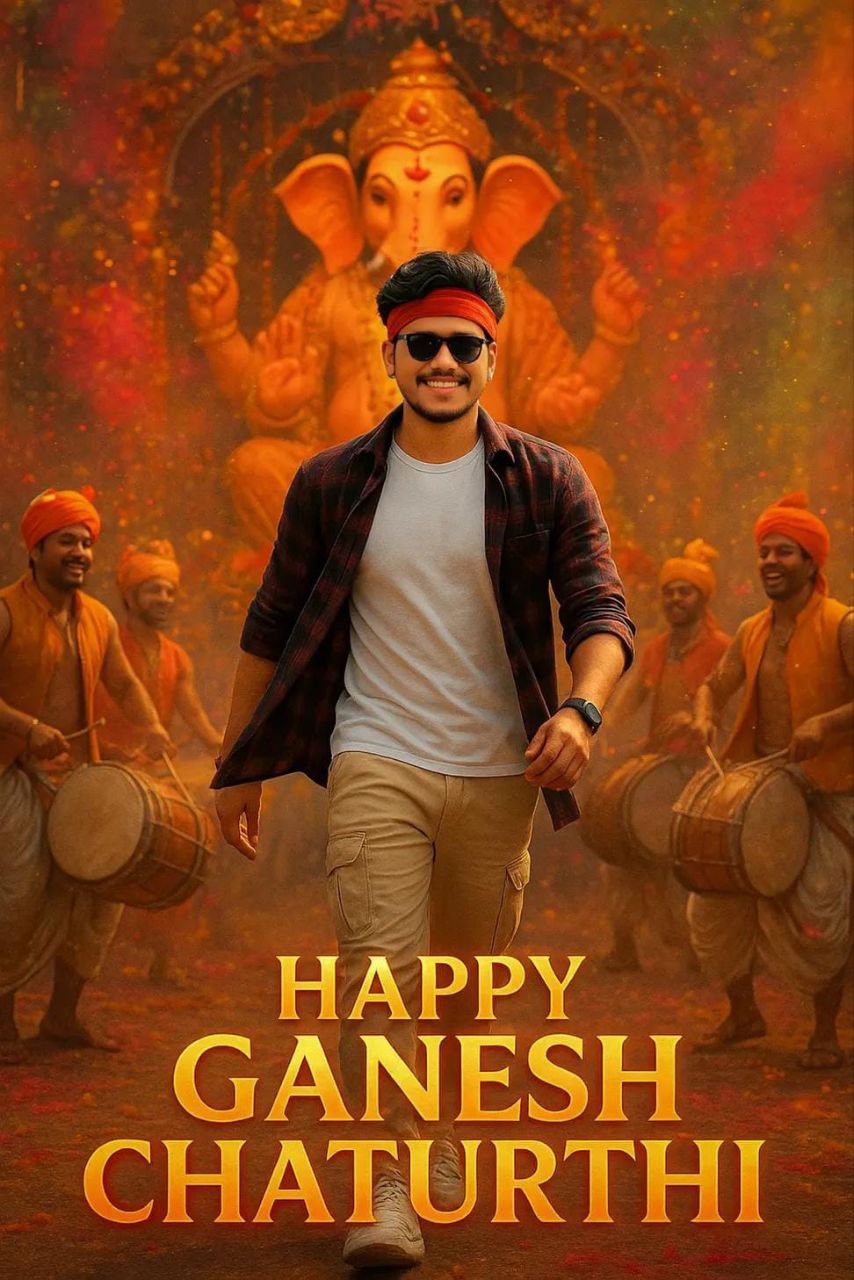
Ultra-realistic 4K cinematic portrait of making a heroic entry during Ganesh Chaturthi. Grand Ganesh idol, festive pandal, dhol players, gulal in air. Young man in white T-shirt, checked shirt flying, cream cargo joggers, white sneakers, red headband, sunglasses, smartwatch, confident smile. Low-angle cinematic shot with glowing text: ‘Happy Ganesh Chaturthi’.
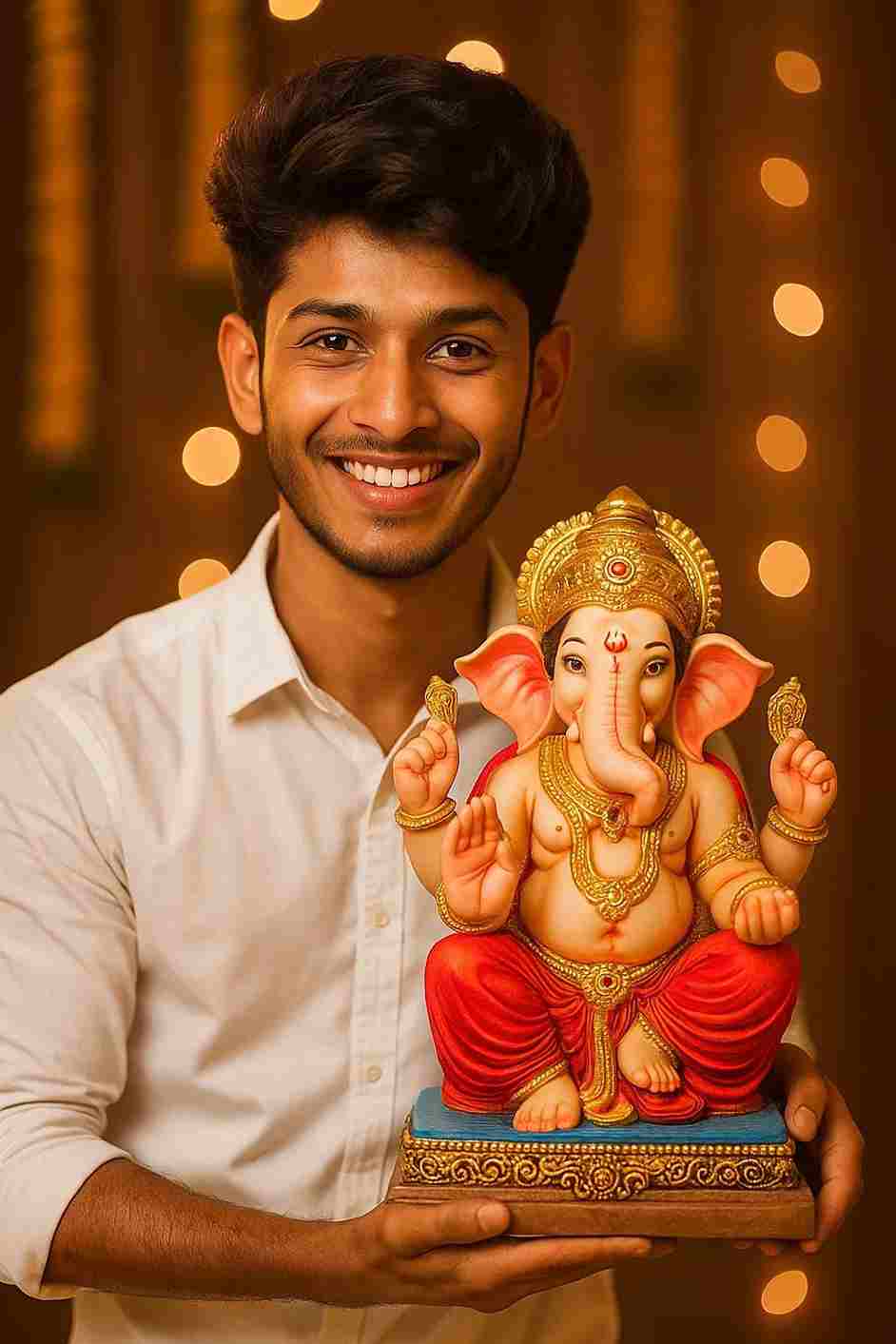
A premium Ganesh Chaturthi portrait of the person from the reference image, wearing a blue Tommy Hilfiger sweatshirt and jeans, standing beside a beautifully decorated Lord Ganesha idol. Surround the idol with marigold garlands, diyas, incense smoke, toran and rangoli. Warm golden-hour lighting, cinematic bokeh, ultra-detailed, 85mm lens look, natural skin tones, respectful devotional mood, high-end editorial quality.
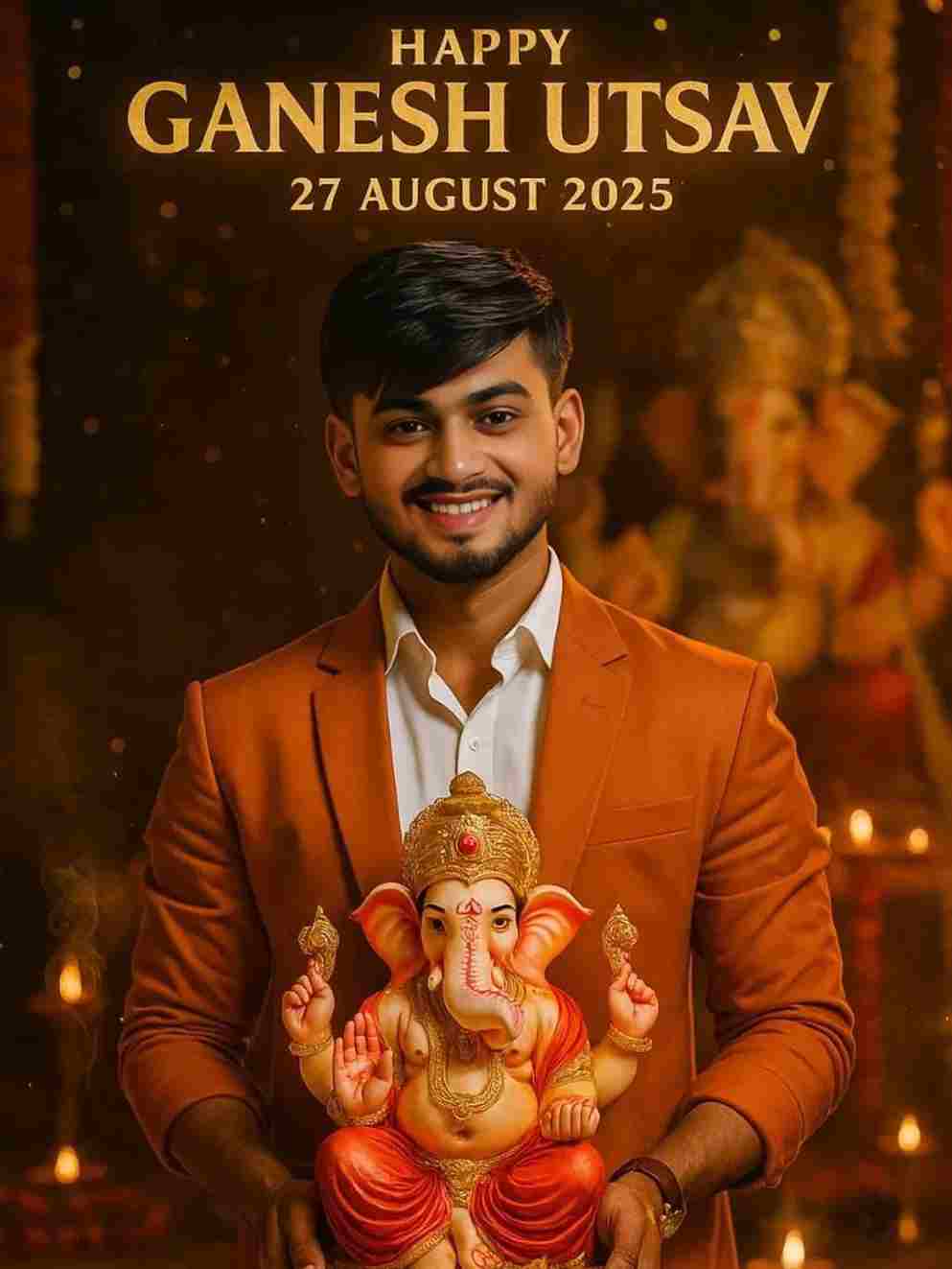
"8K ultra-cinematic vertical portrait (9:16) — A young Indian man, face and hairstyle matching the reference image, smiling at the camera. He wears a crisp white shirt with rolled-up sleeves, a saffron suit, and black pants with slight tears, giving a modern look. He holds a detailed idol of Lord Ganesha with a golden crown, red dhoti, and jewelry. Behind him stands a grand Ganesha idol, with warm golden light, bokeh, marigold garlands, glowing diyas, incense smoke, and sparkling golden particles creating a divine aura. In the sky, golden text reads: 'Happy Ganesh Utsav 27 August 2025'."
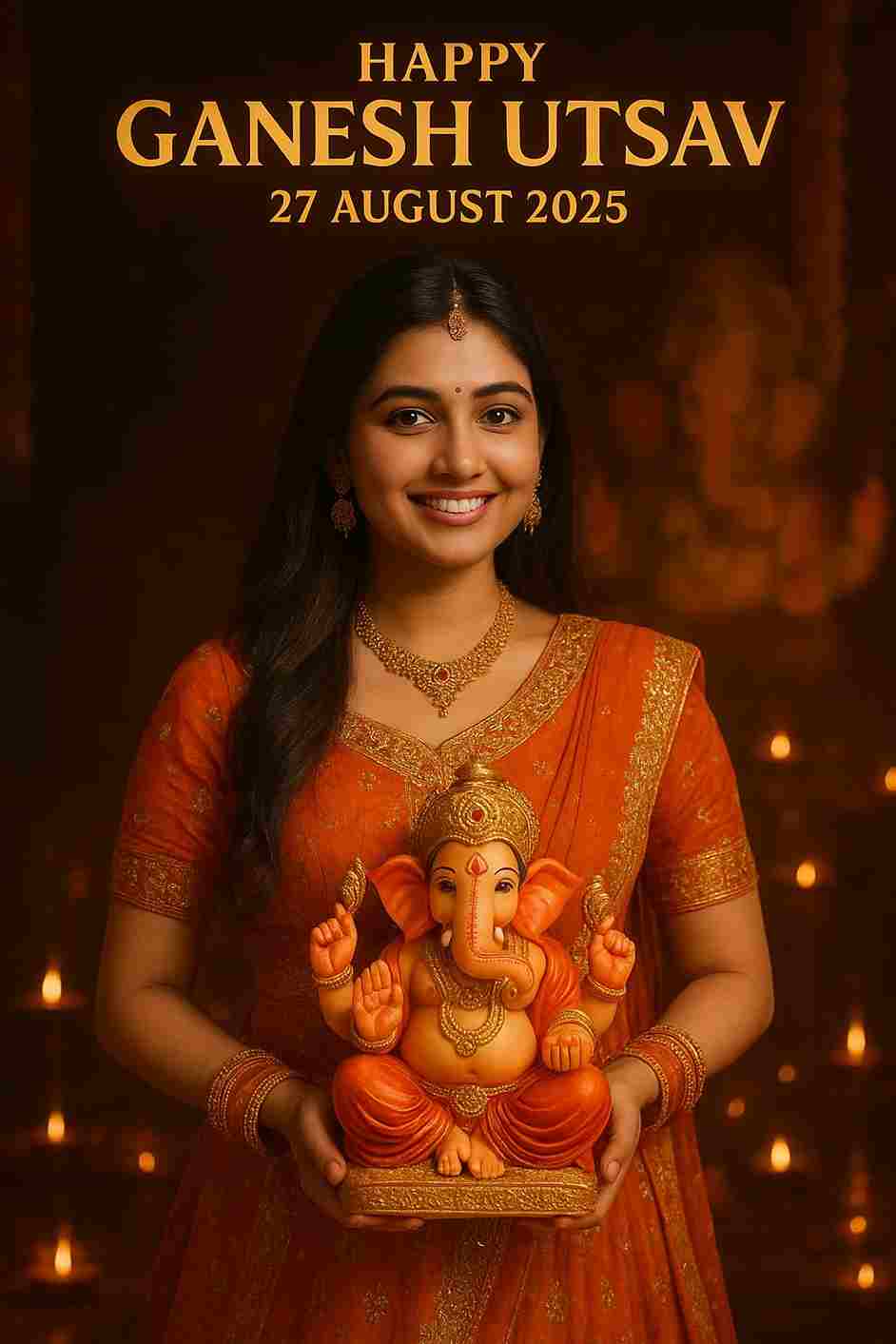
Ultra-realistic festive portrait of the same young Indian woman from the reference image, smiling and holding a colorful Lord Ganesha idol in her hands. She is wearing a traditional elegant orange and golden lehenga with intricate embroidery, matching jewelry, and a small red bindi on her forehead. The background is beautifully decorated with glowing diyas, warm golden festive lights, and blurred idols, creating a divine celebration atmosphere. At the top, the text reads: “Happy Ganesh Utsav – 27 August 2025” in bold golden letters. Bright cinematic lighting enhances her graceful look and highlights the divine aura of the festival.
Here’s a rewritten, plagiarism-free version in a natural, personal tone, as if written by you:
How to Create a Ganesh Utsav Photo for Free Using ChatGP
Friends, making a realistic AI image with ChatGPT is super easy—you don’t need any photo editing skills at all. With the prompts I’m sharing below, you’ll be able to create high-quality cinematic, portrait, or even Ghibli-style images completely free.
Many people face the issue of blurry faces or mismatched facial features when generating AI images. I’ve received a lot of comments about this problem on my Instagram reels and YouTube videos too. So, here’s the easiest way to fix it without paying or even signing up anywhere:
Click on the “Swap Your Face” button below.
You’ll be redirected to the official Face Swap website.
Click on “Start Face Swap”.
Upload your ChatGPT-generated photo in the left section and your original face photo in the right section.
Tap on “Start Face Swapping”.
Wait a few moments—your face will be corrected automatically.
Finally, download your fixed image.
In this post, I’ve shared some aesthetic ChatGPT prompts to help you create unique and realistic images for Ganesh Utsav. With these prompts, you can beautifully express your devotion and creativity while celebrating Lord Ganesha.
Try them out, share the results with your friends, and enjoy the festive vibes! If you run into any issues, just drop a comment—I’ll do my best to help you out.
Transform the uploaded photograph into a premium minimalist editorial collage inspired by luxury travel magazines, contemporary fashion editorials, and artistic outdoor photography FORMAT & COMPOSITION: Create a strict 3:4 vertical canvas. Use a warm ivory/off-white background with subtle paper texture and generous negative space Place a large, clean-edged vertical rectangular crop of the original
Place this person in the second photo in a realistic manner and adjust them to match the second photo; do not change anything else. Keep the background exactly as it is-do not alter it at all-and do not change the face. Enhance the image to 8K quality and set the aspect ratio to 3:4. And Backgroud ke accoding person size adjust
Create a cinematic 4K, highly detailed, photorealistic video by transferring the EXACT dance movements, body motion, performance, timing, expressions, and camera movements from the REFERENCE VIDEO onto the person shown in the TARGET IMAGE. Completely replace the original main dancer with the person from the TARGET IMAGE. Preserve the target person's exact facial identity, facial features, skin ton
Transform the uploaded mirror selfie into a luxury LED Mirror portrait. Replace the existing mitor frame with an elegant irregular organic shape mirror 1,832 featuring a soft warm golden LED Backlight glow around entire edge .keep the subject same
Create a **10-second photorealistic image-to-video recreation of the uploaded reference video**. ### REFERENCE PRIORITY — CRITICAL Use the uploaded references as follows: **REFERENCE IMAGE 1 — MY PHOTO** Use this as the ONLY identity reference for the main person. Preserve my exact face, facial proportions, eyes, eyebrows, nose, lips, jawline, skin tone, hairstyle and overall identity throughout t
Video-to-video character replacement. Keep @Video 1 exactly the same: same handheld iPhone camera movement and shake, same framing, timing, red backstage lighting, background, crowd, bodyguards, and the fan in the foreground holding the phone and the big DSLR lens. Do not change anyone else. Replace only the main man in the center (the one who walks in, talks to the fan and laughs) with the person
MASTER PROMPT — Ultra-Realistic Bridal Nail Art Car Selfie (9:16) Use the uploaded selfie as the STRICT FACIAL IDENTITY REFERENCE. Preserve the person's exact facial features, natural skin tone, eyes, nose, lips, face shape, age, and realistic skin texture. Do not beautify, reshape, or alter the facial identity. REFERENCE COMPOSITION: Create an ultra-realistic golden-hour photograph of a beautiful
Use the reference video as the exact blueprint. Recreate the SAME actions, hand movements, facial expressions, camera movement, timing, framing and transition — do not invent or change anything. Start with the first reference image as the opening look, then transition into the second reference image at the EXACT same moment and using the EXACT same transition style as the reference video. In the s