A Father Mother Tattoo Photo Prompt helps you create a meaningful and realistic tattoo image that celebrates your love for your parents. These prompts are perfect for AI image generators and can turn your family photos into beautiful chest tattoo designs with amazing detail.
Whether you want a tattoo of your mother, father, or both together, the right prompt ensures accurate facial details, realistic tattoo shading, and a natural look. It is a great way to create a unique tribute before getting a real tattoo or simply for creative photo editing.
Whether you want a tattoo with Mom, Dad, Amma, Papa, or both parents together, the right prompt makes the final image look personal, emotional, and highly realistic.
Use the uploaded images as the ONLY identity references. CRITICAL IDENTITY PRESERVATION (HIGHEST PRIORITY): Preserve both faces with 100% identity accuracy. Do NOT change, regenerate, beautify, stylize, or modify the facial features, hairstyle, skin tone, age, body proportions, expression, pose, or camera angle of either person.
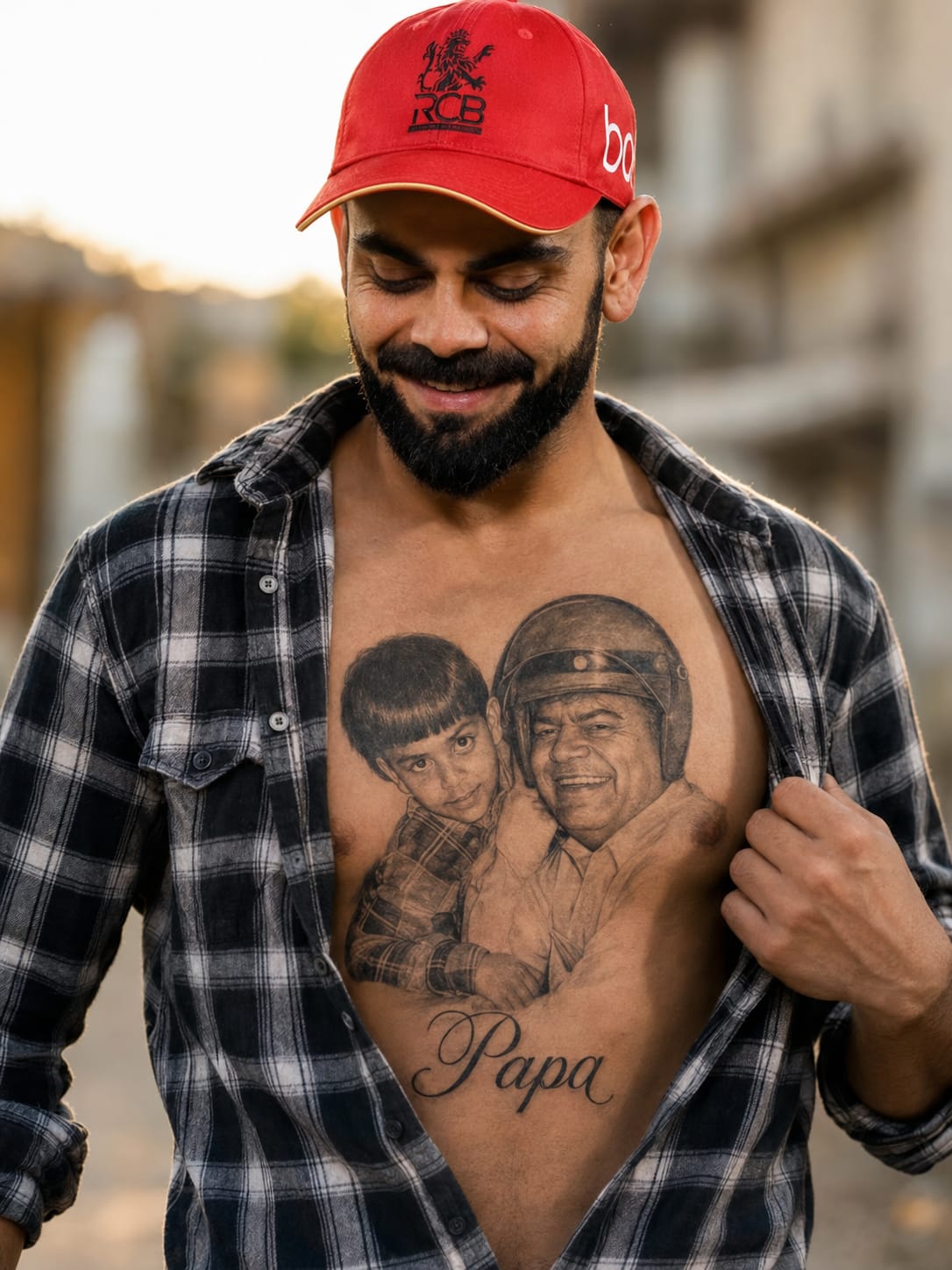
The boy is wearing a black-and-white checkered shirt, slightly unbuttoned to reveal a highly detailed, realistic black-and-grey chest tattoo featuring a beautiful portrait of his father from the uploaded image. Below the portrait, write "Papa" in elegant cursive tattoo lettering. The tattoo should look naturally inked on the skin with realistic shading, fine-line detailing, and authentic tattoo texture.
The boy is gently holding his shirt open with one hand while smiling softly and looking down at the tattoo with pride and love. Keep the background natural with warm golden-hour lighting, cinematic DSLR quality, ultra-realistic skin texture, shallow depth of field, sharp focus, HDR, and an 8K photorealistic finish. Do not add any extra tattoos, accessories, or alter the identities of either person.
The Second Picture Is the Reference use for tatoo
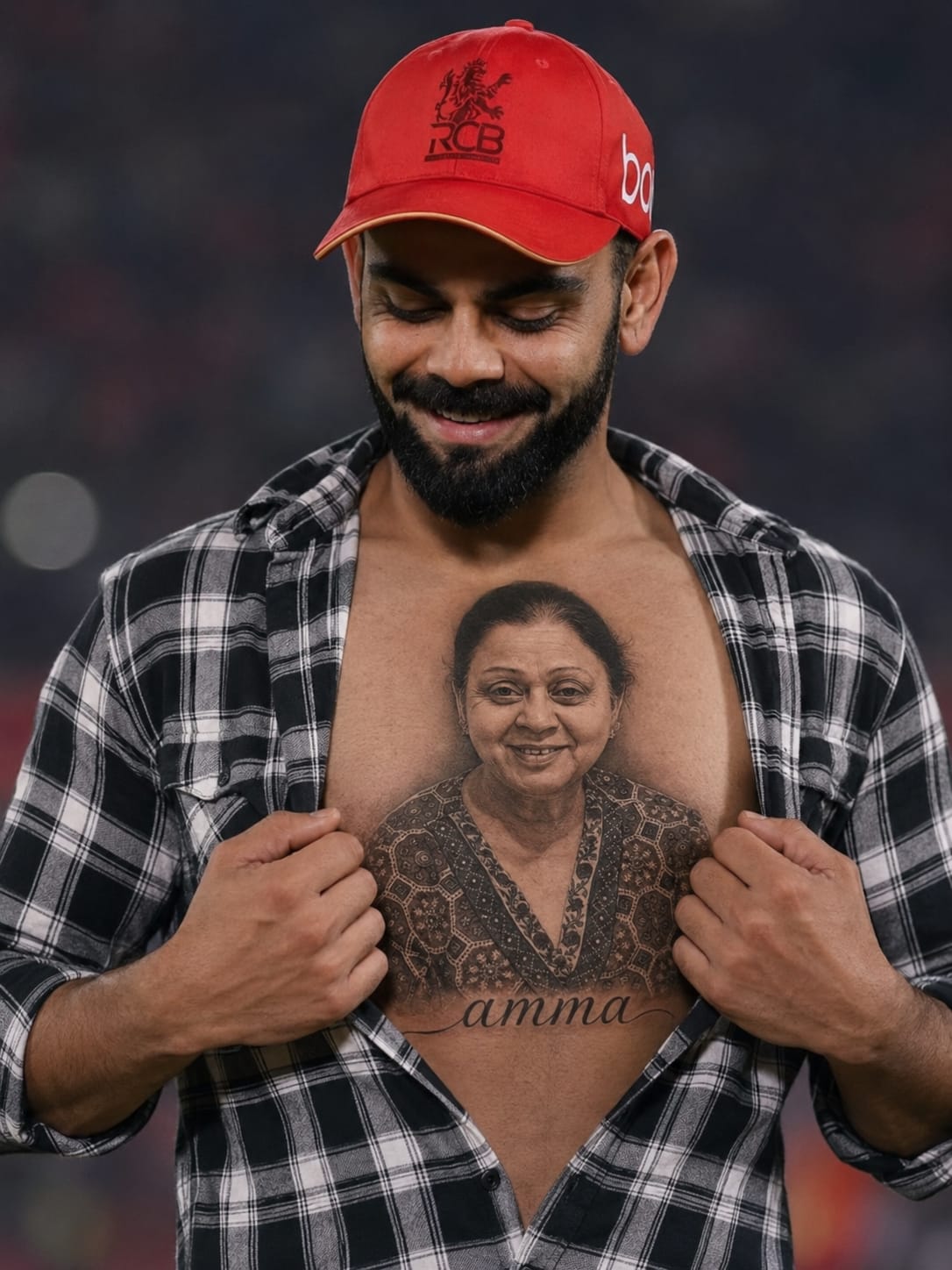
The boy is wearing a black-and-white checkered shirt, slightly unbuttoned to reveal a highly detailed realistic chest tattoo featuring a beautiful portrait of the girl with the name 'amma written in elegant cursive below it. He is smiling softly while looking down at the tattoo
The second picture is the refrence use for tatoo
Creating a Father Mother Tattoo Photo Prompt is a simple way to turn precious family memories into beautiful tattoo-inspired artwork. With the right prompt, AI can generate realistic and meaningful tattoo designs.
You can customize every detail, including the portrait, tattoo style, placement, lighting, and text, to match your personal vision. This makes every design unique and special.
Use the prompts shared in this article to create stunning AI tattoo photos that honor your parents with love, emotion, and realistic artistic detail.
Transform the uploaded photograph into a premium minimalist editorial collage inspired by luxury travel magazines, contemporary fashion editorials, and artistic outdoor photography FORMAT & COMPOSITION: Create a strict 3:4 vertical canvas. Use a warm ivory/off-white background with subtle paper texture and generous negative space Place a large, clean-edged vertical rectangular crop of the original
Place this person in the second photo in a realistic manner and adjust them to match the second photo; do not change anything else. Keep the background exactly as it is-do not alter it at all-and do not change the face. Enhance the image to 8K quality and set the aspect ratio to 3:4. And Backgroud ke accoding person size adjust
Create a cinematic 4K, highly detailed, photorealistic video by transferring the EXACT dance movements, body motion, performance, timing, expressions, and camera movements from the REFERENCE VIDEO onto the person shown in the TARGET IMAGE. Completely replace the original main dancer with the person from the TARGET IMAGE. Preserve the target person's exact facial identity, facial features, skin ton
Transform the uploaded mirror selfie into a luxury LED Mirror portrait. Replace the existing mitor frame with an elegant irregular organic shape mirror 1,832 featuring a soft warm golden LED Backlight glow around entire edge .keep the subject same
Create a **10-second photorealistic image-to-video recreation of the uploaded reference video**. ### REFERENCE PRIORITY — CRITICAL Use the uploaded references as follows: **REFERENCE IMAGE 1 — MY PHOTO** Use this as the ONLY identity reference for the main person. Preserve my exact face, facial proportions, eyes, eyebrows, nose, lips, jawline, skin tone, hairstyle and overall identity throughout t
Video-to-video character replacement. Keep @Video 1 exactly the same: same handheld iPhone camera movement and shake, same framing, timing, red backstage lighting, background, crowd, bodyguards, and the fan in the foreground holding the phone and the big DSLR lens. Do not change anyone else. Replace only the main man in the center (the one who walks in, talks to the fan and laughs) with the person
MASTER PROMPT — Ultra-Realistic Bridal Nail Art Car Selfie (9:16) Use the uploaded selfie as the STRICT FACIAL IDENTITY REFERENCE. Preserve the person's exact facial features, natural skin tone, eyes, nose, lips, face shape, age, and realistic skin texture. Do not beautify, reshape, or alter the facial identity. REFERENCE COMPOSITION: Create an ultra-realistic golden-hour photograph of a beautiful
Use the reference video as the exact blueprint. Recreate the SAME actions, hand movements, facial expressions, camera movement, timing, framing and transition — do not invent or change anything. Start with the first reference image as the opening look, then transition into the second reference image at the EXACT same moment and using the EXACT same transition style as the reference video. In the s