Dreamy wallpaper photos are a great way to give your phone or desktop a soft, aesthetic, and relaxing look. With the right AI prompt, you can create beautiful wallpapers with dreamy colors, cinematic lighting, and realistic details.
A well-written prompt helps the AI understand the exact mood, composition, background, and lighting you want. This makes it easier to create a wallpaper that looks professional and visually appealing.
In this article, you’ll find a simple Dreamy Wallpaper Photo Prompt that you can copy and use with your favorite AI image generator. You can also customize it to create different styles and moods.
Prompt:

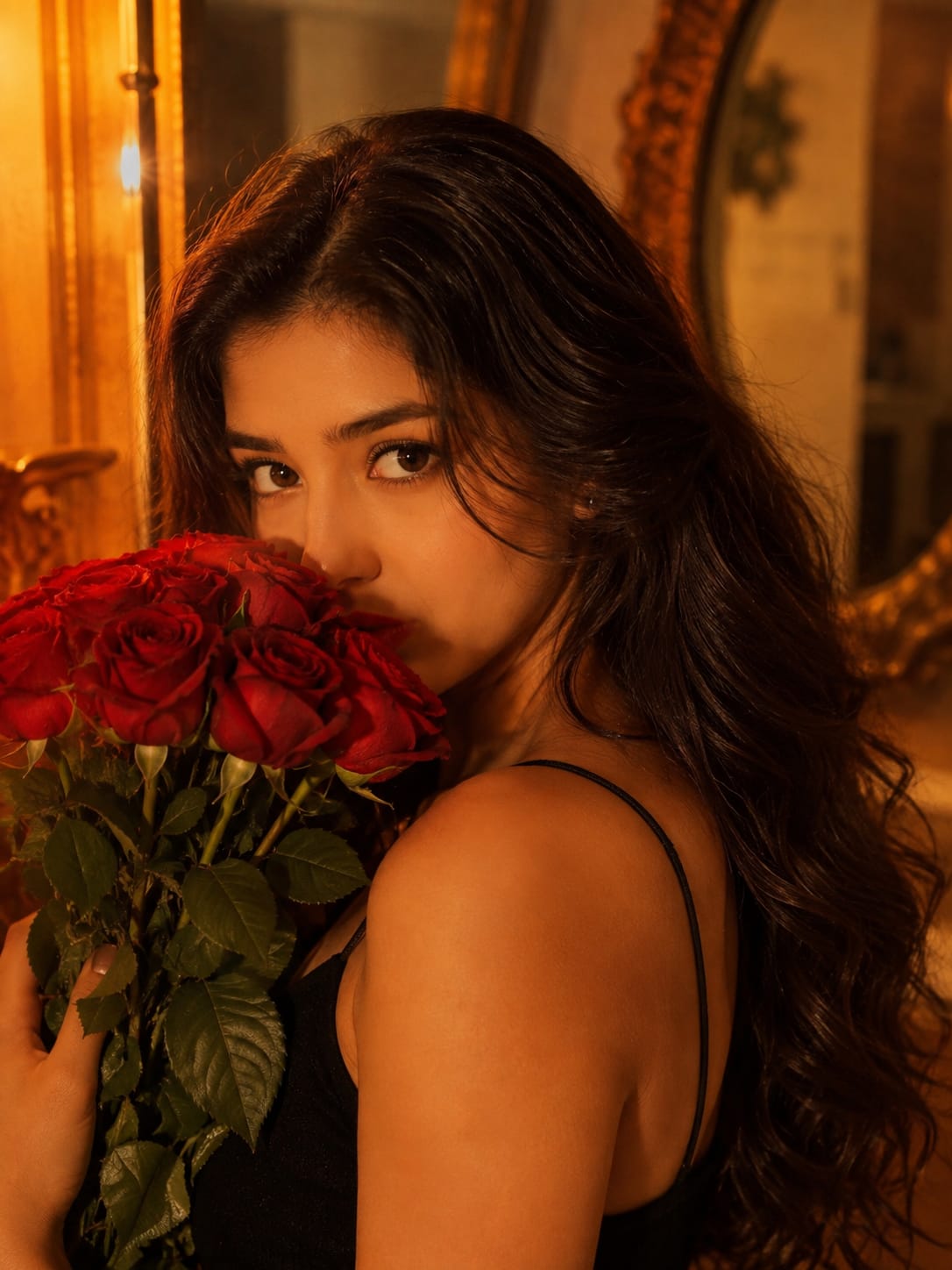
Create an ultra-realistic cinematic portrait of a young South Asian woman in a warm, romantic, vintage-inspired setting. She is shown in a close-up three-quarter profile, looking directly toward the camera with a soft, mysterious expression.

She has long, thick, naturally wavy dark-brown/black hair cascading over one shoulder and down her back, with subtle warm brown highlights catching the light. Her facial features are soft and natural, with expressive dark eyes, neatly shaped eyebrows, smooth glowing skin, subtle eyeliner, and muted red lipstick.

She holds a large bouquet of fresh vivid red roses close to her face, with several roses and green leaves partially covering the lower half of her face. She wears a simple elegant black spaghetti-strap dress.

Use warm golden-orange lighting coming from the side, creating soft highlights on her face, shoulders, and hair.
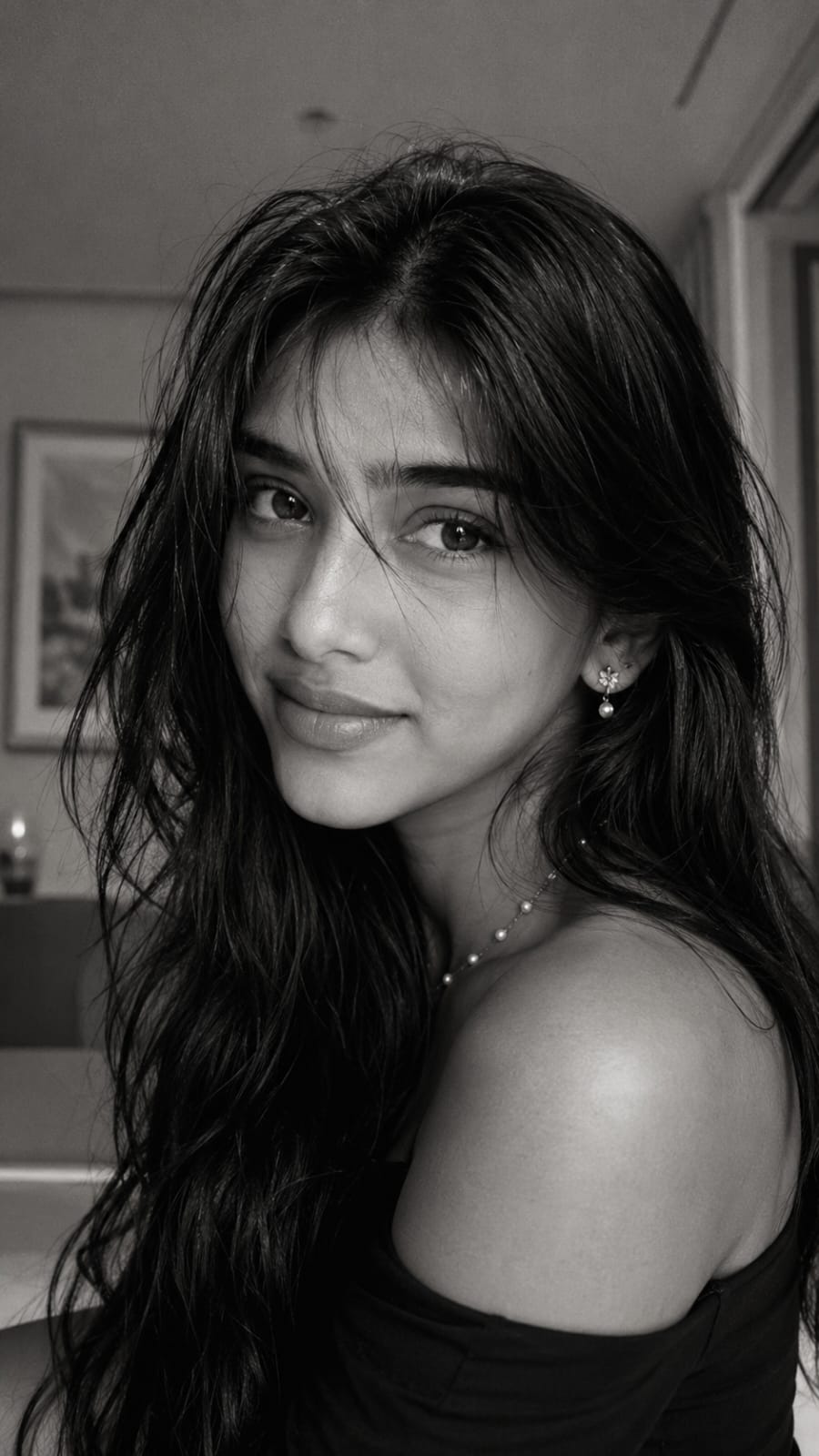
Create an ultra-realistic black-and-white cinematic portrait of a young South Asian woman, photographed in a close-up vertical composition. She has long, thick, naturally voluminous dark hair with soft messy layers and wispy strands falling naturally across her forehead and around her face. Her hair should look effortless and slightly tousled rather than perfectly styled.

Preserve natural, recognizable facial proportions with expressive almond-shaped dark eyes, naturally shaped eyebrows, a soft straight nose, defined yet natural lips, subtle cheek structure, and a delicate jawline and chin. She has a gentle, confident half-smile with a slightly playful expression, looking directly toward the camera. Keep realistic skin texture, visible natural pores, subtle tonal variation, and avoid excessive beauty retouching or artificial facial features.

She is wearing an elegant black off-shoulder or thin-strap top/dress. Add small delicate floral-style earrings and a minimal pearl necklace. Her long hair falls over her shoulders and partially covers the outfit. The pose should feel candid and intimate, with her head slightly tilted toward the camera and her body subtly angled away.

Use soft natural window light coming from the front-side, creating gentle highlights across her forehead, cheeks, nose, lips, and hair while maintaining soft shadows. The lighting should be low-to-medium contrast with smooth tonal transitions and a subtle glow around brighter areas.

Set the scene in a simple modern indoor bedroom or home interior with a softly blurred background. Include subtle architectural details such as a light-colored wall, blurred framed artwork, and minimal furniture. Keep the background understated and heavily out of focus so the face remains the primary focal point.

Apply a sophisticated cinematic black-and-white film treatment with warm-neutral grayscale tones, soft blacks, rich but gentle midtones, slightly lifted shadows, smooth highlights, subtle film grain, mild halation, delicate bloom, soft atmospheric haze, and a very subtle vignette. Add realistic analog-film texture without scratches or excessive effects.

Use a realistic smartphone-camera aesthetic combined with professional portrait photography, natural lens compression, shallow depth of field, realistic facial proportions, soft edge falloff, and authentic photographic imperfections. Keep the image slightly soft but highly detailed, especially around the eyes, eyelashes, lips, and hair.

Composition: vertical 9:16 portrait, close-up framing, face occupying most of the frame, slightly off-center composition, intimate Instagram/Pinterest aesthetic, natural perspective, eye-level camera angle, realistic depth of field.

Negative prompt: cartoon, anime, illustration, CGI, plastic skin, excessive skin smoothing, over-sharpening, unrealistic eyes, enlarged eyes, altered facial structure, distorted nose, artificial lips, excessive makeup, perfect symmetry, overly polished hair, harsh flash, extreme contrast, excessive grain, fake scratches, heavy vignette, motion blur on face, distorted hands, extra fingers, duplicate features, watermark, text, logo, UI elements, screenshot borders.
Creating a dreamy wallpaper with AI is simple when you have the right prompt. You can experiment with different backgrounds, colors, lighting, and visual effects to create something unique.
The Dreamy Wallpaper Photo Prompt can be used for creating wallpapers for smartphones, desktops, lock screens, and social media backgrounds. Just copy the prompt and generate your image.
Try different variations and adjust the details according to your style. With a few small changes, you can create stunning, high-quality dreamy wallpapers that look both aesthetic and realistic.
Transform the uploaded photograph into a premium minimalist editorial collage inspired by luxury travel magazines, contemporary fashion editorials, and artistic outdoor photography FORMAT & COMPOSITION: Create a strict 3:4 vertical canvas. Use a warm ivory/off-white background with subtle paper texture and generous negative space Place a large, clean-edged vertical rectangular crop of the original
Place this person in the second photo in a realistic manner and adjust them to match the second photo; do not change anything else. Keep the background exactly as it is-do not alter it at all-and do not change the face. Enhance the image to 8K quality and set the aspect ratio to 3:4. And Backgroud ke accoding person size adjust
Create a cinematic 4K, highly detailed, photorealistic video by transferring the EXACT dance movements, body motion, performance, timing, expressions, and camera movements from the REFERENCE VIDEO onto the person shown in the TARGET IMAGE. Completely replace the original main dancer with the person from the TARGET IMAGE. Preserve the target person's exact facial identity, facial features, skin ton
Transform the uploaded mirror selfie into a luxury LED Mirror portrait. Replace the existing mitor frame with an elegant irregular organic shape mirror 1,832 featuring a soft warm golden LED Backlight glow around entire edge .keep the subject same
Create a **10-second photorealistic image-to-video recreation of the uploaded reference video**. ### REFERENCE PRIORITY — CRITICAL Use the uploaded references as follows: **REFERENCE IMAGE 1 — MY PHOTO** Use this as the ONLY identity reference for the main person. Preserve my exact face, facial proportions, eyes, eyebrows, nose, lips, jawline, skin tone, hairstyle and overall identity throughout t
Video-to-video character replacement. Keep @Video 1 exactly the same: same handheld iPhone camera movement and shake, same framing, timing, red backstage lighting, background, crowd, bodyguards, and the fan in the foreground holding the phone and the big DSLR lens. Do not change anyone else. Replace only the main man in the center (the one who walks in, talks to the fan and laughs) with the person
MASTER PROMPT — Ultra-Realistic Bridal Nail Art Car Selfie (9:16) Use the uploaded selfie as the STRICT FACIAL IDENTITY REFERENCE. Preserve the person's exact facial features, natural skin tone, eyes, nose, lips, face shape, age, and realistic skin texture. Do not beautify, reshape, or alter the facial identity. REFERENCE COMPOSITION: Create an ultra-realistic golden-hour photograph of a beautiful
Use the reference video as the exact blueprint. Recreate the SAME actions, hand movements, facial expressions, camera movement, timing, framing and transition — do not invent or change anything. Start with the first reference image as the opening look, then transition into the second reference image at the EXACT same moment and using the EXACT same transition style as the reference video. In the s