Dreamy look photos are becoming popular because they give your pictures a soft, magical, and aesthetic appearance. This style makes simple portraits look more beautiful and eye-catching.
With the right Dreamy Look Photo Prompt, you can easily create a soft and cinematic effect using AI photo editing tools. The prompt can help improve the overall lighting, colors, background, and mood.
In this article, you’ll find an easy-to-use Dreamy Look Photo Editing Prompt that you can copy and use with your favorite AI image generator or editor.
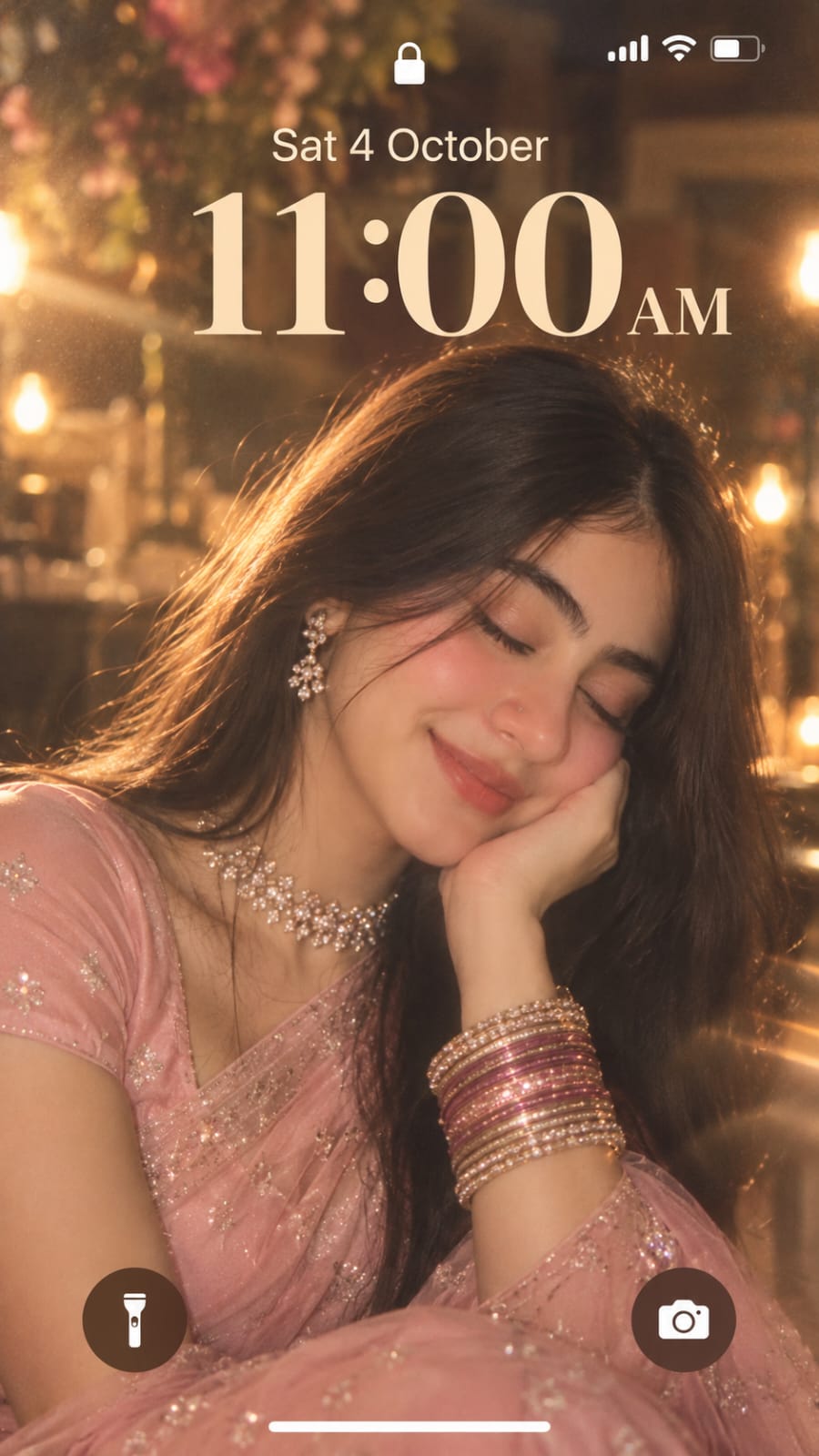
Create a screenshot of an iPhone lock screen featuring a dreamy, ethereal extreme close-up portrait of a woman. The lock screen UI displays the date ‘Sat 4 October’ and the time ’11:00 AM’ in a large, translucent font, flashlight and camera icons at the bottom corners. The background image shows the woman with her eyes softly closed, smiling gently, and resting her cheek against her hand. She has long, open hair and is wearing a light baby pink saree with matching short sleeve blouse. She is adorned sparkling diamond choker necklace, matching drop earrings, a delicate nose ring, and a stack of glittering dark pink and gold bangles on her wrist. The entire image has a heavy vintage, ethereal aesthetic with soft motion blur, flashlight on her. 9:16 ratio.
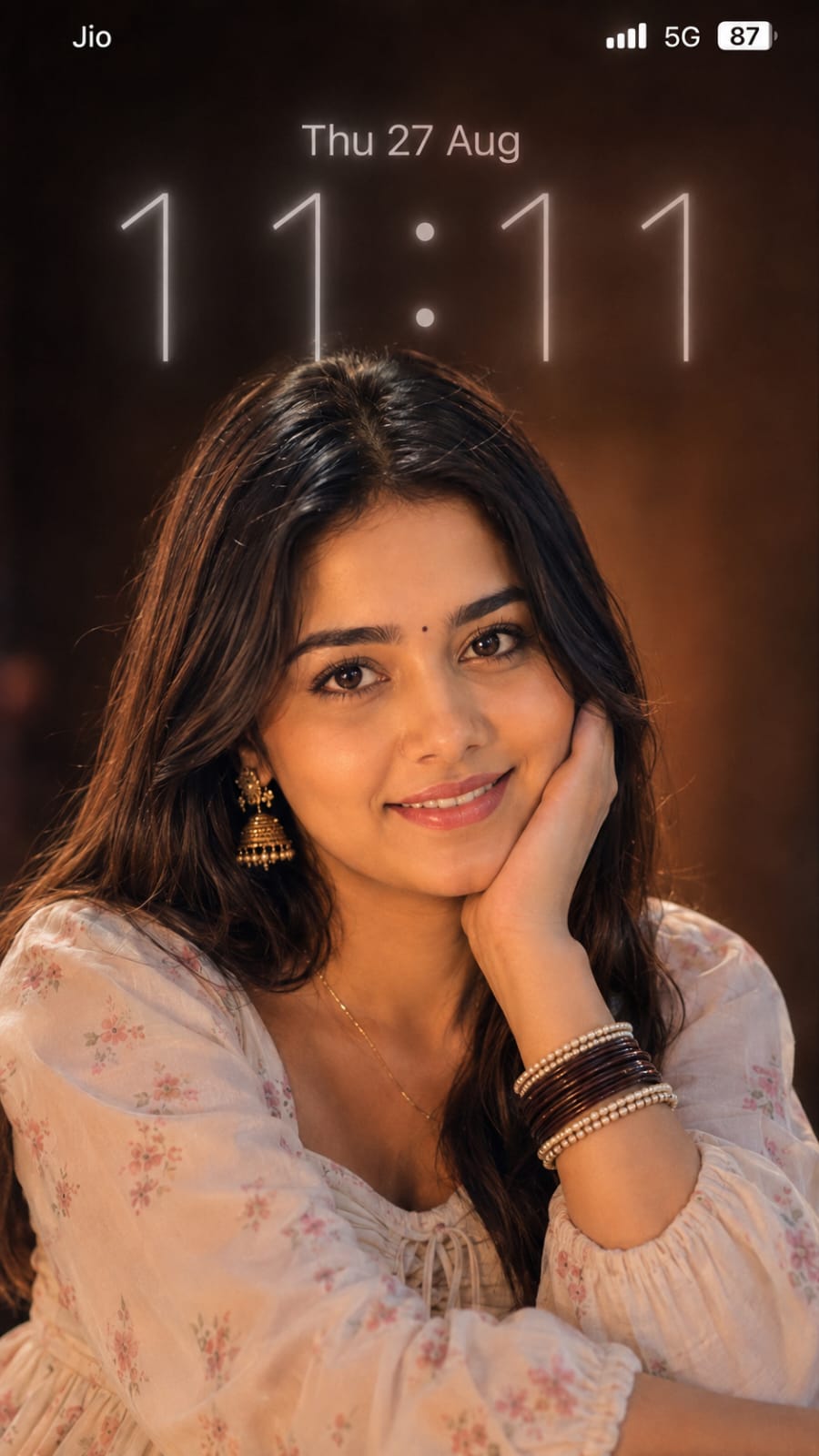
Create an ultra-realistic vertical 9:16 iPhone lock-screen wallpaper using the uploaded reference image. Preserve the person’s exact facial features, face shape, skin tone, eyes, lips, hairstyle, hair color, expression, pose, hand position, body proportions, and overall appearance with strict identity preservation. Keep the same close-up composition of the young woman resting her cheek on her hand and looking directly at the camera. Keep her long dark-brown center-parted hair, naturally falling loose strands, realistic skin texture, and warm late-night camera-flash appearance. Use the same warm golden-orange lighting, soft glow, subtle blur, dark reddish-brown background, natural shadows, and dreamy low-light smartphone photography aesthetic.

Add the iPhone lock-screen interface exactly like the reference. Top-left: “Jio” in clean white iOS-style font. Top-right: white cellular signal bars, “5G”, and a battery icon showing “87”.

Date: “Thu 27 Aug” — centered horizontally near the top, medium-large clean thin iOS-style font, bright soft white, slightly glowing, moderate opacity. Match the reference exactly in font weight, width, letter spacing, brightness, glow, size, and placement.

Time: “11:11” — extremely large, tall, thin iOS-style numerals, centered horizontally. Match the reference exactly in overall width, height, spacing, opacity, glow, and position. Use very wide spacing between the digits, soft translucent white/light-gray intensity, subtle glow, and slightly blurred edges. The two colons must be perfectly round, large, softly glowing, and vertically centered between the digits. Do not make the time bold, narrow, solid white, or overly sharp.

The date and time must visually match the uploaded lock-screen reference as closely as possible. Preserve the exact portrait while reproducing the lock-screen typography, proportions, spacing, alignment, opacity, glow, and positioning. No extra text, no watermark, no additional objects, no borders, no changes to the person’s appearance.
The dreamy photo style is a simple way to give your pictures a fresh and attractive look. Soft lighting, natural colors, subtle glow, and cinematic details can make your portrait stand out.
You don’t need advanced editing skills to create this effect. Just use the Dreamy Look Photo Prompt and upload your photo to an AI editing tool.
Try this trending photo editing style with different pictures and create your own beautiful dreamy portraits.
Transform the uploaded photograph into a premium minimalist editorial collage inspired by luxury travel magazines, contemporary fashion editorials, and artistic outdoor photography FORMAT & COMPOSITION: Create a strict 3:4 vertical canvas. Use a warm ivory/off-white background with subtle paper texture and generous negative space Place a large, clean-edged vertical rectangular crop of the original
Place this person in the second photo in a realistic manner and adjust them to match the second photo; do not change anything else. Keep the background exactly as it is-do not alter it at all-and do not change the face. Enhance the image to 8K quality and set the aspect ratio to 3:4. And Backgroud ke accoding person size adjust
Create a cinematic 4K, highly detailed, photorealistic video by transferring the EXACT dance movements, body motion, performance, timing, expressions, and camera movements from the REFERENCE VIDEO onto the person shown in the TARGET IMAGE. Completely replace the original main dancer with the person from the TARGET IMAGE. Preserve the target person's exact facial identity, facial features, skin ton
Transform the uploaded mirror selfie into a luxury LED Mirror portrait. Replace the existing mitor frame with an elegant irregular organic shape mirror 1,832 featuring a soft warm golden LED Backlight glow around entire edge .keep the subject same
Create a **10-second photorealistic image-to-video recreation of the uploaded reference video**. ### REFERENCE PRIORITY — CRITICAL Use the uploaded references as follows: **REFERENCE IMAGE 1 — MY PHOTO** Use this as the ONLY identity reference for the main person. Preserve my exact face, facial proportions, eyes, eyebrows, nose, lips, jawline, skin tone, hairstyle and overall identity throughout t
Video-to-video character replacement. Keep @Video 1 exactly the same: same handheld iPhone camera movement and shake, same framing, timing, red backstage lighting, background, crowd, bodyguards, and the fan in the foreground holding the phone and the big DSLR lens. Do not change anyone else. Replace only the main man in the center (the one who walks in, talks to the fan and laughs) with the person
MASTER PROMPT — Ultra-Realistic Bridal Nail Art Car Selfie (9:16) Use the uploaded selfie as the STRICT FACIAL IDENTITY REFERENCE. Preserve the person's exact facial features, natural skin tone, eyes, nose, lips, face shape, age, and realistic skin texture. Do not beautify, reshape, or alter the facial identity. REFERENCE COMPOSITION: Create an ultra-realistic golden-hour photograph of a beautiful
Use the reference video as the exact blueprint. Recreate the SAME actions, hand movements, facial expressions, camera movement, timing, framing and transition — do not invent or change anything. Start with the first reference image as the opening look, then transition into the second reference image at the EXACT same moment and using the EXACT same transition style as the reference video. In the s