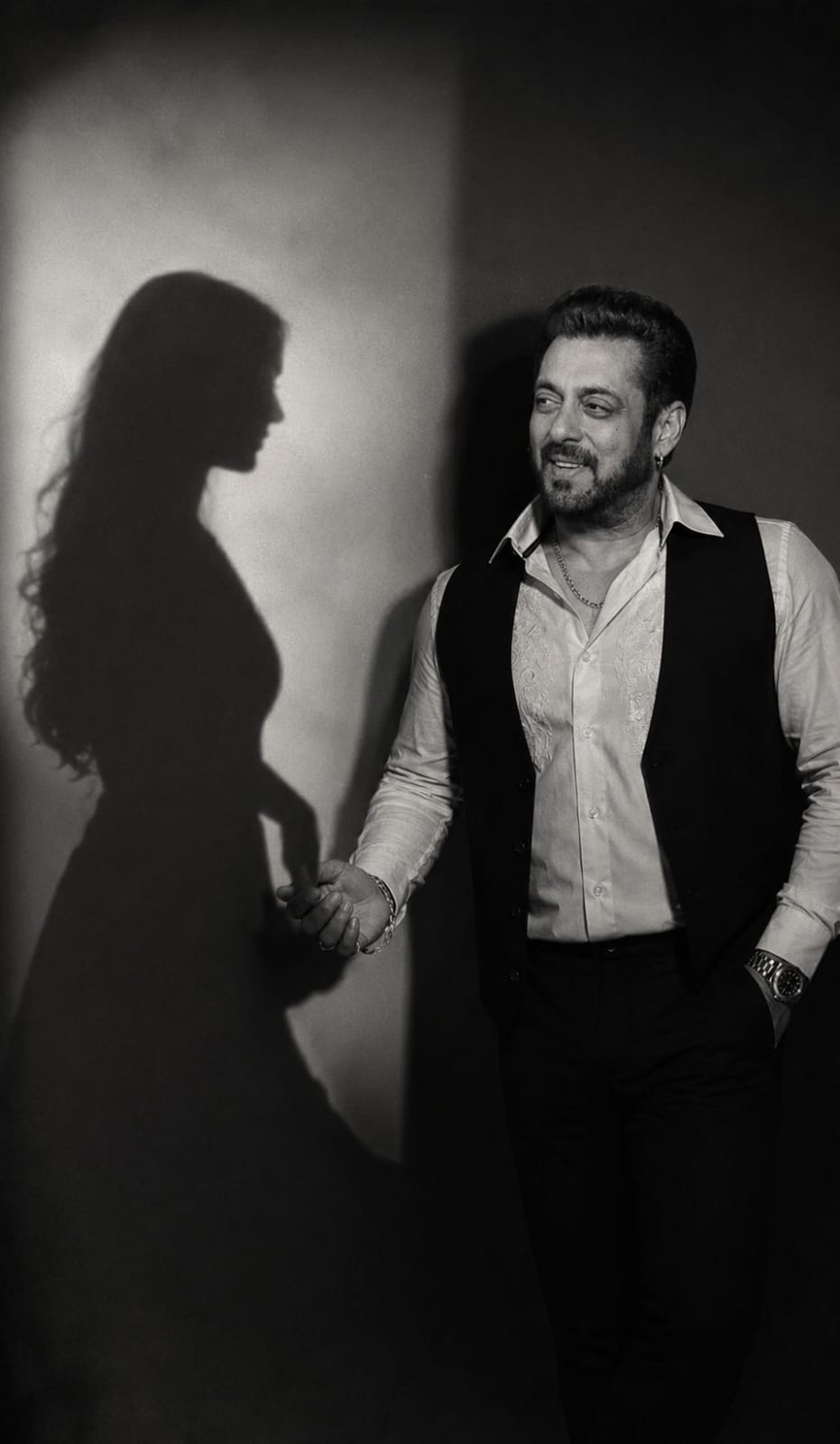
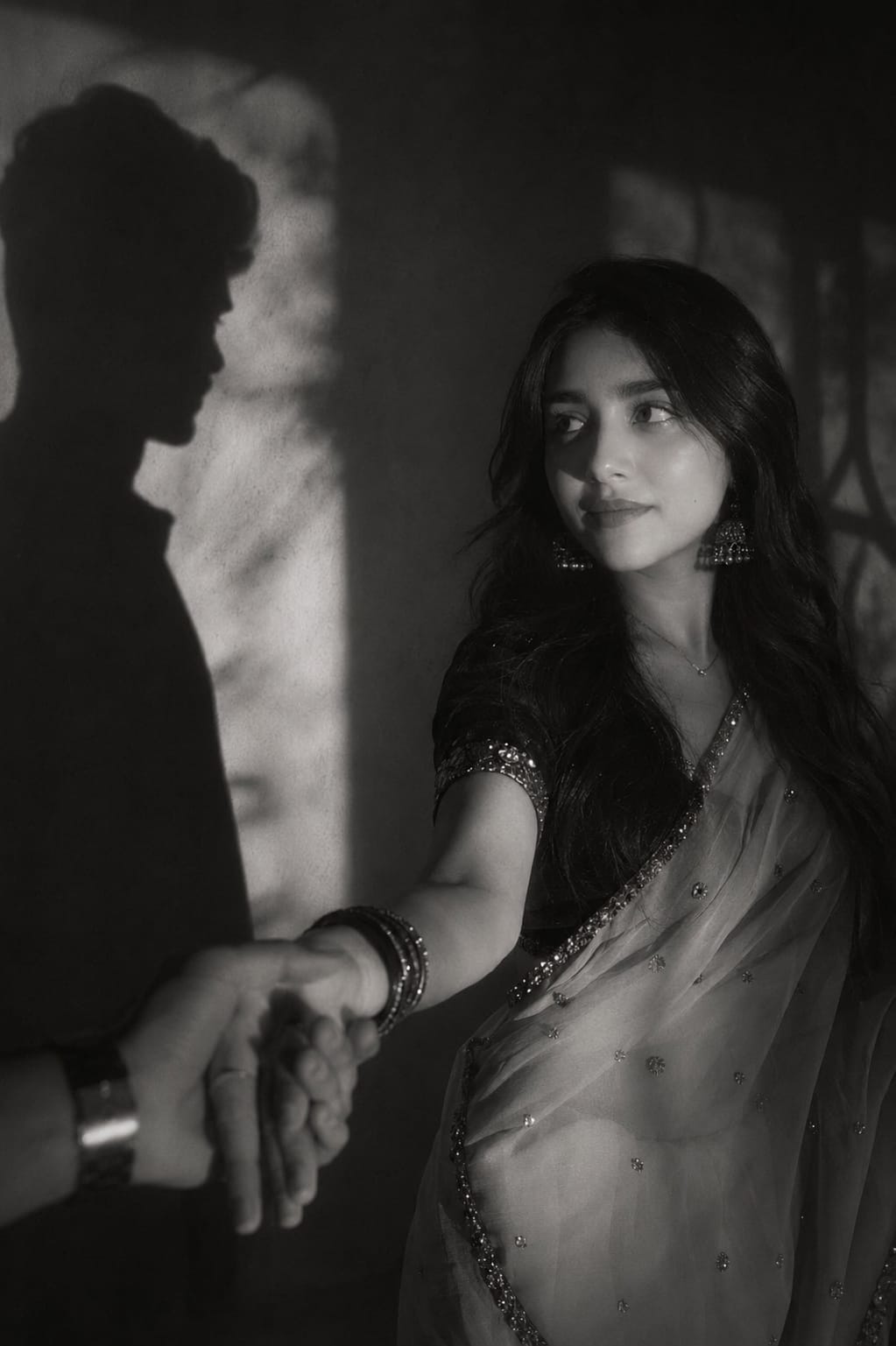
Creating realistic AI images has become easier than ever, and the Cinematic Shadow Holding Hand Prompt is one of the most popular styles for achieving a professional, emotional look. This prompt focuses on natural shadows, dramatic lighting, and a realistic hand-holding pose that gives every image a cinematic feel.
Whether you’re using ChatGPT, Gemini, Midjourney, Flux, or another AI image generator, this prompt helps produce high-quality results with minimal effort. It is perfect for creating aesthetic portraits, romantic scenes, and viral social media content.
In this article, you’ll learn what a Cinematic Shadow Holding Hand Prompt is, why it is trending, and how to use it effectively to generate stunning, realistic AI images. We’ll also share tips to help you get the best possible results.
A cinematic, moody black-and-white editorial photograph of the SAME boy from the uploaded reference image. Preserve the face with 100% identity accuracy—keep the exact facial structure, eyes, eyebrows, nose, lips, jawline, skin tone, hairstyle, expression, beard (if any), and natural features unchanged. Do not beautify, reshape, or reinterpret the face in any way. He has neatly styled dark hair with a soft textured finish and a few natural strands falling across the forehead. He is wearing a crisp white shirt with subtle embroidery, a tailored black waistcoat, black trousers, and a classic silver wristwatch, along with a thin silver chain and a simple silver ring. The scene features dramatic high-contrast lighting with a soft ethereal glow and delicate halation around the highlights, creating a luxurious 90s fashion editorial and film noir aesthetic. Behind him, a large silhouette of a woman is projected onto the wall. The woman's shadow reaches out and gently holds his hand. The boy is looking at her shadow emotionally with a calm, natural expression, conveying love, longing, and deep connection. The atmosphere is mysterious, artistic, and cinematic, with soft focus, subtle film grain, rich monochrome tones, shallow depth of field, DSLR quality, ultra-realistic skin texture, premium fashion magazine styling, and an emotionally powerful composition. The final image should feel timeless, elegant, and deeply cinematic while keeping the boy's face 100% identical to the uploaded reference image.
A cinematic, moody black and white editorial photograph of the girl in uploaded 1st picture with dark styled hair, long dark hair, loosely wavy with a few sleek strands falling across the front, wearing white sare with stone work & a matching black half sleeve blouse. Add matching silver oxidise earring, oxidise bangles & a thin sinver chain. The scene features high-contrast lighting with a soft, ethereal glow and halation around the highlights. On the wall behind her, sharp, of silhouetted figures are projected, creating a mysterious and artistic atmosphere. The image has a dreamy, soft-focus quality reminiscent of 90s fashion photography and film noir, complete with subtle film grain." 100% my face same, I need this prompt picture, man shadow hand taking this girl hand, and girl looking her man shadow emotionally with a normal face, don't change my face. Follow for more!
The Cinematic Shadow Holding Hand Prompt is a great choice for anyone who wants to create emotional, realistic, and cinematic AI artwork. With the right lighting, shadow effects, and composition, you can turn an ordinary image into something truly eye-catching.
As AI image generation continues to improve, creative prompts like this make it easier to achieve professional-quality results. Don’t be afraid to experiment with different backgrounds, lighting styles, and poses to make your images unique.
If you’re looking to create viral, Instagram-worthy AI photos, this prompt is an excellent place to start. Save it, customize it to match your vision, and enjoy creating beautiful cinematic images with ease.
Transform the uploaded photograph into a premium minimalist editorial collage inspired by luxury travel magazines, contemporary fashion editorials, and artistic outdoor photography FORMAT & COMPOSITION: Create a strict 3:4 vertical canvas. Use a warm ivory/off-white background with subtle paper texture and generous negative space Place a large, clean-edged vertical rectangular crop of the original
Place this person in the second photo in a realistic manner and adjust them to match the second photo; do not change anything else. Keep the background exactly as it is-do not alter it at all-and do not change the face. Enhance the image to 8K quality and set the aspect ratio to 3:4. And Backgroud ke accoding person size adjust
Create a cinematic 4K, highly detailed, photorealistic video by transferring the EXACT dance movements, body motion, performance, timing, expressions, and camera movements from the REFERENCE VIDEO onto the person shown in the TARGET IMAGE. Completely replace the original main dancer with the person from the TARGET IMAGE. Preserve the target person's exact facial identity, facial features, skin ton
Transform the uploaded mirror selfie into a luxury LED Mirror portrait. Replace the existing mitor frame with an elegant irregular organic shape mirror 1,832 featuring a soft warm golden LED Backlight glow around entire edge .keep the subject same
Create a **10-second photorealistic image-to-video recreation of the uploaded reference video**. ### REFERENCE PRIORITY — CRITICAL Use the uploaded references as follows: **REFERENCE IMAGE 1 — MY PHOTO** Use this as the ONLY identity reference for the main person. Preserve my exact face, facial proportions, eyes, eyebrows, nose, lips, jawline, skin tone, hairstyle and overall identity throughout t
Video-to-video character replacement. Keep @Video 1 exactly the same: same handheld iPhone camera movement and shake, same framing, timing, red backstage lighting, background, crowd, bodyguards, and the fan in the foreground holding the phone and the big DSLR lens. Do not change anyone else. Replace only the main man in the center (the one who walks in, talks to the fan and laughs) with the person
MASTER PROMPT — Ultra-Realistic Bridal Nail Art Car Selfie (9:16) Use the uploaded selfie as the STRICT FACIAL IDENTITY REFERENCE. Preserve the person's exact facial features, natural skin tone, eyes, nose, lips, face shape, age, and realistic skin texture. Do not beautify, reshape, or alter the facial identity. REFERENCE COMPOSITION: Create an ultra-realistic golden-hour photograph of a beautiful
Use the reference video as the exact blueprint. Recreate the SAME actions, hand movements, facial expressions, camera movement, timing, framing and transition — do not invent or change anything. Start with the first reference image as the opening look, then transition into the second reference image at the EXACT same moment and using the EXACT same transition style as the reference video. In the s