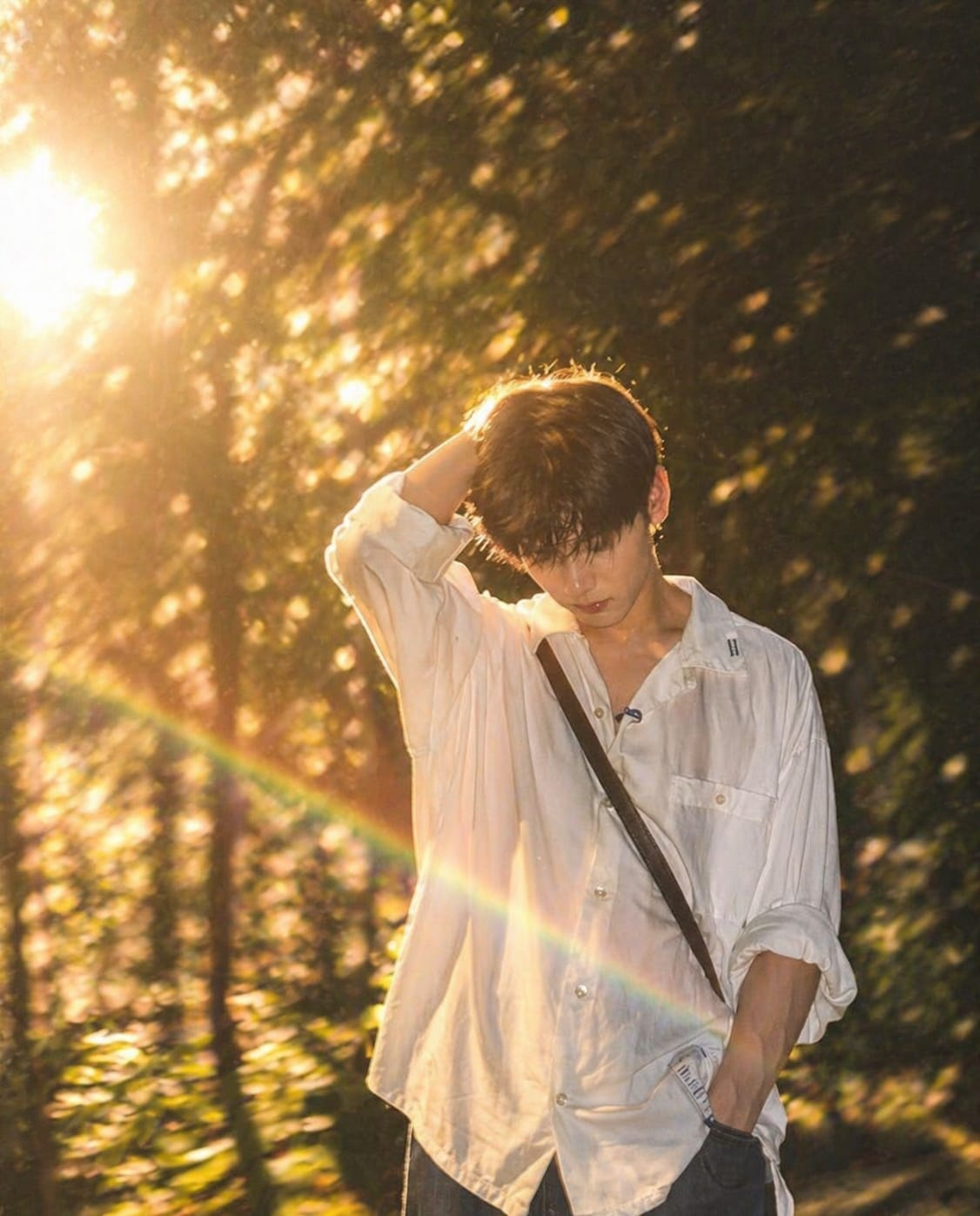
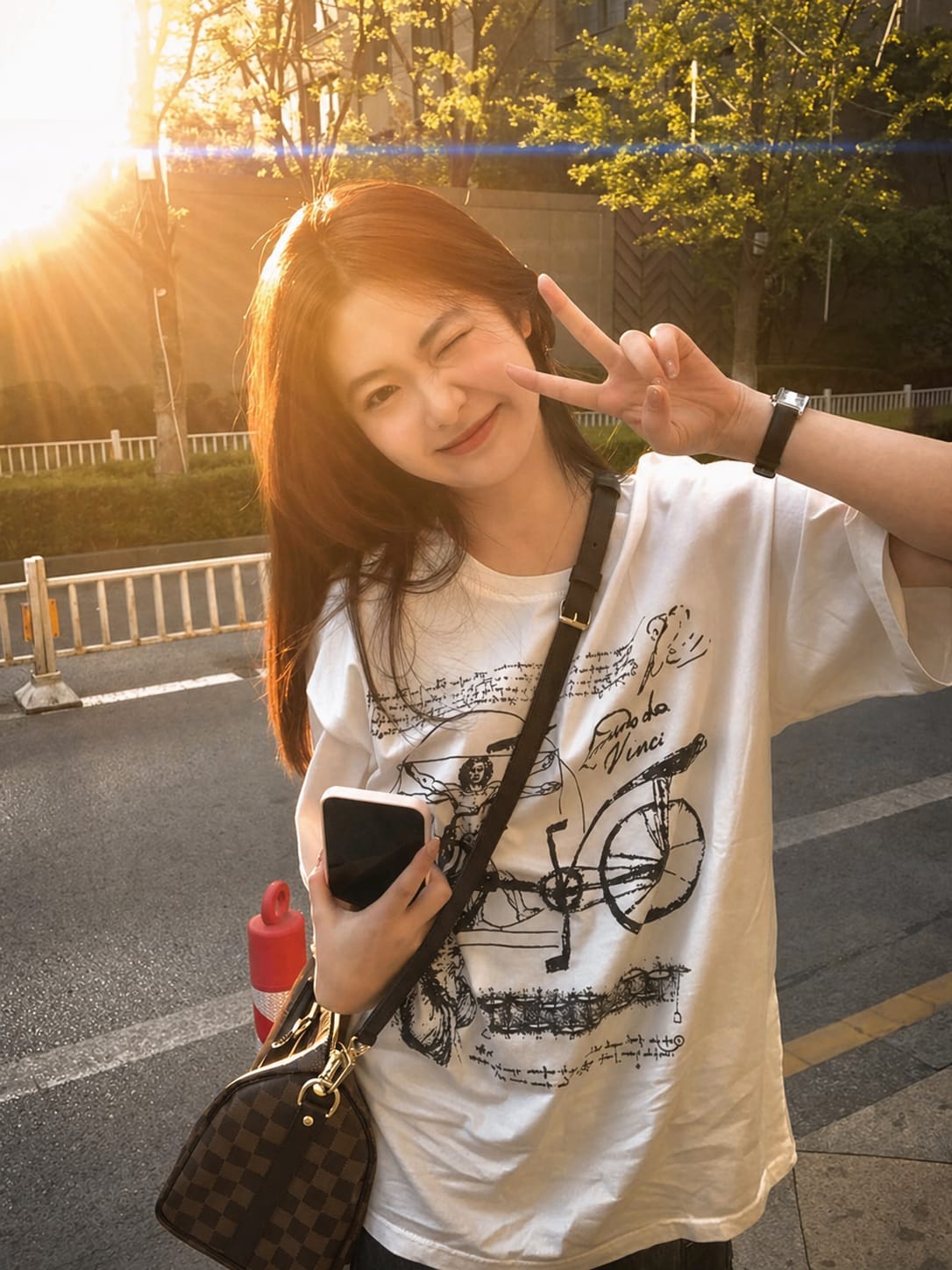
Cinematic golden-hour masterpiece with realistic sunlight Photo Prompt Chat Gpt (Girls And boys)
By Prompt Scene ·
Want your photos to look like a cinematic golden-hour masterpiece? With the right AI prompts, you can turn simple pictures into stunning visuals filled with warm sunlight, soft shadows, and a dreamy vibe.
In this guide, you’ll discover powerful ChatGPT photo prompts for both girls and boys that create realistic sunlight effects. These prompts are perfect for social media, wallpapers, or personal edits, giving your photos a professional, aesthetic look in seconds.
Even if you’re a beginner, you can easily use these prompts to get high-quality results. Just copy, paste, and let AI do the magic.
Prompt:
Transform this image into a cinematic, dreamy editorial portrait with soft golden-hour lighting. Apply strong
backlighting from the sun positioned behind the subject, creating a natural rim light around the hair and shoulders.

Add a realistic prismatic rainbow lens flare diagonally crossing the frame, with subtle chromatic dispersion and light streak bloom.

Enhance depth using shallow depth of field (f/1.8 style), keeping the subject sharp while softly blurring the
background into a creamy bokeh. Introduce slight motion blur in the environment to create a dynamic, ethereal
movement effect while keeping the subject stable.

Apply warm, soft color grading with pastel tones, slightly lifted highlights, and gently faded shadows for a filmic
look. Add subtle glow diffusion to highlights (especially around light sources and skin), creating a soft, dreamy haze
without losing detail.

Skin tones should remain natural and clean with soft smoothing, no plastic effect. Maintain realistic textures while
enhancing lighting contrast.

Overall style: cinematic photography, luxury fashion editorial, dreamy atmosphere, natural light realism, ultra high
resolution, 4K clarity, soft cinematic grain.
Prompt:
Add a cinematic anamorphic lens flare to this uploaded photo while keeping the subject and composition entirely intact. Identify the brightest light source in the image — whether it's the sun, a window, a street light, a lamp, or any bright highlight - and generate a realistic horizontal anamorphic lens flare emanating from that light source, stretching horizontally across the frame. The flare should have the characteristics of real anamorphic glass: a long horizontal blue-cyan streak stretching across most of the frame width passing through and beyond the light source, secondary smaller warm amber and magenta flare elements scattered along the horizontal axis, and a soft overall haze in the area immediately around the light source that gently reduces contrast. The overall look should feel dramatic, filmic, cinematic, and beautifully shot through a high-end cinema lens.
Trending CapCut templates are changing the way people create content by making video editing fast, simple, and creative. Whether you’re a beginner or a regular creator, these templates can help you produce high-quality videos without spending hours editing.
The key is to keep exploring new trends and use templates that match your content style. Staying updated with the latest trends can increase your chances of going viral and growing your audience.
So, start experimenting with trending CapCut templates today and turn your ideas into engaging videos that people love to watch.
Transform the uploaded photograph into a premium minimalist editorial collage inspired by luxury travel magazines, contemporary fashion editorials, and artistic outdoor photography FORMAT & COMPOSITION: Create a strict 3:4 vertical canvas. Use a warm ivory/off-white background with subtle paper texture and generous negative space Place a large, clean-edged vertical rectangular crop of the original
Place this person in the second photo in a realistic manner and adjust them to match the second photo; do not change anything else. Keep the background exactly as it is-do not alter it at all-and do not change the face. Enhance the image to 8K quality and set the aspect ratio to 3:4. And Backgroud ke accoding person size adjust
Create a cinematic 4K, highly detailed, photorealistic video by transferring the EXACT dance movements, body motion, performance, timing, expressions, and camera movements from the REFERENCE VIDEO onto the person shown in the TARGET IMAGE. Completely replace the original main dancer with the person from the TARGET IMAGE. Preserve the target person's exact facial identity, facial features, skin ton
Transform the uploaded mirror selfie into a luxury LED Mirror portrait. Replace the existing mitor frame with an elegant irregular organic shape mirror 1,832 featuring a soft warm golden LED Backlight glow around entire edge .keep the subject same
Create a **10-second photorealistic image-to-video recreation of the uploaded reference video**. ### REFERENCE PRIORITY — CRITICAL Use the uploaded references as follows: **REFERENCE IMAGE 1 — MY PHOTO** Use this as the ONLY identity reference for the main person. Preserve my exact face, facial proportions, eyes, eyebrows, nose, lips, jawline, skin tone, hairstyle and overall identity throughout t
Video-to-video character replacement. Keep @Video 1 exactly the same: same handheld iPhone camera movement and shake, same framing, timing, red backstage lighting, background, crowd, bodyguards, and the fan in the foreground holding the phone and the big DSLR lens. Do not change anyone else. Replace only the main man in the center (the one who walks in, talks to the fan and laughs) with the person
MASTER PROMPT — Ultra-Realistic Bridal Nail Art Car Selfie (9:16) Use the uploaded selfie as the STRICT FACIAL IDENTITY REFERENCE. Preserve the person's exact facial features, natural skin tone, eyes, nose, lips, face shape, age, and realistic skin texture. Do not beautify, reshape, or alter the facial identity. REFERENCE COMPOSITION: Create an ultra-realistic golden-hour photograph of a beautiful
Use the reference video as the exact blueprint. Recreate the SAME actions, hand movements, facial expressions, camera movement, timing, framing and transition — do not invent or change anything. Start with the first reference image as the opening look, then transition into the second reference image at the EXACT same moment and using the EXACT same transition style as the reference video. In the s