Hey there! I’m Rutik Soni, founder of Prompt Scene.com, and I’m excited to share the latest and very trending chatgpt editing prompts.
You have seen that every user is creating these viral chatgpt edited photo. If you want to create the same so dont worry below given chatgpt promtps will help you to create your desired high qaulity photo.
5 ChatGPT Photo Editing Prompts Copy
Just Click on “prompt” automatically prompt will be copied.
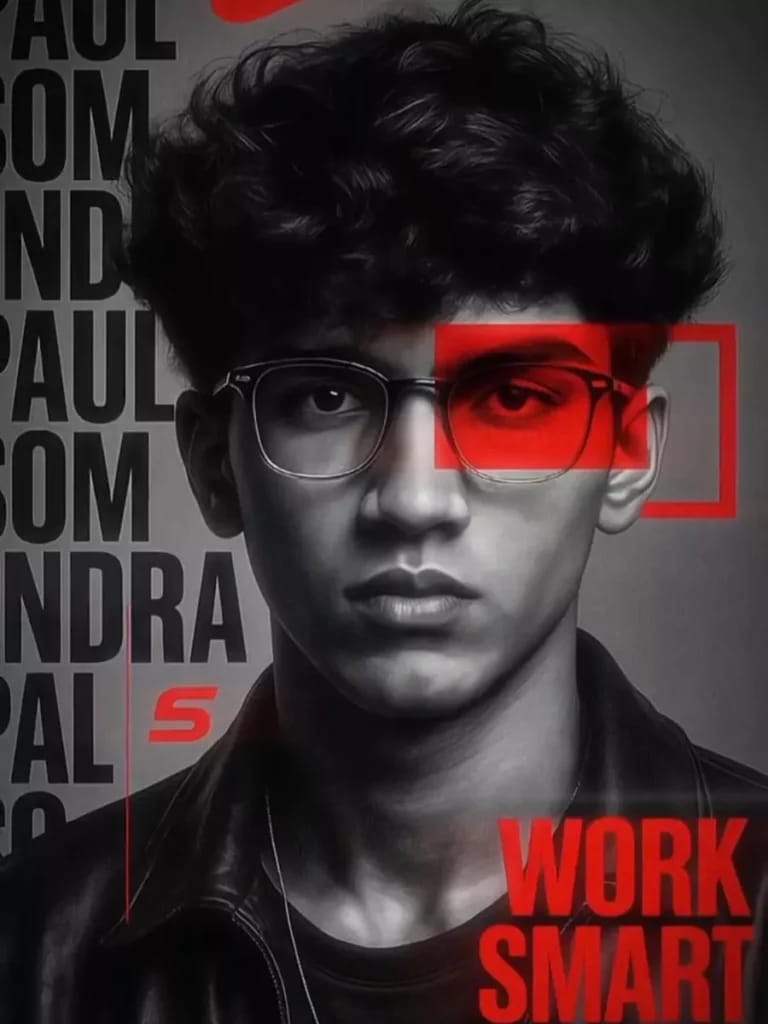
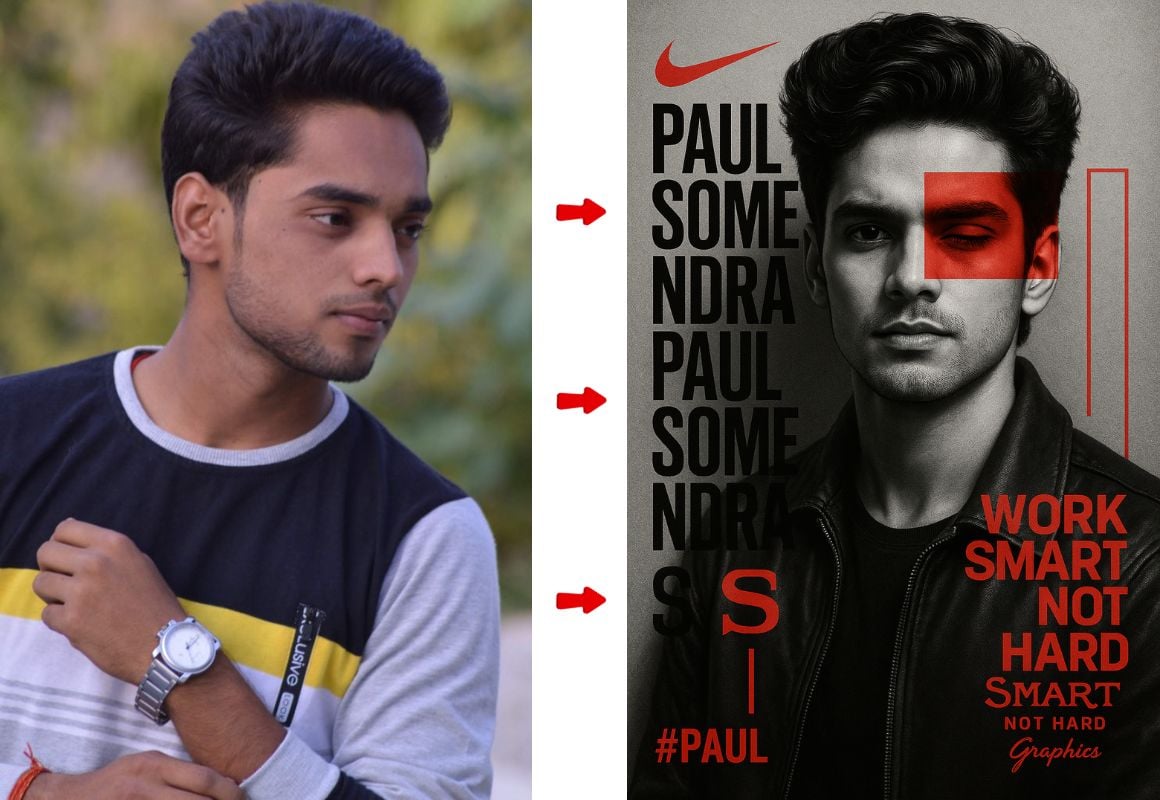
A hyper-detailed, 8K black-and-white portrait of a confident young man (Hrithik Roshan) with voluminous hair, calm and determined expression, both eyes clearly visible. He wears a partially open black leather jacket. The background is a textured grey canvas. A bold red rectangle hovers beside—not over—the eye, adding modern flair. Vertical text on the left reads “HRITIK ROSHAN” in large, semi-transparent black letters. Red graphic elements include: a Nike logo, a stylized “S”, a vertical red line, and the phrase “WORK SMART NOT HARD” in bold red capitals on the right. “SMART” is in elegant cursive, signed off with “GRAPHICS” below. Bottom left corner shows hashtag #HRITIK in red. Shot with soft dramatic lighting, shallow depth of field, Hasselblad X2D 100C quality, 4:5 aspect ratio.
Just Click on “prompt” automatically prompt will be copied.
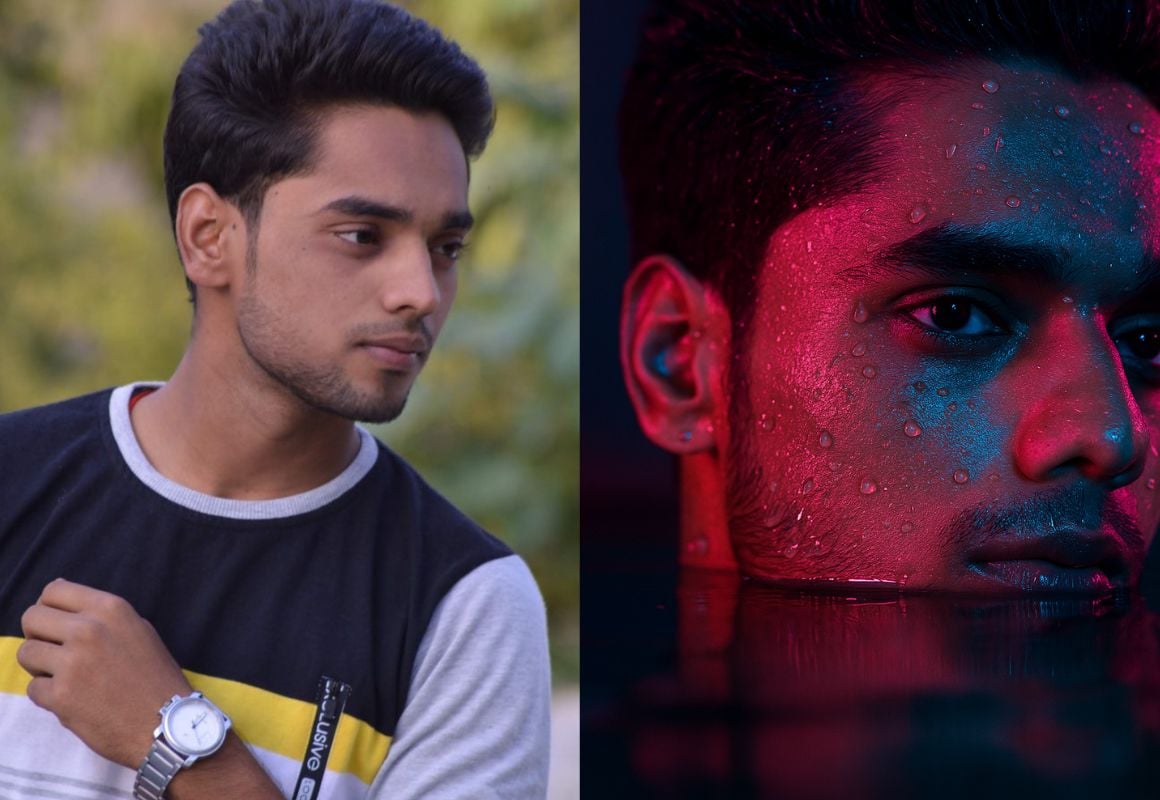
“A hyper-realistic close-up portrait shows the face of a young boy, in which only the left side of his face is visible – that too half immersed in water. There is a slight drama in the scene, where soft blue and pink neon lights are illuminating the environment around him. This light leaves colorful reflections on his wet face and hair. Small droplets of water and bulbs are stuck on his face, which make the whole scene more cinematic. The texture of his skin, the stubble of light beard, and a deep focus in the eyes, everything is very clearly visible. it is happening.”
ChatGPT photo editing prompts are specific text instructions you give to ChatGPT’s image generation capabilities to transform your regular photos into extraordinary, professional-looking images.
The beauty of this new trend lies in its simplicity – you don’t need expensive software or years of editing experience. Just upload your photo, paste the right prompt, and watch the magic happen.
New Trending ChatGPT Photo Editing Prompts for Instagram
Here are the hottest prompts that are dominating Instagram feeds right now:
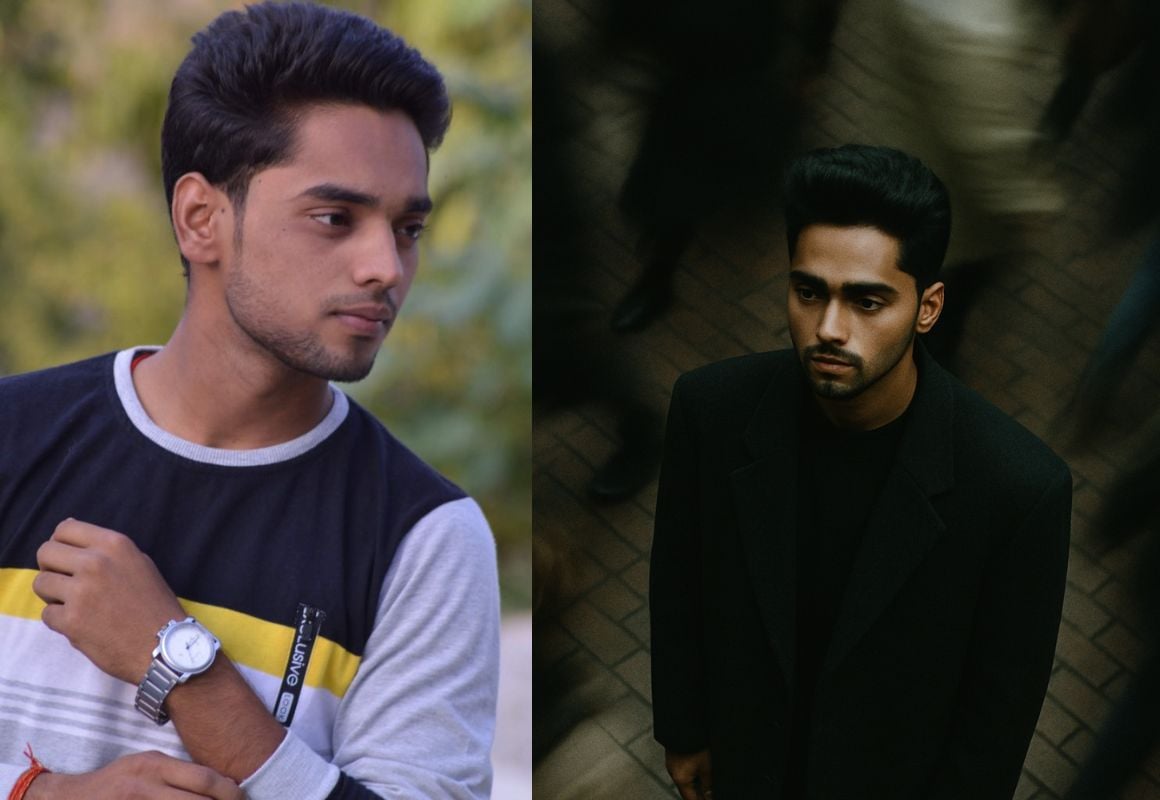
Cinematic overhead shot of me standing still on a brick city sidewalk, wearing a dark oversized blazer. A motion-blurred crowd rushes past around me. Moody lightning,35mm film look, shallow depth of field, sharp focus on me. Ration portrait 4:3.
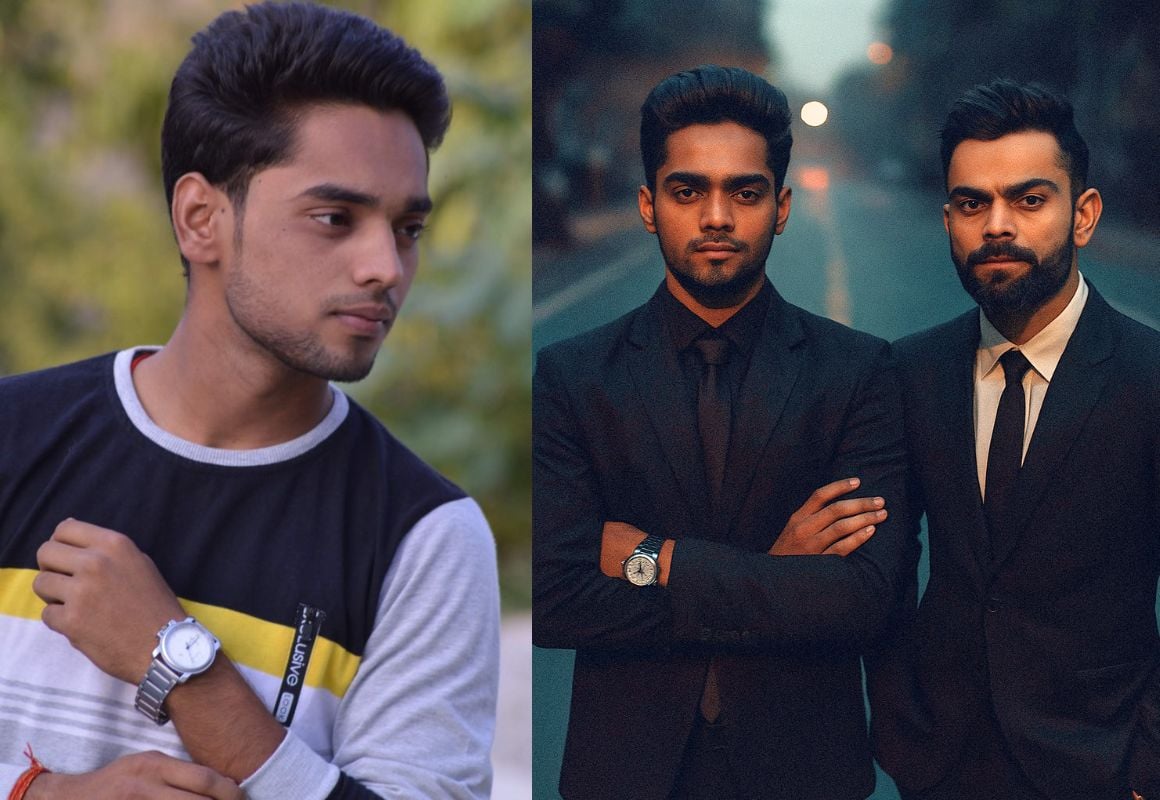
Cinematic overhead shot of me standing in the middle of the road in a black suit with a black tie, evening time, arms crossed. To my right, Virat Kohli is resting shoulder to shoulder with me in a black suit with a white shirt. The street is empty and dramatic. Moody lighting with a 35mm film look. Shallow depth of field, sharp focus on the three of us. Aspect ratio 9:16.
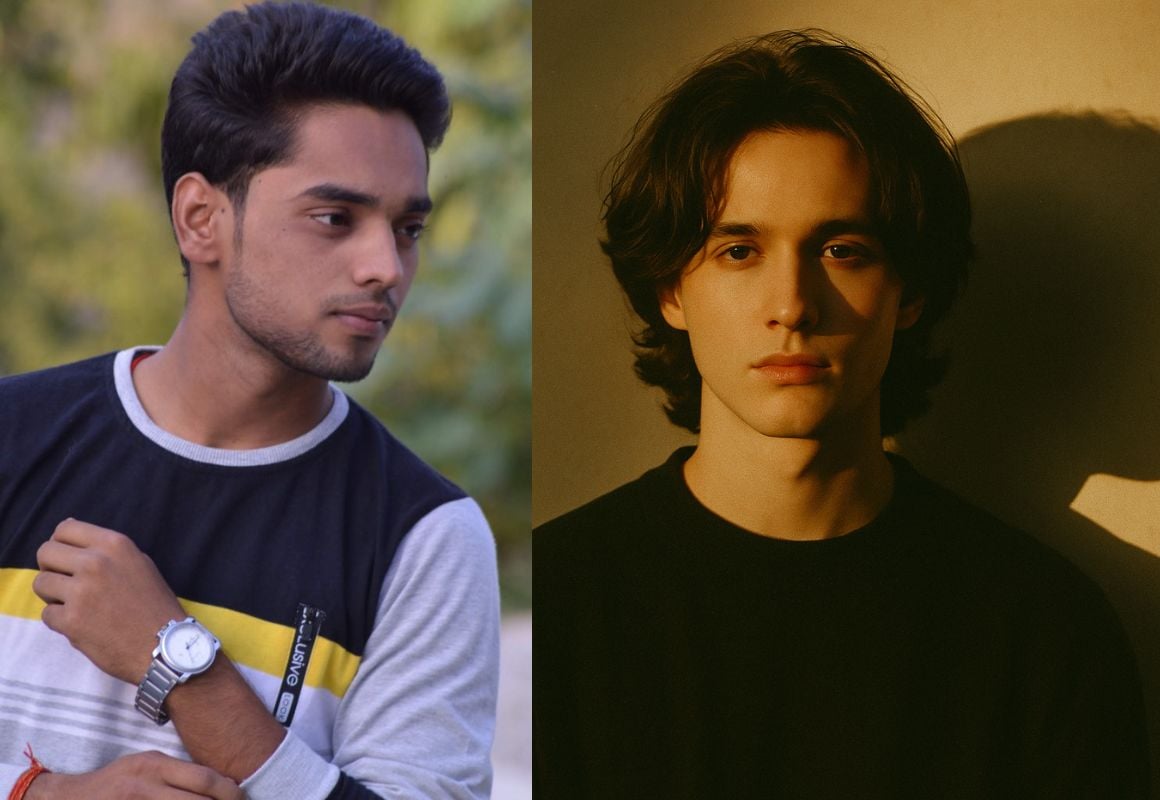
Create a moody, mysterious portrait using my selfie. Keep the same lighting, background, and camera angle as the reference: warm golden-hour sunlight casting dramatic shadows on a plain wall. Replace my hairstyle with medium-length, slightly wavy hair. Remove glasses, smoothen the skin to make it fair and flawless, and maintain a calm, introspective expression. Ensure the strong shadow of the face on the wall is visible. Ratio: 4:3. Match the pose and overall cinematic tone.
Select a high-quality photo with good lighting. Clear, well-lit selfies or portraits work best for most prompts.
Step 3: Upload and Prompt
Click the attachment icon to upload your photo
Copy one of the prompts above (or create your own)
Paste the prompt in the chat box
Hit send and wait for the magic
Step 4: Refine if Needed
If the result isn’t perfect, try adjusting the prompt with more specific details about lighting, colors, or style preferences.
Why ChatGPT Photo Editing Prompts Are Trending on Instagram and TikTok
Social media creators have discovered that AI-enhanced photos get significantly more engagement than regular photos. Here’s why these prompts are going viral:
Higher Engagement Rates: Posts using AI-enhanced photos typically see 40-60% more likes and comments compared to standard photos.
Professional Quality: The cinematic quality achieved through these prompts rivals expensive photo shoots, making your content stand out in crowded feeds.
Unique Aesthetics: Each prompt creates a distinctive look that’s impossible to replicate with traditional editing apps.
Time-Saving: What used to take hours in Photoshop now takes minutes with the right ChatGPT prompt.
Creating Your Own ChatGPT Photo Editing Prompts
Want to create unique prompts that no one else is using? Here’s my formula:
Base Structure: Start with the photo type (portrait, full body, etc.) Style Direction: Specify the aesthetic (cinematic, artistic, retro, etc.) Technical Details: Add lighting, camera settings, and composition notes Color Palette: Mention specific colors or moods Aspect Ratio: Include the dimensions for your intended platform
Example Template: “Create a [STYLE] [PHOTO TYPE] using my uploaded image. Add [LIGHTING] with [COLOR PALETTE]. Include [SPECIFIC EFFECTS] and [BACKGROUND DETAILS]. [TECHNICAL SPECIFICATIONS]. Ratio [DIMENSIONS].”
Pro Tips for Viral ChatGPT Photo Editing
1. Caption Strategy
Pair your AI-enhanced photos with engaging captions that tell the story behind the image. Ask questions, share the prompt you used, or create mystery around how you achieved the look.
2. Hashtag Optimization
Use trending hashtags like #AIPhotoEditing, #ChatGPTPrompts, #AIArt, #PromptEngineering, and platform-specific tags like #InstagramReels or #TikTokTrends.
3. Consistency is Key
Develop a signature style by using similar color palettes or themes across your AI-enhanced photos. This creates a cohesive brand aesthetic.
4. Share Your Process
Create behind-the-scenes content showing how you use ChatGPT prompts. Tutorial content performs exceptionally well on both Instagram and TikTok.
Common Challenges and Solutions
Face Accuracy Issues: If the AI changes your facial features too much, try using more specific prompts like “maintain exact facial features” or “preserve original face structure.”
Quality Inconsistency: Always specify “high resolution,” “professional quality,” or “8K detail” in your prompts for better results.
Style Matching: Study the prompts that work well for your face shape and photo style, then create variations of those successful formulas.
The Future of AI Photo Editing
As someone who’s been tracking AI trends at Prompt Scene.com, I can tell you that ChatGPT photo editing is just the beginning. We’re seeing constant improvements in image quality, more precise control over edits, and better integration with social media platforms.
The creators who master these prompts now will have a significant advantage as AI photo editing becomes even more mainstream. Start experimenting with these prompts today, and don’t forget to visit Prompt Scene.com for the latest updates on AI prompt engineering.
Conclusion
ChatGPT photo editing prompts are revolutionizing how we create content for social media. Whether you’re looking to go viral on Instagram or TikTok, these AI-powered tools give you the creative edge you need to stand out.
Remember, the key to success with ChatGPT photo editing is experimentation. Try different prompts, adjust the parameters, and find what works best for your unique style. The prompts I’ve shared are just the starting point – the real magic happens when you begin creating your own.
Ready to transform your social media presence? Start with these prompts and watch your engagement soar. And if you discover any amazing new prompts along the way, I’d love to hear about them!
Want more cutting-edge AI prompts and techniques? Visit Prompt Scene.com for the latest updates and exclusive prompt collections.
Cinematic overhead shot of me standing still on a brick city sidewalk, wearing a dark oversized blazer. A motion-blurred crowd rushes past around me. Moody lightning,35mm film look, shallow depth of field, sharp focus on me. Ration portrait 4:3.
Cinematic overhead shot of me standing in the middle of the road in a black suit with a black tie, evening time, arms crossed. To my right, Virat Kohli is resting shoulder to shoulder with me in a black suit with a white shirt. The street is empty and dramatic. Moody lighting with a 35mm film look. Shallow depth of field, sharp focus on the three of us. Aspect ratio 9:16
Transform the uploaded photograph into a premium minimalist editorial collage inspired by luxury travel magazines, contemporary fashion editorials, and artistic outdoor photography FORMAT & COMPOSITION: Create a strict 3:4 vertical canvas. Use a warm ivory/off-white background with subtle paper texture and generous negative space Place a large, clean-edged vertical rectangular crop of the original
Place this person in the second photo in a realistic manner and adjust them to match the second photo; do not change anything else. Keep the background exactly as it is-do not alter it at all-and do not change the face. Enhance the image to 8K quality and set the aspect ratio to 3:4. And Backgroud ke accoding person size adjust
Create a cinematic 4K, highly detailed, photorealistic video by transferring the EXACT dance movements, body motion, performance, timing, expressions, and camera movements from the REFERENCE VIDEO onto the person shown in the TARGET IMAGE. Completely replace the original main dancer with the person from the TARGET IMAGE. Preserve the target person's exact facial identity, facial features, skin ton
Transform the uploaded mirror selfie into a luxury LED Mirror portrait. Replace the existing mitor frame with an elegant irregular organic shape mirror 1,832 featuring a soft warm golden LED Backlight glow around entire edge .keep the subject same
Create a **10-second photorealistic image-to-video recreation of the uploaded reference video**. ### REFERENCE PRIORITY — CRITICAL Use the uploaded references as follows: **REFERENCE IMAGE 1 — MY PHOTO** Use this as the ONLY identity reference for the main person. Preserve my exact face, facial proportions, eyes, eyebrows, nose, lips, jawline, skin tone, hairstyle and overall identity throughout t
Video-to-video character replacement. Keep @Video 1 exactly the same: same handheld iPhone camera movement and shake, same framing, timing, red backstage lighting, background, crowd, bodyguards, and the fan in the foreground holding the phone and the big DSLR lens. Do not change anyone else. Replace only the main man in the center (the one who walks in, talks to the fan and laughs) with the person
MASTER PROMPT — Ultra-Realistic Bridal Nail Art Car Selfie (9:16) Use the uploaded selfie as the STRICT FACIAL IDENTITY REFERENCE. Preserve the person's exact facial features, natural skin tone, eyes, nose, lips, face shape, age, and realistic skin texture. Do not beautify, reshape, or alter the facial identity. REFERENCE COMPOSITION: Create an ultra-realistic golden-hour photograph of a beautiful
Use the reference video as the exact blueprint. Recreate the SAME actions, hand movements, facial expressions, camera movement, timing, framing and transition — do not invent or change anything. Start with the first reference image as the opening look, then transition into the second reference image at the EXACT same moment and using the EXACT same transition style as the reference video. In the s