Photo editing trends keep changing, but layered couple edits are becoming one of the most loved styles on Instagram and Reels. The “Trending Beautiful Layers Couple Photo Editing” style gives photos a cinematic and dreamy look with smooth backgrounds, soft colors, glowing effects, and romantic vibes. It makes simple pictures look professional and eye-catching in just a few edits.
Many creators and editors use this style to create viral social media content because it looks modern, emotional, and aesthetic. Layer effects, blur backgrounds, light leaks, and smooth color grading help bring more depth and beauty to couple photos. This editing style is perfect for romantic posts, profile pictures, reels thumbnails, and status videos.
In this article, you will learn about the latest beautiful layers couple photo editing trend, why it is popular, and how you can create similar edits easily using mobile apps or professional editing tools.
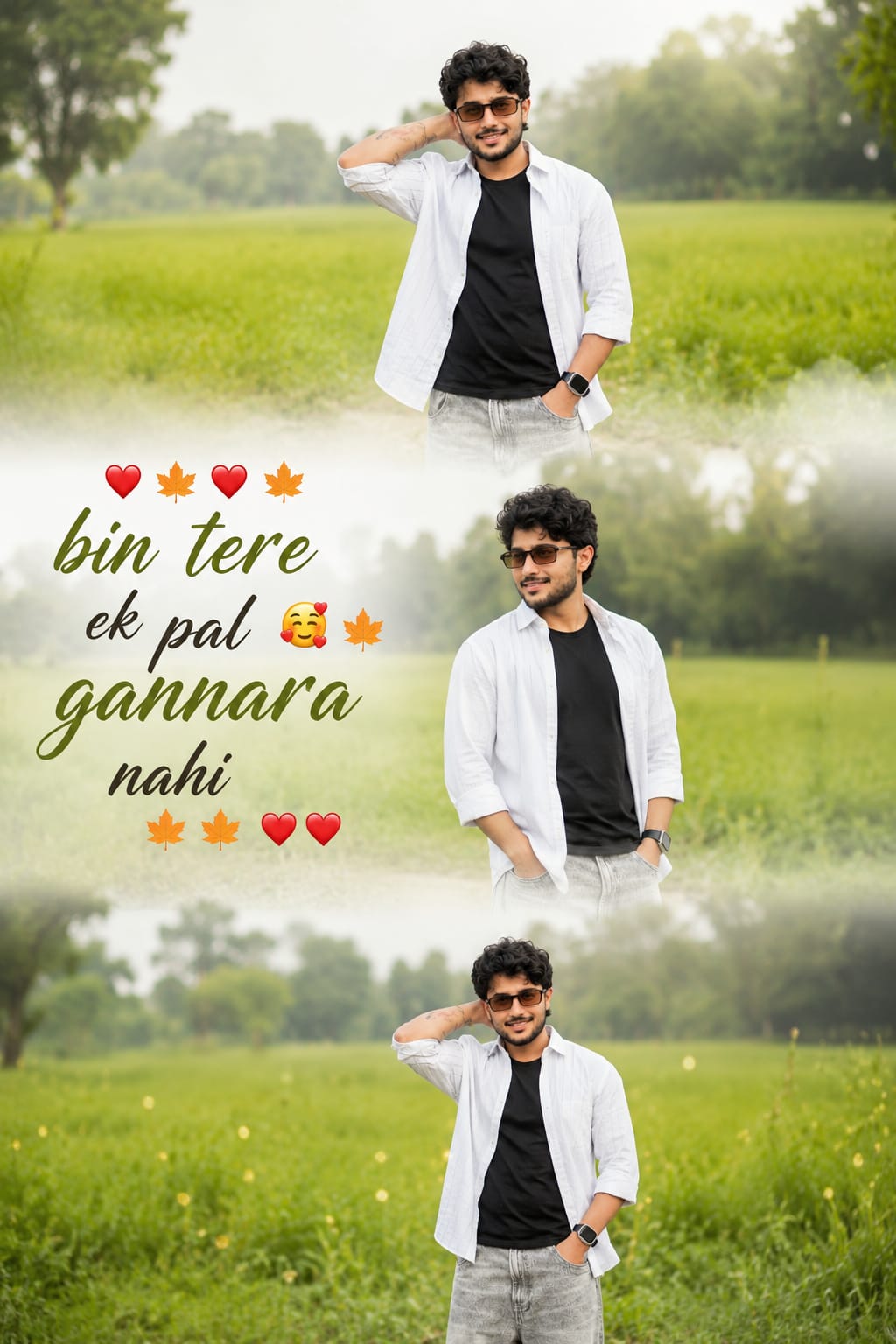
A cinematic vertical triptych collage depicting the same young boy standing alone in a lush green field in bright daylight. The collage is divided into three horizontal frames, with soft, dreamy white transitions between each section. He’s wearing a white shirt over a black t-shirt with jeans, creating a soft, emotional and aesthetic vibe. The background features a hazy green meadow, distant trees, and dreamy natural bokeh with a shallow depth of field. Add romantic, stylish text to the cinematic typography: “❤️🍁❤️🍁 bin tere ek pal 🥰🍁 gannara nahi 🍁🍁❤️❤️”.
A cinematic vertical triptych collage featuring the same young woman standing alone in a lush green field during bright natural daylight. The collage is divided into three horizontal frames with soft dreamy white transitions between each section. She is wearing an oversized stylish shirt or casual top with jeans, creating a soft emotional and aesthetic vibe. Background contains blurred green grass fields, distant trees, and dreamy natural bokeh with shallow depth of field. Add romantic stylish text: “❤️🍁❤️🍁 BIN TERE AK PAL 🥰🍁 GAVARA NAHI 🍁🍁❤️❤️” in cinematic typography. Ratio 2:3
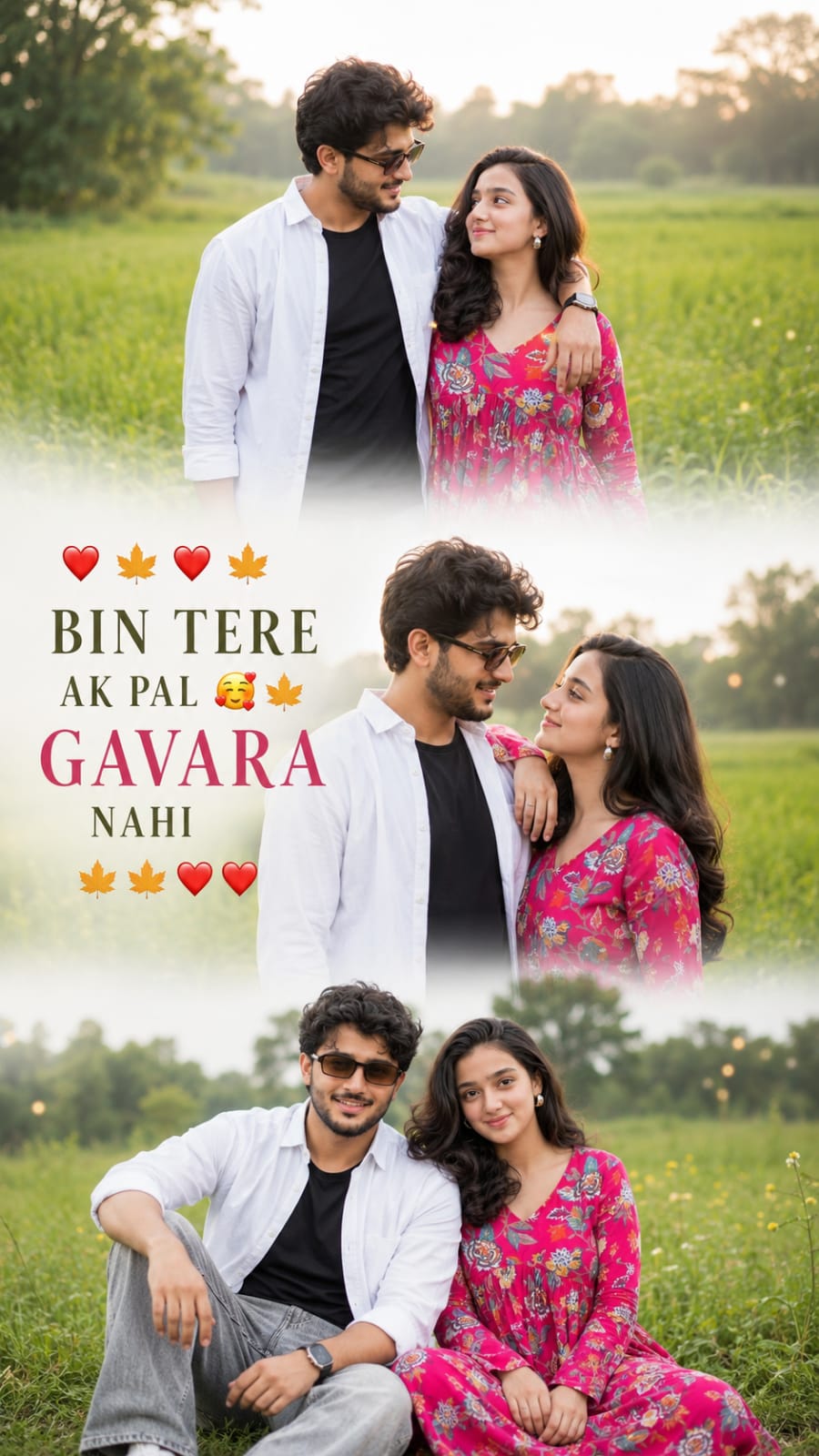
Create a cinematic vertical triptych collage of a stylish romantic couple in a dreamy green field under bright natural sunlight. Divide the collage into three horizontal scenes with soft white fade transitions. Capture emotional candid moments, eye contact, smiles, and natural chemistry for a heartfelt cinematic feel. Outfit styling should look modern, trendy, and aesthetic with soft wind movement in hair and clothes. Background should feature blurred greenery, distant trees, golden sun flare, dreamy bokeh, and shallow depth of field. Add stylish romantic typography: ‘❤️🍁❤️🍁 BIN TERE AK PAL 🥰🍁 GAVARA NAHI 🍁🍁❤️❤️’. Ultra-realistic photography, warm tones, soft skin texture, Instagram-reel aesthetic, dreamy romantic mood, high detail, 9:16 ratio.
Trending Beautiful Layers Couple Photo Editing is more than just a photo style — it is a creative way to express emotions, love, and aesthetic vibes through pictures. With the right layering effects, lighting, and color tones, anyone can turn normal couple photos into stunning cinematic edits.
This editing trend is perfect for Instagram users, content creators, and beginners who want attractive and viral-looking photos. By using simple editing techniques and creative ideas, you can create professional-quality couple edits that stand out on social media
Try different poses, backgrounds, and layer effects to make your edits unique and stylish. With practice and creativity, you can easily master this trending romantic photo editing style.
Transform the uploaded photograph into a premium minimalist editorial collage inspired by luxury travel magazines, contemporary fashion editorials, and artistic outdoor photography FORMAT & COMPOSITION: Create a strict 3:4 vertical canvas. Use a warm ivory/off-white background with subtle paper texture and generous negative space Place a large, clean-edged vertical rectangular crop of the original
Place this person in the second photo in a realistic manner and adjust them to match the second photo; do not change anything else. Keep the background exactly as it is-do not alter it at all-and do not change the face. Enhance the image to 8K quality and set the aspect ratio to 3:4. And Backgroud ke accoding person size adjust
Create a cinematic 4K, highly detailed, photorealistic video by transferring the EXACT dance movements, body motion, performance, timing, expressions, and camera movements from the REFERENCE VIDEO onto the person shown in the TARGET IMAGE. Completely replace the original main dancer with the person from the TARGET IMAGE. Preserve the target person's exact facial identity, facial features, skin ton
Transform the uploaded mirror selfie into a luxury LED Mirror portrait. Replace the existing mitor frame with an elegant irregular organic shape mirror 1,832 featuring a soft warm golden LED Backlight glow around entire edge .keep the subject same
Create a **10-second photorealistic image-to-video recreation of the uploaded reference video**. ### REFERENCE PRIORITY — CRITICAL Use the uploaded references as follows: **REFERENCE IMAGE 1 — MY PHOTO** Use this as the ONLY identity reference for the main person. Preserve my exact face, facial proportions, eyes, eyebrows, nose, lips, jawline, skin tone, hairstyle and overall identity throughout t
Video-to-video character replacement. Keep @Video 1 exactly the same: same handheld iPhone camera movement and shake, same framing, timing, red backstage lighting, background, crowd, bodyguards, and the fan in the foreground holding the phone and the big DSLR lens. Do not change anyone else. Replace only the main man in the center (the one who walks in, talks to the fan and laughs) with the person
MASTER PROMPT — Ultra-Realistic Bridal Nail Art Car Selfie (9:16) Use the uploaded selfie as the STRICT FACIAL IDENTITY REFERENCE. Preserve the person's exact facial features, natural skin tone, eyes, nose, lips, face shape, age, and realistic skin texture. Do not beautify, reshape, or alter the facial identity. REFERENCE COMPOSITION: Create an ultra-realistic golden-hour photograph of a beautiful
Use the reference video as the exact blueprint. Recreate the SAME actions, hand movements, facial expressions, camera movement, timing, framing and transition — do not invent or change anything. Start with the first reference image as the opening look, then transition into the second reference image at the EXACT same moment and using the EXACT same transition style as the reference video. In the s