
If you are looking for Awarapan 2 Movie AI Photo Editing Prompts, then you are at the right place. In this post, I have shared a realistic Awarapan 2 AI photo editing prompt that you can use with your own photo. With the help of AI image generation, you can create a cinematic photo of yourself standing beside an Awarapan 2 movie poster or inside a luxury cinema lobby. The movie was released in theatres on 14 August 2026, with Emraan Hashmi, Disha Patani, and Shabana Azmi among the cast.
Awarapan 2 Cinema Lobby AI Photo Prompt
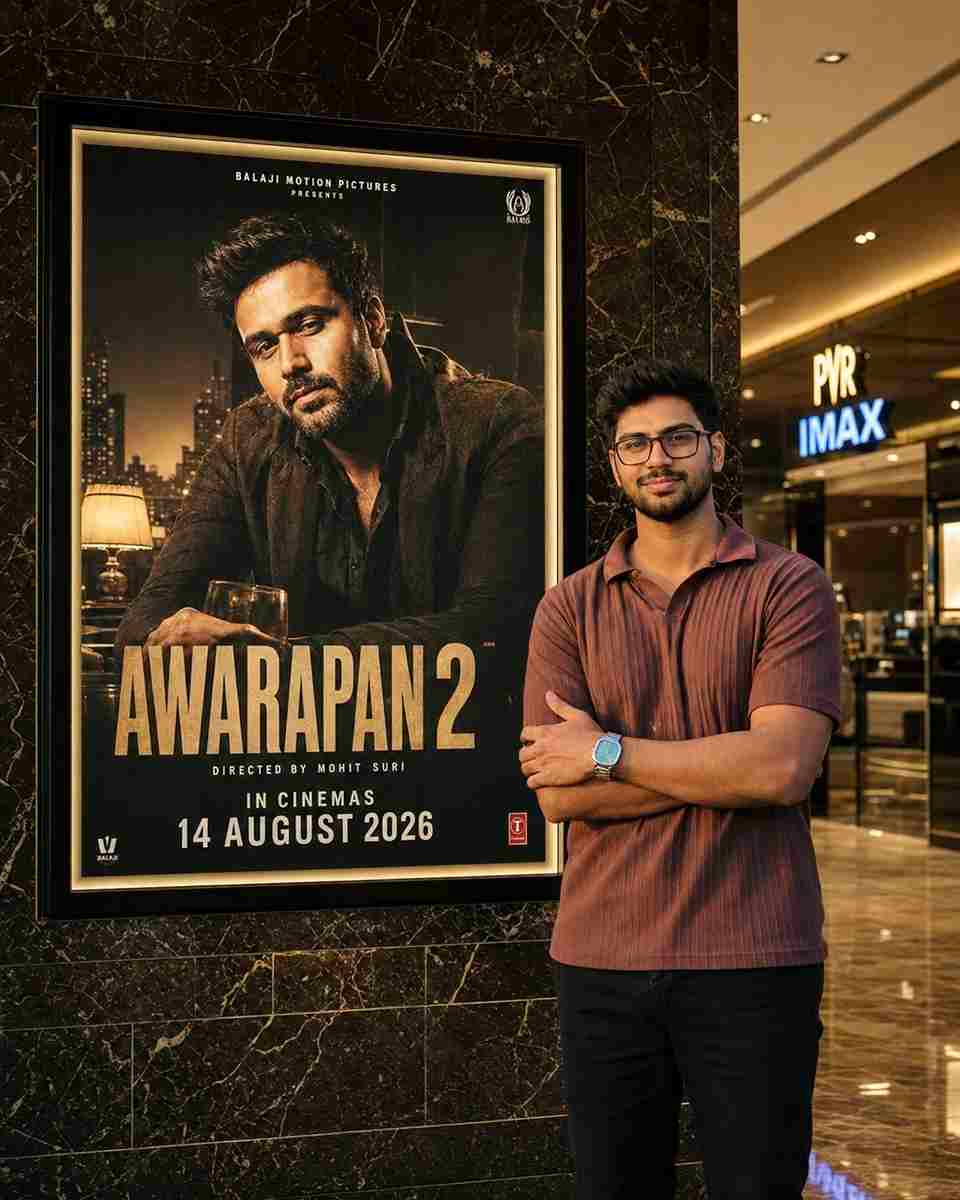
Use the uploaded photo as a STRICT IDENTITY REFERENCE. Keep the person’s face, hairstyle, expression, skin tone, outfit, body proportions, and overall appearance 100% identical. No beautification, face editing, AI face replacement, or age modification.
SCENE: Create an ultra-realistic luxury cinema lobby photograph. Place the uploaded person naturally beside a giant illuminated Awarapan 2 movie poster display mounted on a premium marble wall. The person should be looking naturally toward the camera with a realistic, elegant pose.
SUBJECT: Preserve the exact uploaded clothing, hairstyle, facial features, skin texture, body proportions, and identity. Do not alter or redesign the outfit. Maintain realistic body posture, natural hands, accurate anatomy, realistic shadows, and authentic reflections.
POSTER LOCK — VERY IMPORTANT: Keep the original Awarapan 2 movie poster completely unchanged. Do not modify Emraan Hashmi, the AWARAPAN 2 title, typography, colors, character appearance, background, poster artwork, frame size, or placement.
RELEASE DATE: The poster must clearly show the updated release date: 14 AUGUST 2026. Do not use the old 3rd April 2026 release date.
ENVIRONMENT: Premium PVR/IMAX-style cinema lobby, luxurious dark marble wall, polished reflective floor, realistic glass surfaces, warm golden ambient lighting, subtle cinema signage, authentic movie-theater atmosphere, cinematic depth of field, natural perspective, realistic indoor lighting.
COMPOSITION: Position the person beside the poster without covering the main movie artwork, title, or important poster text. Maintain natural proportions and believable distance between the subject and poster. The scene should look like an authentic DSLR photograph taken inside a premium cinema lobby.
IMPORTANT: Only add/replace the audience member standing beside the poster. Do not unnecessarily modify the poster artwork, Emraan Hashmi, movie title, release date, cinema frame, marble wall texture, camera perspective, lighting structure, or overall composition.
QUALITY: Ultra-realistic DSLR photography, 8K Ultra HD, HDR, cinematic lighting, professional movie-premiere photography, realistic skin texture, sharp facial details, natural shadows, accurate reflections, hyper-detailed, photorealistic, viral Instagram-quality image.
ASPECT RATIO: 4:5 vertical.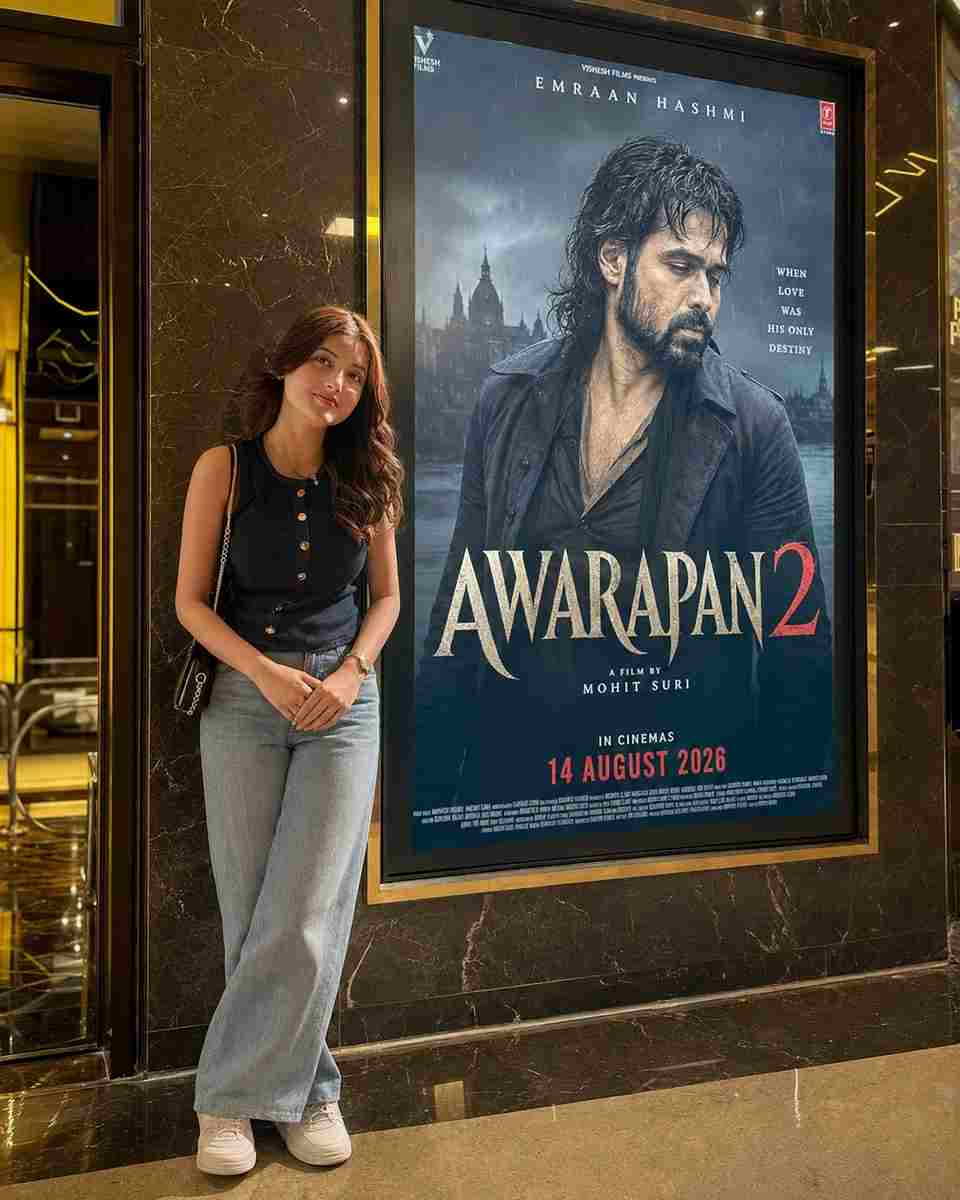
Use uploaded photo as STRICT IDENTITY REFERENCE. Keep face, hairstyle, expression, skin tone, outfit, hijab/hair, body proportions and overall appearance 100% identical. No beautification, no face editing, no AI face replacement, no age modification.
EXACT SCENE RECREATION
Ultra-realistic luxury cinema lobby photograph. Subject standing naturally beside a giant illuminated Awarapan 2 movie poster display mounted on a premium marble wall. Original Awarapan 2 poster featuring Emraan Hashmi remains completely unchanged.
Luxury PVR/IMAX cinema environment, warm golden ambient lighting, polished marble floor reflections, realistic glass surfaces, premium theater atmosphere.
SUBJECT POSITION
The uploaded person standing beside the movie poster, naturally posing for a photo.
If male: confident casual pose.
If female: elegant natural pose.
Same clothing as uploaded photo.
Same face and identity preserved exactly.
Looking toward camera.
Realistic shadows and reflections.
POSTER LOCK (DO NOT CHANGE)
Keep the original Awarapan 2 poster exactly unchanged:
Emraan Hashmi remains inside poster.
Same title: AWARAPAN 2
Same typography.
Same colors.
Same background.
Same release text.
Same poster design.
Same frame size and placement.
CINEMA ENVIRONMENT
Luxury multiplex lobby, marble wall, realistic reflections, premium movie-promotion display, DSLR photography look, cinematic depth of field, natural perspective, authentic theater lighting.
IMPORTANT
Only replace the audience standing beside the poster.
Do not modify:
Awarapan 2 poster
Emraan Hashmi
Movie title
Release date
Cinema frame
Wall texture
Camera angle
Overall composition
WATERMARK
Talib Editz bottom-right corner.
QUALITY
Ultra-realistic DSLR photograph, 8K Ultra HD, HDR, cinematic lighting, professional movie-premiere photography, hyper-detailed, viral Instagram-quality image.
ASPECT RATIO
4:5 Vertical.How to Create Awarapan 2 AI Photo
Creating an Awarapan 2 AI Photo is very easy. First, open ChatGPT and upload a clear photo that you want to use for the edit. Make sure your face and overall appearance are clearly visible in the image. After uploading the photo, copy the Awarapan 2 AI photo editing prompt given above and paste it into the chat. Now generate the image and wait for the AI to complete the process. Once the image is ready, check the face, hands, clothing, poster, lighting, and overall composition. If you want a different result, you can try the same prompt again with another clear photo or ask for a different cinematic location.
Create Awarapan 2 Movie Poster Photo
You can also create an Awarapan 2 Movie Poster Photo by changing the environment in the prompt. For example, you can ask the AI to place you next to a large illuminated movie poster in a premium cinema entrance, a modern theatre lobby, or a realistic movie-promotion setup. Keeping the scene realistic is important because natural lighting, shadows, perspective, and reflections can make the final AI-generated image look much more like a real photograph.







