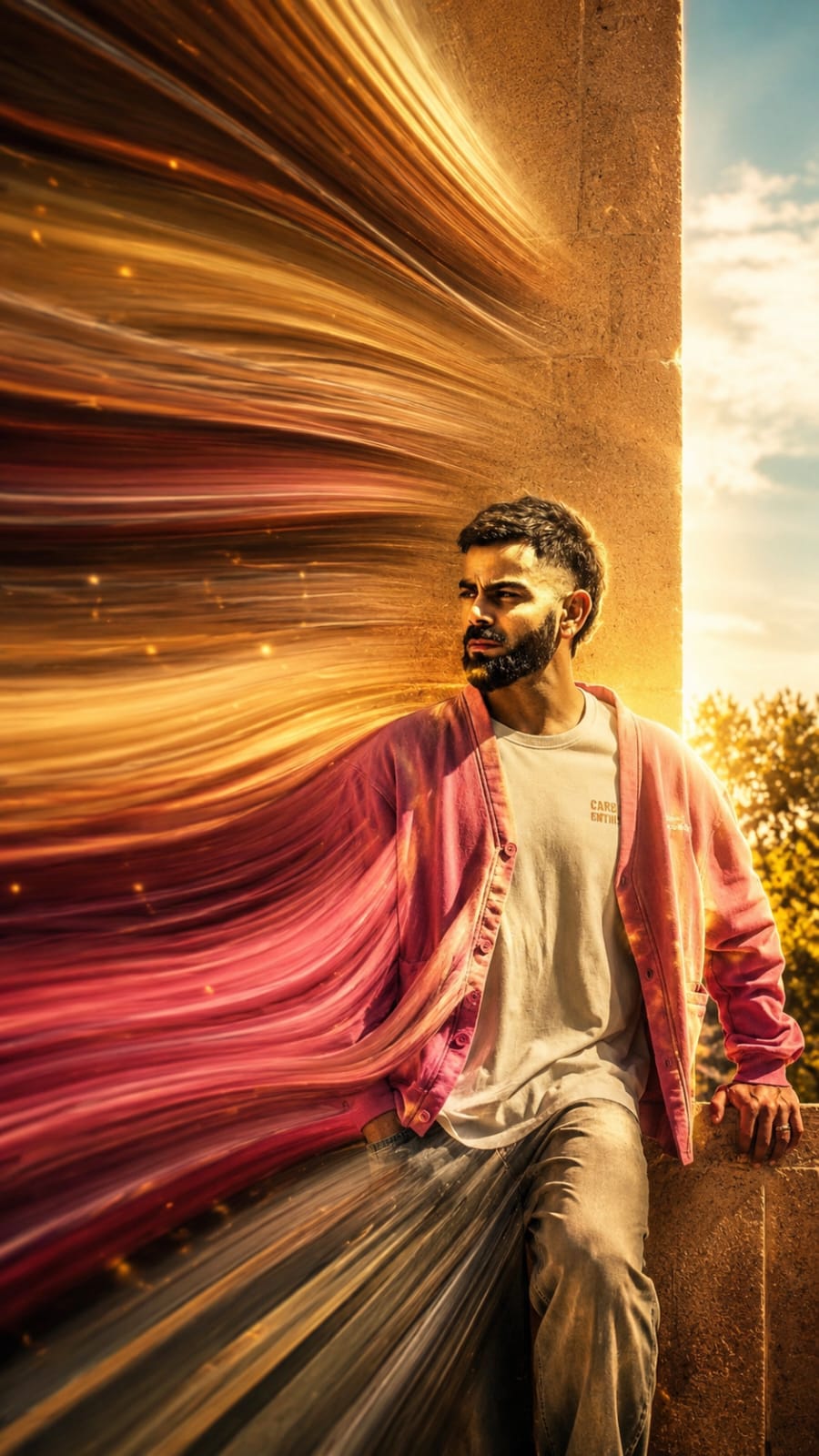
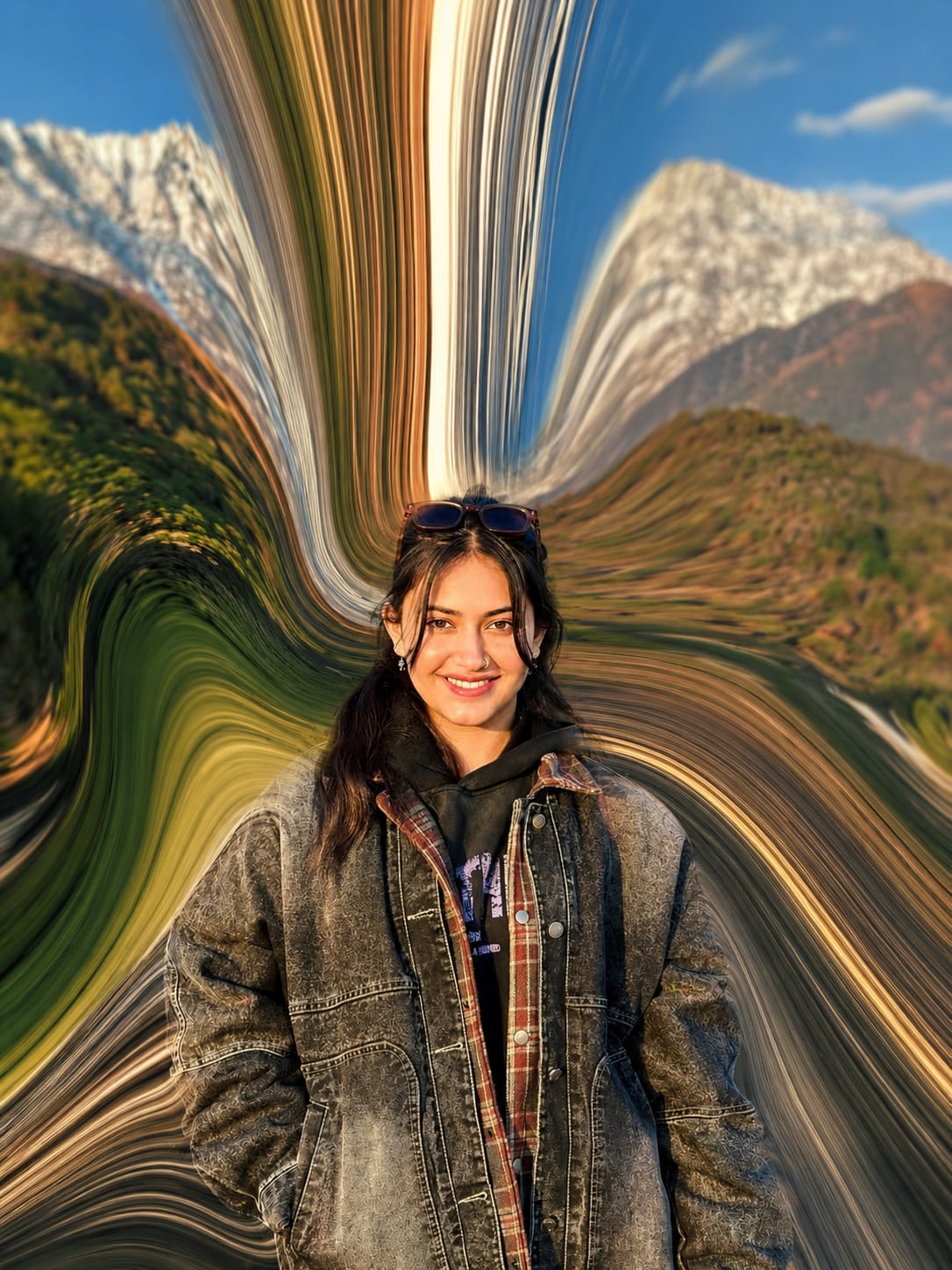
Pixel art is making a huge comeback, but now with a modern and aesthetic twist. The Aesthetic Pixel Art Photo Style Prompt helps you transform ordinary photos into eye-catching pixel-style artwork while keeping them colorful, creative, and unique.
Whether you’re using ChatGPT, Gemini, Grok, or any AI image generator, this prompt makes it easy to create retro-inspired pixel art with a stylish and high-quality look. It’s perfect for social media, wallpapers, profile pictures, and creative digital art.
In this article, you’ll find the best Aesthetic Pixel Art Photo Style Prompt along with simple tips to generate stunning AI images in just a few clicks.
Ultra-cinematic pixel stretch artwork while keeping the main subject 100% sharp, highly detailed, and instantly recognizable. Preserve every facial feature, texture, expression, clothing detail, and lighting with perfect realism. Extract colors, textures, and fine details from the subject, transforming them into long, elegant pixel-stretch ribbons that flow naturally with graceful curves and dynamic motion, as if the subject is dissolving into streams of light, silk, paint, or pure energy. Create flawless, seamless transitions between the original subject and the stretched pixels with no glitches, harsh edges, or distortion. Use dramatic cinematic lighting with golden-hour rim light, volumetric light rays, soft atmospheric haze, realistic depth of field, subtle motion blur, HDR color grading, deep shadows, vibrant highlights, and premium filmic contrast. Add luxurious color harmony with rich blacks, glowing accents, and breathtaking visual depth. Compose the artwork using modern minimalist aesthetics with abundant negative space for maximum visual impact. Inspired by high-end Adobe Photoshop pixel-stretch techniques, luxury digital art, Hollywood movie posters, and premium gallery exhibitions. Hyper-realistic textures, ultra-sharp focus, 8K resolution, masterpiece quality, award-winning digital artwork, visually stunning, social-media-ready, cinematic, elegant, futuristic, and unforgettable.
pixel stretch artwork while keeping the main subject perfectly sharp, detailed, and recognizable. Extract colors and textures from the subject and extend them into smooth, flowing pixel-stretch ribbons that follow elegant curves and dynamic motion. Create seamless transitions between the original image and stretched areas, avoiding glitches or harsh edges. The stretched pixels should appear silky, fluid, and organic, like streams of color, light, paint, or energy. Maintain realistic lighting, depth, shadows, and color harmony. Use cinematic contrast, vibrant colors, HDR quality, ultra-sharp details, modern minimalist composition, luxury digital art styling, Adobe Photoshop pixel stretch effect, gallery-quality finishing, and ultra-high-resolution 8K for a visually captivating, social-media-ready masterpiece
The Aesthetic Pixel Art Photo Style Prompt is a great way to give your photos a creative retro makeover while maintaining a modern and artistic feel. With the right prompt, you can create unique AI-generated pixel art that stands out on any platform.
Feel free to experiment with different colors, lighting, backgrounds, and pixel sizes to make your artwork even more impressive. Small changes in your prompt can create completely different and amazing results.
If you enjoy creating AI art, keep exploring new prompts and styles to unlock endless creative possibilities. Happy creating!
Transform the uploaded photograph into a premium minimalist editorial collage inspired by luxury travel magazines, contemporary fashion editorials, and artistic outdoor photography FORMAT & COMPOSITION: Create a strict 3:4 vertical canvas. Use a warm ivory/off-white background with subtle paper texture and generous negative space Place a large, clean-edged vertical rectangular crop of the original
Place this person in the second photo in a realistic manner and adjust them to match the second photo; do not change anything else. Keep the background exactly as it is-do not alter it at all-and do not change the face. Enhance the image to 8K quality and set the aspect ratio to 3:4. And Backgroud ke accoding person size adjust
Create a cinematic 4K, highly detailed, photorealistic video by transferring the EXACT dance movements, body motion, performance, timing, expressions, and camera movements from the REFERENCE VIDEO onto the person shown in the TARGET IMAGE. Completely replace the original main dancer with the person from the TARGET IMAGE. Preserve the target person's exact facial identity, facial features, skin ton
Transform the uploaded mirror selfie into a luxury LED Mirror portrait. Replace the existing mitor frame with an elegant irregular organic shape mirror 1,832 featuring a soft warm golden LED Backlight glow around entire edge .keep the subject same
Create a **10-second photorealistic image-to-video recreation of the uploaded reference video**. ### REFERENCE PRIORITY — CRITICAL Use the uploaded references as follows: **REFERENCE IMAGE 1 — MY PHOTO** Use this as the ONLY identity reference for the main person. Preserve my exact face, facial proportions, eyes, eyebrows, nose, lips, jawline, skin tone, hairstyle and overall identity throughout t
Video-to-video character replacement. Keep @Video 1 exactly the same: same handheld iPhone camera movement and shake, same framing, timing, red backstage lighting, background, crowd, bodyguards, and the fan in the foreground holding the phone and the big DSLR lens. Do not change anyone else. Replace only the main man in the center (the one who walks in, talks to the fan and laughs) with the person
MASTER PROMPT — Ultra-Realistic Bridal Nail Art Car Selfie (9:16) Use the uploaded selfie as the STRICT FACIAL IDENTITY REFERENCE. Preserve the person's exact facial features, natural skin tone, eyes, nose, lips, face shape, age, and realistic skin texture. Do not beautify, reshape, or alter the facial identity. REFERENCE COMPOSITION: Create an ultra-realistic golden-hour photograph of a beautiful
Use the reference video as the exact blueprint. Recreate the SAME actions, hand movements, facial expressions, camera movement, timing, framing and transition — do not invent or change anything. Start with the first reference image as the opening look, then transition into the second reference image at the EXACT same moment and using the EXACT same transition style as the reference video. In the s