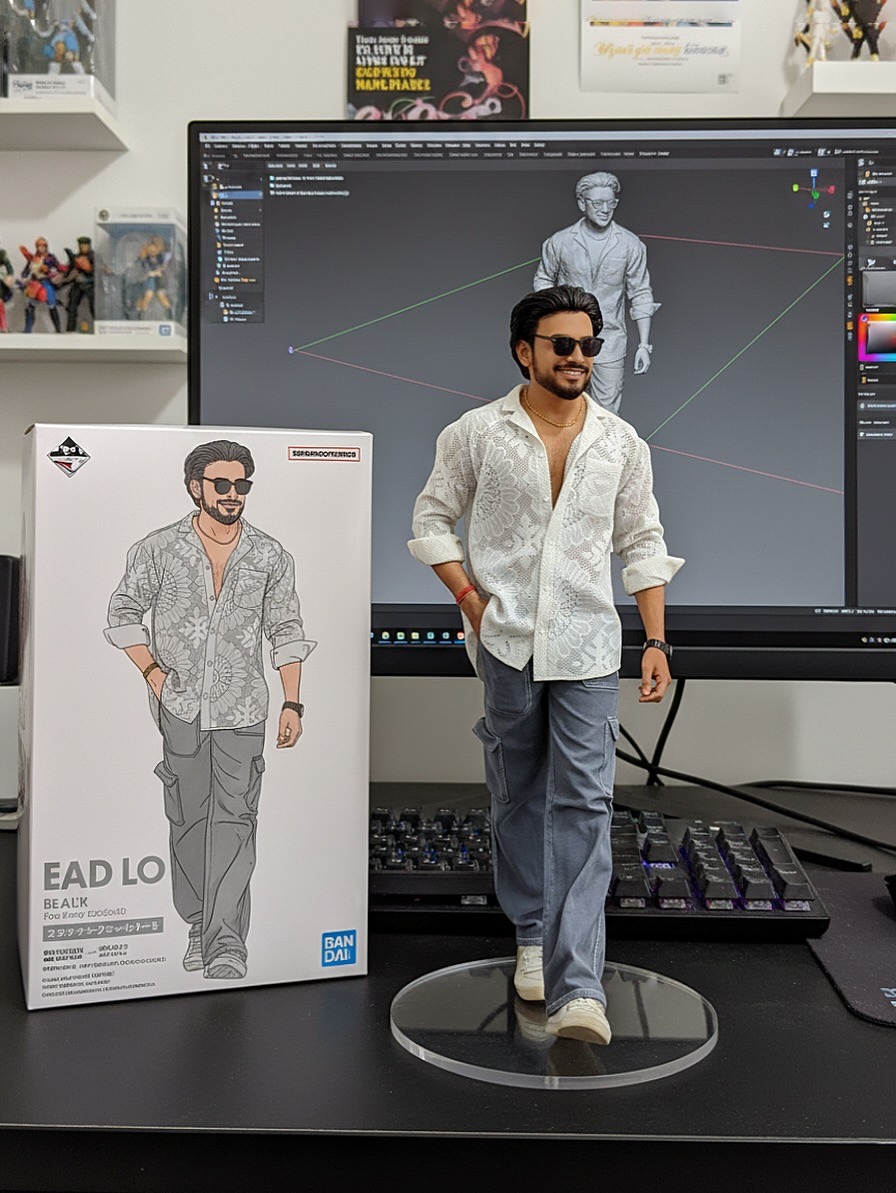
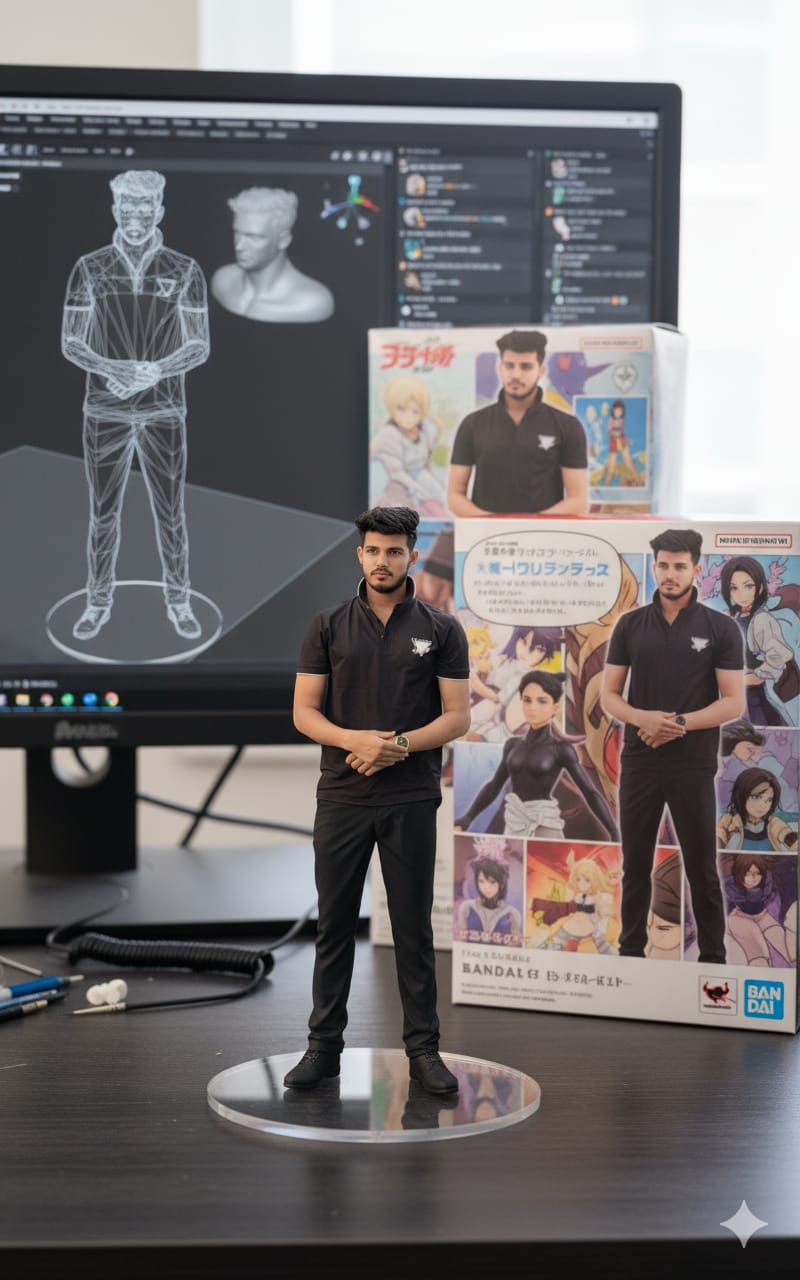
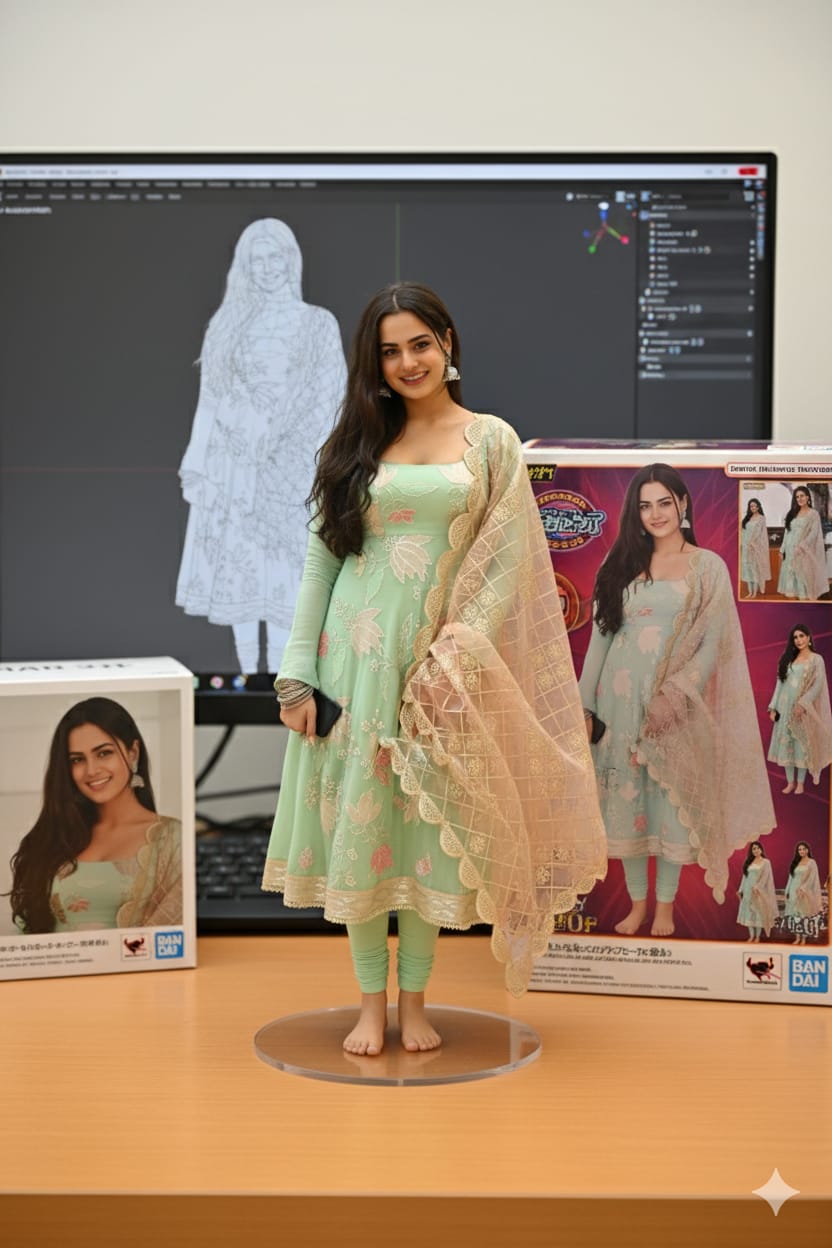
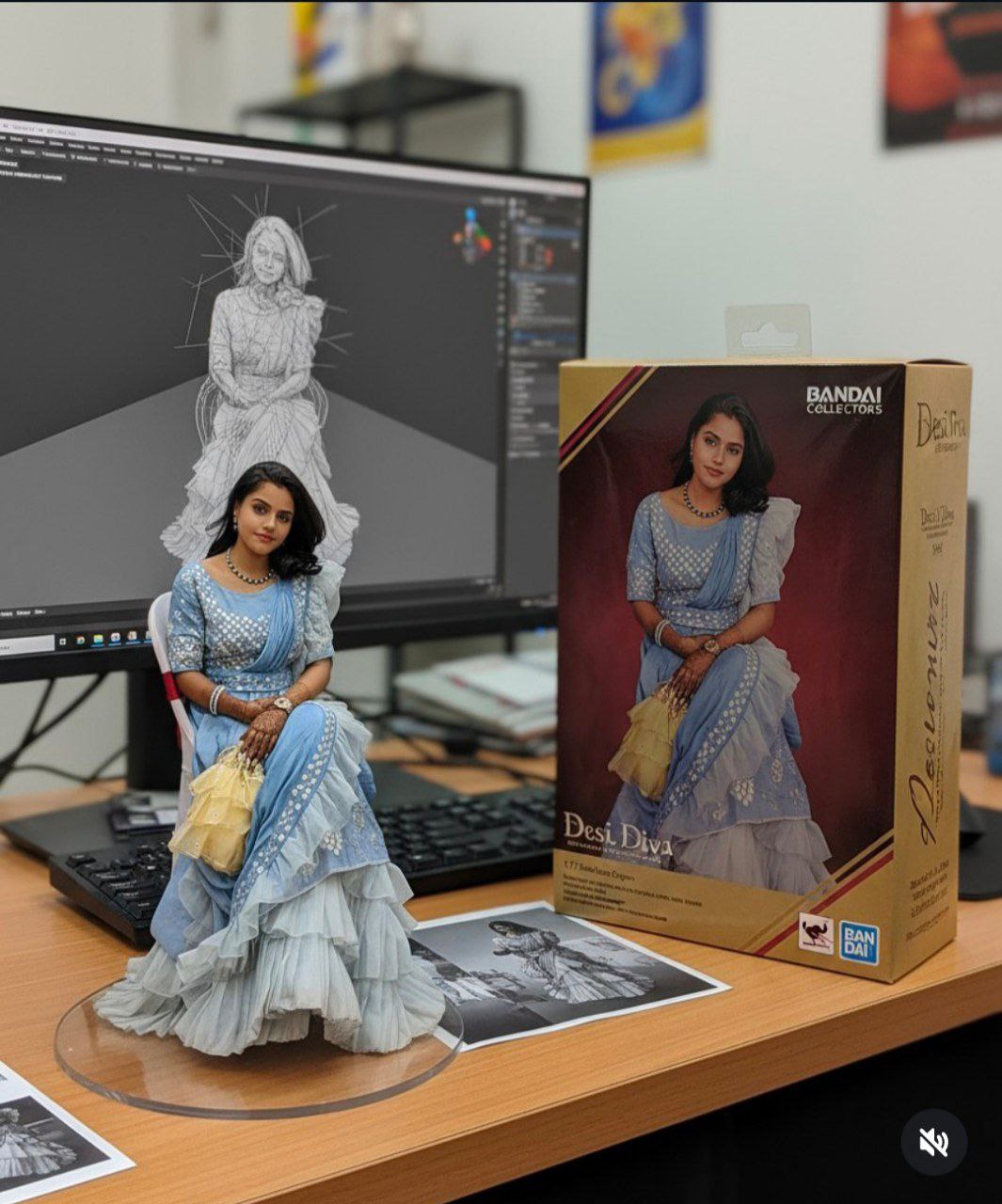
Have you seen those hyper-realistic miniature action figure images flooding social feeds lately? Everyone’s talking about how simple snapshots turn into collectible-style figurines—with acylic bases, model boxes, and even a computer screen displaying the sculpting process.
This isn’t 3D printing magic—it’s AI powered by Gemini 2.5 Flash (“Nano Banana”), and the trend is exploding. Let’s dive into why it’s going viral and how you can join the fun.
Using the model, create a 1/7 scale commercialized figurine of the characters in the picture, in a realistic style, in a real environment. The figurine is placed on a computer desk. The figurine has a round transparent acrylic base, with no text on the base. The content on the computer screen is the Zbrush modeling process of this figurine. Next to the computer screen is a BANDAI-style toy packaging box printed with the original artwork. The packaging features two-dimensional flat illustrations
A 1/7 scale realistic PVC figurine of a character (from reference picture) placed on a computer desk. The figurine stands on a round transparent acrylic base without text. The environment is indoors. On the computer screen, the brush modeling process of the same figurine is visible. Next to the monitor is a BANDAI-style toy packaging box featuring original 2D flat artwork and illustrations of the character. Behind the figurine is another model packaging box with the character printed on it. The scene is detailed, sharp, and photorealistic.
A 1/7 scale realistic PVC figurine of a character (from reference picture) placed on a computer desk. The figurine stands on a round transparent acrylic base without text. The environment is indoors. On the computer screen, the brush modeling process of the same figurine is visible. Next to the monitor is a BANDAI-style toy packaging box featuring original 2D flat artwork and illustrations of the character. Behind the figurine is another model packaging box with the character printed on it. The scene is detailed, sharp, and photorealistic
create a 1/7 scale commercialized figure of thecharacter in the illustration, in a realistic style and environment. Place the figure on a computer desk, using a circular transparent acrylic base without any text.On the computer screen, display the Brush modeling process of the figure. Next to the computer screen, place a BANDAl-style toy packaging box printed with the original artwork. less
Why It’s Trending Right Now
Just over a week ago—on September 4, 2025—Google revealed that its Gemini app’s “Nano Banana” image-editing model helped bring 10 million new users to the app. The “figurine prompt” was highlighted as one of the most viral use cases, where users transform themselves (or their pets!) into photorealistic mini figurines displayed on a desk—with packaging included.
This trend taps into nostalgia for collectible action figures, but with a modern twist: it’s entirely digital. You get a polished, “official product” look, without needing fancy software or 3D modeling skills.
What Makes The Prompt So Powerful
At the heart of the trend is a well-crafted prompt—precise, visual, and vivid. A widely shared example reads:
“Create a photorealistic 1/7 scale character figure in a commercial product-photography style. Show the finished figure displayed on a transparent circular acrylic base […]. Behind the figure, place a BANDAI-style packaging box printed with the full-color original 2D artwork […]. On the computer monitor, display the character’s gray clay sculpt in ZBrush […], set everything on a clean computer desk[…] with soft lighting…”(flux-ai.io, PerfectCorp)
This prompt nails it by combining toy-centric scale, real-world textures, modeled sculpting context, and environmental cues—making the result feel like an official promotional shot.
How Users Are Creating Their Own Figures
Here’s how the process typically works:
Upload a clear photo—face or full body, well-lit, minimal background.
Paste the detailed prompt (variations exist, but the key elements remain the same: scale, acrylic base, packaging, modeling screen).
Tweak as needed—adjust base, pose, lighting, packaging and regenerate to refine the result.
Multiple sources note how Gemini 2.5 Flash produces consistently high-fidelity images, preserving likeness and delivering realistic textures and detail.(flux-ai.io, Tempo, Tom’s Guide)
One blog by Perfect Corp also walks through the trend step-by-step—with prompts nearly identical to ours:
“Create a 1/6 scale commercialized figurine… round transparent acrylic base, with no text […]. On the computer screen is the ZBrush modeling process. Next to the screen is a BANDAl-style toy packaging box printed with the original artwork.”(PerfectCorp)
The Magic of Presentation
What makes these AI-generated figurine renders feel so compelling? It’s all in the details:
These search terms align with both user curiosity and trending topics.
Tips for Yours to Stand Out
If you’re writing a blog or social post about this:
Prompt: “Create a lifelike 1/7 scale commercial action figure of the character in the image. The figure should be posed on a computer desk, mounted on a round transparent acrylic base (no text), styled like a professional promotional photo. On the computer screen, display the ZBrush sculpting stage of the figure. Beside the screen, place a BANDAI-style toy packaging box featuring the original 2D artwork.”
Final Thoughts
The Viral 3D Action Figure AI Prompt is a perfect storm of nostalgia, creativity, and AI power. Thanks to Gemini’s fast, high-quality output (“Nano Banana”), anyone can transform a photo into what looks like a real product shot in seconds. Whether you’re a content creator, toy enthusiast, or just someone looking for a fun digital keepsake—this trend is irresistible, accessible, and perfectly primed for 2025.
So go ahead—upload your pic, use the prompt, and watch yourself turn into the action figure you never knew you needed.
Transform the uploaded photograph into a premium minimalist editorial collage inspired by luxury travel magazines, contemporary fashion editorials, and artistic outdoor photography FORMAT & COMPOSITION: Create a strict 3:4 vertical canvas. Use a warm ivory/off-white background with subtle paper texture and generous negative space Place a large, clean-edged vertical rectangular crop of the original
Place this person in the second photo in a realistic manner and adjust them to match the second photo; do not change anything else. Keep the background exactly as it is-do not alter it at all-and do not change the face. Enhance the image to 8K quality and set the aspect ratio to 3:4. And Backgroud ke accoding person size adjust
Create a cinematic 4K, highly detailed, photorealistic video by transferring the EXACT dance movements, body motion, performance, timing, expressions, and camera movements from the REFERENCE VIDEO onto the person shown in the TARGET IMAGE. Completely replace the original main dancer with the person from the TARGET IMAGE. Preserve the target person's exact facial identity, facial features, skin ton
Transform the uploaded mirror selfie into a luxury LED Mirror portrait. Replace the existing mitor frame with an elegant irregular organic shape mirror 1,832 featuring a soft warm golden LED Backlight glow around entire edge .keep the subject same
Create a **10-second photorealistic image-to-video recreation of the uploaded reference video**. ### REFERENCE PRIORITY — CRITICAL Use the uploaded references as follows: **REFERENCE IMAGE 1 — MY PHOTO** Use this as the ONLY identity reference for the main person. Preserve my exact face, facial proportions, eyes, eyebrows, nose, lips, jawline, skin tone, hairstyle and overall identity throughout t
Video-to-video character replacement. Keep @Video 1 exactly the same: same handheld iPhone camera movement and shake, same framing, timing, red backstage lighting, background, crowd, bodyguards, and the fan in the foreground holding the phone and the big DSLR lens. Do not change anyone else. Replace only the main man in the center (the one who walks in, talks to the fan and laughs) with the person
MASTER PROMPT — Ultra-Realistic Bridal Nail Art Car Selfie (9:16) Use the uploaded selfie as the STRICT FACIAL IDENTITY REFERENCE. Preserve the person's exact facial features, natural skin tone, eyes, nose, lips, face shape, age, and realistic skin texture. Do not beautify, reshape, or alter the facial identity. REFERENCE COMPOSITION: Create an ultra-realistic golden-hour photograph of a beautiful
Use the reference video as the exact blueprint. Recreate the SAME actions, hand movements, facial expressions, camera movement, timing, framing and transition — do not invent or change anything. Start with the first reference image as the opening look, then transition into the second reference image at the EXACT same moment and using the EXACT same transition style as the reference video. In the s