
How To Give a Prompt
To begin, open the Gimin application on your laptop or mobile phone. Once it’s open, select “Nano Banana” to create the image. Next, upload the photo that you would like to use for the creation. If you simply paste my prompt, Gimin will generate an image using its own imagination.
Google Gemini AI Photo Editing Prompt 1:
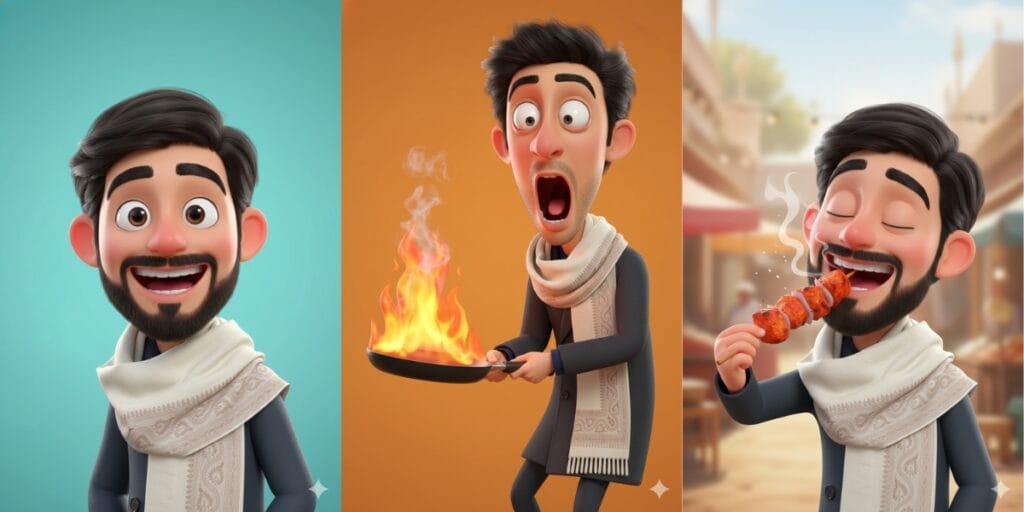
So, the 1st prompt will be about a slightly more illustrious style, and the latest one.
“Create a 3D digital caricature of me holding a burning frying pan, rendered in a highly stylized and exaggerated cartoon form.My facial expression is extreme and expressive, with popping wide-open eyes, a dramatically dropped jaw, and an intense look of shock and surprise. The proportions are intentionally grotesque and over-the-top, pushing caricature limits while retaining visually clean art and polished.The character is rendered in a Pixar-inspired 3D style, but with exaggerated facial distortion for comedic impact rather than realism. Skin appears smooth and slightly plastic-like, with clean, simplified textures. Prosters.The frying pan is tilted forward, engulfed in bright, stylized Flames with visible smoke rising upward, enhancing the sense of chaos and humour.The background is a solid vibrant orange, creating strong contrast and keeping full focus on the character and expression.Lighting is bright, even studio lighting, with soft highlights and minimal shadows to maintain a clean, high-quality 3D look.The overall mood is humorous, intense, and expressive, designed to feel playful, dramatic, and meme-worthy while maintaining professional 3D render quality.” Prompt 2:
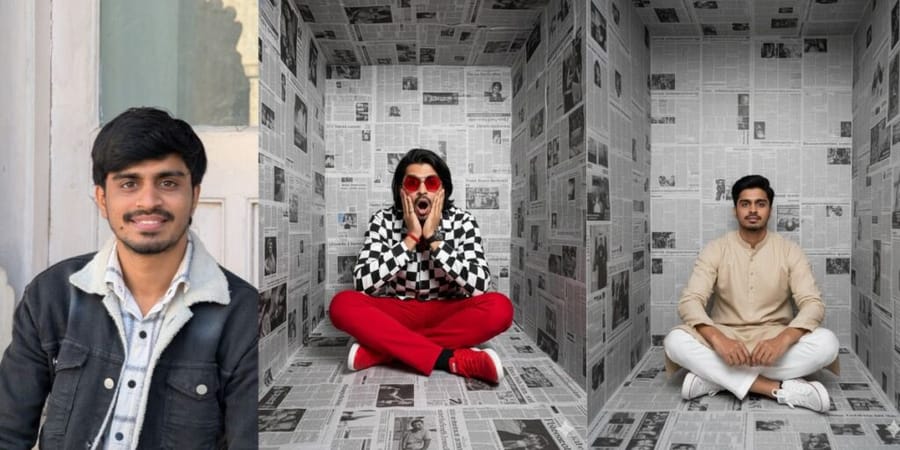
“Create A high-fashion, editorial-style portrait of me sitting cross-legged inside a small, box-shaped room completely covered with black-and-white newspaper pages on the walls, floor, and ceiling. The setting feels surreal and claustrophobic, like an art installation.The person is centred in the frame, facing the camera directly. I’m wearing bold red pants, red sneakers, and red geometric sunglasses, creating a strong contrast against the monochrome newspaper background. My jacket is a black-and-white checkered jacket, adding graphic visual interest. I hold my face with both hands, fingers pressed to my cheeks, mouth open in a dramatic expression of shock or surprise. My hair is loose and neatly styled, falling naturally around my shoulders. Lighting is soft but directional, highlighting her face and outfit while keeping the background evenly lit. The composition is symmetrical, clean, and cinematic, with a strong editorial fashion photography aesthetic. Ultra-high resolution, sharp focus, professional studio photography, modern conceptual art style, high contrast, crisp textures, premium fashion shoot look.”Best Google Gemini AI Photo Editing Prompt 3 For Creative:
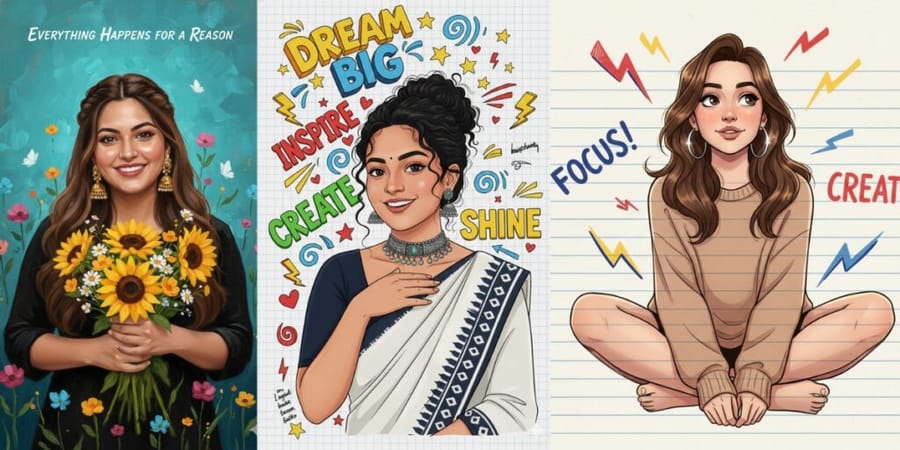
“A high-quality semi-realistic digital illustration of a smiling young Indian woman with a radiant expression, resembling actress Anupama Parameswaran. She has dark curly hair pulled back into a messy bun with loose tendrils framing her face, a small black bindi and distinct dark eyebrows. She is wearing a dark navy blue half-sleeve blouse and a white saree with a darkikat-patterned border. And, she wears a chunky oxidized silver and turquoise choker necklace with hanging beads and matching earrings. Her left hand is gently raised, resting on her upper chest/collarbone area.The background is a white grid notebook paper texture filled with colorful, hand-drawn motivational typography and doodles. Key elements include the text “Dream Big” in yellow and blue 3D bubble letters, “Inspire” in red, “Create” in green, and “Shine” in yellow. Surrounding the woman are doodles of yellow stars, red hearts, lightning bolts, blue swirls, and arrows drawn in a marker style. There are small sections of handwritten notes and “brainstorming” scribbles in the margins.The overall style is a mix of realistic portraiture and vibrant scrapbook art, bright lighting, soft shading, and 8K resolution. I want an exact woman with the same face as I uploaded, no alteration, 100% same. Ratio 9:16.”Prompt 4:
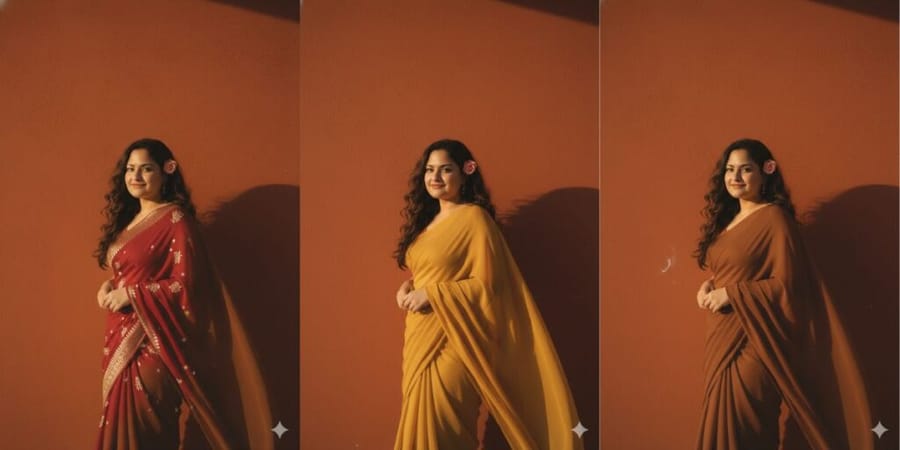
“Create a retro vintage grainy yet bright Pinterest-inspired image based on the reference picture. The girl is draped in a perfect plain chiffon saree – either warm yellow or earthy brown, giving a 90s movie vibe with a romantic, dreamy aesthetic. Her dark brown or soft red, wavy, curly hair flows naturally in the windy environment, with a small, delicate flower tucked visibly into her curls, adding a soft, feminine touch.She is also standing against a solid wall with deep shadows and dramatic contrast, creating a mysterious, artistic atmosphere. The lighting is warm, infused with golden-hour tones, evoking a sense of nostalgia and romance.The background is also minimalist and slightly textured, keeping the focus on her. Her expression is moody, calm, yet happy and introspective, perfectly capturing the essence of a vintage cinematic moment.”Prompt 5: Restore Your Low Quality Or Old Photo To HD
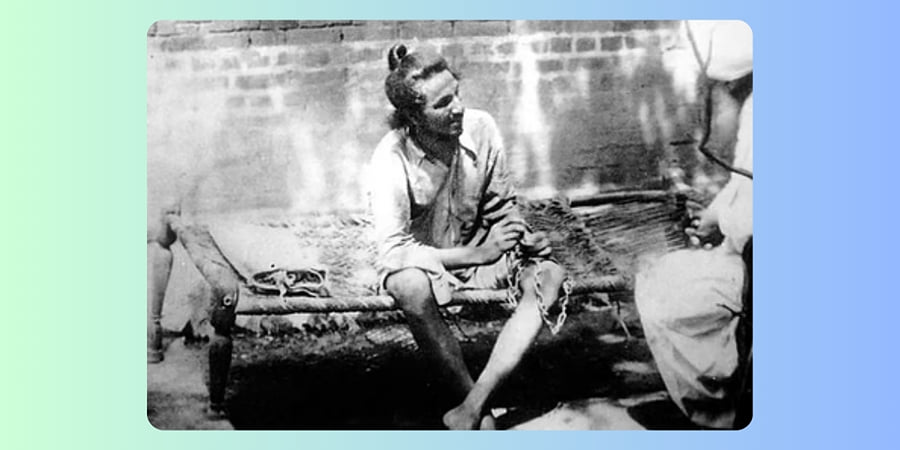
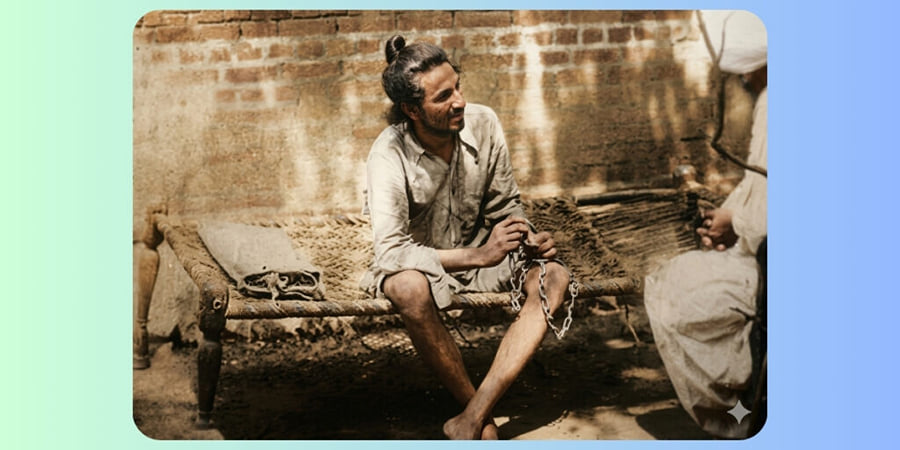
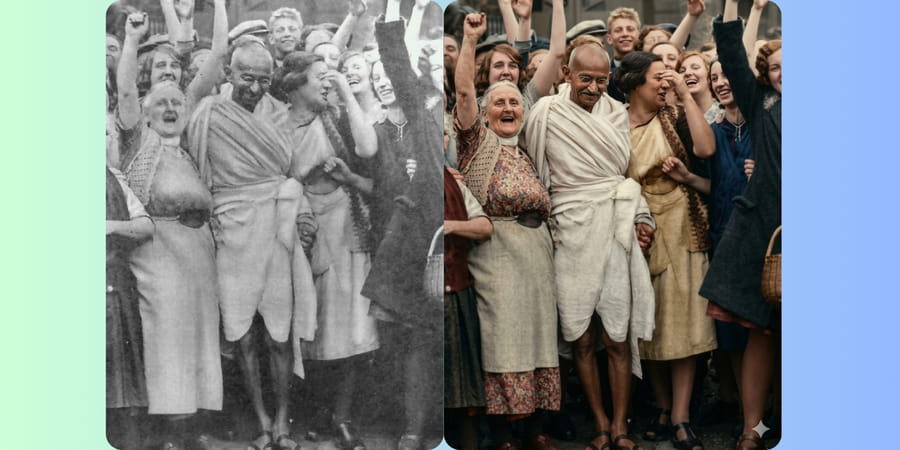
“Enhance this image naturally while keeping the original framing, angle, composition, and facial proportions exactly the same. Do not crop, zoom, or convert to a close-up. Improve overall clarity and sharpness subtly, focusing on the eyes, keeping the full face intact. Refine focus for better definition without over-sharpening. Apply soft, natural cinematic lighting correction while preserving realistic shadows and depth. Increase brightness slightly if the image is dark, and make the image pop with vivid yet natural colours. Enhance natural skin texture with visible pores and fine details — no beauty smoothing or skin softening. Remove digital noise and compression artefacts while retaining organic texture. Improve dynamic range and contrast subtly, with muted highlights and rich mid-tones. Maintain accurate, organic skin tones and realistic colour balance. Add very subtle cinematic film grain for a professional movie-still look. Keep the background exactly as it is; only slightly clean noisy areas — no artificial blur. Preserve all facial features, expressions, hair strands, and natural imperfections. Output photorealistic, professional-camera-quality enhancement only — no stylisation.”Prompt 6: Stylish Portrait
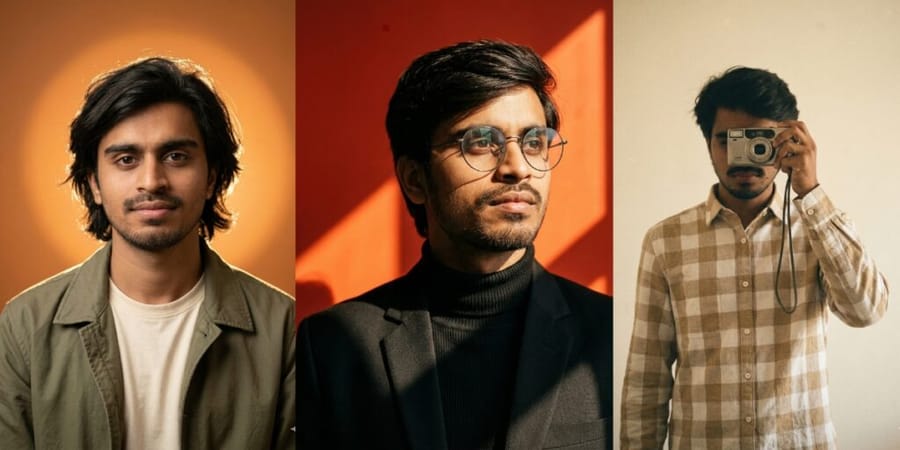
“Create a Medium chest-up portrait in a 3:4 vertical aspect ratio, shot at eye level with a short telephoto look equivalent to an 85mm full-frame lens. The subject stands approximately 1.2-1.5 meters from the camera, with a shallow depth of field creating a smooth, soft background blur and gentle falloff. Composition is centred, with relaxed shoulders slightly angled, the head gently tilted to camera-left (subject’s right), chin slightly lowered, and direct eye contact into the lens. Lighting consists of a single dominant warm backlight combined with soft frontal fill. A diffused frontal key light is positioned slightly above eye Level, low contrast, warm colour temperature around 3800-4200K. Directly behind the subject, a large circular backlight forms a soft-edged glowing halo centred behind the head, with a smooth gradient falloff. The backlight is strong enough to create clear separation and a warm glow around the hair and shoulders. Shadows are soft and minimal, naturally forming under the chin and along the jawline. Overall contrast is moderate-cinematic but realistic. The background is a smooth matte studio wall featuring a warm orange-to-amber gradient. A large circular glowing halo is perfectly centred behind the head, creating strong subject-background separation through luminous rim glow rather than artificial effects. Wardrobe includes a casual matte-texture jacket worn over a simple light-colored t-shirt, with a relaxed fit and natural drape. Hair is shoulder-length, natural, slightly tousled, with soft organic strands subtly catching the rim light. No visible accessories. Makeup is minimal and natural, non-glamorous. The visual style must be fully photorealistic with a cinematic studio aesthetic and a warm monochromatic palette dominated by amber tones. Preserve natural skin texture, micro-details, and realistic pores-no smoothing or beautification. Maintain high detail and realistic micro-texture rendering. Use the uploaded image strictly as the face identity source. Preserve exact facial proportions, bone structure, micro-expressions, natural asymmetrif 382 and authentic skin texture. Do not stylise, beautify, idealise, alter facial structure, or change age, ethnicity, or expression. All scene elements-Lighting, pose, camera, wardrobe, and background must follow this template exactly. The uploaded image contributes to facial identity only. No pose alterations, no camera or lens changes, no lighting colour shifts, no halo repositioning, no background replacement, and no style drift. No ani24,4 illustration, caricature, plastic skin, HDR look, over-sharpening, beauty filters, face distortion, resemblance drift, or expression exaggeration. Output must be 4K UHD resolution with minimal film-like grain, natural sharpness focused on the eyes, and a final look that feels editorial, cinematic, and warm.”






