The 1980s photo trend is everywhere on Instagram and social media right now. People are turning their normal photos into vintage-looking pictures inspired by the fashion, hairstyles, colors, cars, locations, and film style of the 1980s. After creating these retro photos, the next step is to turn them into an attractive reel.
That is where this Viral 1980s Reel Editing VN Code Template can help.
With this VN Code, you can create a stylish 1980s-inspired reel without spending a lot of time editing everything manually. You simply need to create your 1980s-style photos using ChatGPT, scan the VN Code, add your photos, and export the finished video.
In this guide, I will explain the complete process step by step.
What Is the Viral 1980s VN Code Template?
The VN Code is a ready-made editing template designed for creating a 1980s vintage photo reel. Instead of starting a project from zero, you can use the template and replace the existing photos with your own images.
The template takes care of the main editing elements, such as transitions, timing, effects, and overall reel style.
This makes the process much easier, especially if you are not comfortable with advanced video editing.
The best part is that you can first create your own customized 1980s photos and then use those same photos in the template.
Step 1: Create Your 1980s Photo With ChatGPT
Before opening VN, you need some good 1980s-style photos.
For this, you can use the ChatGPT image generation feature. The prompt will help transform your normal photo into a realistic vintage photograph inspired by the 1980s.
First, copy the 1980s photo editing prompt provided in this article.
Then open ChatGPT and upload your photo.
Paste the prompt along with your image and generate the picture.
Try to use a clear photo where your face is properly visible. A high-quality original image usually gives better results because the AI has more details to work with.
You can also create multiple variations. For example, you can make one photo with a classic 1980s outfit, another with an old-school street background, and another with a vintage vehicle or retro indoor setting.
The goal is to create a small collection of photos that look like they belong to the same era.
Step 2: Keep Your Face and Identity Consistent
If you are creating a reel using your own photos, consistency is important.
When generating your images, tell ChatGPT to preserve your recognizable facial features and identity. You want the final pictures to look like different 1980s photographs of the same person rather than completely different people.
You can experiment with different hairstyles, clothing, backgrounds, and poses while keeping the main facial appearance consistent.
A good 1980s look can include things like retro shirts, denim jackets, classic hairstyles, vintage sunglasses, old streets, analog cameras, warm lighting, and film-grain textures.
However, you don’t need to add every element to every photo. Keeping the styling natural can make the final reel look much more realistic.
Step 3: Download Your Generated Photos
Once you are happy with your AI-generated images, save them to your phone.
For a reel, it is better to prepare several photos rather than using only one image. Depending on the VN template, you may need a specific number of images.
Before moving to VN, check how many photo slots the template contains.
It is also a good idea to keep your photos in the correct order. For example, you could start with a simple portrait and then move through different poses, outfits, or locations.
This makes the final reel feel more like a visual story.
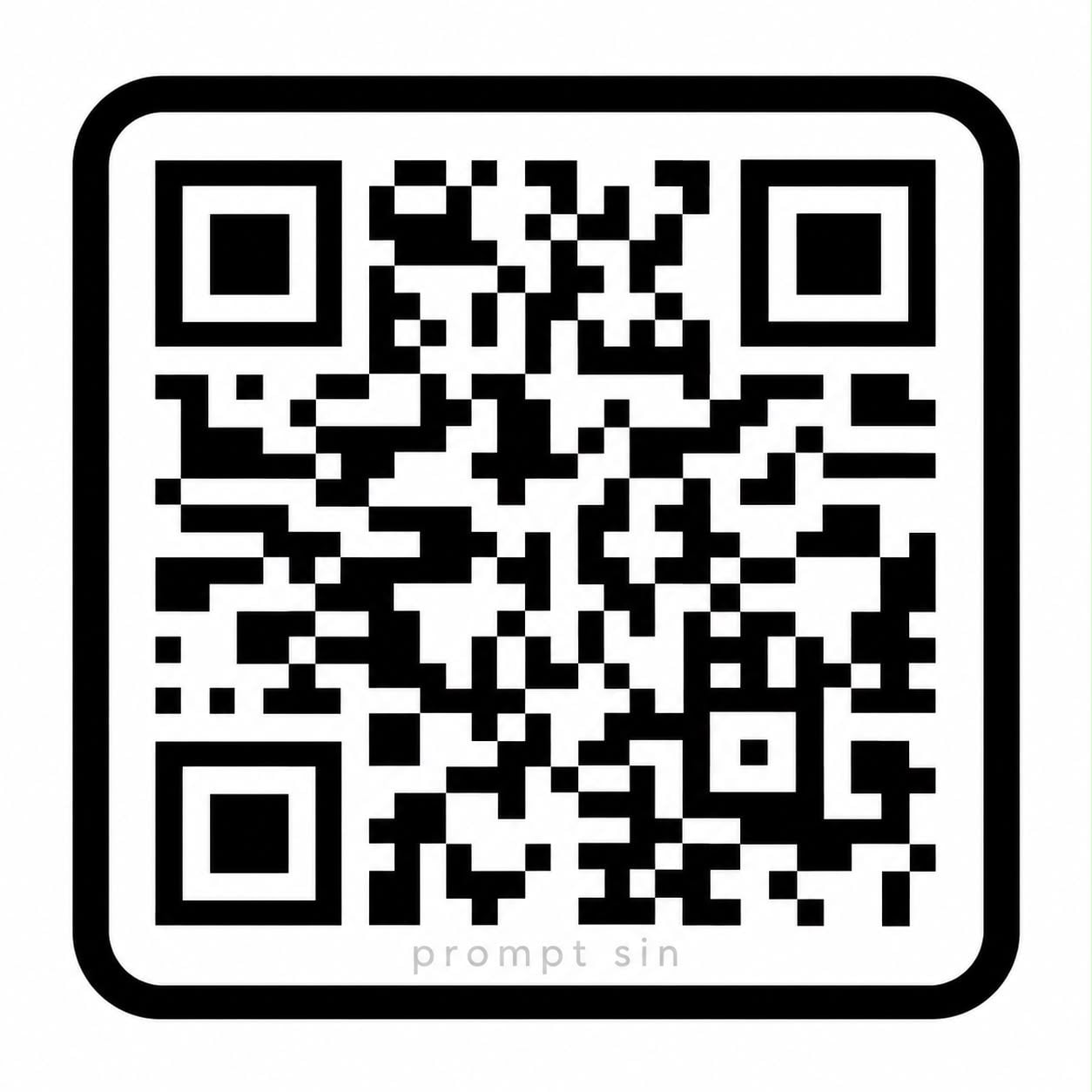
Step 4: Scan the VN Code
Now comes the easiest part.
Open the VN Video Editor app on your phone and find the option for importing or scanning a VN Code.
Use your phone’s camera or the appropriate VN Code scanning option to scan the 1980s Reel Editing VN Code provided with this article.
After scanning the code, the template should open in VN.
The exact appearance of the template may depend on the current VN app version, but the basic idea is the same: you are using a pre-made editing project instead of building the reel manually.
Step 5: Replace the Template Photos
Once the template opens, look for the photo placeholders.
Tap the first photo section and replace the sample image with your own 1980s-style photo.
Continue doing this for the remaining slots.
Try to choose photos that match the composition of each placeholder. If a slot works better with a close-up portrait, use a close-up image. If another slot shows a full-body pose, choose a photo with a similar composition.
This small step can make a big difference to the final result.
Step 6: Preview Your Reel
After adding all your photos, play the complete project from beginning to end.
Check whether the photos are positioned correctly and whether any important part of your face or outfit is being cropped.
If necessary, adjust the zoom or position of individual images.
You can also check the transitions and timing. Since the VN template already contains the main editing, you normally won’t need to change much.
If the template includes music or other effects, make sure everything looks and sounds right before exporting.
Step 7: Export and Share
Once everything looks good, export your finished reel from VN.
For Instagram Reels, a vertical format is generally the best choice. If the template is already designed for vertical video, you can simply export it in a suitable quality.
After exporting, open Instagram and upload your finished 1980s reel.
You can add a short caption such as:
“What if I lived in the 1980s? 📸✨”
or
“POV: My 1980s era.”
You can also add relevant hashtags, but don’t overload your caption with dozens of unrelated hashtags. A simple caption that matches the video usually looks cleaner.
Tips to Make Your 1980s Reel Look Better
The quality of your original photos matters a lot. Start with clear images and avoid heavily compressed pictures.
Also, try to maintain a similar visual style across your photos. If one image looks extremely modern while another has a strong vintage appearance, the reel may feel inconsistent.
For a more authentic retro appearance, your AI prompts can mention elements such as analog film grain, vintage colors, direct flash photography, old camera aesthetics, period clothing, and realistic 1980s surroundings.
Don’t be afraid to experiment with different scenes. A vintage bedroom, old-school street, classic car, college setting, family-photo atmosphere, or outdoor portrait can all create different moods.
Most importantly, focus on making the photos look believable rather than simply adding as many retro effects as possible.
Final Words
The Viral 1980s Reel Editing VN Code Template makes it much easier to turn your AI-generated retro photos into a trendy social media reel.
The complete process is simple: create your 1980s photos with ChatGPT, save them, scan the VN Code, replace the template photos, preview the project, and export your reel.
You don’t need advanced editing skills or hours of manual work. The VN template handles most of the editing for you, while ChatGPT helps you create the unique 1980s-style images that make your reel stand out.
If you have been seeing the 1980s photo trend on Instagram and wanted to try it yourself, this is an easy way to get started. Create your retro photos, add them to the VN template, and give your profile a completely different vintage vibe.
If you are looking for a creative way to make your photos and videos more attractive on Instagram Reels, the Trending 3 Layers VN Code Template 2026 is worth…
The Instagram Trending Money Template is becoming a popular choice for creators who want to make stylish, eye-catching, and entertaining videos for Instagram…
Friends, if you want to create stylish and trending videos for Instagram Reels, YouTube Shorts, or WhatsApp Status, VN templates can make video editing faster…
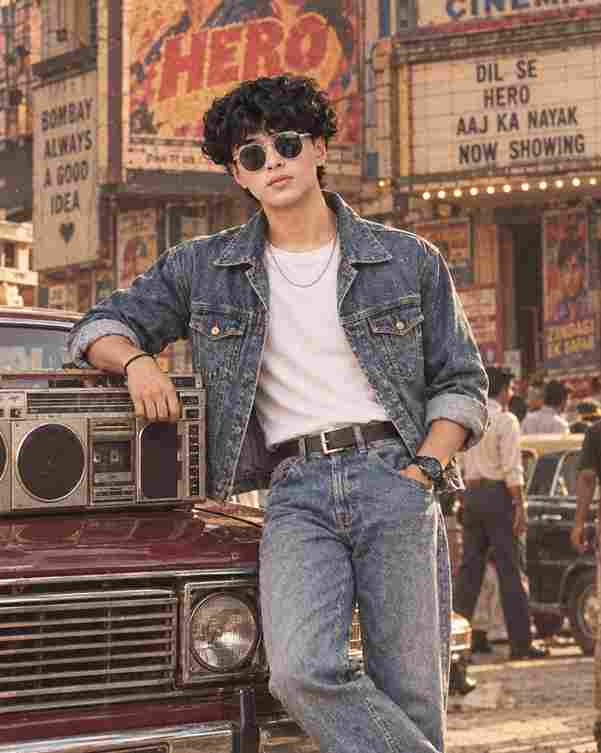
Use the uploaded photo as the sole identity reference. Preserve the person’s exact facial identity, facial structure, proportions, skin tone, natural skin texture, hairstyle, and recognizable features. Do not reshape, beautify, or alter the face. Create a highly photorealistic cinematic 1980s Indian retro Bollywood street portrait of a stylish young Indian man casually leaning against a classic vi
Main Keh Doon Sabhi Ko VN Template is a trending video editing style for creating beautiful and emotional short videos with your photos and video clips. This…
The Naina Wo Hain Na Song VN Code 2026 is an easy way to create a stylish and music-based Reels edit using your favorite photos and video clips. With a…
Attitude shayari reels have always had an audience, but this particular edit stands out because of its pacing. Instead of jumping between random clips, it…